 Sign up with Google
 Sign in with Zoho
Watching television through the internet has become quite common. Many people now use Smart TVs to access streaming applications and online television services. IPTV is one of the options available, but getting everything working properly can sometimes take a little time, especially if you are setting it up for the first time.
The process itself is not always complicated. However, small things like choosing the wrong application or entering incorrect details can cause problems. Instead of trying different settings without knowing what is wrong, it is better to understand a few common mistakes before getting started.
Here are seven things worth keeping in mind when setting up IPTV on a Smart TV.
1. Not Checking Whether the App Supports Your TV
This is something people sometimes overlook. They find an IPTV application online, try to install it and then discover that it is not available for their television.
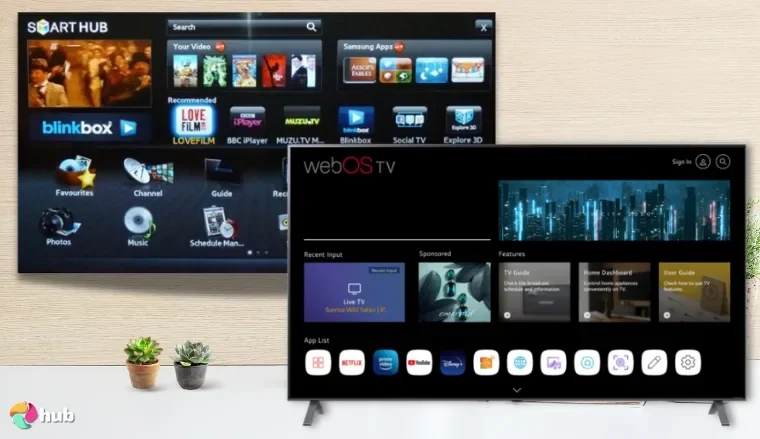
Samsung and LG Smart TVs use different systems from Android TV devices. This means that an application available on one platform may not work on another.
Before downloading an app, check your TV model and visit its official application store. Also, read the app information to make sure it supports your device.
2. Making Small Mistakes While Entering Login Details
Some IPTV applications ask users to enter an M3U playlist URL, username, password or server address. These details need to be entered correctly.
Even one incorrect character can stop the playlist from loading. Sometimes the problem is simply an extra space copied along with the URL.
If your channels are not appearing, check the information again before assuming that the application is faulty. You can also ask your provider to confirm whether your login details are still active.then its time to change and carefully decide it
3. Assuming That Every Wi-Fi Connection Is Good Enough
Your television might show that it is connected to Wi-Fi, but that does not necessarily mean the connection is stable.
For example, a router placed in another room may provide a weak signal. Other family members downloading large files or watching videos can also affect the available internet speed.
If videos keep buffering, try moving the router closer to your television. You can also test the connection using an Ethernet cable if your TV supports it.
4. Leaving the Application Outdated
When an application is not updated for a long time, certain features may stop working as expected. Updates can include bug fixes, performance improvements and compatibility changes.
It is worth checking your TV's app store occasionally. If an update is available, read the information and install it from the official source.
Your television's own software should also be kept reasonably up to date. There is no need to check for updates every day, but ignoring them for a long period is not a good idea.
5. Expecting the EPG to Work Automatically
Have you ever opened an IPTV application and found that channels are available but programme names and timings are missing?
This can happen when the Electronic Program Guide (EPG) has not been configured correctly.
An M3U playlist and an EPG are not the same thing. The playlist contains channel information, whereas the EPG displays programme schedules. Depending on the application and service, the guide information may need to be added separately.
If the programme guide is empty, check the EPG settings rather than changing your entire playlist.
6. Changing Too Many Settings at the Same Time
When something does not work, it is tempting to open every setting and start making changes. But this can create more confusion.
Suppose a channel is not loading. You change the playback settings, reinstall the application and reset the network connection all at once. If the problem disappears, you still will not know what actually fixed it.
Try to check one thing at a time. Start with the internet connection, then review your login details and application settings. This makes it easier to find the real cause.
7. Following Instructions Meant for Another TV
A setup tutorial for an Android TV may not match the menus on a Samsung or LG television. Even the names of certain options can be different.
This is why it helps to follow instructions made for your particular device. If you are looking for the installation steps, you can read this guide to setting up IPTV on Samsung, LG and Android TVs.
It covers the basic setup process for these television platforms and can help beginners understand where to start.
A Few Things to Remember
Most setup issues are easier to understand when you check the basics first. Make sure the application supports your TV, enter the correct details and check whether your internet connection is stable.
There is also no need to install several applications just because the first one does not work. Take a moment to understand the problem before making another change.
Final Thoughts
Getting IPTV running on a Smart TV can take a little patience, particularly if you have never used it before. The mistakes mentioned above are simple, but avoiding them can save time and prevent unnecessary frustration.
Take things step by step, use applications from trusted sources and follow instructions that match your television. A little preparation at the beginning can make the whole setup process easier.