Sign up with Google
 Sign in with Zoho

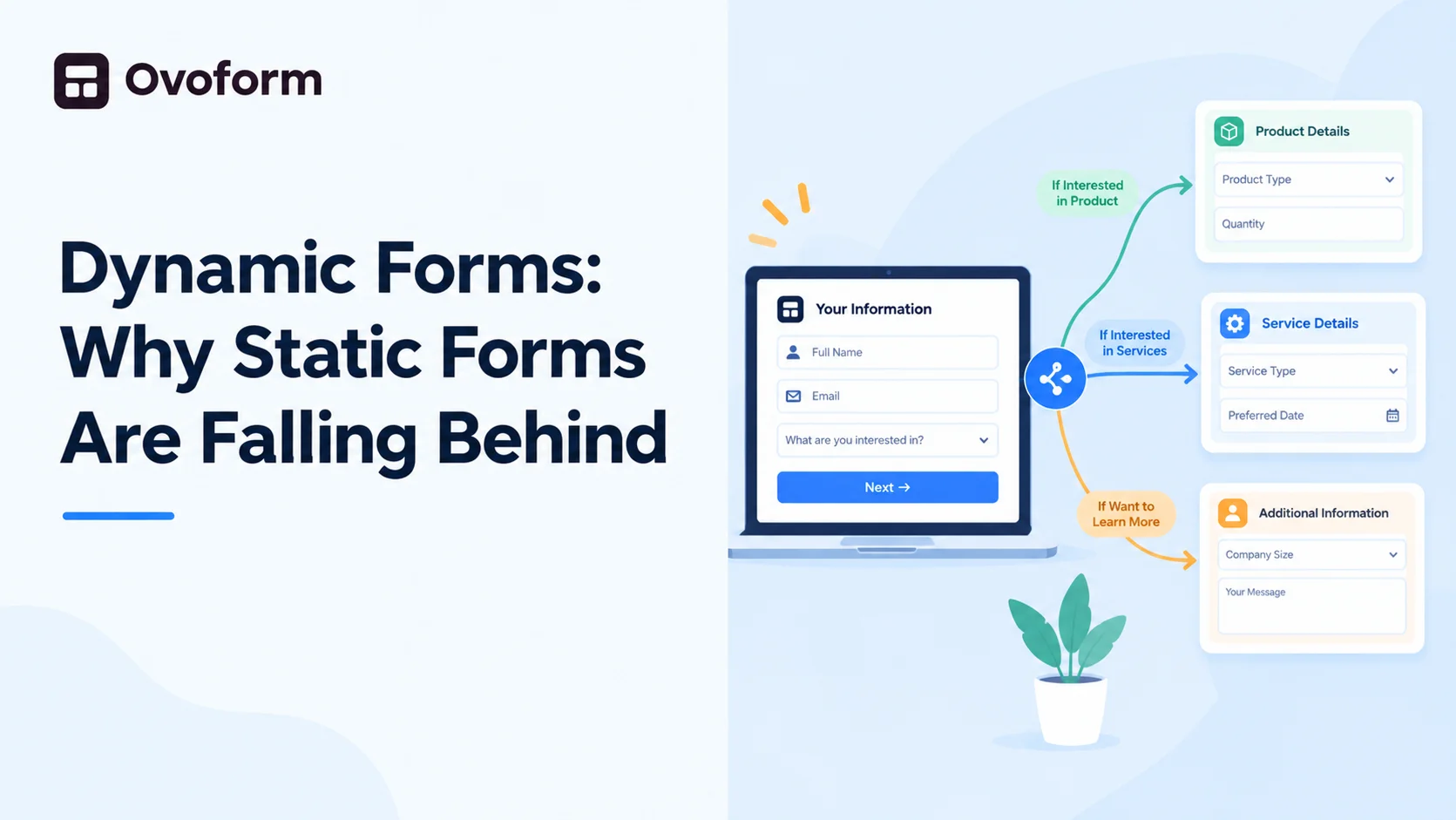
A static form asks every user the same questions in the same order, regardless of who they are or what they answered a moment ago. A dynamic form changes based on the user's input in real time, showing different fields, skipping irrelevant ones, or adjusting the flow entirely. The difference sounds small until you see it in action.
Take a simple job application form. A static version asks every applicant the same twenty questions, whether they're applying for an entry-level role or a senior one. A dynamic version adjusts the questions based on the role selected, asking about portfolio links for a design position and certifications for a technical one, without ever showing irrelevant fields to either group.
This matters for a few clear reasons.
Shorter, more relevant experience
Users only see what applies to them, so a long form feels manageable instead of overwhelming, even when it's collecting just as much information overall.
Better data quality
Instead of a generic "additional comments" box trying to capture everything, dynamic fields ask specific, relevant questions, which means the responses businesses actually get back are more useful.
Fewer errors and incomplete submissions
When a form only shows fields that make sense for the current answer, there's less confusion about what to fill in, and less chance of someone leaving something blank because it didn't apply to them.
Higher completion rates
Forms that adapt feel faster to fill out, and that alone reduces the number of people who give up halfway through.
Where dynamic forms show up in everyday use
It's not just job applications. Insurance claim forms adjust based on the type of claim being filed, showing different fields for a vehicle accident versus a property claim. Event registration forms change based on ticket type, asking dietary preferences for an in-person pass but skipping that entirely for a virtual one. Even a basic contact form can route differently depending on whether someone selects sales, support, or a general inquiry, sending each type to a different team without the user needing to know that's happening behind the scenes.
The technical piece behind this is usually conditional logic, rules that show, hide, or change fields based on previous answers. It sounds complex to set up, but most modern form builders now handle this visually instead of requiring custom code, using simple if-this-then-that rules rather than a developer writing custom scripts for every scenario.
Platforms like Ovoform make building dynamic forms straightforward, letting you set conditional logic, branching, and field changes visually, so the form adjusts to each user without needing a developer to build separate versions for every scenario.
If your forms currently show every field to every user regardless of their answers, there's a good chance you're losing responses simply because the form feels longer and less relevant than it needs to be. Dynamic forms fix that by tailoring the experience to each person filling it out, which usually means shorter forms, cleaner data, and fewer people dropping off halfway through.