Sign up with Google
 Sign in with Zoho

An Outlook archive is easy to ignore until it becomes difficult to use. You save old emails because they may matter later, but months of attachments and conversations keep adding to the same PST file. Eventually, finding an invoice from last year or opening a project folder can feel slower than it should.
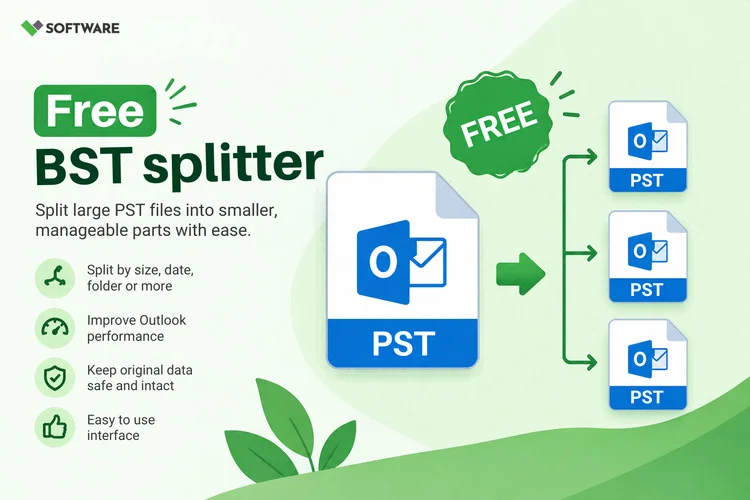
If you want to split a PST file into smaller parts, start by deciding which messages you still need regularly. The aim is to keep current work easy to reach while giving older mail a clear place of its own. Smaller files can also make an archive easier to name, store, and back up. They are not, however, a guaranteed fix for every Outlook slowdown.
First, Check What Is Taking Up Space
Before changing the file, look at its folders. One PST might be large because it contains ten years of useful correspondence. Another might have a huge Deleted Items folder or a handful of emails with large attachments.
Classic Outlook’s Mailbox Cleanup tools can show the size of individual folders and help you find older or large items. Microsoft also notes that a large mailbox can take longer to open and search. Checking the folder sizes first gives you a better reason for splitting the archive than guessing based on the PST’s total size alone. support.microsoft.com
Ask yourself how you would look for these emails later. “January–June 2025” may be a useful division if you remember approximate dates. If you remember client names instead, separate archives by client or project may be easier to navigate.
Make a Backup Before Moving Anything
Find the PST on your computer and copy it to a separate location before you reorganize its contents. Check that the copy has finished and is available. Keep that original backup until you have opened and checked every new archive.
This matters because splitting involves selecting, copying, or moving many items. If a folder is missed, the backup gives you a way to recover it. It also lets you compare message counts and attachments after the work is done.
Give your new files meaningful names. Client-A-2024.pst tells you far more than Archive2.pst. Write down what each file is meant to contain, especially if you plan to create several of them.
Choose a Way to Split the PST
For a modest archive, you can organize mail in classic Outlook by creating separate Outlook Data Files and moving selected folders or messages into them. You might keep recent mail in one file and place completed projects in another. Work through one folder at a time so you can check the destination before moving on.
Outlook also offers archiving options for older items. If your main goal is to separate old mail from current mail, review its archive settings before installing another application. Microsoft documents a manual archive option that lets you choose a folder and its subfolders. support.microsoft.com
A PST splitter tool may be useful when you have many folders or need files divided by a particular date or size. Before using one on the full archive, test it with a copy of a small PST. Check whether it preserves folder names, message dates, and attachments, and find out exactly what its free or trial version exports.
Verify Every New File
Do not judge the result by file size alone. Open each new PST in Outlook and compare its folders with your plan. Look inside a few folders, including ones with older mail. Open messages with attachments and search for an email you know should be there.
In classic Outlook, you can open a PST through File > Open & Export > Open Outlook Data File. Microsoft notes that additional PST files need to be open if you want to search their contents in Outlook. support.microsoft.com
If you copied items rather than moved them, you may temporarily see duplicates. Keep them until you have confirmed that the new files are complete. Only then should you decide what to remove from the original working file.
Will Splitting Improve Outlook Performance?
It depends on what caused the problem. Reducing the amount of mail in the PST you use every day may help you manage and search that file more comfortably. Merely creating smaller copies while leaving the original large PST open will not necessarily change how Outlook behaves.
Deleted items may also leave unused space in a PST, so its size may not drop immediately after you move mail. Microsoft provides a Compact Now option for reducing the size of an Outlook Data File after cleanup. support.microsoft.com
If Outlook still freezes or struggles to open a data file, investigate that issue separately. Splitting an archive is an organizational step; it should not be treated as a repair for a damaged PST.
Keep the Archives Easy to Use
Once the files are checked, settle on a simple naming rule and keep a backup of each PST. Avoid creating so many tiny archives that finding an email requires opening file after file. A few clearly divided archives are more useful than dozens of files with vague names.
The best time to split a PST is when you can still open it and review its contents comfortably. Start with a backup, divide the mail according to how you actually search for it, and check each new file in Outlook. That leaves you with an archive you can understand when you need an old message—not just a set of smaller files.