Sign up with Google
 Sign in with Zoho

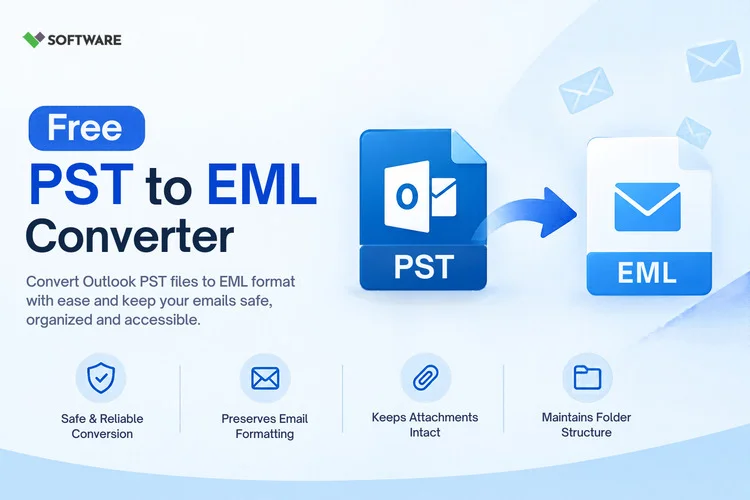
Email migration is an essential part of modern IT management, whether for platform upgrades, mailbox consolidation, email archiving, or cross-client compatibility. Organizations using Microsoft Outlook often store mailbox data in PST files, but when migrating to email clients that support EML format, a reliable conversion solution becomes necessary.
Choosing the right PST to EML Converter can significantly impact the success of a migration project. While many tools claim to offer accurate conversions, their capabilities can vary greatly in terms of performance, data integrity, scalability, and usability. Evaluating a PST to EML Converter tool carefully before deployment helps ensure that valuable email data remains intact and accessible.
This article explores the essential features that matter when evaluating PST-to-EML conversion software and how to select a solution that meets both personal and business requirements.
Understanding PST and EML File Formats
Before evaluating conversion software, it is important to understand the two formats involved.
What Is a PST File?
PST (Personal Storage Table) is Microsoft's proprietary file format used by Outlook to store:
- Emails
- Attachments
- Contacts
- Calendars
- Notes
- Tasks
PST files are commonly used for mailbox backups and long-term storage of Outlook data.
What Is an EML File?
EML is a standard email file format that stores individual email messages along with their metadata and attachments.
EML files are widely supported by:
- Mozilla Thunderbird
- Windows Mail
- Apple Mail
- eM Client
- Various forensic and archival systems
Because of its flexibility and broad compatibility, EML is often preferred during email migration projects.
Why Businesses Use PST to EML Conversion
Organizations convert PST files for several reasons:
- Migration to non-Outlook email platforms
- Long-term email preservation
- Email discovery and compliance reviews
- Data portability
- Simplified email sharing
An effective PST to EML Converter ensures that mailbox data can move between platforms without data loss or corruption.
Why Evaluating the Right Converter Matters
Email data often contains critical information including:
- Client communications
- Financial records
- Contracts
- Legal correspondence
- Business approvals
Using an unreliable converter can lead to:
- Missing emails
- Lost attachments
- Damaged formatting
- Metadata corruption
- Migration delays
A detailed evaluation helps organizations avoid these risks while ensuring a smooth conversion experience.
Key Features to Evaluate in a PST to EML Converter Tool
1. Email Data Integrity
The most important feature of any PST to EML Converter tool is its ability to preserve email integrity.
A high-quality converter should maintain:
- Email body content
- HTML formatting
- Hyperlinks
- Sender details
- Recipient information
- Subject lines
- Time stamps
When evaluating a solution, test whether converted emails appear identical to their Outlook originals.
2. Attachment Preservation
Attachments frequently contain the most valuable information in an email.
Look for software that preserves:
- PDF files
- Word documents
- Excel spreadsheets
- Presentations
- ZIP files
- Images
- Multimedia content
An effective PST to EML Converter should transfer attachments without modification or corruption.
3. Support for Large PST Files
Enterprise users often manage PST files ranging from several gigabytes to hundreds of gigabytes.
A reliable converter should handle:
- Large mailbox archives
- Multiple PST files
- High email volumes
- Complex folder structures
Tools with size limitations may cause failed conversions or incomplete exports.
4. Batch Conversion Capability
Converting files individually can be extremely time-consuming.
Batch conversion enables users to:
- Convert multiple PST files simultaneously
- Save administrative effort
- Reduce project timelines
- Improve operational efficiency
This feature is especially valuable during large-scale email migration initiatives.
5. Folder Structure Preservation
Users typically organize mailbox data using folders and subfolders.
A professional PST to EML Converter tool should preserve:
- Original hierarchy
- Parent folders
- Child folders
- Custom mailbox organization
Maintaining folder structure simplifies post-migration navigation and record management.
6. Advanced Email Filtering
Not every email needs to be converted.
Advanced filtering options allow users to export emails based on:
- Date range
- Sender address
- Recipient address
- Subject keywords
- Specific folders
Selective conversion improves efficiency and reduces storage requirements.
7. Preview Functionality
Preview capabilities allow users to inspect mailbox data before conversion.
Benefits include:
- Confirming email content
- Reviewing attachments
- Identifying required folders
- Reducing conversion errors
Preview functions provide an additional quality-control layer during migration projects.
8. Metadata Retention
Metadata is essential for maintaining email authenticity.
Important metadata includes:
- Sent date
- Received date
- Time stamps
- Sender information
- Recipient information
- Internet message headers
Loss of metadata can affect compliance, auditing, and legal investigations.
A quality PST to EML Converter should preserve this information accurately.
Security Features That Matter
Local Data Processing
For organizations handling sensitive information, local processing is important.
The best converters process mailbox data on local systems rather than uploading files to external servers.
Benefits include:
- Better privacy
- Reduced compliance risks
- Greater security control
Safe Handling of Email Data
Evaluate whether the software:
- Prevents data overwrites
- Maintains original source files
- Creates secure output locations
- Supports encrypted storage environments
Security should be a key consideration during product evaluation.
Performance Considerations
Conversion Speed
Large email archives may contain:
- Thousands of emails
- Multiple attachments
- Years of communication history
A converter should efficiently process large data volumes without excessive delays.
Resource Management
Poorly designed applications often consume excessive:
- CPU resources
- Memory
- Storage space
Testing performance on sample PST files helps identify potential bottlenecks before deployment.
User Experience and Ease of Use
Even feature-rich software can become difficult to manage if the interface is overly complex.
Look for:
- Clean navigation
- Simple workflows
- Quick setup
- Intuitive controls
- Clear reporting
A user-friendly PST to EML Converter tool reduces training requirements and improves productivity.
Compatibility Assessment
Before purchasing any converter, verify compatibility with:
Outlook Versions
The software should support:
- Outlook 2010
- Outlook 2013
- Outlook 2016
- Outlook 2019
- Outlook 2021
- Microsoft 365 Outlook
PST Variants
Support for both:
- ANSI PST
- Unicode PST
ensures flexibility when handling older and newer mailbox files.
Importance of Reporting and Logs
Migration projects often require documentation and accountability.
Quality conversion software should generate reports showing:
- Conversion status
- Exported email counts
- Failed items
- Process summaries
Detailed reports simplify troubleshooting and provide useful migration records.
The Relationship Between PST to EML and PST to PDF
Many organizations use multiple export formats depending on their business needs.
While EML is ideal for mailbox migration and interoperability, PST to PDF conversion is often preferred for:
- Legal documentation
- Audit preparation
- Compliance workflows
- Long-term records preservation
Some organizations first convert mailbox data into EML for migration purposes and later use PST to PDF processes for secure archival and evidence management.
Supporting both formats can provide greater flexibility for information governance strategies.
Common Evaluation Mistakes
When selecting a converter, avoid these mistakes:
Choosing Based on Price Alone
The cheapest option may not provide adequate reliability or security.
Ignoring Attachment Testing
Always verify attachment integrity during evaluation.
Skipping Trial Conversions
Testing a sample mailbox helps identify limitations before full deployment.
Overlooking Large-Scale Requirements
Organizations should ensure scalability before investing in a solution.
Conclusion
Selecting the best PST to EML Converter requires more than comparing marketing claims. Organizations must evaluate key features such as email integrity, attachment preservation, metadata retention, batch conversion capabilities, filtering options, folder structure maintenance, and security controls.
A reliable PST to EML Converter tool helps ensure successful email migration while protecting valuable business information. By carefully assessing performance, usability, compatibility, and scalability, organizations can minimize migration risks and maximize long-term data accessibility.
Additionally, businesses that require document-centric archiving can complement migration projects with PST to PDF workflows for compliance, legal discovery, and secure records management. Taking the time to evaluate conversion software thoroughly helps create a smoother migration experience and ensures that email data remains accurate, accessible, and protected for years to come.

 (1).webp)