Sign up with Google
 Sign in with Zoho

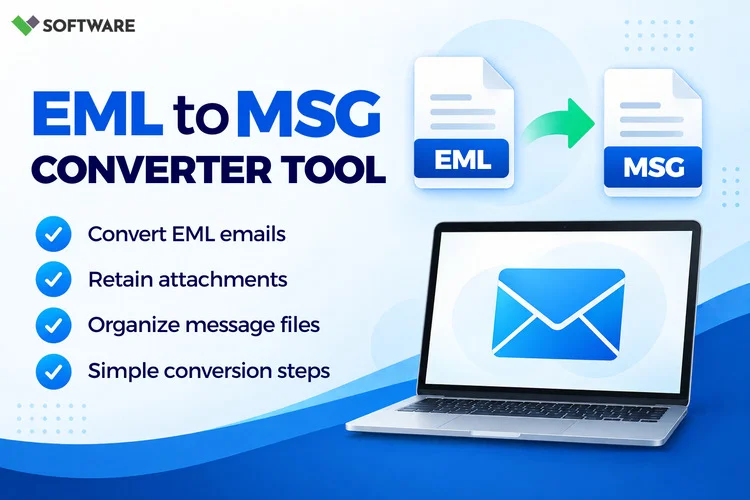
Email data plays a critical role in modern business communication. Whether it's customer conversations, project updates, invoices, or legal records, organizations rely heavily on email archives to store and access important information. However, email migration and compatibility challenges often arise when users switch email clients or need to access messages in Microsoft Outlook.
This is where an EML to MSG Converter becomes incredibly useful.
Many email applications, including Windows Mail, Thunderbird, eM Client, SeaMonkey, and Windows Live Mail, save messages in the EML format. Microsoft Outlook, on the other hand, primarily uses the MSG format for individual email messages. As a result, users often need to convert EML files into MSG format to ensure seamless access and management within Outlook.
In this article, we'll explore what an EML to MSG Converter Software does, its major benefits, real-world use cases, limitations, and best practices for successful email conversion.
Understanding EML and MSG File Formats
Before discussing conversion methods, it's important to understand the difference between EML and MSG files.
What Is an EML File?
An EML file is a standard email file format used by various email clients. It stores:
- Email content
- Sender and recipient information
- Subject line
- Attachments
- Date and time details
Because EML is widely supported, it is commonly used for email backup and data storage.
What Is an MSG File?
An MSG file is Microsoft's proprietary email format used by Outlook.
It stores:
- Complete email messages
- Attachments
- Formatting
- Metadata
- Outlook-specific properties
MSG files integrate directly with Outlook, making them ideal for users working within Microsoft environments.
The process of converting EML to MSG allows users to access emails in Outlook without losing critical information.
Why Convert EML to MSG?
Many organizations eventually migrate to Microsoft Outlook because of its enterprise-grade features and integration with Microsoft 365.
When this happens, existing EML files often need conversion for:
- Better Outlook compatibility
- Email migration projects
- Legal and compliance requirements
- Long-term archiving
- Business continuity
An EML to MSG Converter simplifies this process by eliminating manual conversion efforts and preserving mailbox integrity.
Benefits of Using an EML to MSG Converter
1. Improved Outlook Compatibility
One of the biggest advantages of using an EML to MSG Converter Software is full compatibility with Microsoft Outlook.
While Outlook can sometimes open EML files, users may experience:
- Formatting inconsistencies
- Missing metadata
- Attachment accessibility issues
Converting to MSG ensures complete Outlook functionality.
Practical Example
A company migrating from Mozilla Thunderbird to Microsoft Outlook may have thousands of archived EML messages. After converting them to MSG format, employees can access emails directly within Outlook without compatibility concerns.
2. Preservation of Email Properties
Email messages contain more than just text.
Important information includes:
- Sender details
- Recipient information
- Timestamps
- Subject lines
- CC and BCC records
- Attachments
A professional EML to MSG Converter preserves these properties during conversion.
Practical Example
A legal team reviewing historical email correspondence requires complete records, including timestamps and attachment history. Proper conversion ensures this information remains intact.
3. Faster Email Migration
Manual conversion of hundreds or thousands of EML files can be extremely time-consuming.
Professional conversion software automates the process, helping organizations:
- Reduce migration time
- Improve accuracy
- Minimize administrative effort
Practical Example
An IT administrator responsible for 15,000 archived EML files can convert them in bulk rather than opening and saving each email individually.
4. Batch Conversion Capabilities
Batch conversion is a major advantage for businesses.
Many advanced EML to MSG Converter Software solutions allow users to convert entire folders simultaneously.
This feature is particularly useful when dealing with:
- Large email archives
- Department-wide migrations
- Enterprise email projects
Instead of processing individual files one by one, users can convert thousands of emails in a single operation.
5. Better Data Organization
MSG files integrate naturally with Outlook's folder structure.
After converting EML to MSG, users can:
- Sort emails efficiently
- Search messages quickly
- Manage archives better
- Organize communication records
This improves overall productivity and simplifies data management.
6. Preservation of Attachments
Attachments often contain valuable information such as:
- Contracts
- Presentations
- Financial reports
- Images
- Technical documents
A quality converter preserves attachments while maintaining their association with the original email.
Practical Example
A finance department archiving vendor communications can ensure all invoice attachments remain attached to the corresponding email messages.
Common Use Cases for EML to MSG Conversion
Email Client Migration
Organizations frequently switch from email clients such as:
- Thunderbird
- Windows Live Mail
- eM Client
- SeaMonkey
to Microsoft Outlook.
In these situations, converting EML to MSG becomes a crucial migration step.
Corporate Email Archiving
Many companies archive email records for:
- Compliance purposes
- Internal audits
- Legal investigations
- Knowledge management
MSG files provide easy integration with Outlook-based archiving systems.
Legal and eDiscovery Projects
Law firms and compliance teams often require complete email records.
An EML to MSG Converter helps preserve email evidence while ensuring compatibility with Outlook-based review environments.
Mergers and Acquisitions
When two companies merge, their email environments frequently differ.
Converting archived EML files into MSG format creates a unified email ecosystem and simplifies data consolidation.
Outlook-Centric Workflows
Organizations heavily invested in Microsoft technologies often standardize on Outlook.
Converting archived messages into MSG format ensures consistency across departments and improves accessibility.
Limitations of EML to MSG Conversion
Despite the advantages, users should also understand the limitations.
1. Software Dependency
MSG files are designed for Microsoft Outlook.
Organizations that use non-Outlook email clients may not fully benefit from MSG conversion.
Example
A business still relying on Thunderbird may gain little value from converting EML files to MSG unless Outlook adoption is planned.
2. Potential Formatting Variations
Poor-quality conversion solutions may occasionally produce:
- Broken formatting
- Misaligned content
- Missing embedded images
Choosing reliable EML to MSG Converter Software reduces these risks significantly.
3. Large Archive Processing Time
Although automated tools are faster than manual conversion, very large archives may still require considerable processing time.
Example
Converting 100,000 EML files may take several hours depending on:
- System resources
- File sizes
- Storage speed
4. Free Tool Restrictions
Some free tools impose limitations such as:
- Conversion caps
- Limited batch processing
- File size restrictions
- Reduced technical support
Organizations handling critical email data often require more comprehensive solutions.
Tips for Successful EML to MSG Conversion
To achieve the best results:
Create Backups First
Always maintain a backup of original EML files before conversion.
Verify Attachments
After conversion, confirm that all attachments are accessible.
Test Sample Files
Convert a small batch before processing an entire archive.
Use Batch Processing
For larger projects, batch conversion saves time and improves efficiency.
Choose Reliable Software
Select an EML to MSG Converter capable of preserving email integrity, metadata, and folder structure.
Frequently Asked Questions (FAQ)
What is an EML to MSG Converter?
An EML to MSG Converter is a tool that converts EML email files into Microsoft Outlook MSG format while preserving email content, attachments, and metadata.
Why would I need to convert EML to MSG?
Users typically convert EML to MSG when migrating to Outlook, archiving emails, conducting legal reviews, or consolidating email records.
Can attachments be preserved during conversion?
Yes. Most professional converters maintain all attachments and associate them correctly with their respective email messages.
Is batch conversion possible?
Yes. Most advanced EML to MSG Converter Software solutions support batch conversion of multiple EML files simultaneously.
Are free converters suitable for business use?
Free tools may work well for small projects, but businesses often require advanced features, better scalability, and stronger reliability.
Can converted MSG files be opened in Outlook?
Yes. MSG files are designed specifically for Microsoft Outlook and can be opened directly within the application.
Conclusion
As organizations increasingly rely on Microsoft Outlook for email management, the need for efficient EML to MSG conversion continues to grow. Whether you're migrating from another email client, consolidating archives, or preparing records for compliance reviews, an EML to MSG Converter can simplify the process significantly.
The ability to preserve email content, attachments, metadata, and formatting makes EML to MSG Converter Software an essential tool for individuals and businesses alike. While there are some limitations, such as Outlook dependency and potential restrictions in free tools, the benefits generally outweigh the challenges.