Sign up with Google
 Sign in with Zoho

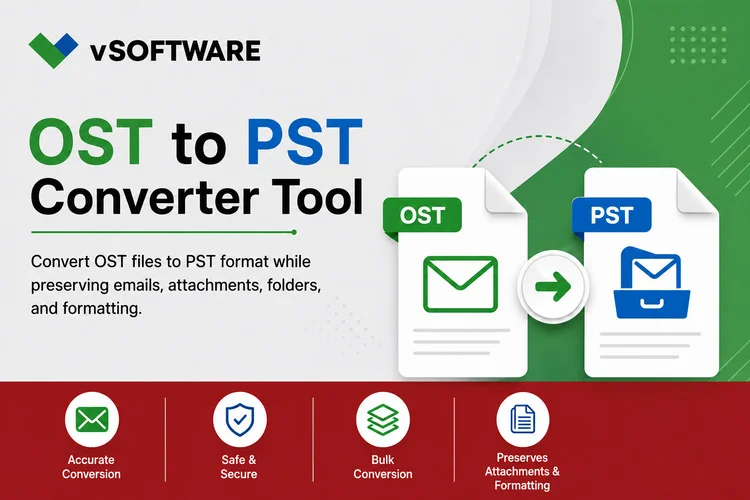
If you've been using Outlook for years, chances are your mailbox has grown into a massive archive of emails, attachments, contacts, calendars, and other important information. While that's great for record-keeping, it can become a challenge when you need to migrate data, create a backup, recover an inaccessible mailbox, or move information to a new Outlook account.
That's where OST to PST conversion comes in.
However, converting a large OST file isn't always as simple as clicking a button. Large mailbox archives can contain tens of thousands of emails and several gigabytes of data. Choosing the wrong conversion tool can lead to slow performance, missing emails, damaged folder structures, or even data loss.
The good news is that with the right OST to PST Converter, the process becomes much easier and safer. In this guide, we'll explore what to look for in a conversion tool, the features that matter most, and how to ensure a successful conversion when dealing with large Outlook archives.
Why Do You Need to Convert an OST File?
An OST (Offline Storage Table) file is Outlook's local copy of a mailbox connected to Exchange Server, Microsoft 365, or Outlook.com. It allows users to access their email even without an internet connection.
While OST files are useful, there are many situations where converting them to PST format becomes necessary. For example:
- An Exchange Server has crashed or become unavailable.
- An Outlook profile is corrupted.
- You need to move mailbox data to another computer or account.
- A former employee's mailbox must be preserved.
- You want to archive old emails for long-term storage.
- An OST file has become orphaned and can no longer synchronize with the original server.
When the mailbox is small, conversion is usually straightforward. But when you're dealing with years of accumulated business communication, choosing the right software becomes critical.
Why Large Outlook Archives Are More Difficult to Convert
A small mailbox might contain a few thousand emails. A large enterprise mailbox could contain hundreds of thousands, along with large attachments, folders, calendars, tasks, and contacts.
As mailbox size increases, so do the challenges. Conversion software must process huge amounts of data while maintaining accuracy and performance. Poorly designed tools often struggle with:
- Extremely slow scan times
- High memory usage
- System freezes or crashes
- Interrupted conversions
- Missing mailbox items
- Corrupted output files
This is why large Outlook archives require a professional-grade solution that is specifically built for heavy workloads.
Key Factors to Consider When Choosing an OST to PST Converter
1. Ability to Handle Large OST Files
Not all converters are designed to process large mailboxes efficiently. Before choosing a tool, verify that it can comfortably handle large OST files without performance issues.
A reliable converter should be capable of processing:
- Multi-gigabyte mailbox files
- Years of email history
- Large attachment collections
- Enterprise-level Outlook archives
The best tools maintain stable performance even when working with very large amounts of data.
2. Fast Conversion Performance
When converting a large mailbox, processing speed matters.
A conversion project involving several gigabytes of data can take hours. Efficient software minimizes downtime by using optimized scanning and conversion engines.
Look for tools that offer:
- Fast mailbox scanning
- Efficient use of system resources
- Stable conversion performance
- Reduced processing times
A faster conversion not only saves time but also helps reduce disruption to business operations.
3. Accurate Data Preservation
Speed is important, but accuracy is even more important.
The last thing you want is to discover missing emails or broken folder structures after the conversion is complete. A quality OST to PST Converter should preserve every mailbox element exactly as it appears in the original file.
This includes:
- Folder hierarchy
- Email formatting
- Attachments
- Sender and recipient information
- Subject lines
- Timestamps
- Read and unread status
- Metadata
Maintaining data integrity is especially important for organizations that must meet compliance or record-retention requirements.
4. Recovery of Damaged OST Files
Large OST files can sometimes become corrupted due to synchronization issues, system crashes, or unexpected shutdowns.
For this reason, it's wise to choose a converter that offers recovery capabilities in addition to basic conversion features.
Advanced tools can often:
- Recover inaccessible OST files
- Convert orphaned OST mailboxes
- Repair damaged mailbox structures
- Extract data from partially corrupted files
These features can make the difference between recovering valuable information and losing it permanently.
Features That Make Conversion Easier
Batch Conversion
For organizations managing multiple mailboxes, converting files one at a time isn't practical.
Batch conversion allows administrators to process several OST files simultaneously, making large migration projects much more efficient.
This is particularly useful when handling:
- Employee mailboxes
- Department archives
- Shared mailboxes
- Organizational email records
Mailbox Preview
Preview functionality gives users the ability to inspect mailbox contents before conversion begins.
Being able to browse emails, contacts, calendars, attachments, and tasks beforehand helps confirm that the correct data is being processed.
It's a small feature that can prevent major mistakes.
Selective Conversion
Not every piece of data needs to be migrated.
A good converter allows users to select specific folders, filter emails by date, or export only the mailbox items they need.
This helps reduce conversion time while keeping PST files smaller and easier to manage.
PST Splitting
Very large PST files can become difficult to maintain and manage over time.
Many advanced converters include PST splitting options that divide exported data into smaller files based on:
- Size
- Date range
- Folder structure
Smaller PST files often perform better in Outlook and are easier to back up and archive.
Don't Overlook Compatibility
Before purchasing any software, ensure that it works with your environment.
The converter should support popular Outlook versions, including Outlook 2021, Outlook 2019, Outlook 2016, and earlier releases if necessary.
It's also important to check Windows compatibility, especially if your organization uses Windows 10, Windows 11, or Windows Server environments across different departments.
Broad compatibility reduces deployment issues and ensures a smoother conversion experience.
Security Matters More Than Ever
Email archives often contain sensitive business information, including financial records, client communications, contracts, employee data, and internal reports.
For this reason, security should never be an afterthought.
When evaluating an OST to PST Converter, look for solutions that:
- Process files locally
- Avoid uploading data to external servers
- Securely handle mailbox information
- Generate conversion logs
- Protect user privacy
In most cases, desktop-based conversion tools provide better control and data protection than online conversion services.
Common Mistakes to Avoid
Many users make the mistake of choosing software based solely on price. While free tools may seem attractive, they often lack the performance and recovery capabilities required for large mailbox archives.
Another common mistake is skipping the testing phase. Always run a trial conversion on a smaller mailbox before processing large data sets.
Finally, think beyond your current needs. Mailboxes continue to grow, so selecting a scalable solution today can save time and money in the future.
Best Practices for Successful Conversion
To achieve the best results, follow a few simple recommendations:
- Create a backup of the original OST file before starting.
- Ensure sufficient storage space is available.
- Close Outlook and related applications during conversion.
- Use a stable system with adequate memory and processing power.
- Verify the converted PST file after completion.
Take a few minutes to review folder structures, attachments, contacts, calendar entries, and email content to confirm everything transferred correctly.
Why Professional Software Is Worth the Investment
While free utilities can handle basic tasks, large Outlook archives often require advanced functionality.
Professional OST to PST converters typically offer:
- Faster conversion speeds
- Enhanced recovery features
- Better accuracy
- Improved security
- Scalability for large projects
- Dedicated technical support
For businesses that rely on email data, these benefits can significantly reduce risk and improve overall efficiency.
Conclusion
Choosing an OST to PST Converter for a large Outlook archive isn't just about finding software that can complete a conversion. It's about ensuring your valuable mailbox data remains accurate, secure, and accessible throughout the process.
The ideal solution should handle large files with ease, preserve every mailbox item, recover data from damaged OST files, and provide features like batch processing, selective conversion, mailbox preview, and PST splitting.
By investing in a reliable conversion tool and following proven best practices, you can simplify migrations, protect important business communications, and successfully manage even the largest Outlook archives with confidence.