 Sign up with Google
 Sign in with Zoho

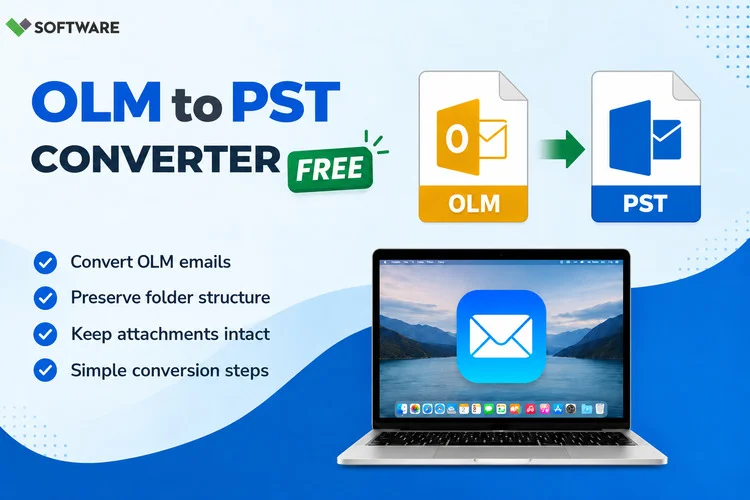
Migrating from Outlook for Mac to Outlook for Windows often requires transferring mailbox data between two different file formats. Outlook for Mac stores emails, contacts, calendars, notes, and other mailbox data in OLM files, while Outlook for Windows uses PST files. As a result, users moving from macOS to Windows need a reliable way to Convert OLM to PST in Windows without losing important information.
This comprehensive guide explains what OLM and PST files are, why conversion is necessary, common challenges users face, and the most effective methods to complete the migration successfully.
Understanding OLM and PST File Formats
Before starting the conversion process, it is important to understand the difference between OLM and PST files.
What is an OLM File?
OLM (Outlook for Mac Archive File) is a proprietary file format used by Outlook for Mac. It stores:
- Emails
- Attachments
- Contacts
- Calendar entries
- Notes
- Tasks
- Journal data
OLM files are designed specifically for macOS versions of Microsoft Outlook and cannot be opened directly in Outlook for Windows.
What is a PST File?
PST (Personal Storage Table) is the data file format used by Microsoft Outlook on Windows. PST files store:
- Email messages
- Contacts
- Calendars
- Tasks
- Notes
- Attachments
Since Outlook for Windows recognizes PST files, converting OLM data into PST format is essential when migrating from Mac to Windows.
Why Convert OLM to PST in Windows?
Many users need to perform OLM to PST conversion for several reasons:
Migration from Mac to Windows
Organizations frequently switch workstations from macOS to Windows. Employees need access to their historical emails and personal mailbox data in Outlook for Windows.
Business Mergers and Upgrades
Companies consolidating IT infrastructure often standardize around Windows systems, requiring mailbox migration from Outlook for Mac to Outlook for Windows.
Improved Accessibility
OLM files cannot be accessed directly on Windows. Converting them into PST files makes mailbox data available in Microsoft Outlook on Windows 11.
Centralized Mail Management
PST files can be easily imported into Outlook, making email management more organized and efficient.
Challenges During OLM to PST Conversion
Many users underestimate the complexity of OLM migration. Common difficulties include:
Platform Compatibility Issues
Windows Outlook does not have native support for opening OLM files.
Risk of Data Loss
Manual migration methods may result in missing emails, attachments, contacts, or calendar entries.
Folder Structure Changes
Improper conversion procedures can alter mailbox hierarchy and folder organization.
Large Mailbox Files
Organizations often deal with OLM files containing several gigabytes of data, making manual migration impractical.
Methods to Convert OLM to PST in Windows 11
There are two primary approaches to converting OLM files into PST format.
Method 1: Manual Migration Through Exchange or IMAP
This method involves syncing Outlook for Mac data with a mail server and accessing the same mailbox through Outlook for Windows.
Step 1: Configure Outlook for Mac
- Open Outlook for Mac.
- Add an Exchange, Office 365, or IMAP email account.
- Synchronize all mailbox data with the server.
Step 2: Verify Complete Synchronization
Ensure all emails, contacts, and folders have been uploaded successfully.
Step 3: Set Up Outlook on Windows 11
- Install Microsoft Outlook.
- Configure the same email account used in Outlook for Mac.
- Allow Outlook to download mailbox content from the server.
Step 4: Export Data to PST
- Open Outlook on Windows.
- Choose File → Open & Export → Import/Export.
- Select Export to a File.
- Choose Outlook Data File (.pst).
- Save the PST file to the desired location.
Limitations of the Manual Method
Although free, this approach has several disadvantages:
- Requires Outlook for Mac access.
- Requires active email account synchronization.
- Not suitable for orphaned OLM files.
- Time-consuming for large mailboxes.
- Potential synchronization errors.
Method 2: Professional OLM to PST Converter Software
For users needing a reliable and direct solution, specialized software provides the easiest way to Convert OLM to PST in Windows.
Professional tools can read OLM files without requiring Outlook for Mac and convert all mailbox items directly into PST format.
Typical Conversion Process
Step 1: Install the Software
Download and install a trusted OLM to PST converter application on Windows 11.
Step 2: Add the OLM File
Browse and select the OLM file that needs conversion.
Step 3: Preview Mailbox Data
Many professional solutions allow users to preview:
- Emails
- Attachments
- Contacts
- Calendars
- Tasks
- Notes
Step 4: Select PST as Output Format
Choose PST from the available export options.
Step 5: Start Conversion
Begin the conversion process and save the resulting PST file.
Step 6: Import PST into Outlook
Open Outlook and import the converted PST file for immediate access to mailbox data.
Features to Look for in OLM Conversion Software
When selecting a conversion utility, evaluate the following capabilities:
Complete Data Migration
The software should convert all mailbox components, including emails, contacts, calendars, tasks, and attachments.
Folder Hierarchy Preservation
Maintaining the original folder structure helps users access their information efficiently after migration.
Large File Support
Choose software capable of handling oversized OLM files without performance issues.
Batch Conversion
Organizations with multiple OLM files benefit from bulk conversion functionality.
Preview Feature
A built-in preview option allows verification before exporting data.
Windows 11 Compatibility
Ensure the application is fully compatible with Windows 11 and current Outlook versions.
Best Practices for Successful OLM to PST Migration
Following these recommendations can help avoid migration problems:
Create a Backup
Always maintain a backup copy of the original OLM file before beginning conversion.
Verify Data Integrity
After conversion, review email counts, attachments, contacts, and calendar entries.
Test with Sample Data
Before converting large mailboxes, test the process using a smaller OLM file.
Keep Outlook Updated
Using the latest Outlook version minimizes compatibility issues when importing PST files.
Check Available Disk Space
Large PST files require sufficient storage during export and import operations.
Benefits of Using Professional Conversion Software
Many businesses prefer automated tools due to their speed and reliability.
Key benefits include:
- Fast conversion process
- Minimal technical expertise required
- Preservation of mailbox structure
- Accurate migration of attachments
- Support for large OLM files
- Reduced risk of data corruption
- Bulk file conversion capability
These advantages make dedicated software especially useful for enterprises, IT administrators, and users handling business-critical mailbox data.
Conclusion
When transitioning from Outlook for Mac to Windows, converting OLM files into PST format becomes an essential step. Since OLM files are not supported in Outlook for Windows, users must either rely on synchronization-based manual methods or use specialized conversion software.
While manual techniques may work for small migrations, they often involve multiple steps, synchronization dependencies, and potential data loss risks. For a faster, more reliable, and efficient approach, many users choose professional tools to Convert OLM to PST in Windows while preserving emails, attachments, contacts, calendars, and folder structures.
By selecting the right method and following the best practices outlined in this guide, users can successfully Convert OLM to PST in Windows 11 and access their Outlook data seamlessly on Windows systems without compromising data integrity.