Sign up with Google
 Sign in with Zoho

Introduction
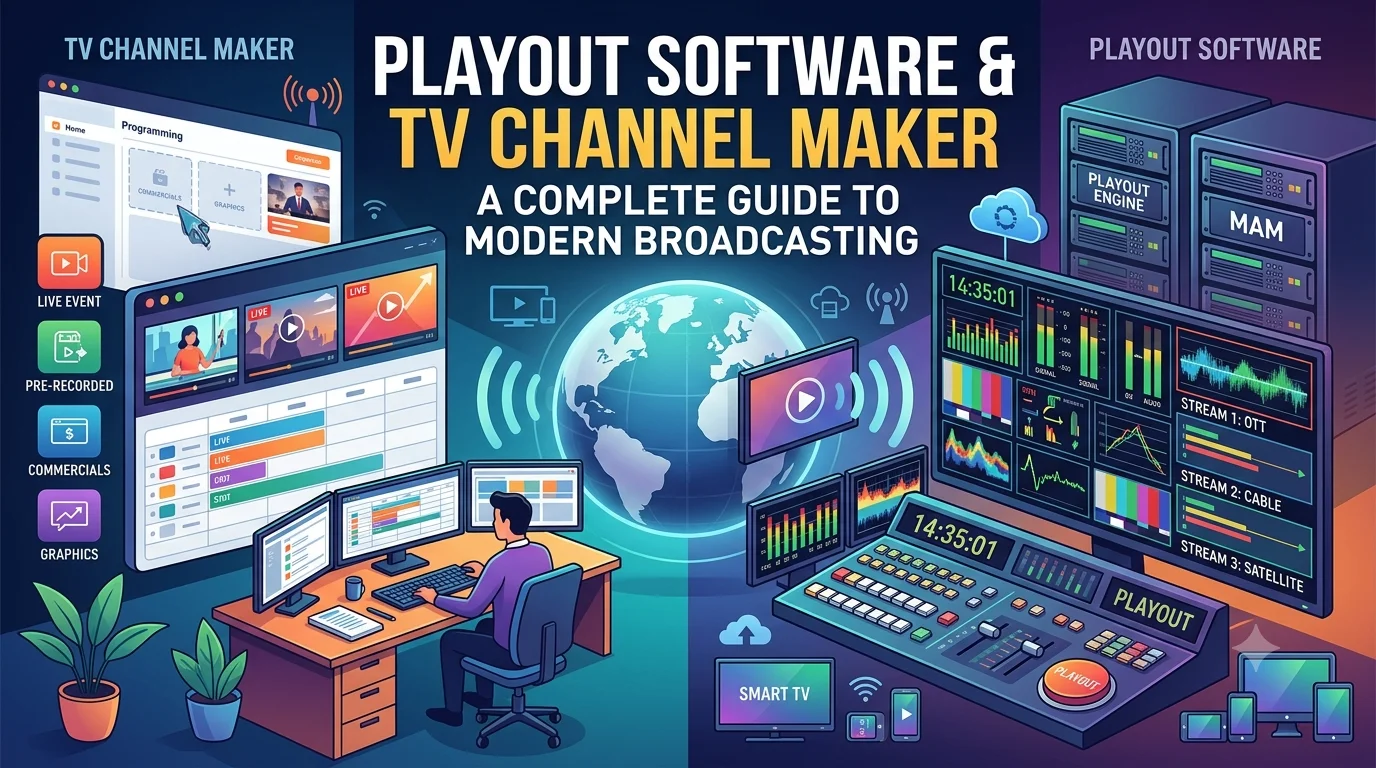
Two important components of this transformation are playout software and a tv channel maker. Playout technology manages how video content is played and scheduled, while a channel creation platform helps broadcasters organize the different elements required to launch and operate an online television channel.
Understanding how these technologies work together can help businesses choose the right tools for their broadcasting goals. Whether you want to launch an entertainment channel, distribute educational programming, broadcast regional news, or create a branded streaming service, selecting suitable software can simplify operations and improve the viewing experience.
What Is Playout Software?
Playout software is a broadcasting solution that automates the playback of video, audio, graphics, and other media according to a predefined schedule. Instead of manually starting every program, broadcasters can prepare playlists and configure the system to play content automatically.
This is particularly valuable for channels that operate continuously. A scheduled channel may need to broadcast programs throughout the day, including evenings, weekends, and holidays. Automation reduces the amount of manual intervention required to maintain a consistent programming schedule.
Depending on the platform, playout software may support video file playback, live input switching, graphics overlays, logo insertion, audio management, scheduled playlists, and integration with streaming infrastructure.
For example, an entertainment broadcaster can prepare a daily playlist containing movies, interviews, music programs, and promotional videos. Once the schedule is configured, the system can play these assets in sequence, allowing the channel to continue broadcasting with less manual supervision.
More advanced solutions may support multiple channels, remote management, monitoring tools, and integrations with content management systems.
Why Playout Automation Matters
Manual broadcasting can become difficult to manage as the number of programs and operating hours increases. Staff must monitor playback, start and stop content, manage transitions, and respond to unexpected interruptions.
Automation helps reduce these repetitive tasks while making programming more predictable.
Consistent programming schedules
A predefined playlist helps ensure that programs begin at the intended times. This is useful for channels with recurring shows, scheduled news updates, advertising breaks, or time-sensitive programming.
Reduced operational workload
Once content and schedules are prepared, automated playback can handle many routine broadcasting activities. Teams can spend more time on production, content planning, audience engagement, and channel development.
Better content management
Organized media libraries make it easier to locate files, update playlists, replace outdated programs, and plan future schedules. This becomes increasingly important when a channel manages hundreds or thousands of video assets.
Improved scalability
Broadcasters that plan to introduce additional channels should look for systems capable of supporting more playlists, content sources, and distribution destinations without creating unnecessary operational complexity.
Automation does not eliminate the need for monitoring. Technical teams should still check stream health, playback accuracy, audio quality, and content availability to identify problems before they affect viewers.
What Is a TV Channel Maker?
A tv channel maker is a platform or software solution designed to help users create and manage television channels. Depending on the provider, it may include tools for content organization, playlist creation, scheduling, channel branding, and online video distribution.
The term can describe several types of products. Some are simple tools for creating scheduled internet streams, while others offer more comprehensive broadcasting workflows with cloud infrastructure, channel management, and distribution integrations.
For businesses that want to enter digital broadcasting, a channel creation platform can reduce the complexity of assembling separate systems. Instead of managing every function independently, users may be able to control much of the workflow from one interface.
Typical capabilities can include:
- Uploading and organizing video content.
- Creating scheduled programming playlists.
- Adding channel logos and visual branding.
- Managing live streams and prerecorded programs.
- Publishing channels to websites or supported applications.
- Monitoring playback and reviewing performance data.
The available features vary by provider, so it is important to confirm which functions are included before selecting a solution.
How Playout Software and a TV Channel Maker Work Together
Although these technologies are closely related, they serve different purposes.
Playout software focuses on executing the broadcasting schedule. It determines what plays, when it plays, and how media transitions from one item to another.
A channel creation platform focuses on establishing and managing the channel itself. It may provide tools for defining the channel, organizing its content, configuring branding, and connecting the playback workflow to a streaming destination.
In a combined workflow, a broadcaster first uploads video files and organizes them into a media library. The next step is to create a playlist and assign playback times. The playout system then executes the schedule, while the streaming infrastructure delivers the resulting video feed to viewers.
For instance, a regional media company could create a channel dedicated to local culture and entertainment. It might schedule interviews in the morning, educational programs in the afternoon, and feature films in the evening. The channel platform manages the programming setup, while the playout system handles the scheduled playback.
This separation of responsibilities helps make broadcasting workflows easier to understand, maintain, and expand.
Choosing the Right Broadcasting Platform
The best solution depends on the size of your operation, your technical experience, your content formats, and your long-term objectives.
Before making a decision, evaluate the following factors.
1. Ease of use
An intuitive interface can reduce training requirements and simplify daily channel management. Look for straightforward tools for uploading media, building playlists, editing schedules, and monitoring playback.
2. Content compatibility
Check whether the platform supports your video formats, resolutions, audio configurations, and live input sources. Confirm any encoding requirements before importing a large media library.
3. Automation capabilities
Consider whether the software supports recurring schedules, automatic transitions, playlist management, graphics overlays, and backup content. These features can be particularly valuable for channels that broadcast continuously.
4. Streaming and distribution options
A broadcasting platform should fit your intended distribution model. You might want to stream through a website, a mobile application, connected televisions, or another supported destination.
Check whether the service includes streaming delivery or requires separate encoding, hosting, and content delivery services.
5. Reliability and monitoring
Look for clear information about uptime, technical support, stream monitoring, error notifications, and recovery procedures. For continuous broadcasting, these features can make a substantial operational difference.
6. Pricing and future growth
Compare subscription fees, channel limits, storage allowances, bandwidth charges, and additional service costs. A platform that appears inexpensive initially may become costly as viewership and content volume increase.
Choose a solution that meets your current needs while providing a practical path toward expansion.
Cloud-Based Broadcasting and Modern Channel Creation
Cloud technology has made broadcasting more accessible by moving many media management and playback functions to hosted infrastructure. Rather than maintaining all equipment in a local facility, broadcasters can use cloud-based services to organize content, configure schedules, and manage streaming workflows remotely.
For smaller media businesses, this can reduce the need to maintain dedicated hardware for every broadcasting task. Teams may also find it easier to manage operations from different locations, depending on the platform's access controls and supported features.
Cloud-based systems can be especially useful when a company wants to operate several channels for different audiences. For example, a media organization might run separate channels for sports, education, entertainment, and regional programming while maintaining a shared content management workflow.
However, cloud broadcasting still depends on reliable connectivity, appropriate storage, and sufficient streaming capacity. Broadcasters should also review data security, backup arrangements, service-level commitments, and the process for exporting their content if they decide to change providers.
Best Practices for Operating a Digital TV Channel
Choosing suitable technology is only one part of building a successful broadcasting service. Consistent programming, good technical preparation, and a clear audience strategy remain essential.
Start by creating a realistic content calendar. Schedule programs according to audience interests and maintain a balance between new content and useful material from your existing library.
Test every asset before adding it to the schedule. Check picture quality, audio levels, playback compatibility, and program duration. Incorrect metadata or damaged files can disrupt an otherwise well-planned playlist.
Establish a monitoring routine that covers stream availability, playback continuity, and audio-video synchronization. If your platform supports alerts or automated fallback content, configure these features before launching a continuous channel.
Finally, review audience analytics regularly. Viewing duration, popular programs, audience growth, and playback issues can help you identify what is working and where improvements are needed.
Conclusion
Playout software and a tv channel maker serve complementary roles in modern digital broadcasting. Playout automation manages scheduled media playback, while a channel creation platform helps organize the content, branding, and distribution components required to operate an online TV channel.
Together, these technologies can simplify broadcasting workflows, reduce repetitive manual tasks, and help businesses deliver consistent programming across supported platforms.
Before selecting a solution, assess its automation features, media compatibility, streaming options, reliability, and pricing. With the right combination of technology and a well-planned content strategy, broadcasters can build a professional channel that serves their audience today and adapts as their business grows.