Sign up with Google
 Sign in with Zoho

A customer messages your business on WhatsApp asking if a product is in stock.
You reply six hours later.
By then, they’ve already bought it from someone else probably someone who replied in six minutes.
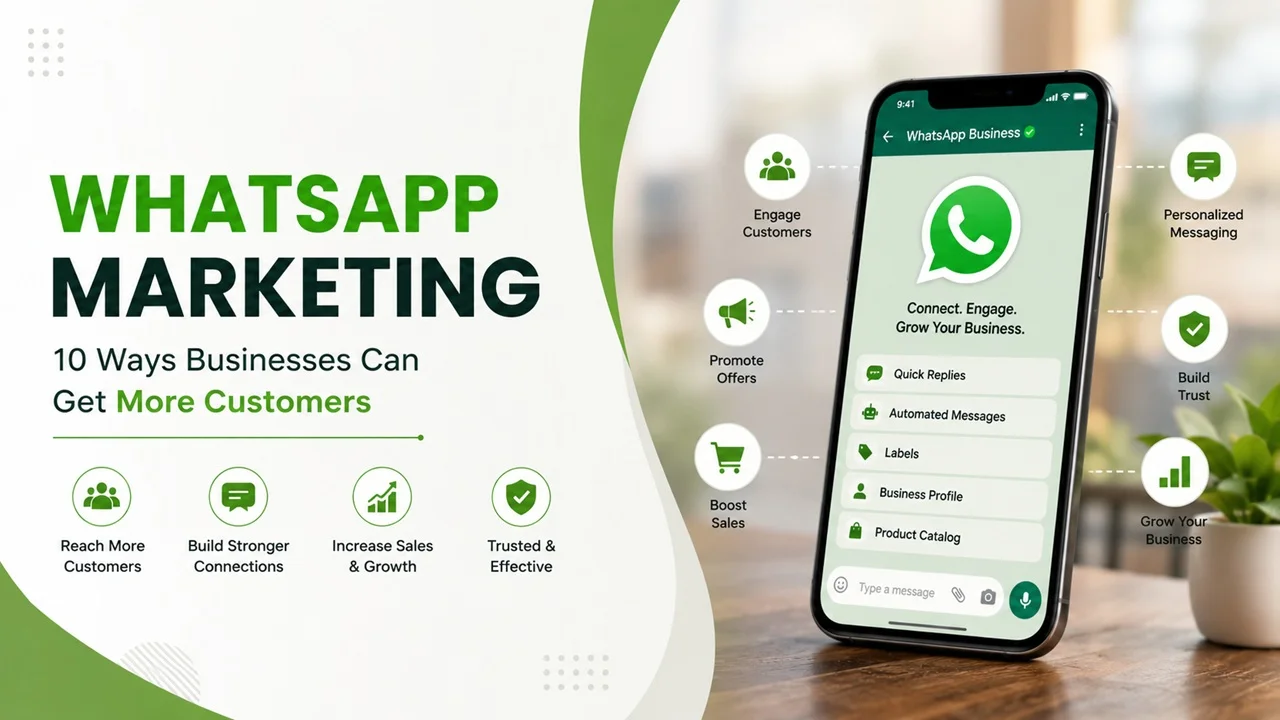
This happens to businesses across India every single day. WhatsApp Business isn’t a side channel anymore. For a lot of customers, it’s the first place they go before they call you, email you, or even visit your website. If you’re not using it properly, you’re leaving customers on the table. Here are ten ways to actually turn WhatsApp into a channel that brings in business.
1. Set Up Your WhatsApp Marketing Profile Properly
This is the foundation, and a lot of businesses skip it. Add your business name, category, address, hours, and a short description of what you do. Add your website and other social links too.
A half-filled profile makes a business look unsure of itself. A complete one builds trust before the conversation even starts.
2. Use the Catalog Feature to Showcase Products
WhatsApp Business lets you build a catalog right inside the app photos, prices, and descriptions, all in one place. Customers can browse without you sending fifteen separate photos every time someone asks “what do you have?”
This alone saves time and makes your business look more organised.
3. Send Broadcasts, Not Spam
Broadcast lists let you message multiple customers at once, without them seeing each other’s numbers. Use this for offers, new arrivals, or updates but sparingly.
The moment your messages feel like spam, customers block you. Save broadcasts for things that are genuinely useful or timely, not every single day.
4. Set Up Quick Replies for Common Questions
Most customer questions repeat “are you open today?”, “what’s the price?”, “do you deliver?”. WhatsApp Business lets you save quick replies for exactly these, so you can answer in seconds instead of typing the same thing over and over.
Faster replies mean fewer customers wandering off to a competitor while they wait.
5. Use WhatsApp for Order Updates and Confirmations
Customers want to know their order is confirmed, packed, and on its way without having to ask. A simple WhatsApp message at each stage does this automatically and builds confidence in your business.
It also cuts down on “where is my order?” messages clogging up your inbox.
6. Run Click-to-WhatsApp Ads
Instead of sending Instagram or Facebook ad traffic to a website form, send it straight to a WhatsApp chat. For many Indian customers, this feels far more natural than filling out a form and waiting for a callback.
These ads often bring in more genuine enquiries because the customer is already mid-conversation the moment they click.
7. Offer Support Directly on WhatsApp
Some customers will never call you, but they’ll happily message. Offering support on WhatsApp for order issues, questions, or complaints meets them where they’re comfortable.
Handled well, this can actually turn a frustrated customer into a repeat one.
8. Collect Reviews and Testimonials
After a good experience, ask the customer directly on WhatsApp for a quick review or a few lines about what they liked. People respond to this far more than a generic review request buried in an email.
With their permission, you can share these messages as social proof elsewhere too.
9. Build a Loyal Customer Broadcast List
Separate your one-time enquiries from your repeat customers. A smaller, more loyal list can get first access to new products, early sales, or small perks the kind of thing that keeps people coming back instead of shopping around.
10. Use the WhatsApp Business API as You Scale
Once your business is handling a high volume of conversations, the free WhatsApp Business app starts to feel limiting. The WhatsApp Business API allows automation, multiple team members, and integration with your existing systems useful once you’ve outgrown manual replies.
Frequently Asked Questions
Is WhatsApp marketing free? The basic WhatsApp Business app is free to use. Costs come in when you scale up to the WhatsApp Business API, run click-to-WhatsApp ads, or use paid tools for automation.
How do I get customers through WhatsApp? Start with a complete business profile, quick and genuine replies, and a catalog if you sell products. Click-to-WhatsApp ads and word-of-mouth from existing customers are usually the fastest ways to bring in new conversations.
What is the difference between WhatsApp and WhatsApp Business? WhatsApp Business includes features regular WhatsApp doesn’t a business profile, catalog, quick replies, automated greetings, and labels to organise chats. It’s built specifically for handling customers, not just personal conversations.
Can I send bulk messages on WhatsApp legally? You can send messages to people who have opted in or interacted with your business, using broadcast lists or the official WhatsApp Business API. Sending unsolicited bulk messages to people who haven’t consented can get your number blocked or banned.
Final Thought
WhatsApp marketing isn’t about sending more messages. It’s about being reachable, responsive, and useful in the one app your customer probably already has open. Get the basics right first profile, catalog, and quick replies before worrying about automation or ads.
If you’d like help setting up WhatsApp as an actual sales and support channel instead of just a chat box, Arihant Global works with businesses across India on exactly this kind of setup.