Sign up with Google
 Sign in with Zoho

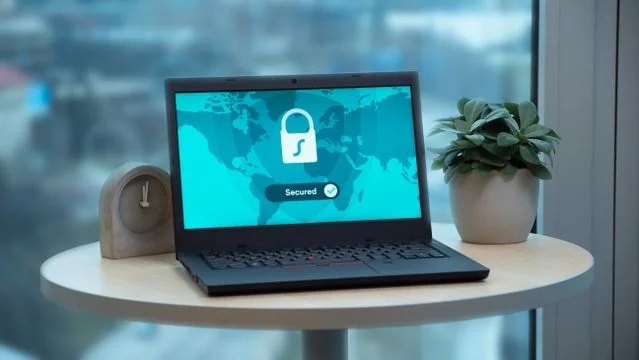
Passwords sit at the center of everyday digital life. They unlock email, banking, business tools, cloud storage, streaming accounts, shopping profiles, and social platforms. Because they protect so much, criminals often treat them as the easiest path into personal information, financial records, and workplace systems. A strong password strategy is no longer just a technical habit. It is a practical form of personal security. Protecting your password means choosing stronger credentials, storing them safely, using additional verification, and recognizing the tricks attackers use to get people to hand over access. In a digital world where accounts are always connected, small habits can make a significant difference.
Choose Length Over Predictable Complexity
For years, many people were told to build passwords by mixing uppercase letters, numbers, and symbols. That advice can still help in some cases, but it often leads to predictable patterns such as replacing the letter “a” with “@” or adding “123!” at the end of a familiar word. A better approach is to focus on length and uniqueness. Longer passwords and passphrases are harder to guess and easier to remember when they are built from uncommon phrases, unrelated words, or personal memory cues that would not be obvious to someone else. Instead of using a short password with decorative substitutions, consider a longer phrase that does not appear in a quote, song lyric, family name, address, pet name, or public social media post.
Every important account should have its own password. Reusing one strong password across multiple accounts may feel efficient, but it creates a serious risk. If one service is breached, attackers can try the same login on email, banking, shopping, and workplace platforms. This technique is common because it works against people who reuse credentials. A unique password limits the damage. If one account is exposed, the problem stays contained rather than spreading across your digital life.
Use a Password Manager Wisely
A password manager can help solve one of the biggest problems in modern account security: the average person has too many logins to remember safely. A reputable password manager can create long, random passwords for each account and store them in an encrypted vault. That way, you only need to remember one strong master password. It also reduces the temptation to write passwords on sticky notes, save them in plain text files, or reuse the same credential across many websites.
Using a password manager still requires care. Choose a trusted provider, protect the vault with a strong master password, and turn on multi-factor authentication for the password manager itself. Avoid sharing vault access casually, and review any built-in security alerts that warn about weak, reused, or exposed passwords. If your workplace offers managed access tools or self service password reset options, use them according to company policy so you can recover access securely without relying on shortcuts that may weaken protection.
Add Multi-Factor Authentication Wherever Possible
Even a strong password can be stolen through a breach, phishing message, or compromised device. Multi-factor authentication, often called MFA, adds another step before someone can sign in. This might be a prompt in an authenticator app, a hardware security key, a biometric check, or a one-time code. The goal is to make a stolen password less useful on its own. If an attacker has the password but not the second factor, the account is much harder to access.
Not all second factors offer the same strength. An authenticator app or hardware security key is generally stronger than a text message code because phone numbers can be targeted through SIM swapping or social engineering. Still, any MFA is usually better than relying on a password alone. Start with your most sensitive accounts, including email, banking, cloud storage, work tools, and any account that could be used to reset access to other services. Your email account deserves special attention because it often serves as the recovery hub for the rest of your digital identity.
Recognize Phishing and Social Engineering
Many password theft attempts do not begin with advanced hacking. They begin with persuasion. A phishing email may look like a delivery notice, bank alert, payroll update, software warning, or message from a familiar brand. The goal is to push you into clicking a link, entering your password, or approving a sign-in request. Attackers often create urgency by claiming your account will be closed, your payment failed, or your security is at risk. When a message pressures you to act immediately, slow down and verify it through a trusted channel.
Before entering a password, check the website address carefully. Look for misspellings, strange domain names, or links that do not match the company or service you intended to visit. Avoid signing in through links from unexpected messages. Instead, open a browser or app and navigate directly to the service. Be cautious with account recovery calls as well. A person who claims to be from technical support, your bank, or your employer may ask for verification details that should never be shared. Legitimate support teams should not ask you to reveal your password.
Keep Devices, Browsers, and Recovery Options Secure
Password protection also depends on the health of the devices and systems you use to sign in. Keep your operating system, browser, and apps updated so known security flaws are patched. Use reputable security tools when appropriate, lock your devices with a PIN, password, or biometric option, and avoid saving passwords on shared or public computers. Public Wi-Fi can also add risk when used carelessly, so avoid signing into sensitive accounts on unfamiliar networks unless you are confident the connection is secure.
Recovery settings deserve the same attention as passwords. If your recovery email is outdated, your phone number is no longer active, or your security questions contain answers that can be found online, account recovery becomes a weak point. Review your recovery options regularly and remove methods you no longer control. If a service offers backup codes, store them somewhere secure, such as in your password manager or a locked physical location. The goal is to make recovery possible for you while keeping it difficult for anyone else.
Respond Quickly When a Password May Be Exposed
If you learn that a password may have been exposed, act quickly and calmly. Change the affected password from a trusted device and official website or app. If you reused that password anywhere else, change those accounts too, starting with email, banking, work systems, and cloud storage. Review recent account activity for unfamiliar sign-ins, devices, purchases, messages, or forwarding rules. Turn on MFA if it was not already enabled, and sign out of other sessions when the service gives you that option.
It is also worth treating password security as an ongoing routine rather than a one-time cleanup. Set a reminder to review important accounts a few times a year. Remove old accounts you no longer use, update weak passwords, and check whether your password manager has flagged any exposed credentials. Good password hygiene is built from repeated, practical choices. The more consistent those choices become, the less likely you are to rely on memory, convenience, or risky habits when it matters most.
Conclusion
Protecting your password in a digital world is about more than creating a clever string of characters. It requires a layered approach that combines long, unique passwords, safe storage, multi-factor authentication, awareness of phishing tactics, secure devices, and reliable recovery methods. No single habit can remove every risk, but each one reduces the chances that a stolen or guessed password will lead to real damage. By making password protection part of your normal digital routine, you can keep your personal and professional accounts safer without making security feel overwhelming.