Sign up with Google
 Sign in with Zoho

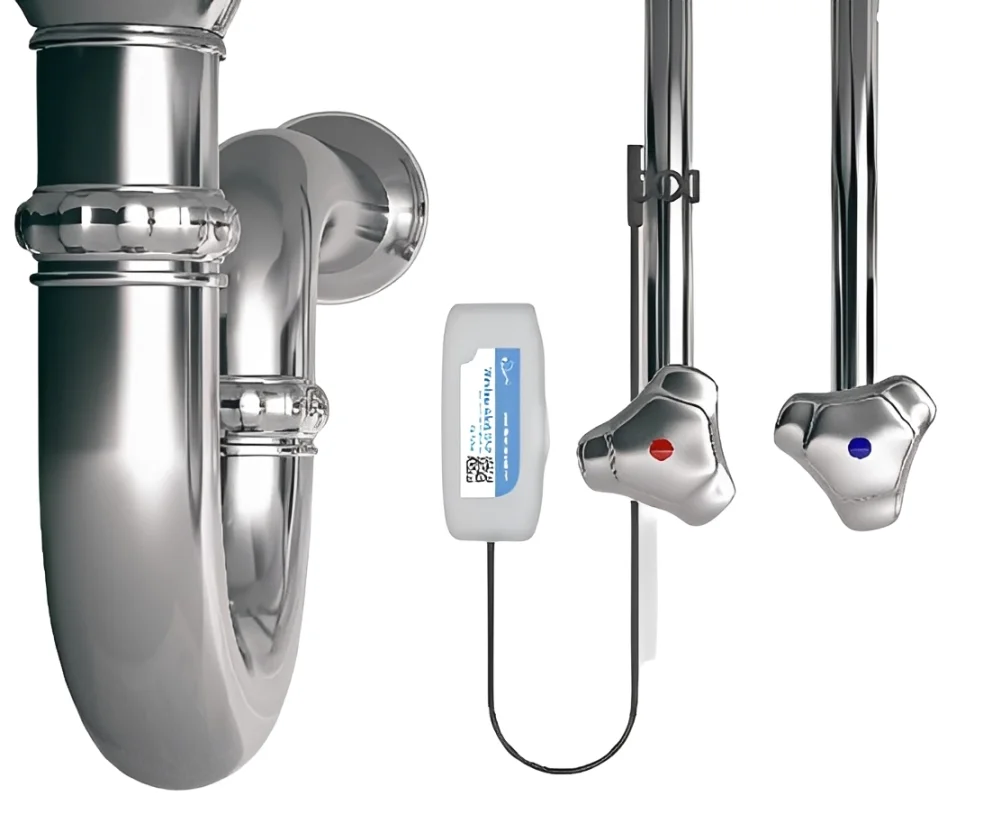
A temperature notification becomes useful when someone knows which pipe it concerns, why the reading matters and what to check next. That connection between measurement and action is where a thoughtful monitoring arrangement earns its place in a maintenance routine.
The Lascar Wireless Data Logger, identified as Wireless Alert TP-P, monitors pipe temperature and sends email notifications when configured limits are breached. Its scheduled summaries provide additional information for reviewing conditions between inspections.
For facilities teams, the opportunity is to turn those messages into clear maintenance decisions, supported by sensible installation, useful naming and an agreed response process.
What Question Should Your Monitoring Point Answer?
Begin with a specific operational question. Perhaps a heating pipe needs checking after a scheduled start-up, or a particular section requires attention when its temperature moves outside an expected range.
Write that purpose into the maintenance record before installing the sensor. Include the equipment served, its normal operating schedule and the person responsible for investigating an alert.
This makes later decisions easier. A temperature change during planned shutdown may have a different meaning from the same change during normal operation. Recording the context helps the receiving technician interpret the notification.
How Can Clear Identification Speed Up Follow-Up?
An alert referring to “Sensor 1” gives an unfamiliar technician little direction. A reference such as “Plant Room A, Heating Return” provides a more useful starting point.
Use the same identifier on the physical installation, the monitoring record and the maintenance instructions. Add a location photograph where several similar pipes run together.
Equipment from the Printers, Label Makers category can help produce consistent identification labels for the installation. Select label material suitable for its mounting surface and surrounding conditions.
Keep labels clear of the sensing contact, indicators and service access. The aim is to make the monitoring point recognisable without interfering with its operation.
How Should Temperature Limits Be Chosen?
The Wireless Alert TP-P allows high and low limits within its −40°C to +120°C probe range. Its measurement resolution is 1°C, so threshold selection should reflect the instrument’s capabilities and the application’s requirements.
Start with the equipment’s specified operating conditions and observations from normal operation. Consider warm-up periods, shutdowns and other expected changes before choosing limits.
Document why each threshold was selected. If conditions change later, that explanation helps the next person decide whether the setting remains appropriate. Avoid repeatedly widening limits simply to silence notifications without investigating their cause.
Why Does the Installation Need Two Suitable Locations?
The probe and the wireless body have different requirements. This model accommodates pipes up to 28 mm outside diameter and uses a 1.5 m probe cable. The body is intended for indoor use and operates between −18°C and +54°C, while the probe has a wider measurement range.
Plan both positions together. The probe needs an appropriate measurement point, and the body needs a suitable environment with usable wireless coverage.
Correctly sized Cable Clips & Clamps can support the connecting lead along its route. Avoid crushing the cable, pulling on the probe or leaving loops where routine maintenance could snag them.
What Should Be Checked Before Connecting to Wi-Fi?
Confirm network compatibility before final mounting. The published specification identifies 2.4 GHz Wi-Fi using WPA/WPA2 Personal security. Enterprise authentication should not be assumed compatible with this model.
Where coverage needs improvement, the network team can assess suitable Wireless Access Points against the device’s supported connection requirements.
Check communication from the intended installation position. A successful setup beside a router does not establish that the final pipe location will work equally well.
Include the monitoring device in network change planning. Replacing an access point, changing credentials or altering wireless settings should trigger a connection check.
Who Should Receive and Act on an Alert?
Choose a recipient address that fits the way maintenance is organised. A monitored team mailbox may provide better continuity than an individual address when staff rotate or take leave.
Define a simple response process:
- Identify the monitored pipe and associated equipment.
- Check whether a planned operating change explains the event.
- Arrange an appropriate inspection if the condition is unexpected.
- Record the findings and any corrective action.
- Confirm who is responsible for closing the task.
Test email delivery during commissioning and check that messages reach the intended inbox. Email notification also depends on connectivity and delivery, so establish separate arrangements wherever an immediate protective response is required.
How Can Summary Emails Improve Maintenance Reviews?
Scheduled summaries can include minimum, maximum and average temperature, battery level, alert count and total time spent in alert. These figures give teams a compact overview for periodic review.
Read the summary alongside the maintenance diary. Several alerts during a planned service visit may be understandable, while repeated events during otherwise normal operation deserve investigation.
Keep conclusions proportionate to the available information. Summary figures do not explain exactly what happened at every moment. If a project requires downloadable, time-stamped measurement histories, confirm that capability separately before selecting equipment.
What Should Happen After Work on the Pipe?
Treat nearby maintenance as a reason to inspect the monitoring arrangement. Check whether the probe has moved, the lead has been disturbed or the location label has become unreadable.
If work includes replacing Pipe Insulation around the monitored section, record the change and follow the sensor’s installation guidance when restoring the measurement point.
Compare subsequent observations with the revised operating conditions before adjusting thresholds. Keeping a short change record helps distinguish a process change from a change in how the temperature is being measured.
What Should Buyers Confirm Before Expanding Monitoring?
Lascar currently marks the Wireless Alert TP-P as “Last time to buy” and states that it cannot be sold in Europe because of regulatory restrictions. Confirm regional availability, current app compatibility and ongoing support before specifying a new installation.
For an existing installation, keep the model reference, monitoring location, alert settings and response instructions together. The Lascar Wireless Data Logger becomes more useful when its notifications lead to an identifiable task, an accountable person and a recorded outcome.