 Sign up with Google
 Sign in with Zoho

A technician arrives at a customer's location but cannot access the latest service instructions. A construction supervisor needs an update from another site, while a maintenance manager is still waiting for yesterday's inspection report. These situations may seem like small operational inconveniences, but they can create bigger problems when they happen repeatedly.
A technician arrives at a customer's location but cannot access the latest service instructions. A construction supervisor needs an update from another site, while a maintenance manager is still waiting for yesterday's inspection report. These situations may seem like small operational inconveniences, but they can create bigger problems when they happen repeatedly.
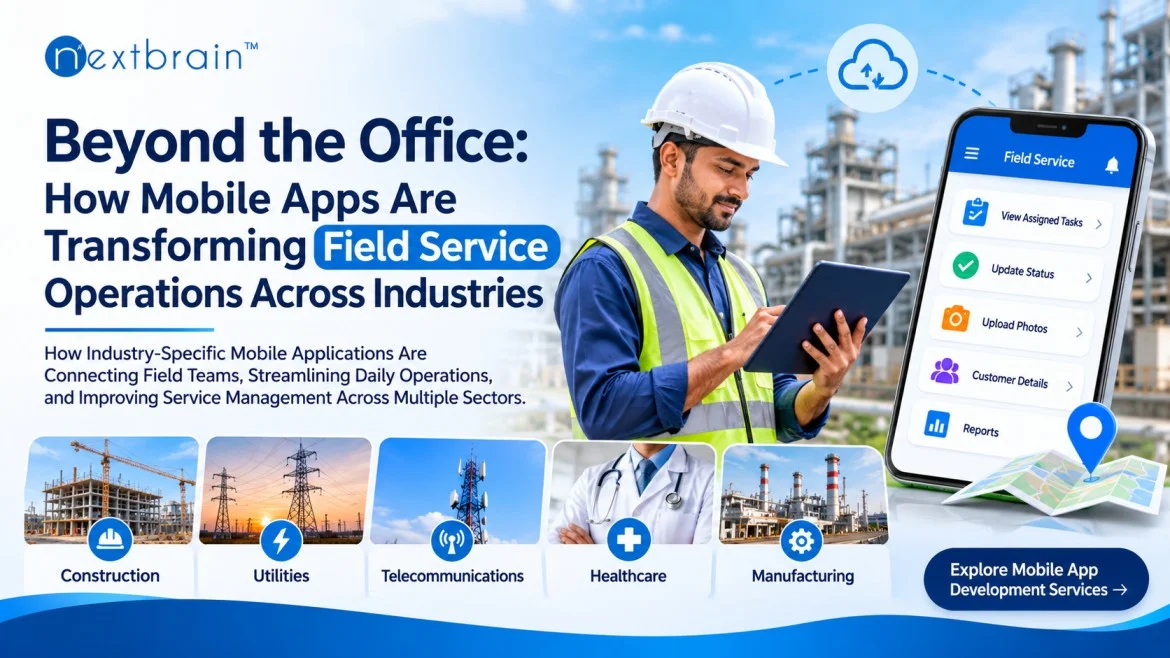
For businesses with employees working outside the office, mobile app development services offer opportunities to create practical digital tools for managing field activities. From coordinating technician schedules to recording service updates and sharing operational information, mobile applications can help organisations connect employees with office teams and customers.
The interesting part is that this change is not limited to one sector. Construction companies, equipment maintenance providers, utility organisations, healthcare services, and telecommunications businesses are finding different ways to use mobile applications in their field operations.
Field Work Has Changed, but Many Business Processes Have Not
In many organisations, employees spend more time outside the office than inside it. They visit customer locations, inspect equipment, supervise projects, deliver services, and respond to operational requests.
Despite these changing work patterns, some businesses continue to manage field activities using processes originally designed for office-based teams.
Consider a company that sends ten technicians to different customer locations every morning. Someone in the office must know which technician has reached a location, which assignments are completed, and whether any additional support is required.
If every update requires a phone call or a separate message, the office team spends a considerable amount of time collecting information instead of coordinating the work itself.
A dedicated mobile application can provide a shared place for these activities. Employees can view their assignments, update task progress, and submit reports. Managers can review the information without contacting every employee individually.
This does not eliminate the need for communication between people. It simply makes routine information easier to access.
Construction Companies Are Finding Better Ways to Coordinate Site Activities
Construction projects rarely happen in one place. A company may have several active sites, each with its own supervisor, workforce, equipment, and delivery schedule.
Keeping everyone informed is a regular challenge, particularly when project managers are responsible for multiple locations.
Mobile applications can help construction teams handle several everyday activities.
For example, a site supervisor may need to document completed work before the next stage begins. Instead of preparing a handwritten report and sending it later, the supervisor can enter the information through a mobile application and attach photographs.
Project managers can review these updates, identify pending activities, and communicate with the relevant teams.
Other useful applications include:
- Recording daily site progress.
- Sharing updated construction drawings and documents.
- Reporting safety concerns.
- Monitoring material requirements.
- Assigning work to different teams.
- Maintaining equipment inspection records.
The biggest advantage is having project information available when it is needed, rather than waiting for reports to travel between different people.
Maintenance Businesses Need More Than a Scheduling Spreadsheet
For maintenance companies, the working day often begins with a list of service requests. Technicians must visit different locations, inspect equipment, identify faults, and complete repairs.
A scheduling spreadsheet may work when a business handles only a few assignments. However, as the number of customers and service requests increases, managing changes becomes more difficult.
Suppose a technician finishes an assignment earlier than expected, while another customer reports an urgent equipment problem. The service manager needs to understand who is available and which technician has the right experience for the job.
A field service application can make this process easier by displaying assignments, technician availability, service histories, and work statuses.
Technicians can also record the parts used during repairs, upload photographs, and document the work completed.
Over time, these records become useful for understanding recurring equipment problems and planning future maintenance activities.
Utility Companies Have Different Requirements for Field Mobility
Electricity, water, and gas service providers manage infrastructure spread across large geographical areas. Their employees regularly conduct inspections, respond to complaints, and perform maintenance work.
For these organisations, accessing accurate information at the right location is particularly important.
A mobile application can help an inspection team retrieve assigned tasks, record observations, and submit reports while working in the field.
For example, an employee inspecting a water distribution facility may need to document equipment conditions and report an issue that requires attention. Photographs, inspection notes, and location details can be submitted through the application.
The relevant department can then review the information and decide what action is required.
Some utility operations also take place in locations with unreliable internet access. In these situations, offline functionality can be useful. Employees can record information on their devices and synchronise it when a connection becomes available.
However, this feature needs careful planning to avoid duplicate records or conflicting updates.
Healthcare Services Are Extending Beyond Hospital Walls
Healthcare is another sector where employees frequently work away from a central facility.
Home healthcare providers, diagnostic services, rehabilitation teams, and community healthcare organisations coordinate visits to patients at different locations.
Managing these visits involves more than assigning appointments. Staff may need access to relevant patient information, visit instructions, schedules, and documentation requirements.
A suitable mobile application can help authorised professionals review their assigned visits and record service information.
For example, a home healthcare organisation managing several professionals may use a digital system to coordinate daily appointments. Once a visit is completed, the professional can update the relevant records through the application.
This can help administrative teams understand which visits are complete and which require follow-up.
Of course, healthcare applications need particular attention to privacy and security. Patient information should only be accessible to authorised individuals, with appropriate authentication and data protection measures.
Telecommunications Teams Depend on Accurate Information
Telecommunications companies send technicians to install connections, inspect network equipment, and resolve customer complaints.
A technician arriving at a location may need to know the equipment involved, the nature of the problem, and whether previous service attempts have been recorded.
Without access to updated information, employees may spend additional time contacting the office or searching through separate records.
Mobile applications can bring several useful functions together:
- Customer appointment details.
- Installation instructions.
- Equipment information.
- Technical service records.
- Job completion updates.
- Photographic documentation.
For instance, after completing a network installation, a technician can update the task status and submit the required documentation. The office team can access the updated information through the connected platform.
This creates a more consistent process for handling service assignments.
What Makes a Field Service Application Actually Useful?
Adding features does not automatically make an application useful. A system with too many unnecessary screens can make everyday work more difficult, particularly for employees who need to complete tasks quickly.
Before developing an application, businesses should understand the working conditions of the people who will use it.
A technician working outdoors has different requirements from an administrator managing assignments from an office. Similarly, a construction supervisor may need document access and photographs, while a utility inspector may prioritise inspection forms and location information.
Several considerations deserve attention.
Simple task management
Employees should be able to understand their assignments without navigating through complicated menus. Important information, such as task descriptions and deadlines, should be easy to find.
Reliable information access
Field workers need relevant customer details, equipment records, and instructions. The application should display information in a clear and organised format.
Offline capabilities
Businesses operating in remote areas should evaluate whether employees need to record information without an active internet connection.
Appropriate notifications
Notifications should communicate useful updates, such as assignment changes or important service requests, rather than interrupting employees with unnecessary messages.
Data protection
Applications must use suitable security controls to protect business information, customer records, and employee access.
Integration with existing systems
If a company already uses customer management, inventory, or enterprise software, the mobile application should be planned around those existing systems.
These decisions often have a greater impact on everyday usability than the number of features included in the application.
Why Integration Matters as Field Operations Expand
One common mistake businesses make is treating a mobile application as an independent product.
An employee may update a service request through a mobile device, but the same information may also need to appear in the company's customer management system. If the platforms are not connected, someone may have to enter the information again.
This creates additional work and increases the possibility of inconsistent records.
Integration can help connect mobile applications with:
- Customer relationship management software.
- Enterprise resource planning platforms.
- Inventory and warehouse systems.
- Employee scheduling applications.
- Accounting and billing software.
- Reporting and analytics platforms.
For example, when a maintenance technician completes a repair, the application could send the relevant service details to the company's central system. Depending on the integration, this information may also update the customer's service history or support the preparation of an invoice.
The objective should be to create a connected working process rather than another isolated software tool.
Starting With a Practical Business Requirement
Not every organisation needs a large field service platform from the beginning.
A maintenance provider may initially want to replace paper-based service reports. A construction company might need a better way to collect site updates, while a healthcare organisation may be looking to coordinate home visits.
Starting with a clearly defined requirement makes it easier to determine what the application should accomplish.
Businesses can begin by reviewing their current processes and identifying where information is delayed, duplicated, or difficult to access.
They should also speak with employees who perform the actual field work. Their feedback can reveal practical issues that may not be obvious during management discussions.
A well-planned development project should consider the intended users, application architecture, integration requirements, security, and future maintenance.
It is also worth testing the application with a small group of employees before introducing it across the organisation. Their experience can help identify confusing workflows and missing functionality.
Looking Ahead: A More Connected Field Workforce
The way businesses manage field operations will continue to change as mobile devices and connected business systems become more widely adopted.
Applications are already supporting activities that previously depended on paper records and repeated phone communication. Future developments may bring more equipment data, automated task allocation, digital inspection processes, and operational reporting into a single working environment.
However, technology alone cannot solve every coordination problem. Businesses still need clear processes, trained employees, and systems that reflect the realities of their industry.
The most useful applications will not necessarily be the ones with the largest number of features. They will be the ones that help employees complete their work without adding unnecessary complexity.
Conclusion
Field service operations involve people, equipment, schedules, and information moving between different locations. Managing these activities becomes increasingly challenging when employees and office teams rely on disconnected communication methods.
Mobile applications offer a practical way to bring these activities closer together. From construction site reporting and equipment repairs to utility inspections and healthcare visits, businesses can use mobile technology to make information more accessible and everyday workflows easier to manage.
The right approach begins with understanding how employees work and identifying the specific problems that need attention.
Businesses considering a dedicated application should focus on practical functionality, reliable integrations, security, and ease of use. With the right development strategy, mobile technology can become a valuable part of how field teams operate.
For organisations exploring their next digital project, Nextbrain Technologies offers software and application development capabilities aligned with different business requirements.
Frequently Asked Questions
1. What is a field service mobile application?
A field service mobile application is a digital tool that helps employees manage work activities outside a central office. It can support task assignments, service requests, scheduling, customer information, inspections, and work completion reports.
2. Which industries benefit from field service mobile applications?
Industries such as construction, utilities, telecommunications, healthcare, manufacturing, equipment maintenance, and logistics can benefit from field service applications. The required features depend on each industry's operational activities.
3. What features should a field service mobile app include?
Common features include task management, employee scheduling, customer information, work-order tracking, push notifications, digital documentation, location-based functionality, and reporting. Some businesses may also require offline access and integration with existing enterprise systems.
4. Can field service mobile applications work without an internet connection?
Yes. Applications can be developed with offline capabilities that allow employees to record information without an active connection. Stored data can synchronise with central systems once connectivity becomes available, depending on the application's architecture.
5. How can businesses choose the right mobile application development partner?
Businesses should evaluate a development partner's experience with industry-specific workflows, mobile technologies, system integrations, application security, user experience, and ongoing support. Understanding operational requirements before development begins is equally important.