Sign up with Google
 Sign in with Zoho

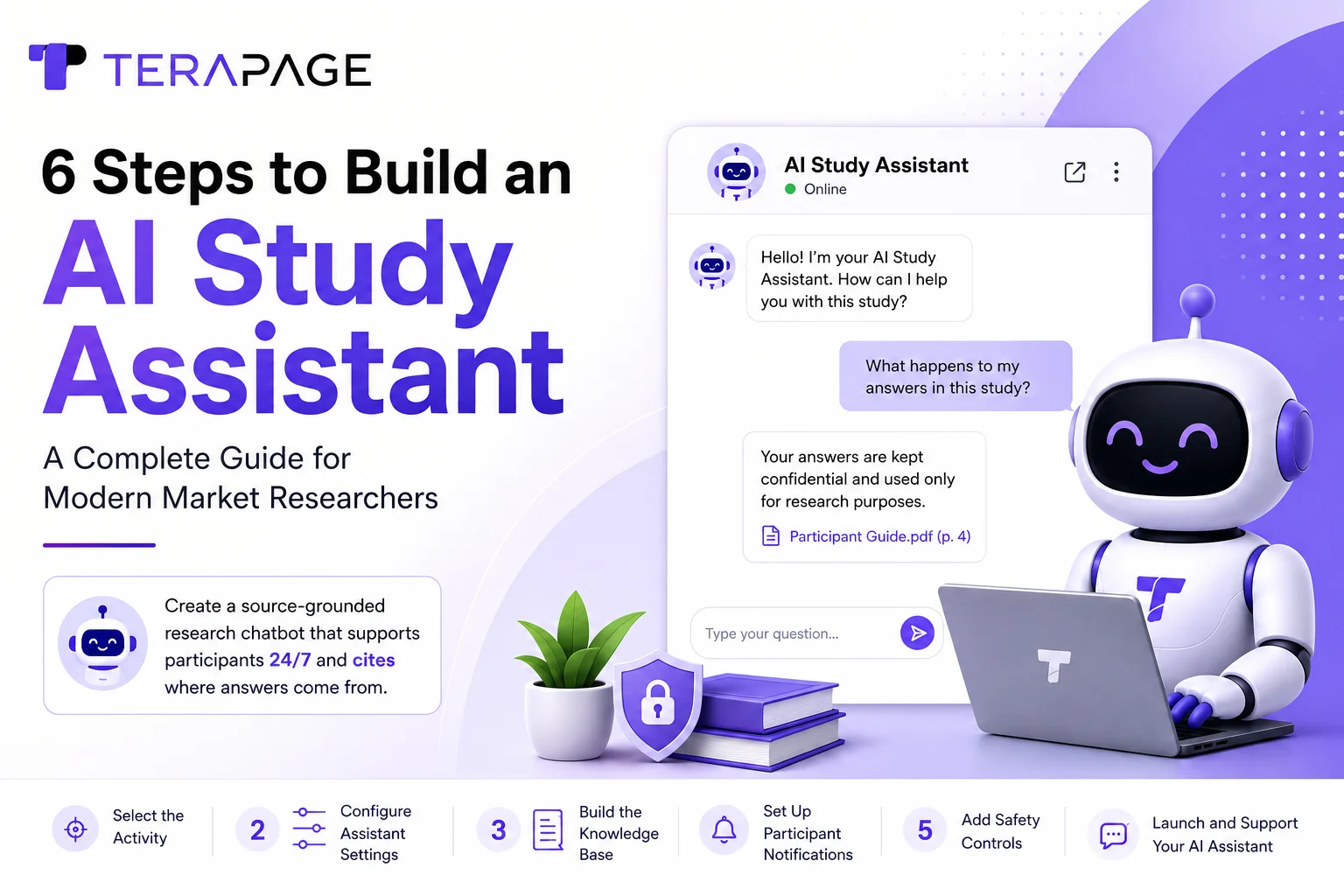
Every researcher understands the feeling. The moment a research study goes live, the researchers' inboxes start filling up with basic questions. What does this study involve? How long will it take? What happens to my answers? Multiply that across a panel of hundreds of participants spread across different time zones, each asking individually.
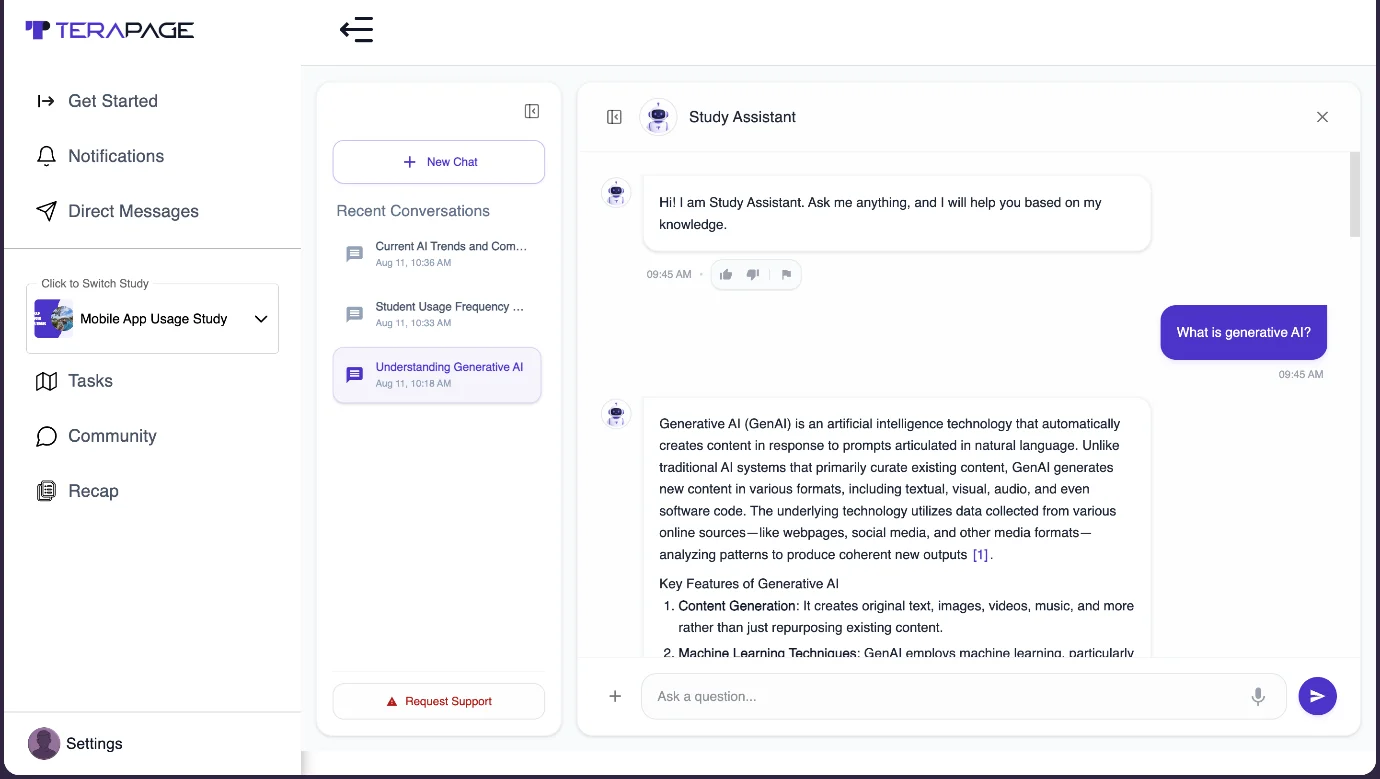
Terapage's AI Chatbot Assistant is built for exactly this gap. It is a configurable, source-grounded chatbot that participants can talk to inside your study — one that answers using the materials you provide and cites where its answers come from.
What Is an AI Chatbot Study Assistant (Participant Support)?
A chatbot is a software application that behaves like an intelligent assistant when people interact with it via text or speech, using natural language processing (NLP) to understand one or more human languages. In its literal definition, a chatbot is described as "a computer program designed to simulate conversation with human users, especially over the Internet." They are also referred to as smart bots, interactive agents, digital assistants, or artificial conversational entities.
An AI Participant Support Chatbot is a specialised conversational application powered by Natural Language Processing and large language models, available on modern market research platforms for 24/7 virtual assistance to participants taking part in a study. Unlike rigid, menu-driven bots, it understands context, retains conversation history, and uses internally uploaded documents or the web to provide natural, human-like support.
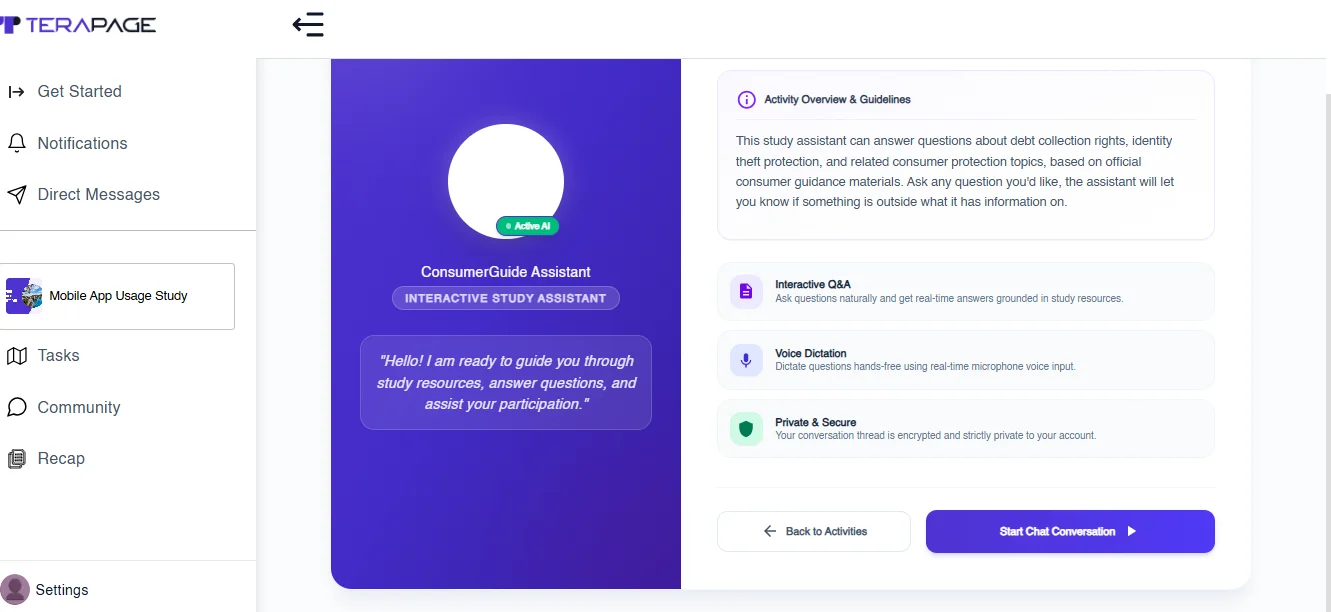
6 Steps to Build an AI Study Assistant (Research Chatbot) on Terapage
Creating an AI Chatbot Study Assistant on Terapage involves configuring several layers of the research experience. Here are the 6 steps to build an AI Study Assistant or research chatbot for your studies in Terapage workspaces.
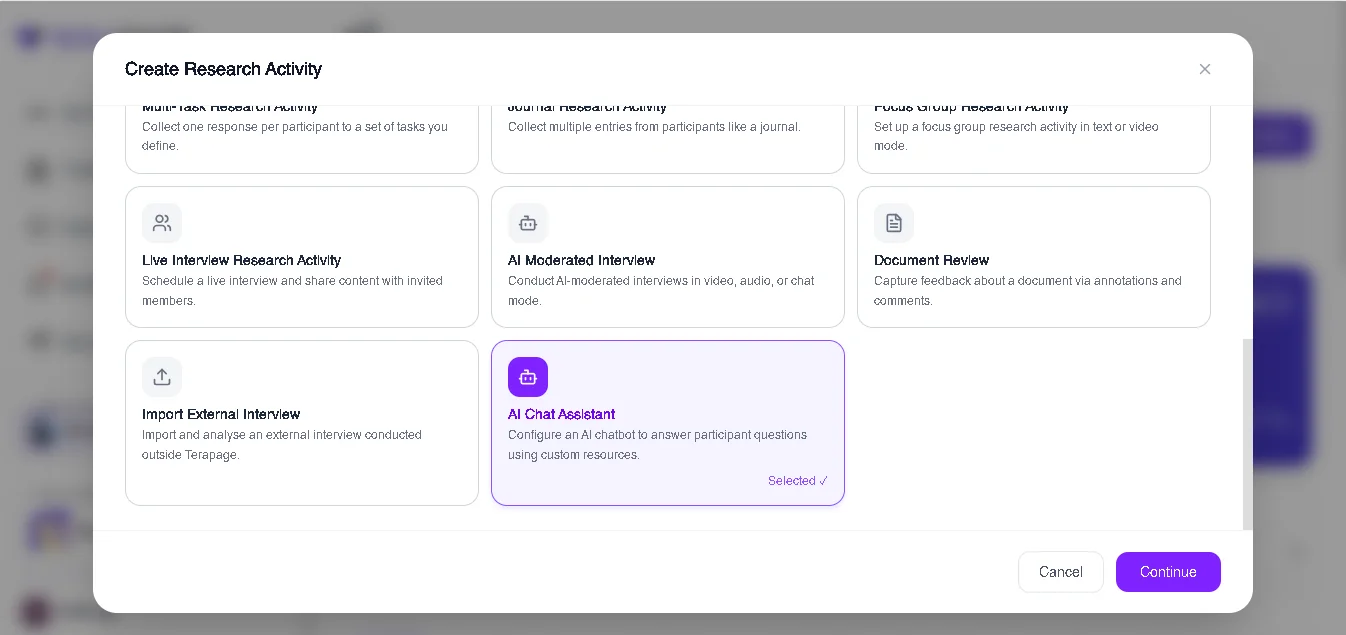
Step 1: Select the Activity
Start by selecting the research activity where the AI Study Assistant will be used. The activity should have a clear purpose — for example, exploring participant experiences, providing guidance around study materials, supporting a research process, or facilitating a conversational research activity. The important thing is to define what the participant should accomplish through the conversation.
Step 2: Configure the Assistant Settings
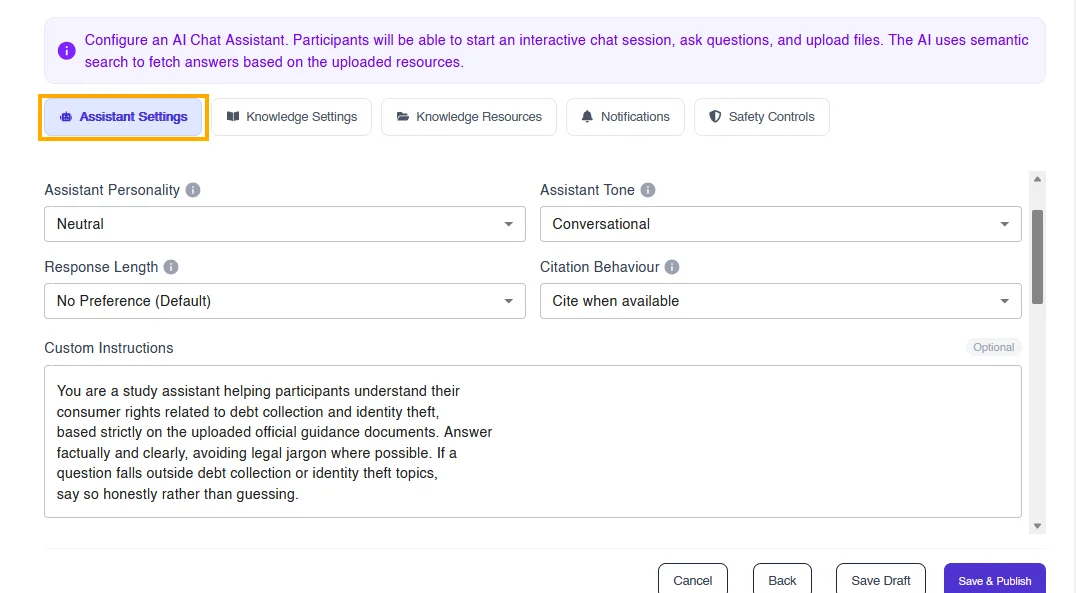
Terapage allows researchers to configure how their AI Study Assistant communicates, offering a wide variety of options to design an AI research assistant as per study requirements. For an HR research study it can be professional; for mental health research, the team can configure it to be supportive and empathetic.
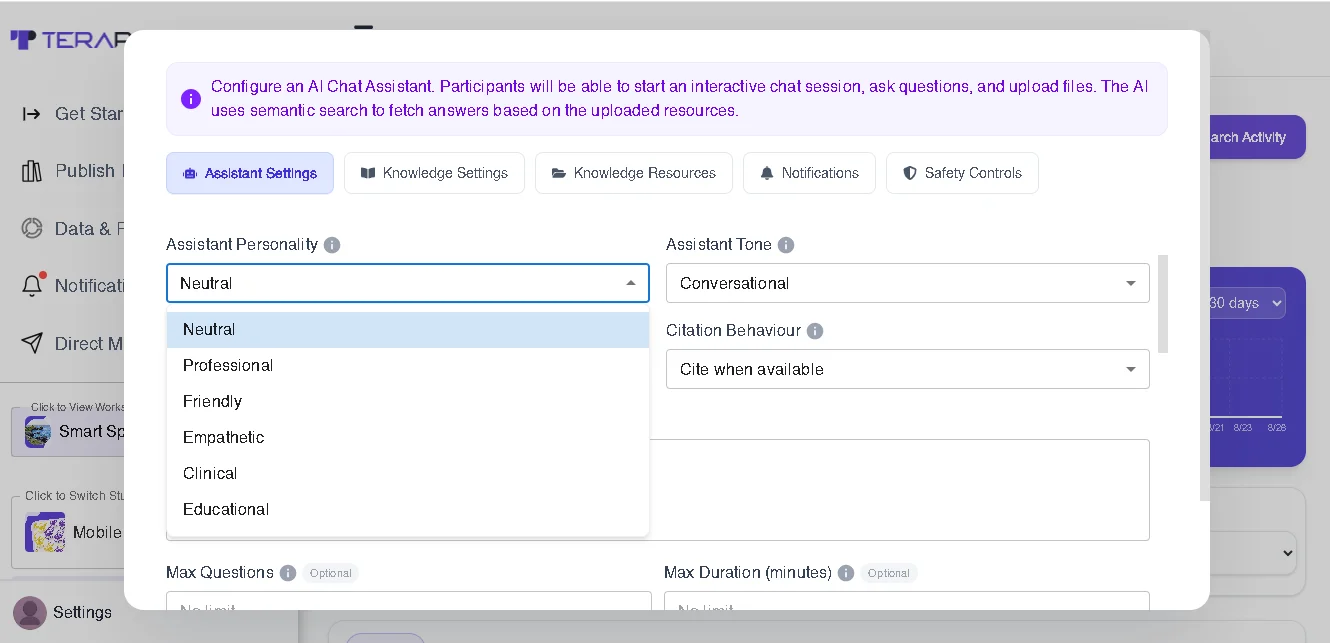
1. Personality. Researchers can define the assistant's personality to match the study: Neutral, Friendly, Professional, Empathetic, Clinical, or Educational.
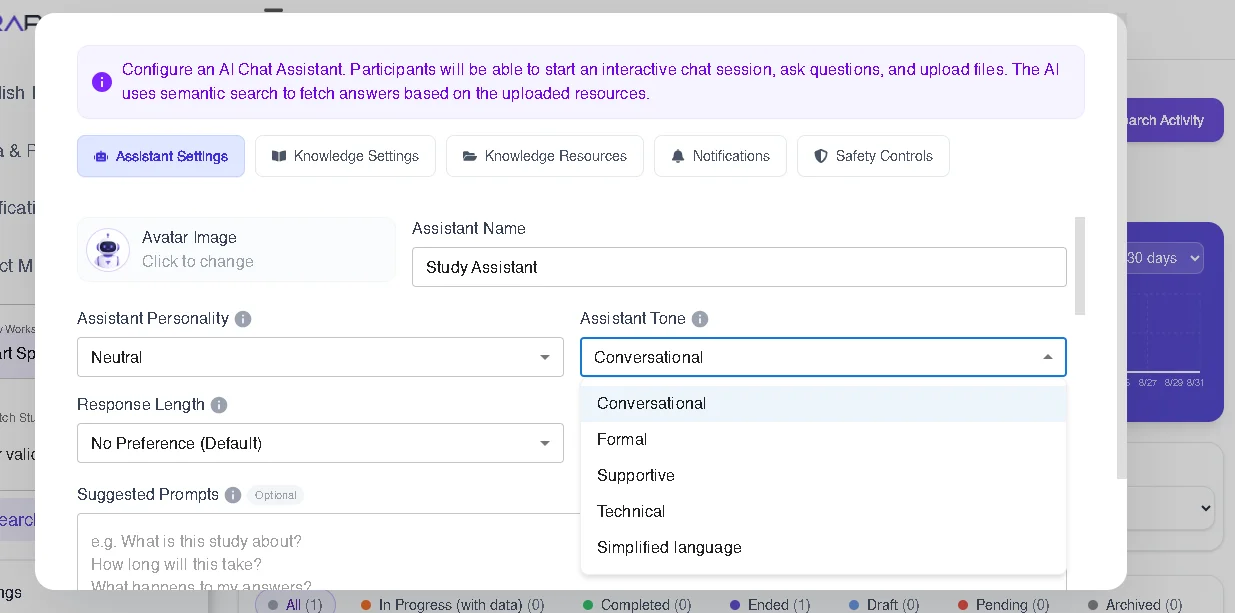
2. Tone. The tone determines how the assistant communicates with participants and can be adapted to the research context. Available tones are Conversational, Formal, Supportive, Technical, and Simplified Language.
3. Response Length. Researchers can determine whether responses should be brief and focused, or more detailed when explanations are required.
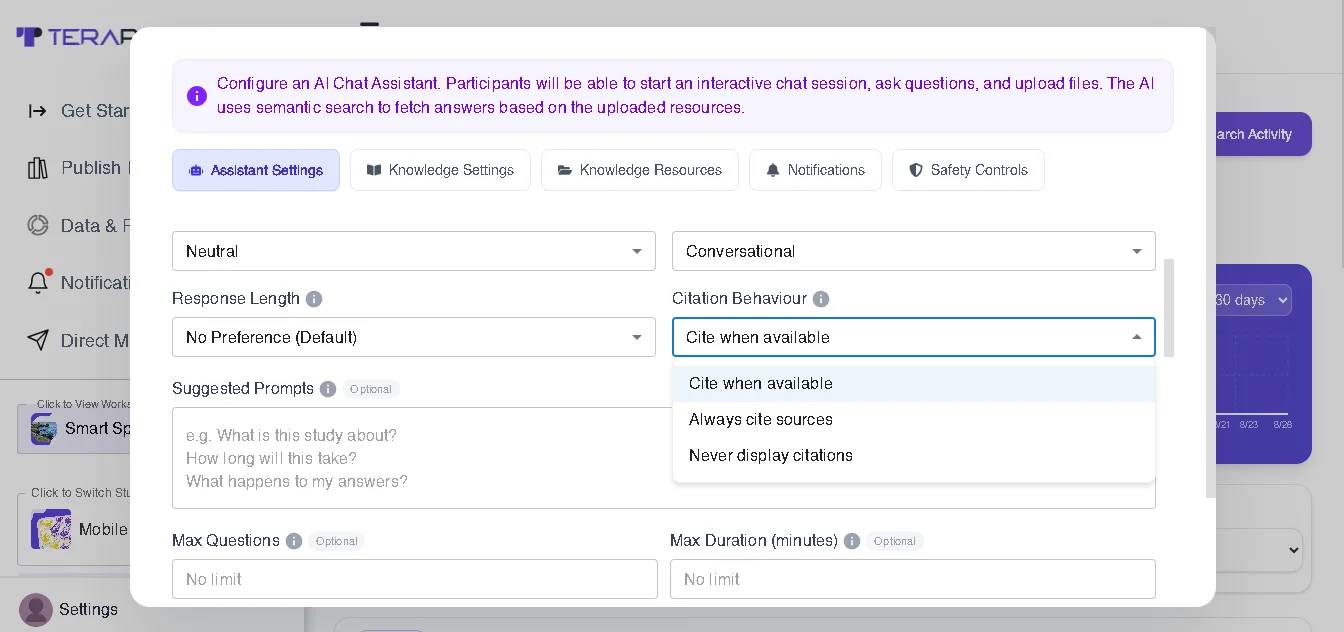
4. Citation Behaviour. Researchers can configure how the assistant references information from uploaded study resources — especially useful when participants need transparency about where an answer comes from. Terapage allows three citation behaviours: Cite when available, Always cite sources, and Never display citations.
5. Maximum Questions. Researchers can limit the number of questions asked during an interaction to keep the participant focused.
6. Maximum Duration. A maximum duration can be configured to establish a boundary for the participant's conversation.
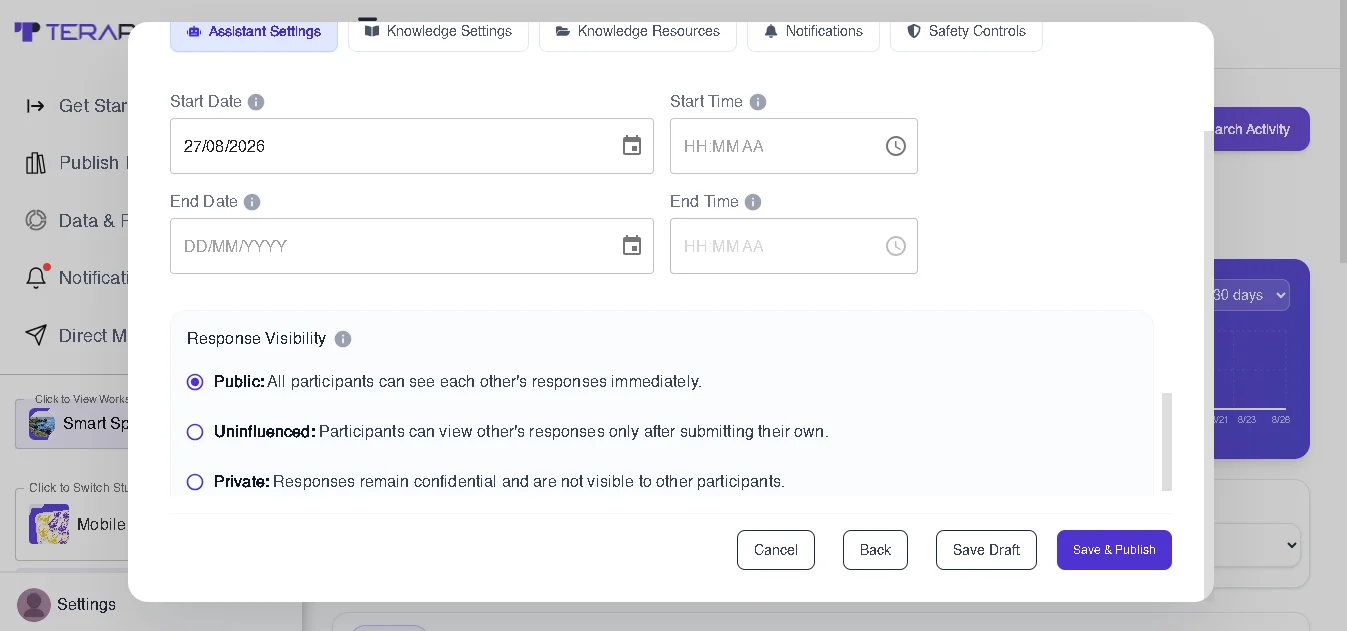
7. Start and End Date. Researchers can specify when the AI Study Assistant activity should begin and when it should end.
8. Response Visibility. Researchers can determine how participant conversations and responses are made visible within the research workflow. Choosing Public visibility, for example, lets participants read each other's responses for basic details too.
Step 3: Configure the Knowledge Settings
The AI Study Assistant doesn't answer randomly — it requires relevant knowledge to provide useful, study-specific answers. Terapage Knowledge settings let researchers define how the assistant will use knowledge during response generation, building a controlled knowledge environment around the study rather than expecting the AI to answer everything from general knowledge.
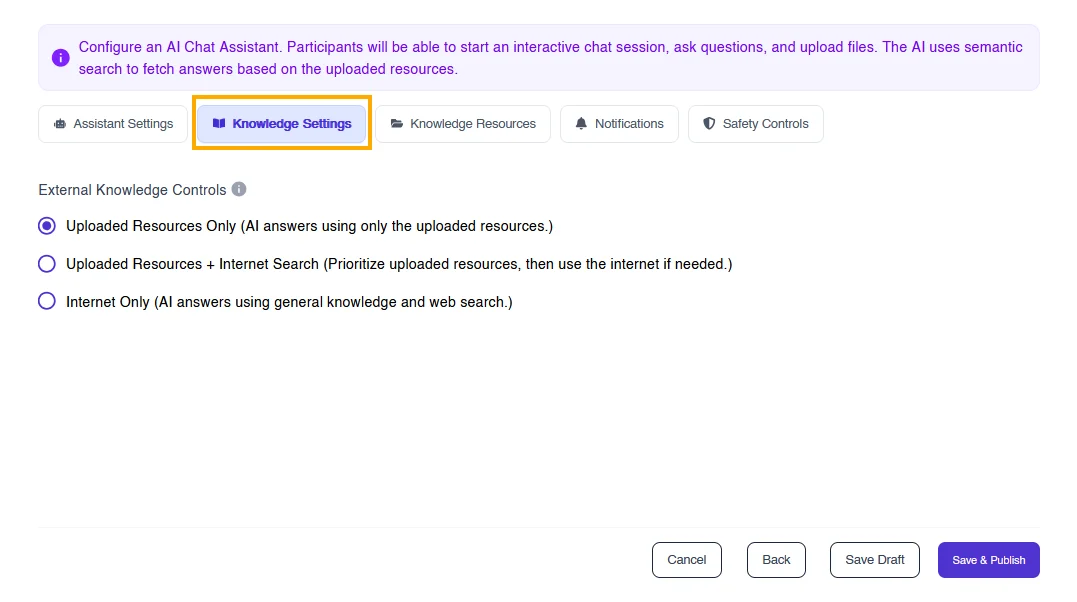
For example, if a participant asks, "What does the study guideline say about this activity?" — the assistant uses the relevant uploaded study resource to answer. If the research team allows the assistant to use web sources, it can do so, and it will explicitly highlight that the generated response came from a web source.
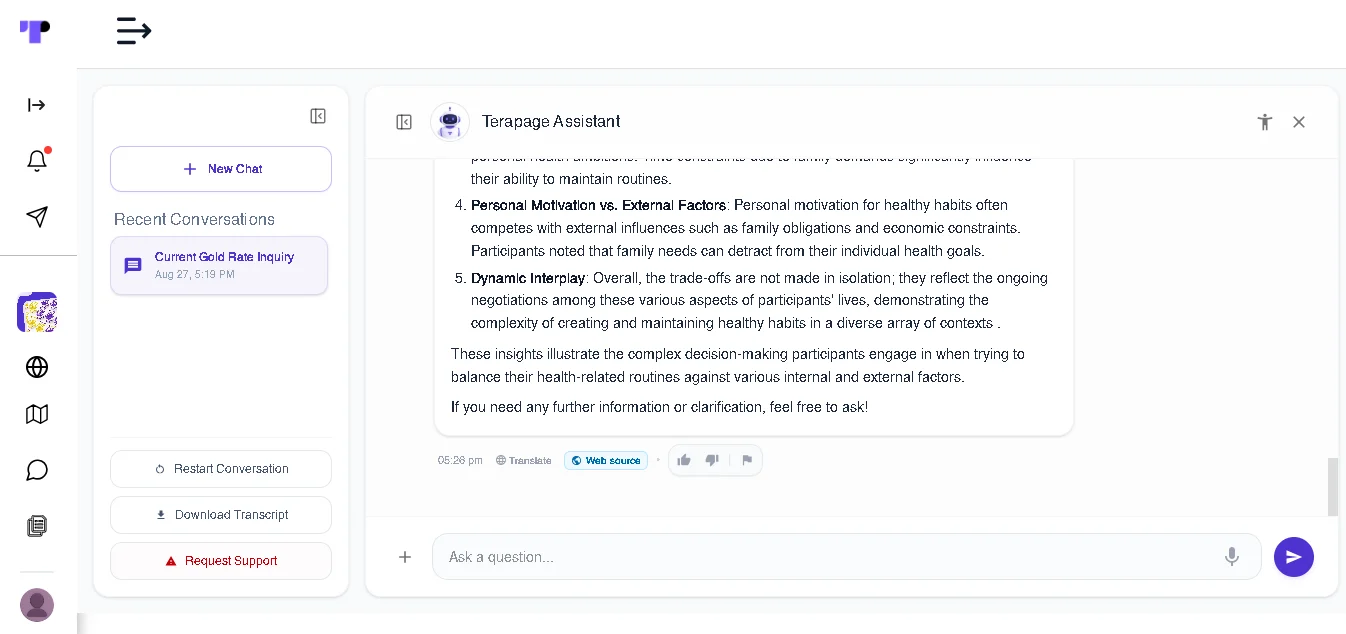
Step 4: Upload Knowledge Resources
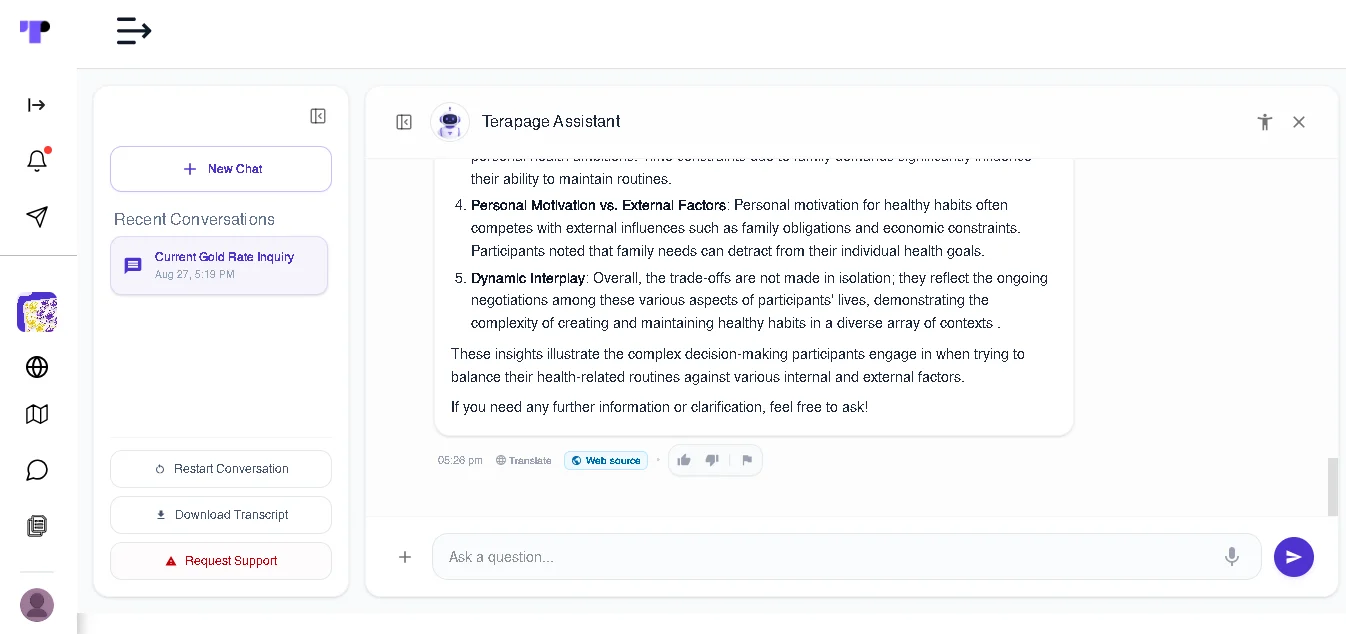
Researchers can build the assistant's knowledge base by uploading relevant study materials. Terapage allows multiple document formats, including PDFs, Docs, TXT, CSV, audio, and video files.
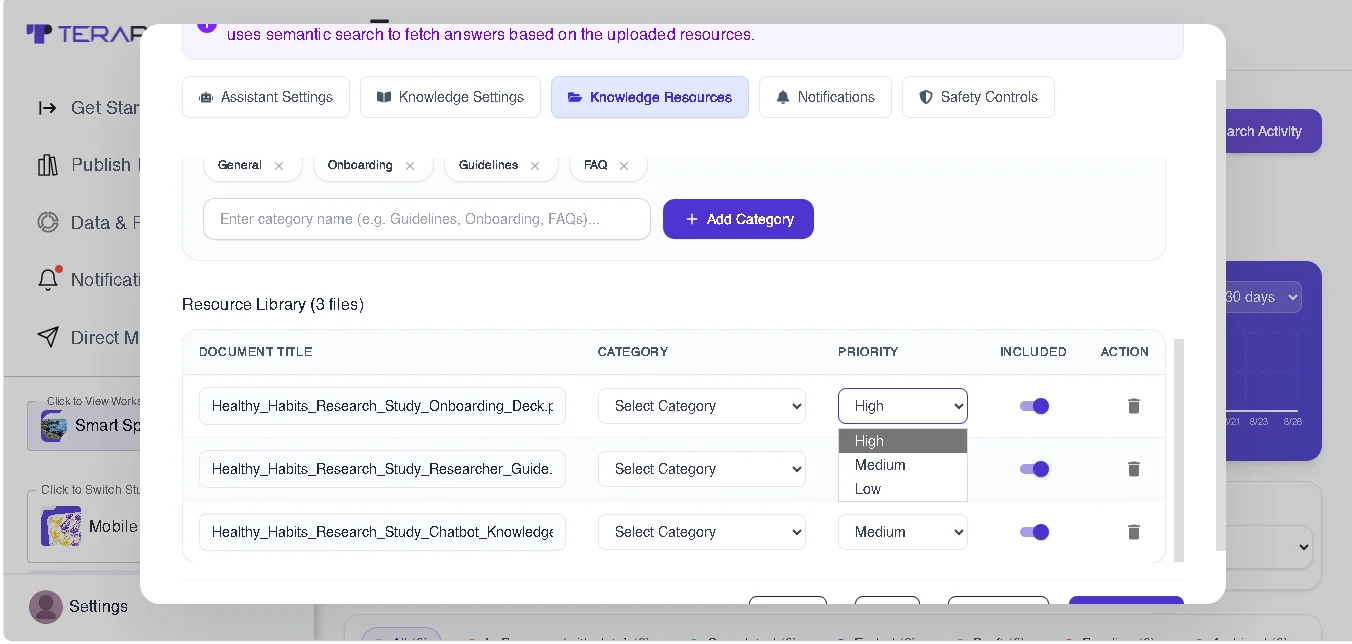
Terapage allows researchers to organise resources into categories such as General, Guidelines, Onboarding, and FAQs. Resources can also be assigned different priorities — High, Medium, and Low — and researchers can control which resources are included.
Step 5: Configure Notifications
Researchers can configure Notifications to inform their study participants about the creation of an AI research assistant. This is particularly useful when multiple participants are interacting with the AI Study Assistant. Instead of continuously sending details to every participant, research teams can use notifications to keep participants posted about relevant activity while letting the assistant handle participant interactions.
Step 6: Built-In Safety Controls for Responsible Research
Terapage AI Study Assistants include configurable safety controls during the design process that help researchers define clear boundaries for participant conversations. Researchers can add mandatory disclaimers, disallowed topics, and a refusal behaviour response. These controls help keep conversations focused on the research while giving participants clear guidance when a question falls outside the assistant's intended scope.
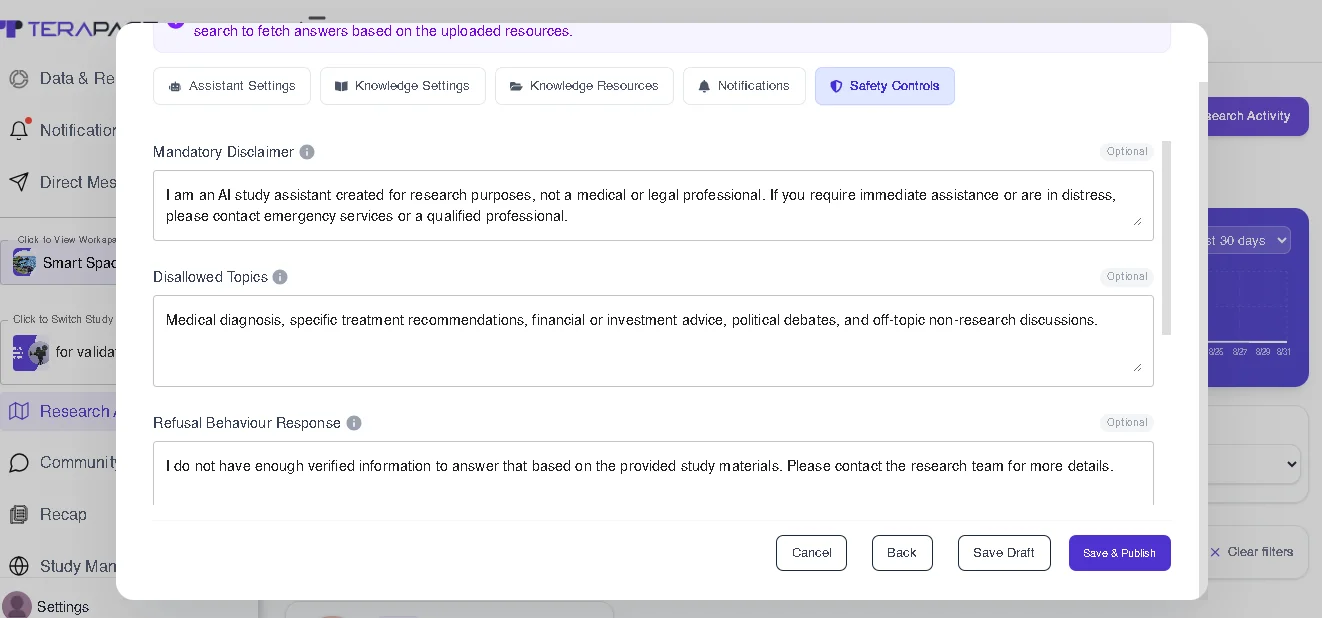
Privacy Notice. Before beginning the activity, research teams add privacy details for the conversation with the AI Study Assistant. Participants can review this information before starting, including what information is collected, how conversations are used, whether files, images, or voice recordings are collected, who can review the conversation, and how the information is used within the study.
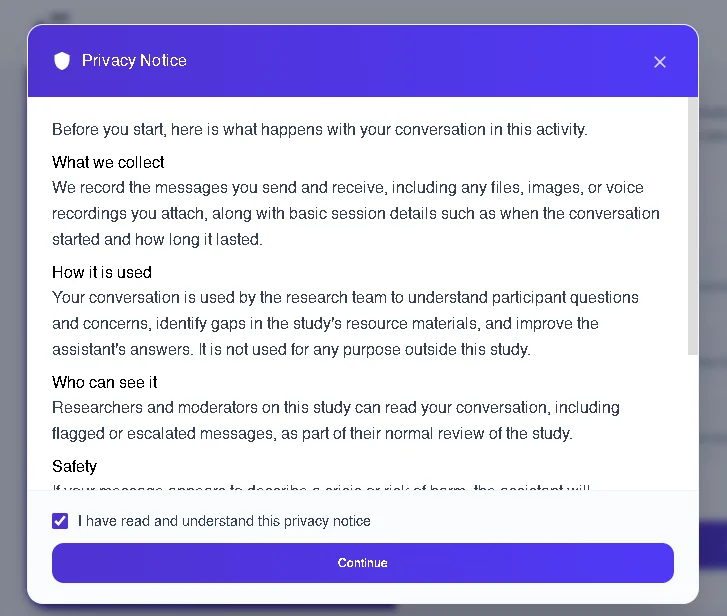
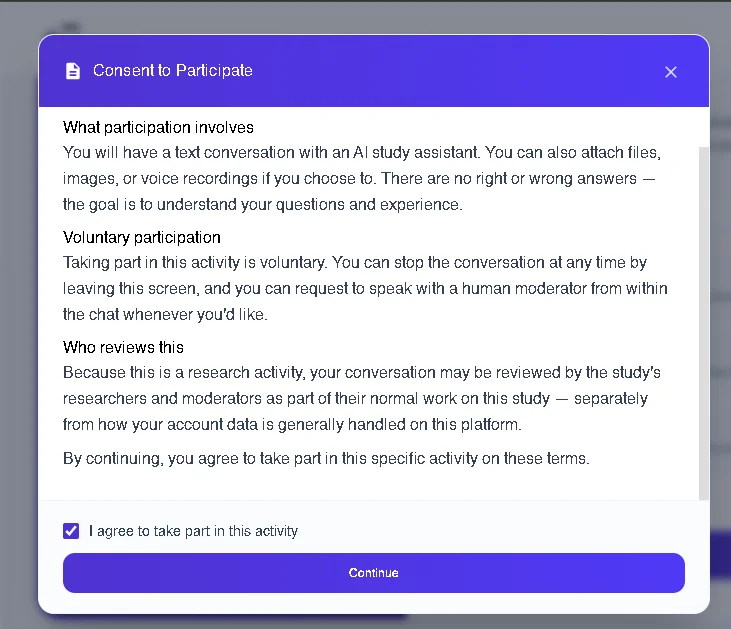
Participant Consent. Research teams can also add consent so participants can review the terms of participation and provide consent before entering the activity. The consent experience makes clear that participation is voluntary and explains what taking part in the specific research activity involves.
Six Ways Research Teams Are Using Terapage AI Study Assistant Chatbots
1. Onboarding and FAQ for Longitudinal Studies
Daily diary or journal studies generate the same logistical questions on repeat. To avoid this, researchers can upload their onboarding deck and field guide once, and the assistant handles "how long does this take," "what am I supposed to log today," or "what the topic is about" without a researcher touching a single message.
2. Round-the-Clock Support Across Global Panels
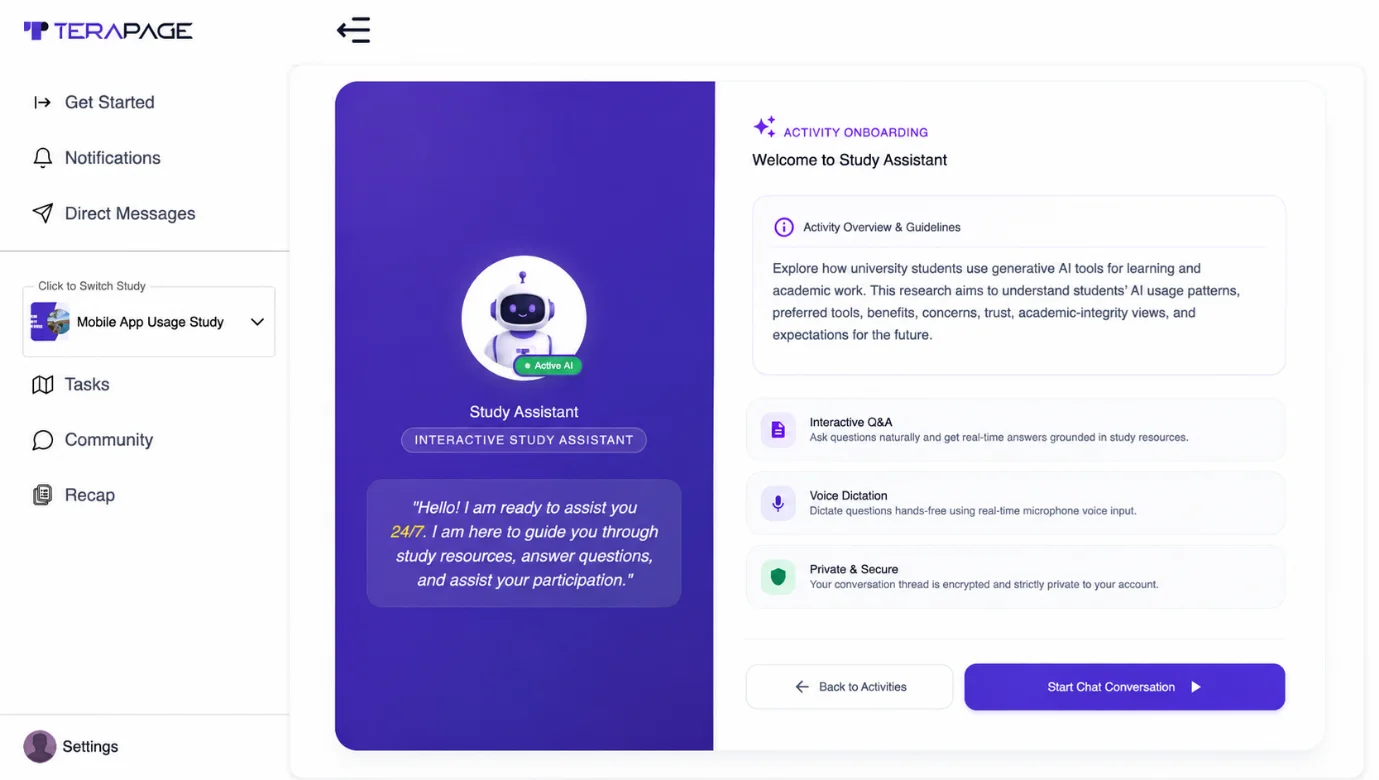
Whether the fieldwork spans London, Lagos, or Toronto, participants aren't confined to specified working hours, because the assistant works 24/7 rather than to a person's calendar. Someone logging in at 2am local time gets the same quality of answer as someone logging in at 2pm.
3. Consistent, Source-Backed Guidance at Scale
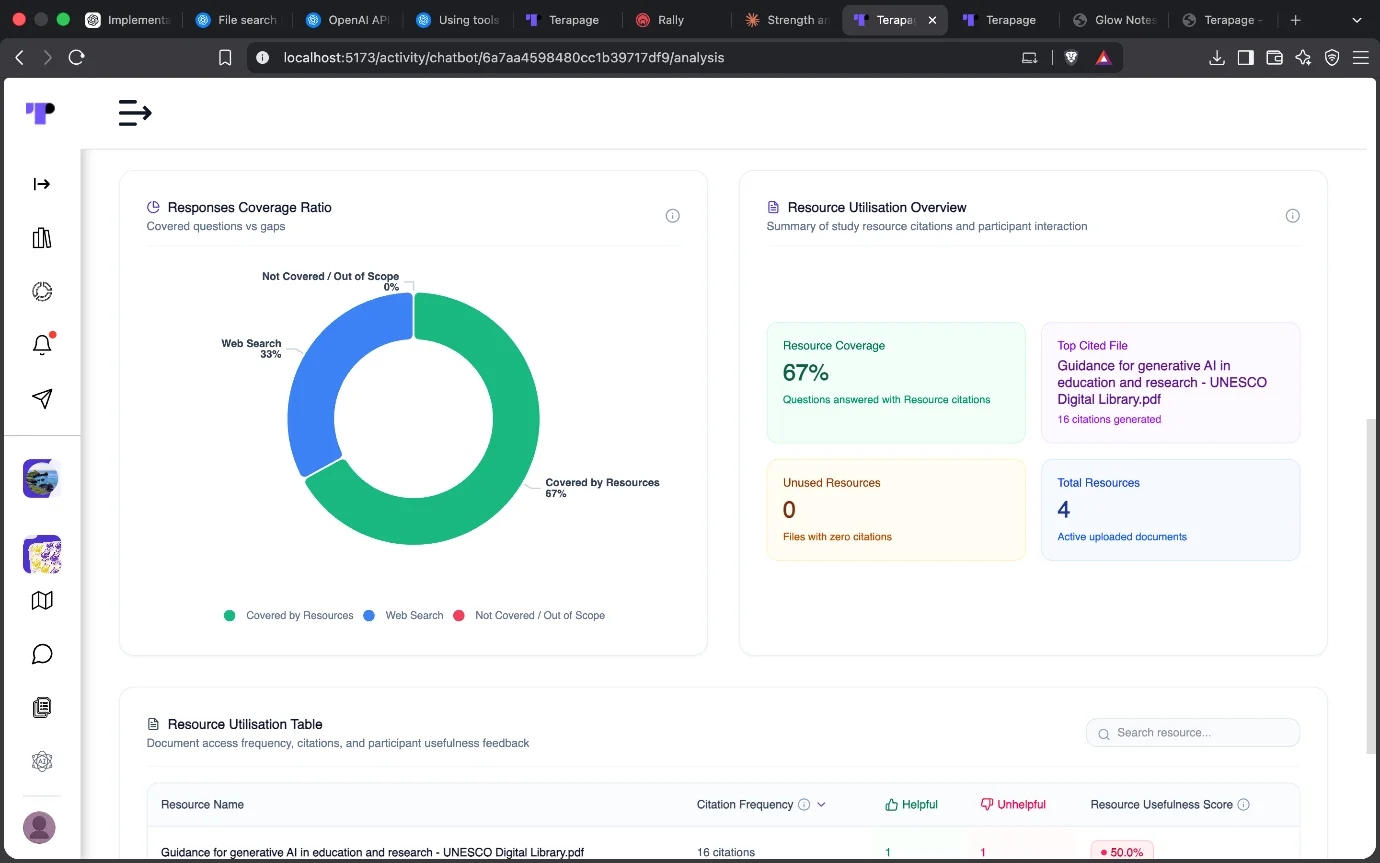
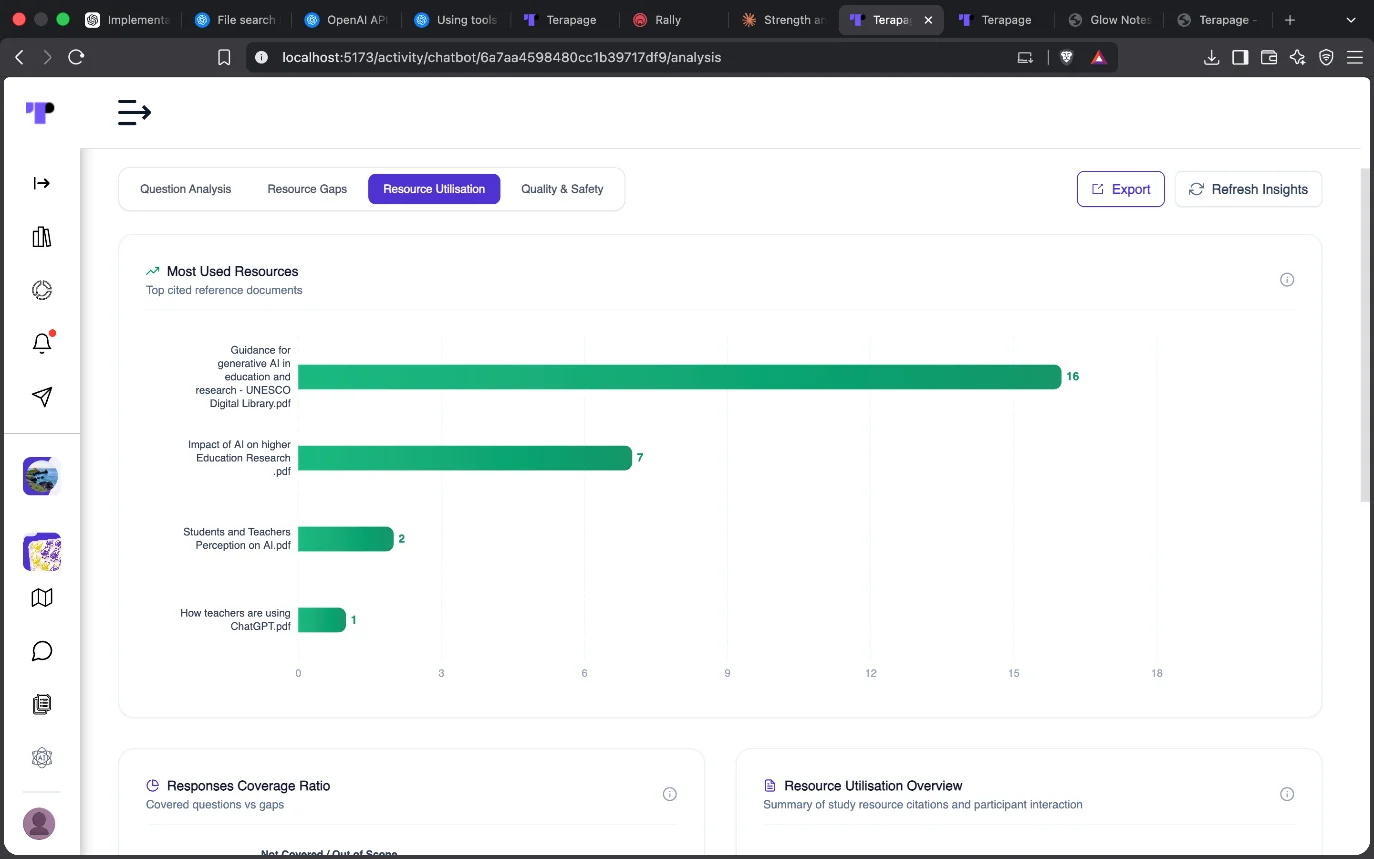
With citation behaviour turned on, every participant receives an answer traceable to the same underlying document. This provides a detailed trail of exactly what the assistant told people and why, and shows which sources were used most and which gaps were identified.
4. A Safety-First Companion for Sensitive Subject Matter
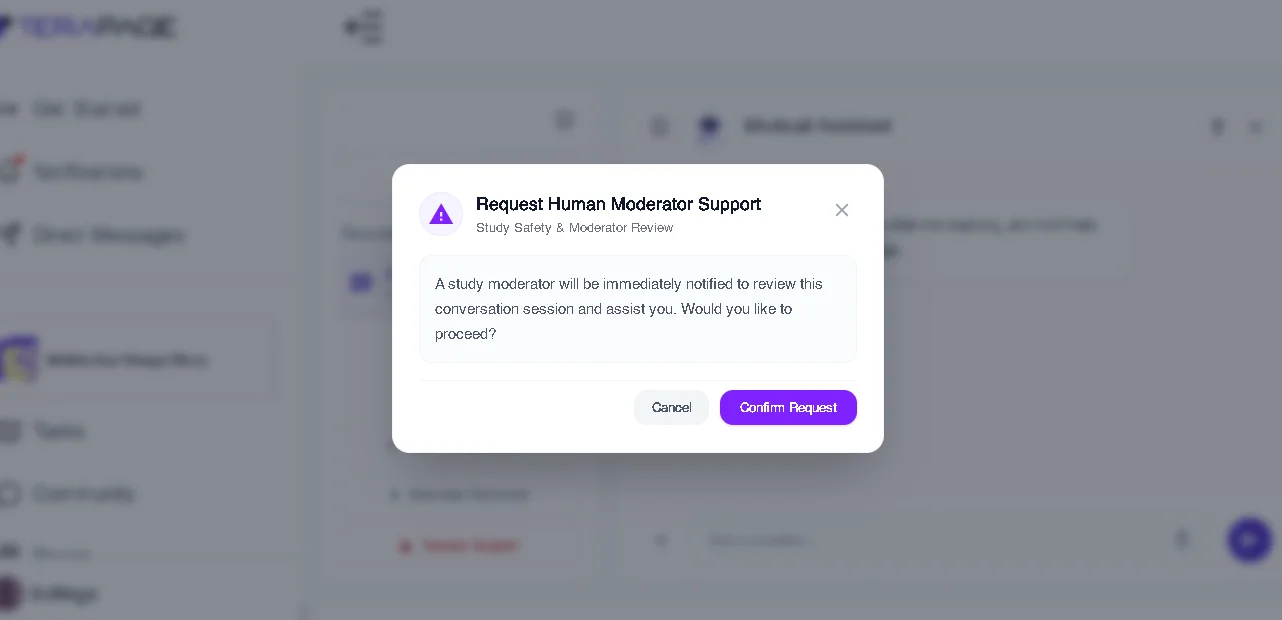
Studies touching health, finance, or personal habits involve sensitive information. AI chatbot assistants are well suited to working with all kinds of participants by keeping responses private, and a request-support option is always one tap away if a conversation needs a human.
5. A Qualitative Depth Booster
Participants can ask open, exploratory questions rather than sticking to scripted guidelines. This lets research teams collect richer context, follow-up reasoning, and clarifying questions, all captured and reviewable in the thread view.
6. Actionable Data and Visual Insights From Every Conversation
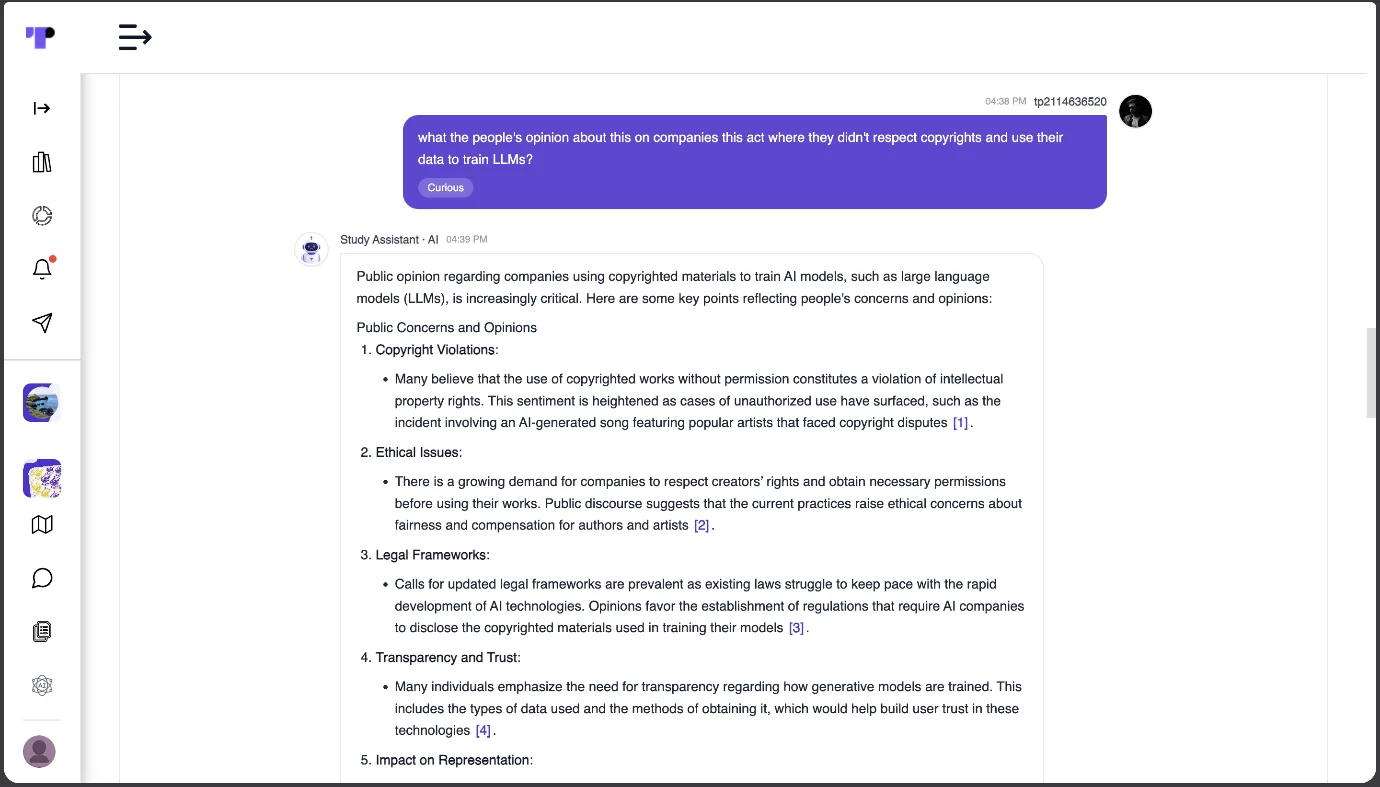
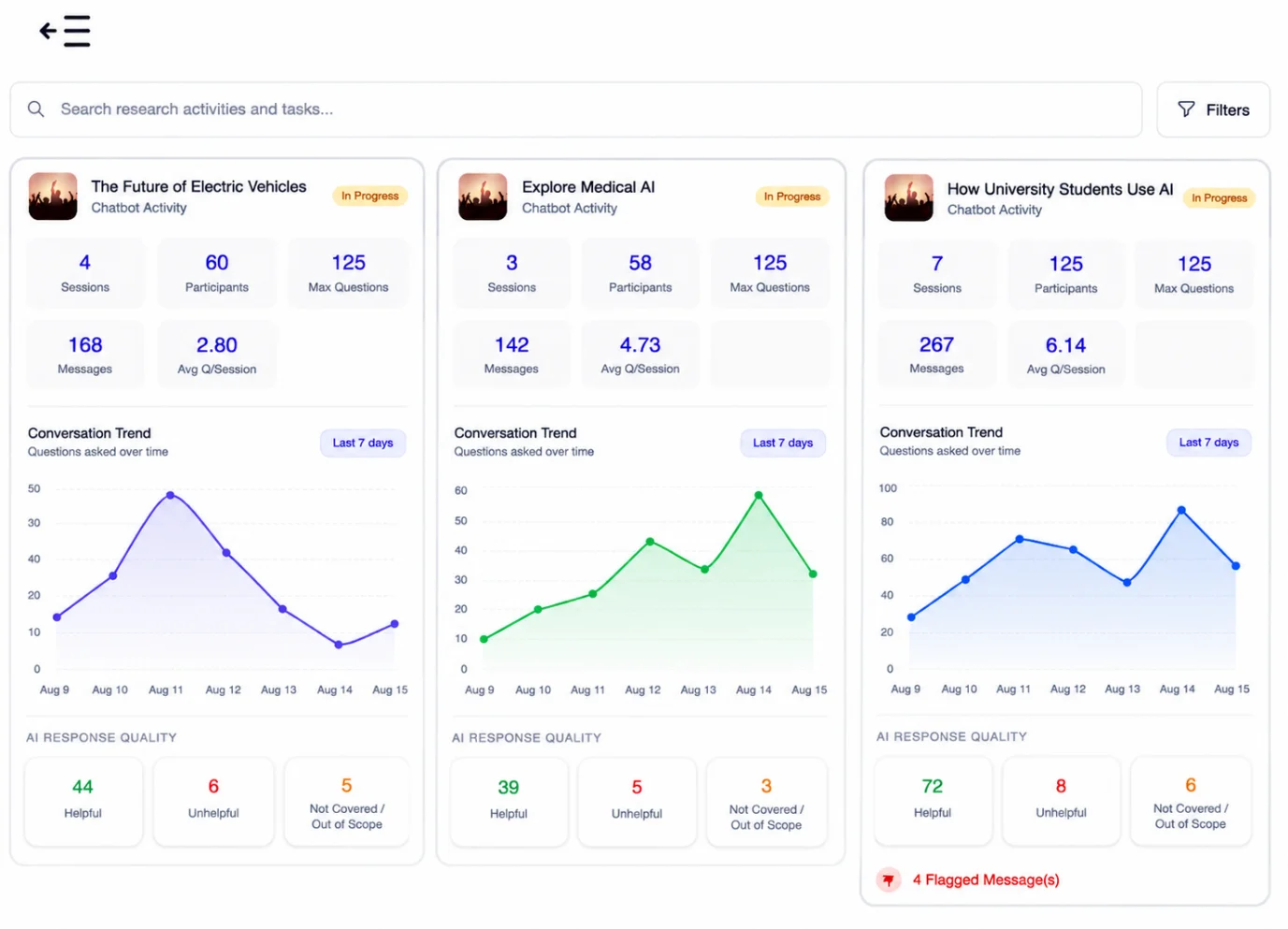
AI chatbot Study Assistants on Terapage do more than facilitate participant conversations — they turn those interactions into structured, reviewable research data. Researchers can monitor activity through dashboards showing total sessions, participants, questions, messages, average questions per session, and conversation trends over time. AI response-quality indicators can also highlight helpful, unhelpful, or out-of-scope interactions, while flagged messages draw attention to conversations that may need review. This gives research teams a quick visual snapshot of how conversations are going and helps them identify patterns, knowledge gaps, participant engagement, and areas for improvement without manually reviewing every interaction.
AI Research Assistant: A New Layer of Conversational Research
The purpose of an AI Study Assistant or research chatbot is not to turn a research activity into a survey or replace researchers. Instead, it creates a conversational layer between participants, researchers, and study knowledge. Participants can ask questions, explore information, seek clarification, and share their experiences. Researchers can control the assistant's behaviour, knowledge, resources, and participant safeguards.
With Terapage, teams can move beyond static research materials and create a more interactive, conversational, and participant-centric research experience.
Select the activity. Configure the assistant. Build its knowledge. Add the resources. Set the controls. Protect participants. Then launch the conversation.
Ready to add an AI Study Assistant to your next study?
Start Free Trial→Book a Demo→
Need help with setup? Our support services team is here to help.







.webp)