Sign up with Google
 Sign in with Zoho

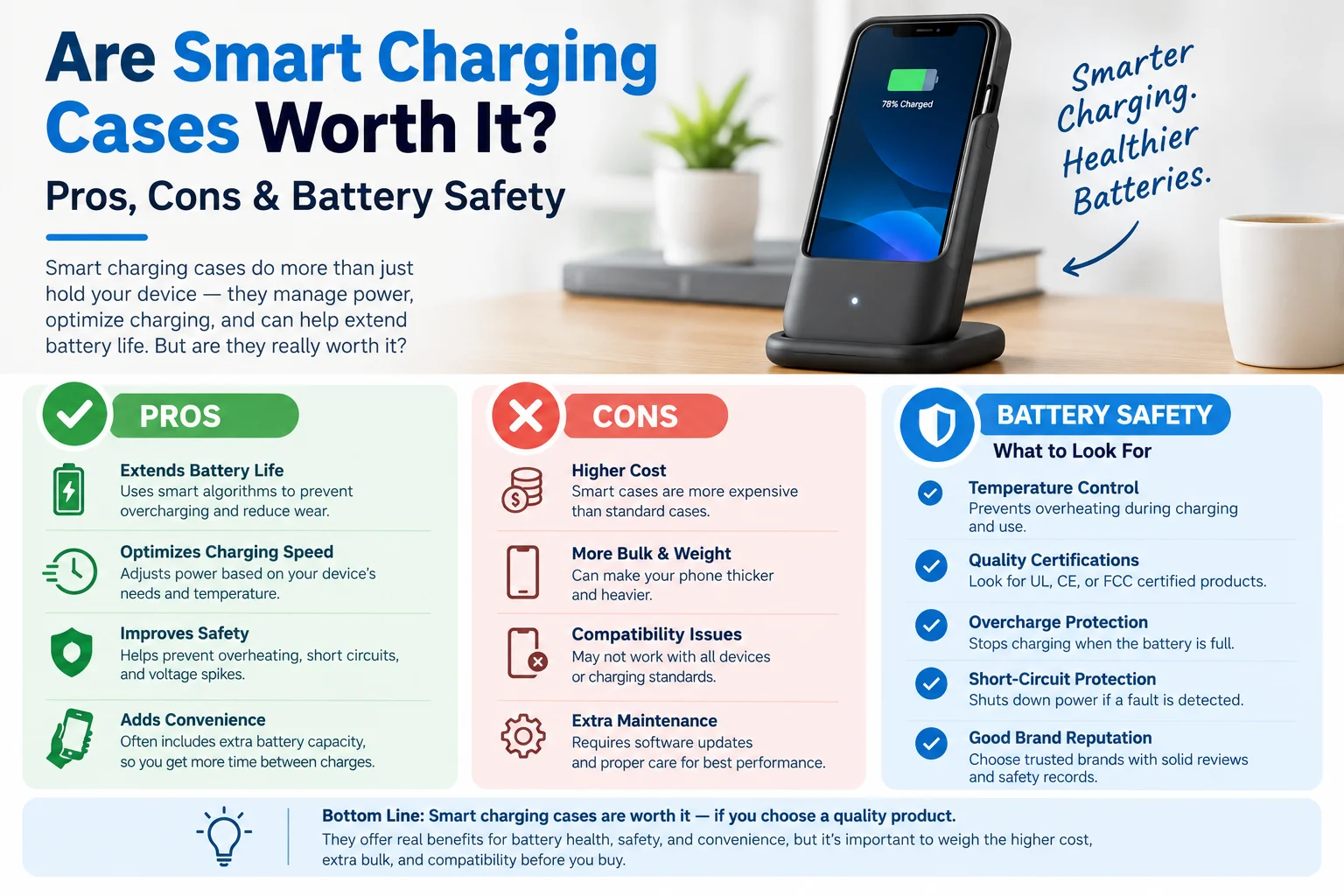
A smart charging case sounds like the perfect fix for a dying phone. It's your case and your power bank in one. But anyone who has carried a chunky battery case knows the reality is less tidy. So, are smart charging cases worth it in 2026?
Short answer: yes for the right person, and no if you mostly stay near outlets or hate bulk. Here's an honest look at the pros, the cons and the battery safety question everyone worries about.
What Is a Smart Charging Case?
A smart charging case is a phone case with a built-in battery. When you plug it in, many models use pass-through charging, which refills both the phone and the case's own battery at once. Some also support MagSafe or Qi wireless charging, so you can drop the phone on a pad without taking the case off. Newer designs add extras like an app, battery-health circuits or a solar panel.
Apple's own Smart Battery Case line reportedly ended when MagSafe arrived with the iPhone 12, so today's options come from third-party brands.
The Pros: Why People Love Them
- Nothing extra to carry. The power is already on your phone, so there's no cable or power bank to forget.
- Protection plus power. You get drop protection and extra battery in one accessory.
- Pass-through charging. One cable tops up both the phone and the case.
- Wireless compatibility. Many cases work with MagSafe or Qi pads.
- Smart features. Some cases now include apps, solar panels and smart circuits. iPowerUp's own Smart Case page, for example, describes a solar panel, an app that shows phone and case power, and circuits meant to balance performance and battery health.
- Affordable. Budget battery cases on retail sites often sit around $25 to $30, with capacities commonly listed between 5,000 and 7,000mAh.
The Cons: What Nobody Puts on the Box
- Bulk and weight. Apple's old Smart Battery Case added about 3.5 oz, and most battery cases are still thick and heavy.
- Standby drain. Users reported that the case could lose 10 to 15% overnight even with the phone idle.
- Wireless quirks. With Apple's old case, wireless charging worked, but you couldn't wirelessly charge while the case itself was charging by cable. Some third-party chargers also struggled with the extra thickness.
- Model-specific fit. A case built for one phone won't fit the next one, so upgrading means buying again.
- Heat. This is the big one, and it deserves its own section.
Are Smart Charging Cases Safe for Your Battery?
Mostly yes, but heat is the thing to manage. Lithium-ion batteries wear out faster when they sit in sustained heat, and a thick case can act like a blanket.
Here's what the sources agree on:
- A case alone rarely causes overheating. It can add to heat buildup when combined with heavy use, warm environments or wireless charging.
- iOS protects itself. When the battery gets too hot during charging, iPhones may pause charging at 80% until the temperature drops.
- Around 35°C (95°F) is the line. Above it, your iPhone begins slowing performance and charging speed to protect itself.
- Wireless charging runs hotter. MagSafe generates more heat than wired charging. One case maker measured silicone cases running about 1.5°C warmer than leather ones during a full MagSafe charge, a small gap but a real one.
Note that several of these sources are accessory brands with a commercial interest, so treat exact numbers as directional. Apple's own guidance is the reference point for heat and battery care.
Signs to stop using a case
Apple's battery safety guidance lists a suddenly puffed-out battery pouch as a warning sign of a battery thermal event. If your phone or case swells, gets unusually hot or smells odd, stop using it and get it checked.
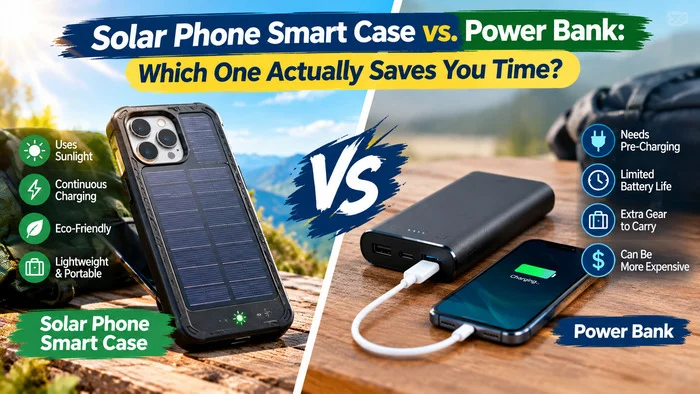
Smart Charging Case vs Power Bank
Even Anker's own guide suggests a slim MagSafe power bank as a less bulky alternative. It offers 15W wireless charging for iPhones and 20W wired charging for USB-C devices. If you switch phones often or want big capacity, a power bank is the better buy.
Who Should Buy a Smart Charging Case?
A good fit if you:
- Commute, travel or work long shifts away from outlets
- Hate forgetting cables and power banks
- Want one product that protects and charges
- Want extras like solar or app monitoring
Skip it if you:
- Are usually near a charger
- Dislike thick phones
- Upgrade phones every year
- Regularly charge wirelessly overnight
How to Choose a Good One
- Exact model fit. Confirm it matches your phone, and any camera or button cutouts.
- Capacity you'll actually use. Around 5,000mAh is roughly one extra charge for many phones. More capacity means more bulk.
- Pass-through charging so you only need one cable.
- MagSafe or Qi support, if you use wireless pads.
- Safety protection. Look for overcharge, over-temperature and short-circuit protection, plus recognized certifications.
- Thin, well-ventilated design. Thick insulating materials trap more heat.
- Warranty and support. A clear return policy is a sign the seller trusts the product.
At iPowerUp Corporation, we tell buyers to check battery-health protections before capacity numbers. A slightly smaller battery that runs cooler is better for your phone in the long run.
Battery Safety Tips for Everyday Use
- Take the case off during long wireless or MagSafe sessions, especially overnight.
- Never leave your phone charging in direct sun or a hot car.
- Turn on Optimized Battery Charging in your phone settings.
- Check your phone's battery health in settings every few months.
- Avoid unbranded, uncertified cases from unknown sellers.
Frequently Asked Questions
Q1. Are smart charging cases bad for your phone battery?
Not by themselves. The real risk is heat, especially from wireless charging or cheap cases with poor thermal design. Choose a thin, certified case and avoid charging in hot places.
Q2. Is it safe to charge overnight with a smart charging case?
It's generally fine with wired charging and a quality case. For wireless or MagSafe overnight charging, removing the case helps reduce heat.
Q3. Do smart charging cases work with wireless charging?
Many do, including MagSafe-compatible models. Check the listing before buying, because some cases block or slow wireless charging.
Q4. How much extra battery does a smart charging case give?
It depends on capacity. A 5,000 to 7,000mAh case typically adds roughly one full extra charge for most phones, though real results vary with phone model and conversion losses.
Q5. Is a smart charging case better than a power bank?
For convenience, yes. For capacity, flexibility and lower heat on your phone, a power bank usually wins.
Q6. Can a solar smart charging case really charge my phone?
It can add some power in strong sun, but solar panels on a case are small, so treat solar as a top-up and backup rather than a fast charger.
Final Verdict
So, are smart charging cases worth it? Yes, if you want built-in convenience, travel a lot and pick a quality, well-ventilated model. If you value slim phones or high capacity, a power bank is smarter. Whichever you choose, watch the heat, buy certified products, and if you'd like help choosing a case that fits your phone and habits, iPowerUp Corporation can point you in the right direction.