Sign up with Google
 Sign in with Zoho

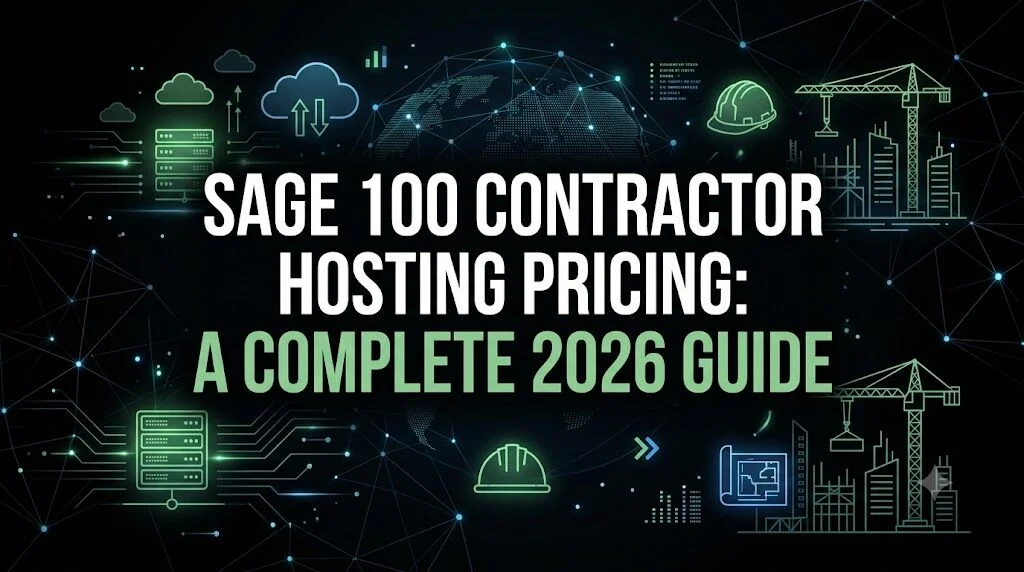
Construction companies run on tight margins, scattered job sites, and constant coordination between the office and the field. If your team is still tied to Sage 100 Contractor on a single desktop or an aging in-house server, you already know the pain: slow job costing reports, no access from the job site, and IT headaches every time someone needs to work remotely.
That's exactly why more contractors, project managers, and construction accounting teams are moving Sage 100 Contractor to the cloud. But before making the switch, most businesses want to understand one thing clearly: what does Sage 100 contractor hosting actually cost, and what do you get for that price?
This guide breaks down 2026 pricing, plan tiers, what drives the cost up or down, and how to choose the right hosting plan for your construction business.
What is Sage 100 Contractor Hosting?
Sage 100 Contractor hosting means running your licensed Sage 100 Contractor software on a cloud desktop instead of a local machine or on-premises server. Your project records, job costing data, payroll, and financial information live in a secure data center rather than on a single office computer.
The result: your team can log in from the office, a job site, or home and see the exact same environment, with the same data, in real time. There's no more waiting for someone at the main office to email a report, and no more juggling VPN settings just to check a project's numbers remotely.
Instead of maintaining physical servers, backup systems, and security patches yourself, a hosting provider manages that infrastructure for you. You keep your existing Sage 100 Contractor license and workflows - only the environment it runs in changes.
What Determines Sage 100 Contractor Hosting Pricing?
Hosting pricing isn't one-size-fits-all. Several factors typically shape what you'll pay each month:
- Number of users - Most providers price a base plan for one user and charge an add-on fee per additional user.
- Compute resources (RAM and vCPUs) - Larger company files, bigger crews, and more simultaneous users usually require more processing power and memory.
- Storage space (SSD) - Construction businesses with years of project history, large drawings, or extensive document attachments need more disk space.
- GPU/vGPU needs - Firms using CAD, estimating tools, or graphics-heavy add-ons may need virtual GPU support.
- Add-on services - Daily backups, advanced security features, and performance "booster" packages can affect the total monthly cost.
- Billing term - Paying annually instead of monthly typically unlocks a discount.
Sage 100 Contractor Hosting Pricing Plans (2026)
Here's a general breakdown of how tiered Sage 100 Contractor hosting plans are typically structured, using published pricing as a reference point:
Which Plan Is Right for Your Construction Business?
- Small contractors or solo operators managing a handful of projects usually do fine with an entry-level plan.
- Growing construction firms with a small accounting team and a few field users typically land in the mid-tier range for smoother multitasking.
- General contractors managing multiple active projects, subcontractors, and larger crews benefit from advanced or enterprise-tier resources to keep job costing and reporting fast even with many users logged in simultaneously.
- Firms using CAD, estimating software, or other graphics-intensive tools alongside Sage 100 Contractor should look at plans with vGPU support.
What is Usually Included in Sage 100 Contractor Hosting Pricing
Beyond raw compute power, most quality hosting plans should include:
- Free initial setup and configuration
- Daily data backups on SSD storage
- 99.9% uptime guarantee
- Firewall protection, antivirus/anti-malware tools, and role-based access controls
- 24/7 technical support via phone, chat, and email
- The ability to scale users or resources up or down as your business changes
- No long-term lock-in month-to-month flexibility with a money-back guarantee window
Cloud Hosting vs On-Premises: A Quick Cost Comparison
For many construction businesses, the predictable monthly hosting fee ends up costing less over time than maintaining and eventually replacing an in-house server - especially once you factor in IT labor, downtime, and hardware refresh cycles.
Tips to Get the Best Value on Sage 100 Contractor Hosting
- Right-size your plan first, then adjust. Start with the tier that matches your current user count and data volume - you can scale up later.
- Choose annual billing if cash flow allows. The discount adds up over a year, especially on higher tiers.
- Count your actual concurrent users, not just total staff, when picking additional user add-ons.
- Ask about migration support. A smooth transition of existing company files and project data matters more than shaving a few dollars off the monthly rate.
- Confirm what's bundled vs. billed separately - backups, security features, and booster performance packs can be included in some plans and extra in others.
Final Thoughts
Sage 100 Contractor hosting pricing in 2026 typically ranges from around $30/month for a lean, single-user setup to $200+/month for enterprise-grade environments supporting large teams and heavier workloads. The right number depends on your user count, storage needs, and how much compute power your projects demand.
If you are ready to move Sage 100 Contractor off a local machine and into a secure, always-accessible cloud environment, Apps4Rent offers flexible, tiered Sage 100 Contractor hosting plans with free setup, daily SSD backups, a 99.9% uptime guarantee, and 24/7/365 expert support - all backed by SOC 2 Type II compliant U.S.-based data centers and a 15-day money-back guarantee. Whether you're a small contracting outfit or managing multiple large-scale projects, Apps4Rent can help you find the right plan and migrate your existing Sage 100 Contractor environment with minimal downtime.
Frequently Asked Questions
1. How much does Sage 100 Contractor hosting cost per month?
Pricing generally starts around $30/month for a basic single-user plan and scales up to $200+/month for enterprise-level plans with more RAM, vCPUs, and storage. Additional users are typically billed separately on a per-user, per-month basis.
2. Does Sage 100 Contractor hosting pricing include backups and security?
Most reputable hosting providers include daily SSD-based backups, firewall protection, and role-based access controls as part of the standard plan price, though some advanced security add-ons may cost extra.
3. Is there a discount for paying annually instead of monthly?
Yes. Many hosting providers, including Apps4Rent, offer roughly a 10% discount when you choose annual billing instead of paying month-to-month.
4. Can I change my Sage 100 Contractor hosting plan later if my business grows?
Yes. Cloud hosting plans are built to scale - you can typically add users, RAM, vCPUs, or storage as your project load and team size increase, without buying new hardware.
5. Does hosting pricing include migration of my existing Sage 100 Contractor data?
Most providers assist with migrating your existing company files and project records as part of the onboarding process, though it's worth confirming this is included before you sign up, since timelines and support can vary by provider.