Sign up with Google
 Sign in with Zoho
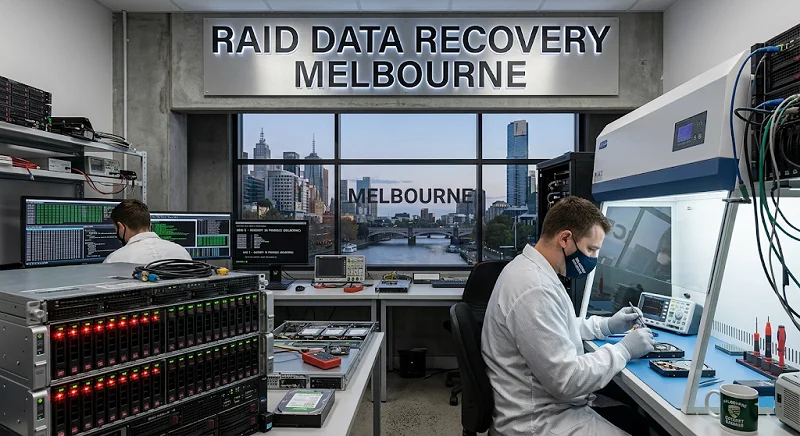
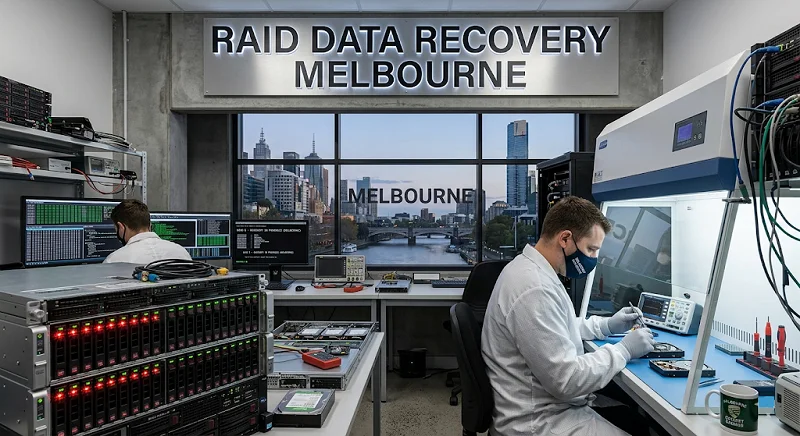
Recovery Squad's approach to data recovery services always begins with an honest diagnostic assessment before any work begins.
A business owner in Richmond once told me his server room was the quietest place in the office — right up until the day it wasn't. A grinding noise, a red light on the NAS, and suddenly three years of client invoices were sitting behind a wall of question marks.
That's RAID failure for you. It rarely announces itself politely.
Why RAID Fails Differently To A Single Hard Drive
Most people assume RAID is failure-proof. It isn't. RAID (Redundant Array of Independent Disks) spreads data across multiple drives to improve speed or add redundancy, but that redundancy has limits.
When one drive in a RAID 5 array drops out, the array can usually keep running on the remaining disks. The trouble starts when a second drive fails during the rebuild, or when the controller itself glitches and writes bad metadata across the array. At that point, you're not looking at a simple hardware swap — you're looking at a puzzle with pieces scattered across several disks.
The Most Common Causes We See
Over the years, a handful of causes show up again and again:
- A second disk failing mid-rebuild
- Controller card faults or firmware corruption
- Accidental array deletion or reconfiguration
- Power surges that hit multiple drives at once
- Overheating in poorly ventilated server cabinets
None of these are rare events. If your business runs a RAID setup, chances are you'll face one of them eventually.
Why DIY Rebuilds Often Make Things Worse
There's a strong temptation to Google "how to rebuild RAID 5" and have a go yourself. I understand the instinct—server downtime is expensive, and IT budgets are tight.
But here's the catch. RAID controllers store metadata about disk order, stripe size, and parity in ways that vary between manufacturers. Get the sequence wrong during a manual rebuild, and you can overwrite the very data you're trying to save. What started as a recoverable fault can turn into permanent loss within minutes.
This is exactly where professional RAID data recovery Melbourne teams earn their keep. Instead of rebuilding the array live, specialists image each drive individually first, then reconstruct the array's logical structure in a controlled lab environment—away from any risk of further overwrite.
What A Proper Recovery Process Looks Like
A sound RAID recovery approach generally follows this order:
- Stop the array immediately — no further writes, no rebuild attempts
- Create sector-by-sector images of every disk
- Analyse stripe size, parity pattern, and disk order from the images
- Virtually reconstruct the array without touching original media
- Extract and verify files before handing them back
This method protects the original drives throughout, which matters enormously if a case ever needs a second opinion or forensic review.
A Quick Story From The Workshop
A Melbourne accounting firm once brought in a four-disk RAID 10 NAS after two drives failed within a week of each other—bad luck, but not unheard of with drives from the same production batch. Their in-house IT tried a rebuild first, which shuffled the disk order. By the time it reached us, the array was reported as "foreign" and unreadable.
We imaged all four drives, worked out the original stripe order from residual metadata, and reconstructed the volume virtually. Client files, tax records, the lot—recovered intact, with the original disks untouched throughout.
Protecting Yourself Going Forward
A few habits genuinely reduce your risk:
- Keep a proper offsite or cloud backup, not just RAID redundancy
- Monitor drive health with SMART alerts
- Replace ageing drives proactively rather than waiting for failure
- Avoid mixing drives from the same batch and purchase date
RAID gives you resilience, not immunity. When it does go wrong, resist the urge to rebuild on your own. A calm, methodical approach — ideally from someone who does this daily — is what separates a stressful afternoon from a genuine disaster.
Choosing The Right Recovery Partner For A Business-Critical Array
Not every technician who advertises data recovery has genuine RAID experience. RAID reconstruction is a different skill set from single-drive recovery, since it involves working out stripe order, parity patterns, and controller-specific metadata that vary between manufacturers like Dell, Synology, QNAP, and HP.
A good way to gauge experience is simply asking direct questions: How many disks can they image simultaneously? Do they have donor drives on hand for common enclosure models? And can they explain roughly how they'd approach your specific RAID level? Vague answers are usually a warning sign.
It's also worth asking whether they provide a written report once recovery is complete, detailing what was recovered and what, if anything, couldn't be. For businesses in regulated industries, this kind of documentation can matter for compliance and audit purposes well beyond the immediate relief of getting the data back.
Final Word On Raid Data Recovery Melbourne
If your array has failed and you're weighing up the options, the safest path is almost always professional RAID data recovery Melbourne support rather than a DIY rebuild. Recovery Squad's team treats every case of RAID data recovery with the same careful, image-first approach described above and works alongside broader data recovery services for businesses that need more than just the array fixed. Whatever the cause of the failure, getting the RAID data recovery Melbourne process started early gives you the best possible outcome.