Sign up with Google
 Sign in with Zoho

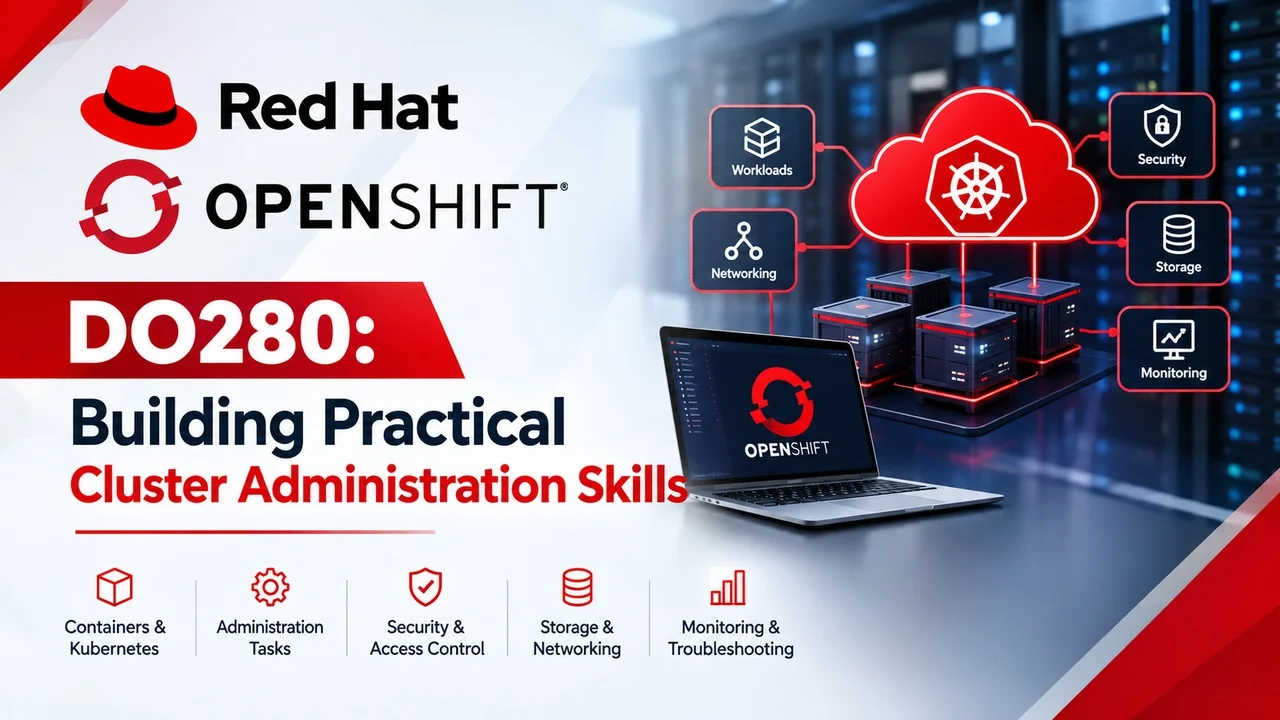
OpenShift DO280 training is relevant to learners who want to develop practical skills in container platform administration. Understanding OpenShift requires knowledge of Kubernetes fundamentals, application deployment, cluster configuration, networking, security, and troubleshooting. By combining theory with hands-on exercises, learners can build a foundation for working with containerized applications and enterprise IT environments.
Understanding OpenShift Cluster Administration
OpenShift is a container platform built around Kubernetes concepts. It provides tools for deploying, managing, and monitoring applications. Cluster administration involves maintaining resources, managing user access, configuring workloads, and investigating issues that affect application availability.
Before moving into advanced administration, learners should become familiar with containers, pods, deployments, services, namespaces, and YAML configuration. These concepts make it easier to understand how applications run and interact within a cluster.
1. Workload and Application Management
Workload management is an important part of OpenShift administration. Administrators need to understand how applications are deployed, how pods are created, and how deployments maintain the desired application state.
Practise deploying a sample application in a suitable lab environment. Check the status of pods, review deployment information, inspect application logs, and learn how to identify common configuration problems. These exercises help learners understand how OpenShift resources work together.
2. Authentication and Access Control
Access control helps protect cluster resources from unauthorized use. OpenShift administrators should understand users, groups, projects, roles, and role-based access control (RBAC).
A useful practice exercise is to review permissions in a test project and determine which actions different users should be allowed to perform. Following the principle of least privilege helps reduce unnecessary access and supports safer administration.
3. Networking and Application Exposure
Networking enables applications and services to communicate. Learners should explore services, routes, and network policies to understand how workloads are reached and how communication can be controlled.
In a lab, deploy a simple application and examine how it becomes accessible. Then review relevant networking settings and observe how configuration changes affect connectivity. Always perform these exercises in an environment where you have authorization.
4. Security and Resource Management
Cluster administrators must understand basic workload security and resource allocation. Important topics include security contexts, resource requests and limits, quotas, and network restrictions.
Practising these concepts helps learners understand how to manage shared resources and apply suitable security controls. Documentation and controlled lab exercises are valuable when learning how individual settings affect workloads.
5. Monitoring and Troubleshooting
Troubleshooting is essential when an application does not start, a pod fails, or a service becomes unavailable. Administrators can inspect resource status, events, and logs to identify possible causes.
Useful commands include oc get pods, oc describe pod, oc logs, and oc get events. Learners should practise interpreting the output rather than simply memorizing commands. Recording the problem, investigation steps, and solution can help build a repeatable troubleshooting process.
Building a Practical Learning Plan
Start with basic Kubernetes concepts, then practise application deployment and resource inspection. Next, study access control, networking, security, and troubleshooting. Create small exercises that combine several topics, and document the results to track your progress.
For structured learning, explore the OpenShift training course from WebAsha Technologies.
Conclusion
OpenShift DO280 training provides a useful learning direction for people interested in cluster administration and container platforms. Consistent practice with workloads, permissions, networking, security, and troubleshooting can help learners develop practical skills. Combine structured study with authorized lab exercises to strengthen your understanding of OpenShift administration.