Sign up with Google
 Sign in with Zoho

Outlook PST to EML conversion helps to easily access, share, archive and open individual emails in different email applications. But when working with a Windows 10 computer, users should not just think about file conversion. Large PST files may contain sensitive business communications, attachments and other Important mailbox data. A poorly planned conversion can result in permission problems, duplicate files, or unnecessary modifications to protected system locations.
Fortunately, you do not have to change Windows administrator settings for PST to EML conversion. Proper preparation and the right conversion method can help users to export their emails safely while retaining their existing Windows account permissions.
This guide assists you with a secure PST to EML conversion process on Windows 10, including manual methods, their limitations, and a professional software-based solution.
Why Security and Admin Access are Important in PST Conversion
What is a PST file?
PST file is an Outlook data file that stores email, attachments, contacts, calendars and other mailbox data. Usually, converting email messages to EML files is used to create separate, portable copies of emails without modifying the original PST.
Users should not perform unnecessary steps such as:
· Tweaking User Account Control settings
· Disable Windows security features
· Executing unknown scripts with administrator privileges
· Changing the permissions on system folders
· Conversion and moving of original PST
· Saving output files in secured folders in Windows
A secure workflow should operate on copies of the source data and write converted files to a location where the current user has write permission already.
Manual Method 1: Save Each Email as EML
Another simple method is to open the PST file in an Outlook environment and save the individual messages.
Microsoft Outlook allows saving messages as files, though the specific options may differ between Classic Outlook and New Outlook. According to Microsoft documentation, you can save individual messages by using the Save As option on supported Outlook environments.
Process
1. Launch Outlook on Windows 10.
2. Open or attach the PST file you want.
3. Navigate to the folder containing the emails.
4. Choose an email message.
5. Open the message or use the Save As option available.
6. Choose a good location.
7. Save the message in EML format if supported.
8. Repeat the process for other messages.
Restrictions of Manual Saving
This method can work for limited number of emails but it does not work for large PST files.
Some common limitations are:
· You may have to handle emails one-by-one.
· Manual selection is time consuming.
· Messages are more likely to be missed.
· Folders can be hard to recreate.
· Large-scale conversions are repetitive actions.
The export options vary depending on which version of Outlook you have.
For example, support for PST and message handling are different in Classic Outlook and New Outlook. Microsoft also notes that PST functionality and import/export behaviour can vary by Outlook version.
Manual Method 2: Drag Emails to Folder
Depending on your version and configuration of Outlook, you might be able to drag messages you select in Outlook to a folder in Windows Explorer.
Process
1. Open the PST mailbox you need in Outlook.
2. Create a new destination folder outside of protected system directories.
3. Choose the needed email messages.
4. Move them to the destination folder.
5. Look at the files created and check their extensions.
This could be a useful approach for a small set of emails. However, you should check the output as drag-and-drop behavior is different for different versions of Outlook. Microsoft documentation and support threads state that New Outlook and Classic Outlook treat dragged messages differently.
Limitations
Why drag and drop method is not appropriate for professional or bulk conversion:
· Behavior on output may depend on the version of Outlook.
· Thousands of messages are processed manually, which takes too much time.
· It is difficult to maintain the original folder structure.
· Large attachments may prevent manual handling.
· Files may be accidentally moved or duplicated.
Secure Method Using PST to EML Converter Tool
If you have big PST archives, then you can go for a dedicated conversion application that can offer a more structured approach. Softaken PST to EML Converter is designed to convert PST mailbox items to EML files. It supports Windows systems including Windows 10. Features include PST item conversion, preview functionality, handling large PST files, and support for non-English content.
How to Convert PST to EML
The overall workflow is simple, as follows:
Step 1: Install the Application - Download and install the software from a reliable source. Unless your organizational IT policy dictates that it be installed as an admin, install it in your normal Windows user environment.
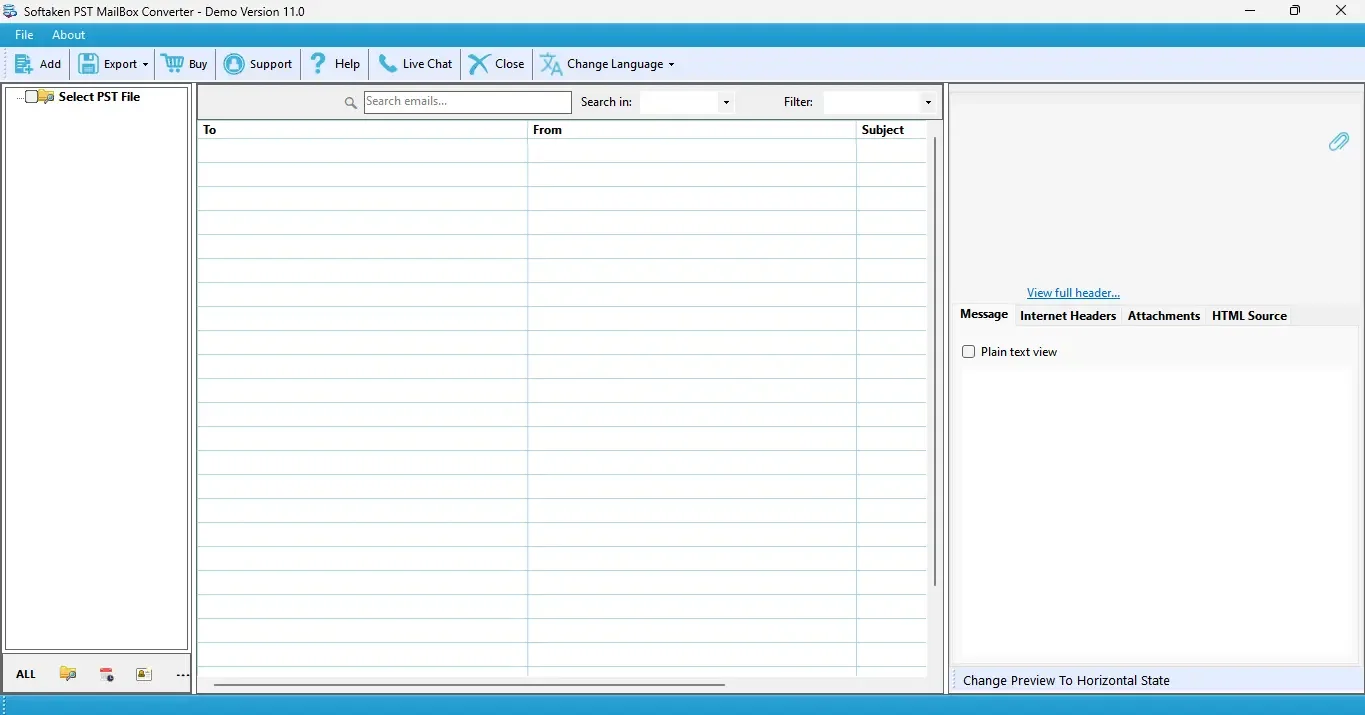
Step 2: Add PST file - Navigate to the copied PST file and load it into the application.
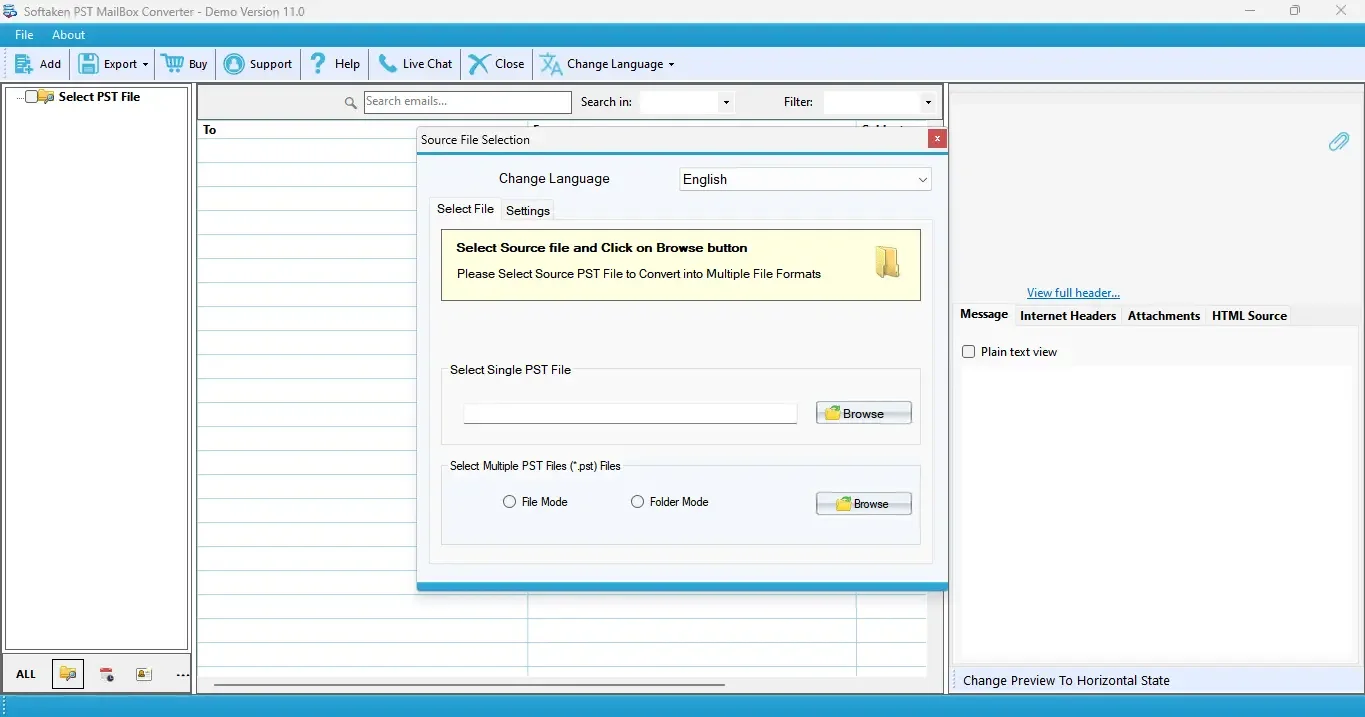
Step 3: Mailbox Content Preview - Review folders and mailbox items prior to conversion. This helps you confirm that you have selected the correct PST file.
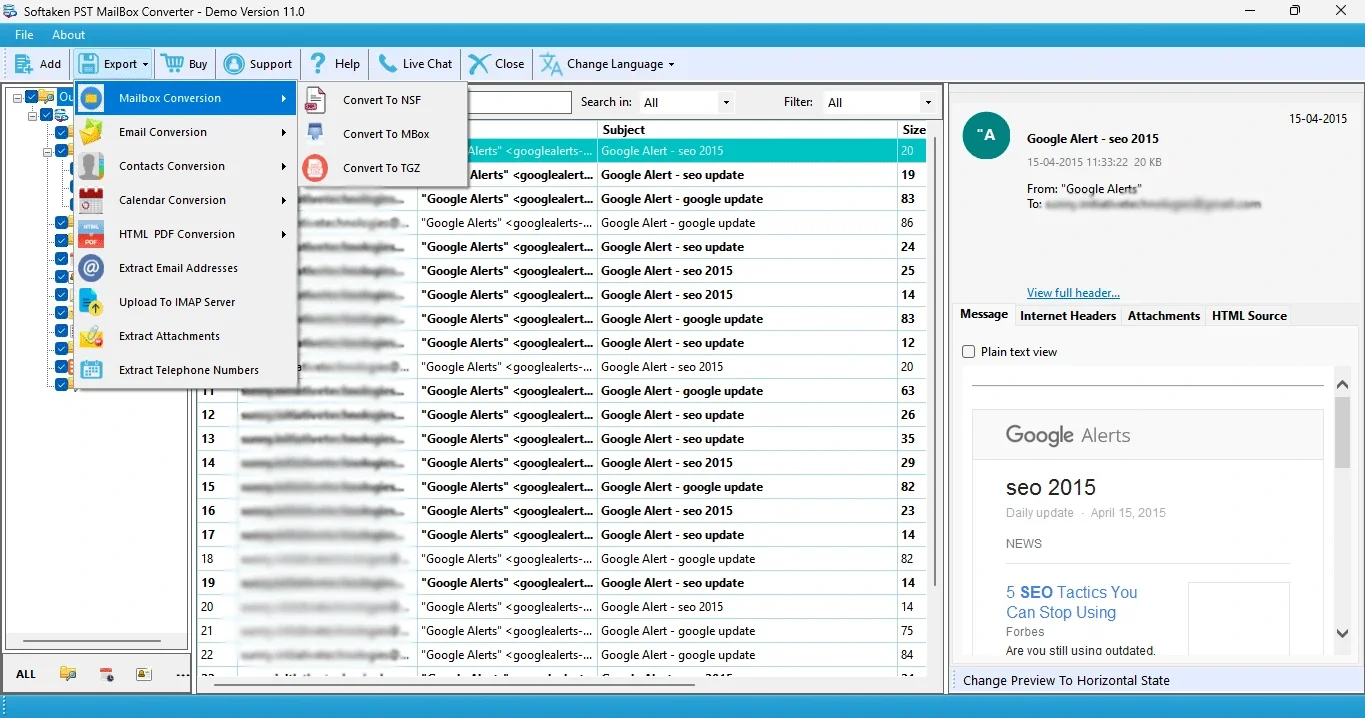
Step 4: Select the emails or folders needed - Select the email folders or data that you want to convert.
Step 5: Choose EML as Export Option - Select a destination folder where your Windows user account has normal write access.
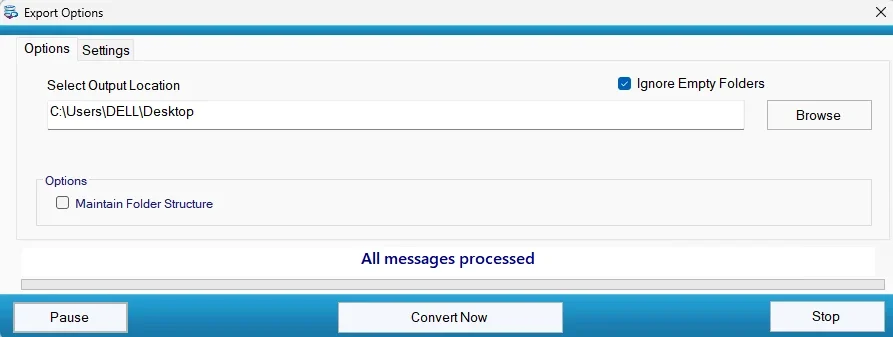
Step 6: Perform the Conversion - Start the conversion and let it finish without forcing the application to close.
Step 7: Review the Output - Open the converted EML files and verify email headers, message body and attachments.
Benefits of a Specialized Conversion Tool
There are several advantages to a specialized approach over manual processing:
· Fast conversion of large PST files
· Decreased repetitive manual work
· Better bulk email management
· Improved support for mailbox folders
· See conversion options in preview
· Works well for large archives
· Can reduce Outlook dependency for the conversion workflow
· No need to change Windows administrator privileges for normal file converting
The most important security principle is to utilize the software with normal permissions whenever possible. There is no general reason to disable User Account Control or change Windows security policies just to convert mailbox data.
Securing Your Admin Access During Conversion
Keep to these practical rules during the process:
· Don’t change your Windows account type.
· Do not turn off User Account Control.
· Don't run untrusted batch files or scripts.
· Keep the original PST intact.
· Use a duplicate copy when possible.
· Don't store EML files in system folders.
· Only download software from trusted sources.
· Scan downloaded applications per your organization’s security policy.
· Confirm converted data before deleting original files.
These steps will help you to decouple a routine data conversion task from Windows administrative configuration. Email conversion does not require changes to account privileges so your administrator access and account privileges should not be affected.
Conclusion
Users can safely convert PST to EML on Windows 10 when they follow a controlled workflow. Manual methods work well when you need to export a small number of emails, but they can be slow and inconsistent when applied to large mailbox archives. For mass conversion, a dedicated solution is more practical, considering that users adhere to standard security practices.
The key is simple: protect the original PST, choose a safe destination folder, avoid unnecessary administrator level changes, and check the converted EML files before performing changes to the source data.
FAQs
Is it necessary to have administrator rights to convert PST to EML?
Not necessarily. Standard user permissions are usually sufficient for normal conversion tasks if the source and destination folders are accessible.
Does PST to EML conversion change my Windows admin account?
No. Converting email files will not, in general, change your Windows account type or administrator rights.
How to convert large PST file to EML?
Large PST files can be converted to EML, but manual methods can be time-consuming. A dedicated conversion tool is generally more suitable for processing large mailboxes and multiple folders efficiently.
I want to delete the original PST after conversion.
Better to keep original PST until you verify that the converted EML files contain the required data.
Do EML Files Preserve Email Attachments?
Yes. EML is a popular format for storing a single e-mail message with attached message content and attachments.
Is Manual PST to EML Conversion Good for Thousands of Emails?
Generally, no. Manual approaches can be time consuming and increase the risk of missed emails or organizational mistakes when dealing with thousands of messages.