Sign up with Google
 Sign in with Zoho

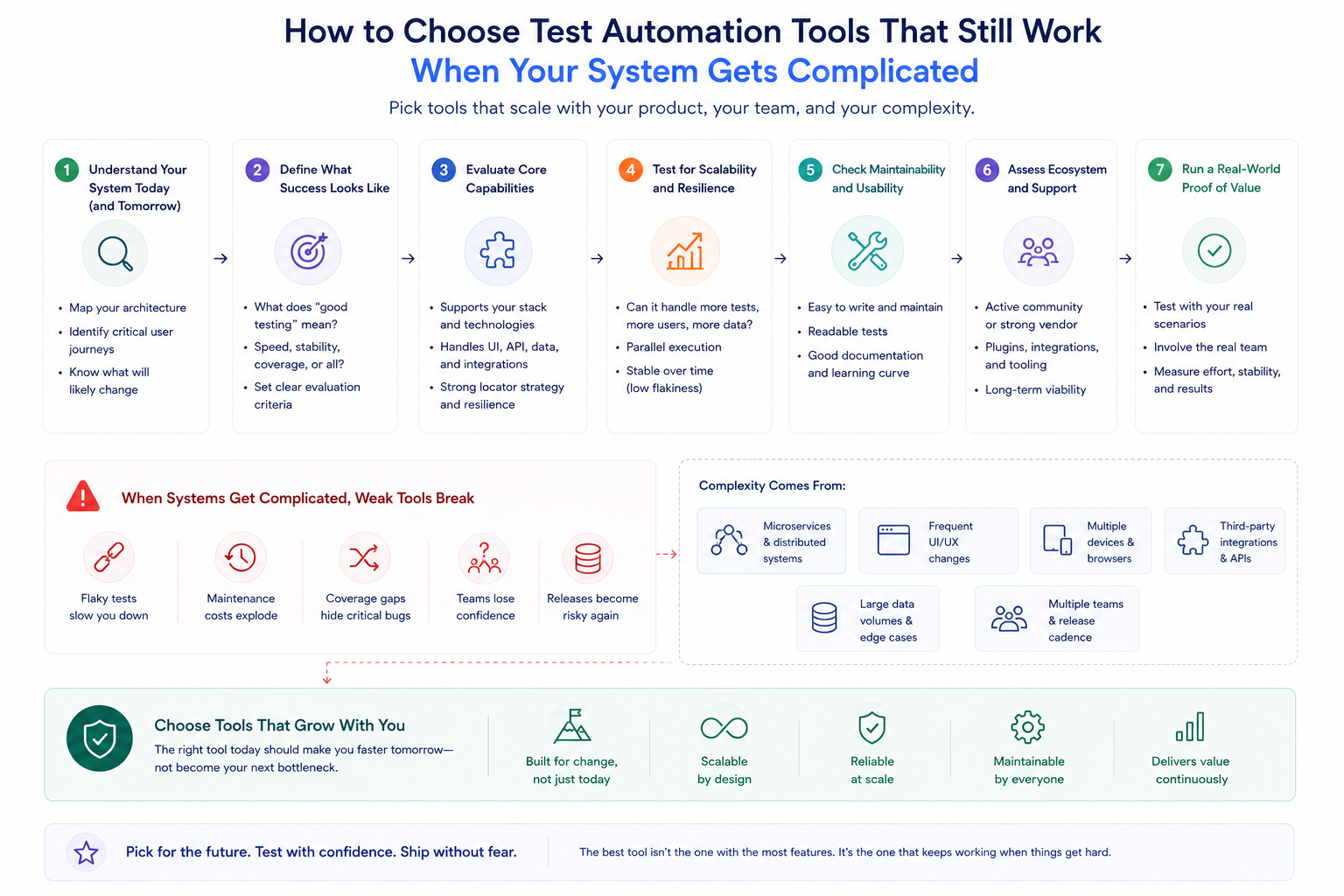
Six months is usually when it happens. The test automation tools the team committed to looked fine during evaluation. The initial suite ran cleanly. The pipeline connected without too much trouble. Everyone moved on.
Then the system grew. More services got added. Deployment frequency went up. And somewhere in that growth, the tool that worked for the simpler version of the system stopped working as well for the more complicated one. Tests that finished in fifteen minutes started taking forty-five. Mocks written six months ago stopped reflecting how the services they represented actually behaved. Someone started spending two days a sprint keeping the tooling operational rather than getting value from it.
This is not a story about a bad tool decision. It is a story about an evaluation that looked at the system as it existed rather than the system it was becoming.
The Question Most Evaluations Get Wrong
When engineering teams evaluate test automation tools, they almost always test against their current system. Which makes sense on the surface — that is the system they have, so that is the one they run the evaluation against.
The problem is that the tool they are choosing will not spend most of its life with the current system. It will spend most of its life with whatever the system becomes over the next two or three years. A tool that handles twenty services comfortably might handle fifty services very differently. A pipeline that runs twice a day has different requirements from one running twenty times a day. Neither of those differences shows up in an evaluation run against today's architecture.
The teams that make better test automation tools decisions tend to spend part of the evaluation thinking through what the system is actually moving toward. Not in an abstract way but in a specific one. If three more services are getting added in the next quarter, what does mock management look like then? If deployment frequency doubles, does the feedback loop stay short enough that developers actually wait for results?
Those questions surface problems that benchmark comparisons and README files do not.
What Happens to Mocks When Services Keep Shipping
There is a specific failure mode in test automation that most evaluations miss entirely, and it is the one that causes the most production incidents in teams running distributed systems.
Every automated test that touches an external service needs some representation of that service during execution. A mock. A stub. A recorded response. Something standing in for the real thing while the test runs. On the day those representations are written, they are accurate. The service behaves the way the mock says it does.
Then the service ships again. And again. New fields appear in response schemas. Error handling changes. An edge case gets handled differently. The mock does not know any of this. It keeps returning whatever it returned when someone wrote it. The tests keep passing. Production keeps encountering behavior the tests have never seen.
This is mock drift, and it gets significantly worse as systems grow. More services means more mocks. More mocks means more surface area for drift to accumulate. More deployments means more opportunities for each mock to fall behind the service it represents.
Test automation tools handle this problem very differently from each other. The conventional approach puts mock maintenance entirely on developers — someone has to notice the drift and update the mock manually. That works when there are ten integrations and the team has time to stay on top of them. It stops working when there are fifty integrations and everyone is focused on shipping features.
Keploy takes a different approach to this entirely. Rather than writing mocks from documentation or developer assumptions, it captures real API traffic flowing through the application and generates test cases and mocks directly from those actual interactions. When a service changes, new traffic captures reflect that change automatically. The mocks stay current not because someone updated them but because they come from what the service actually does rather than what someone thought it would do. For teams whose systems are adding integrations faster than anyone can manually maintain mock files, that difference compounds over time in ways that matter.
The Friction Problem Nobody Talks About in Demos
Here is something that almost never comes up during tool evaluations: how the tool feels to use when something goes wrong at 4pm on a Friday.
Evaluation environments are controlled. The person doing the evaluation has time to figure things out. When a test fails during evaluation, they can spend twenty minutes tracing through logs to understand why. That experience has almost nothing to do with what it feels like to debug a pipeline failure under deadline pressure with three other things open.
Test automation tools that produce clear failure output — specific about what changed, what the test expected, what it actually got — reduce that Friday afternoon debugging time significantly. Tools that produce verbose logs with no clear signal create a different behavior over time: developers learn to re-run failures and see if they pass the second time rather than investigating why they failed. Once that habit forms it is very hard to break, and it means the test suite is providing much less signal than the coverage numbers suggest.
This is worth evaluating deliberately. Pick a scenario where a test fails for a non-obvious reason and see what the tool tells you about it. The quality of that output is a better predictor of long-term usefulness than almost anything else in the evaluation.
Polyglot Architectures Create Specific Problems
Not every system runs on a single language. A lot of them do not.
A Go service calling a Python service calling a Java service is common enough that test automation tools built around a single language create real coverage gaps in polyglot environments. The tool supports Go. The integration between the Go service and the Python service is where the production failures actually happen. That boundary is exactly what single-language tooling tends to miss.
Tools that operate at the network layer rather than the application layer handle polyglot architectures more naturally because they do not care what language each service is written in. They see HTTP traffic. They generate tests from HTTP traffic. The language on either side of the call is not their problem.
This is worth checking explicitly during evaluation rather than assuming. Not "does this tool support our languages" but "what does integration testing between services in different languages actually look like, and who maintains that coverage."
Pipeline Speed Matters More at Some Stages Than Others
Execution speed in test automation is not a single number. It matters differently depending on where in the pipeline tests run.
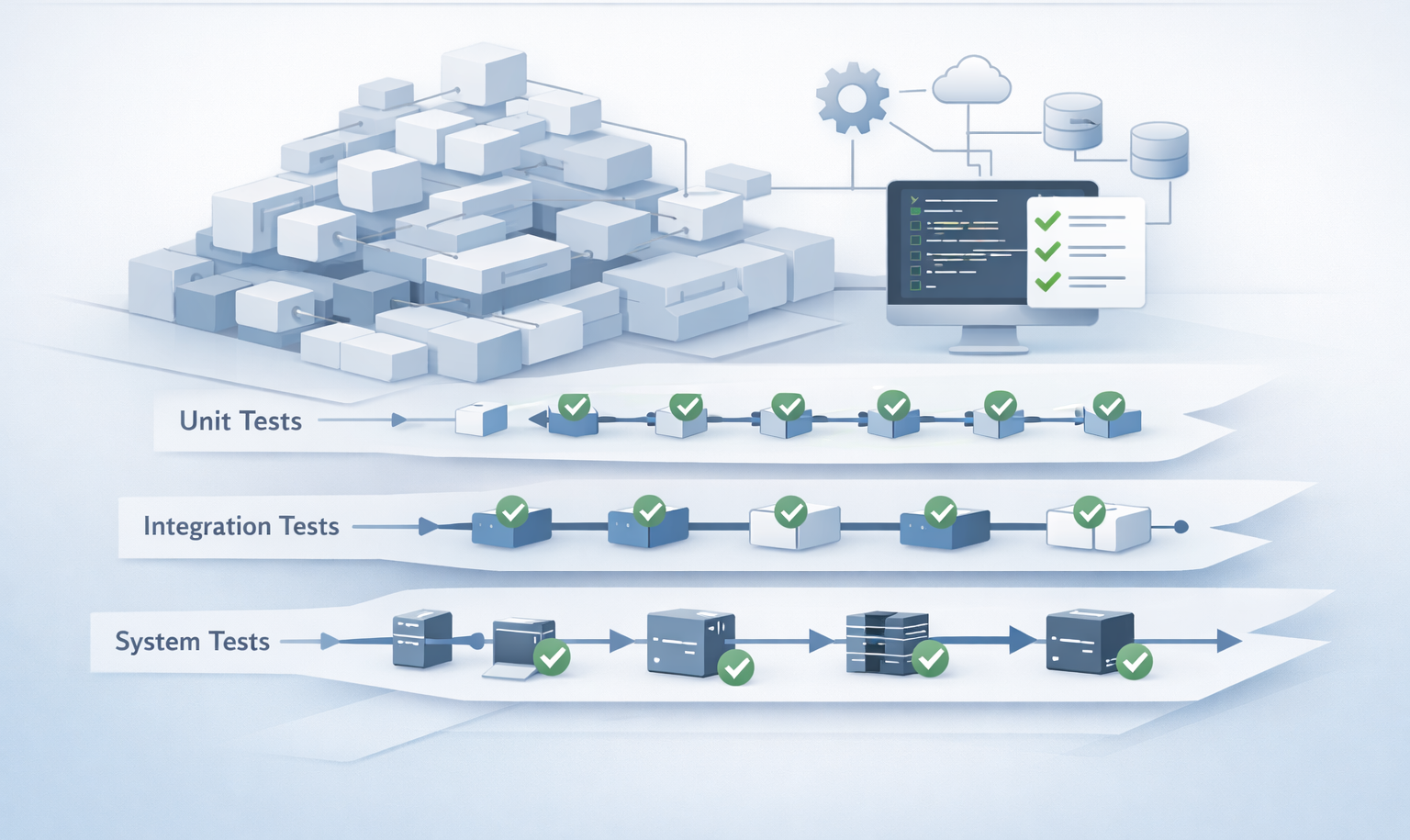
Unit tests running on every commit need to finish fast enough that developers wait for results before moving on. If that stage takes twelve minutes, developers move on. The feedback arrives out of context and gets treated as noise. If it takes two minutes, developers wait. The feedback is immediate and actionable.
Integration tests covering service boundaries have more tolerance for execution time when they run at pull request stage rather than on every commit. The developer is already waiting for review. A ten-minute integration test run is less disruptive there than it is as a pre-commit check.
Test automation tools that support this kind of staged execution — fast targeted checks early, broader coverage later — keep feedback loops useful at each stage. Tools that treat all tests as a single suite to run together create the choice between slow feedback everywhere or incomplete coverage somewhere.
What the Evaluation Is Actually For
The purpose of evaluating test automation tools is not to find the tool that performs best on a demo workload. It is to find the tool that still works well when the system is more complicated than it is today, when the team is larger, and when deployment frequency is higher.
That evaluation looks different from a standard comparison. It involves running the tool against representative parts of the actual system rather than against synthetic examples. It involves asking about mock management for the number of integrations the team will have in a year rather than the number they have now. It involves deliberately triggering failure scenarios and seeing what the output looks like.
The test automation tools that hold up under that evaluation tend to hold up in production. The ones that look best in controlled demos but struggle under realistic complexity tend to become the migration projects nobody wanted.
The extra time the better evaluation takes is always less than the time the migration takes.