Sign up with Google
 Sign in with Zoho

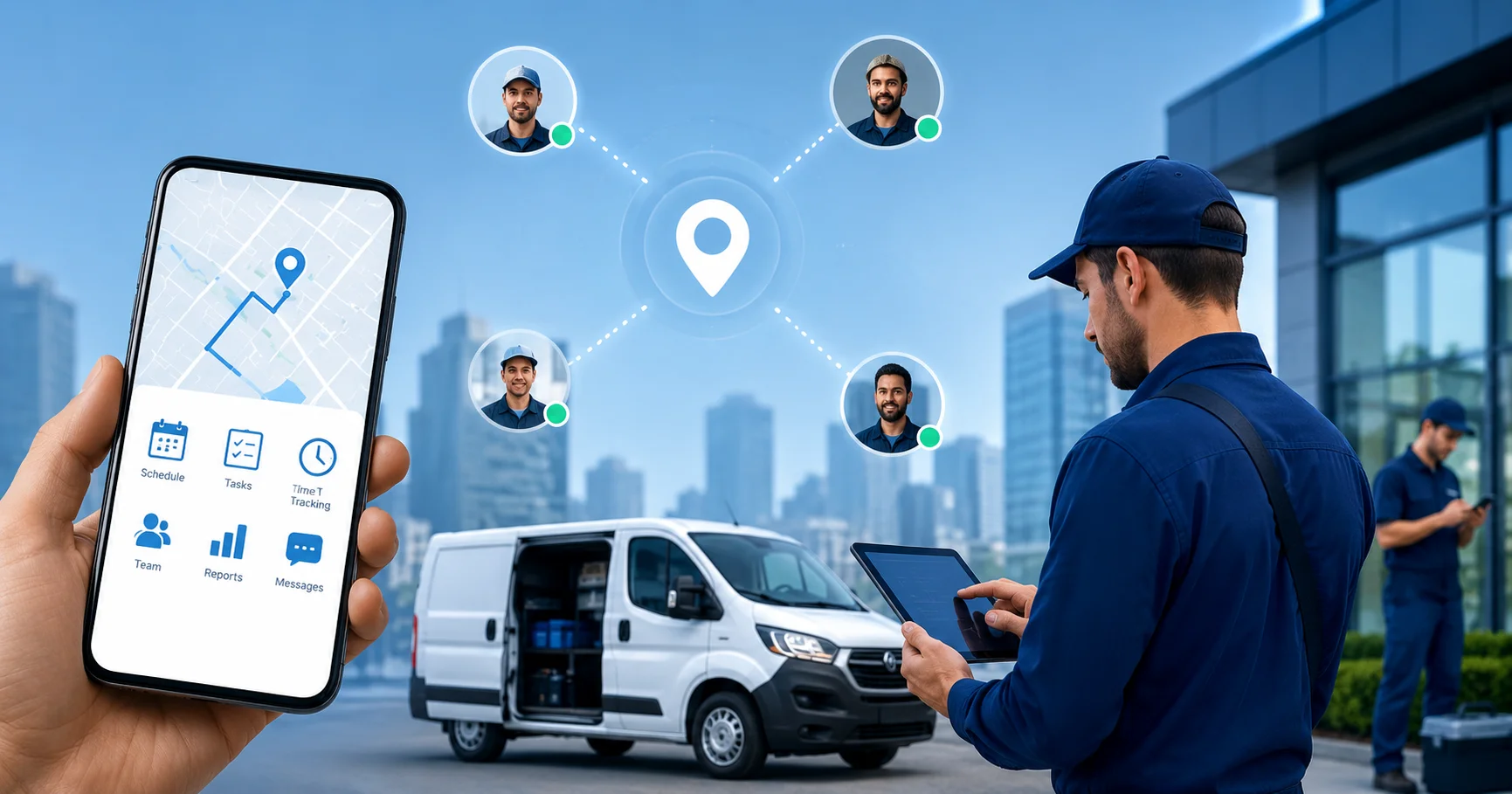
Mobile workforce management entails the strategies and systems used by firms to manage employees who do not operate from the main office, such as field service technicians, delivery personnel, customer service representatives, and others who work remotely. Mobile technology is used to schedule, track, communicate, and report on performance.
Mobile workforce management has moved from an operational nice-to-have to a business-critical function. Whether you're running a 10-person service crew or managing hundreds of field agents, the gap between businesses that manage their mobile teams effectively and those that don't shows up fast — in missed appointments, wasted drive time, and frustrated customers.
This guide breaks down what mobile workforce management actually involves, why it matters, and how to build a smarter operation around it.
Why Mobile Workforce Management Matters Right Now
There has been an increase in the number of mobile and field-based workers. The corporate world relies on employees who rarely work behind the desk. Without proper systems to manage these workers, chaos is inevitable.
Common problems without proper mobile workforce management include:
- Scheduling conflicts and double bookings
- No real-time visibility into where workers are
- Slow, error-prone paper-based job reporting
- Poor communication between field staff and back office
- Difficulty proving compliance or tracking hours accurately
These aren't just operational inconveniences. They directly affect customer satisfaction, labour costs, and your ability to scale.
Core Components of Mobile Workforce Management
A solid mobile workforce management system isn't just one tool — it's a combination of connected capabilities. Here's what that looks like in practice.
1. Real-Time Scheduling and Dispatch
Scheduling field workers manually — via spreadsheets or phone calls — creates constant bottlenecks. Modern systems use automated dispatch logic that considers worker location, skills, availability, and job priority to assign the right person to the right job at the right time.
If any job is canceled or there is an urgent new request, the system responds immediately. There is no need for frantic activities. There is no need for a sequence of phone calls to managers. The decision regarding scheduling is made in seconds.
2. GPS and Location Tracking
Live GPS tracking provides operations managers with precise and up-to-the-minute information regarding the location of each field employee at all times throughout the day. This technology is more than an oversight mechanism; it facilitates routing optimization, precise estimates of arrival time for customers, and fast mobilization of nearby staff.
It also protects workers and the business. In industries like utilities or lone worker roles, knowing a team member's location is a safety requirement, not just a convenience.
3. Mobile Job Management
Mobile devices must be able to allow field workers to view job information, change task status, take photographs, sign forms, and fill out checklists. In this way, there will be no need to rely on paper processes, and it will make sure that the back office has up-to-date information at all times.
When job updates happen in real time, invoicing speeds up, disputes are reduced, and service quality is easier to demonstrate.
4. Communication Tools
Field teams should not have to depend on personal mobile phone numbers or broken-down messaging applications for communicating within their team. Effective communication can be made through any of the following means: in-app messages, job notes, or automated alerts.
Managers can send updates, flag urgent changes, or check in on job progress without interrupting a worker mid-task.
5. Reporting and Analytics
Data from the field should flow back into dashboards that help managers make better decisions. How many jobs did each technician complete today? Which jobs took longer than expected? Where are the recurring delays?
Good reporting doesn't just measure past performance — it helps you spot patterns and fix problems before they become expensive habits.
The Role of Appointment Scheduling Software
One of the most impactful tools in any mobile workforce strategy is appointment scheduling software. For businesses where customer-facing appointments drive revenue — like trades, healthcare, home services, or equipment maintenance — this is often the engine that keeps everything else running.
Good scheduling software does more than just fill calendar slots. It factors in travel time between jobs, worker certifications, customer preferences, and job complexity. It can send automated reminders to customers, handle rescheduling requests, and integrate with invoicing systems so completed jobs move straight to billing.
When your scheduling is accurate and automated, your field team spends less time waiting and more time working.
How Mobile Workforce Management Improves Field Operations
Let's look at this from the perspective of an operations manager running a facilities maintenance business. Before implementing a proper system, mornings might start with twenty calls to figure out who's going where, followed by two hours of manual schedule updates when jobs run long or workers call in sick.
After implementing a mobile workforce management platform:
- Schedules are built and distributed each morning automatically
- Workers receive job details on their phone before they leave home
- The office can track job progress without interrupting the team
- Completed jobs are documented with photos and customer sign-off
- Invoices are generated the same day, not days later
The operational lift is significant — and it compounds over time as processes tighten and data improves decision-making.
Key Benefits for Business Owners and Operations Managers
What to Look for in a Mobile Workforce Management Platform
Not every platform is built for every industry. Here are the features worth prioritising when evaluating your options:
- Mobile-first design – The workers you hire require an easy-to-use app for their phones, not an adapted desktop program.
- Offline capabilities – Your employees do jobs where there is poor mobile coverage; your app must work wherever it is used.
- Integration abilities – The app must be able to integrate with your existing customer relationship management, accounting, and HR programs.
- Flexible workflows – Each business has unique work tasks; the platform must be able to work with your process and not the other way around.
- Audit trails and compliance – Of particular relevance in regulated industries where timekeeping or safety certifications are required.
Building a Practical Implementation Plan
Deploying a new platform doesn't need to be disruptive. A phased approach works well for most businesses:
Phase 1 — Audit your existing process. Determine how the process of job scheduling, dispatching, tracking, and closure is performed today. Figure out the areas of greatest pain.
Phase 2 — Establish your requirements. Based on your audit, determine what functionalities you require right away versus what should come later. Do not build too much initially.
Phase 3 — Pilot test with a small team. Perform the pilot test using one team or one job type. It will allow you to gather some valuable feedback without disrupting your organisation.
Phase 4 — Train and roll out. Spend time on training. The most advanced platform won't be used properly if your team lacks proper knowledge. On-site training will always beat a user guide.
Phase 5 — Evaluate and improve. Use the built-in reporting capabilities to check your performance within 30 and 90 days. Make changes based on the findings.
Common Mistakes to Avoid
Businesses that struggle with mobile workforce management often make similar mistakes. Watch out for these:
- Choosing the platform based solely on pricing without determining suitability with regard to your own processes
- Omitting change management – field personnel have to know why the system was built and how it will benefit them
- Approaching it as an IT project and not an operational one
- Lack of integration into other systems and thus creation of data silos
- Not reviewing data frequently enough – the benefit lies in actually doing something with the information provided by the reports
Teams that get the most out of these systems treat implementation as an ongoing process, not a one-time setup.
Getting Started with the Right Support
Mobile Workforce Management is not just another trend; it is how field operations are supposed to be managed in the current era. The companies that are making progress within their respective sectors are the ones that have been able to integrate their back office and field operations.
If you're evaluating platforms or looking to overhaul how your field team operates, Genic Teams offers purpose-built tools designed for businesses managing mobile workers at scale — from scheduling and dispatch to real-time tracking and digital job management.
Frequently Asked Questions
What is mobile workforce management?
Mobile workforce management is the use of digital tools and processes to schedule, monitor, communicate with, and support employees who work in the field rather than at a fixed office location. It typically includes scheduling software, GPS tracking, mobile job management, and real-time reporting capabilities.
How does mobile workforce management improve productivity?
Manual admin processes are minimized, scheduling mistakes are eradicated, and field employees have immediate access to job details via mobile phones. Managers will be able to see work progress in real time, leading to more efficient decision-making and avoiding costly delays.
What industries benefit most from mobile workforce management?
It is most effective for organizations with significant numbers of field-based workers — such as trades and construction, facilities management, healthcare, logistics, utilities, and home services. Companies with a mobile workforce that works away from a single fixed location will find much to gain from the application.
Is appointment scheduling software part of mobile workforce management?
Yes. Appointment scheduling software is an essential tool for a service business. It allows booking of jobs, considers the travel time and the availability of the workers, and integrates with job tracking and invoicing systems.
What should I look for when choosing a mobile workforce management platform?
Make sure that your app supports a mobile-first approach, can work without an internet connection, is seamlessly integrated into your current infrastructure, and allows workflow customization. Compliance tools and an audit trail are important for regulated industries. Opt for an industry-specific platform rather than a modified generic one.
How long does it take to implement a mobile workforce management system?
The time it takes for the initial installation will only be a few weeks for smaller groups, but larger companies could require two to three months before everything gets installed. What is crucial is that you have to go through a phased approach, starting with a pilot test first.