Sign up with Google
 Sign in with Zoho

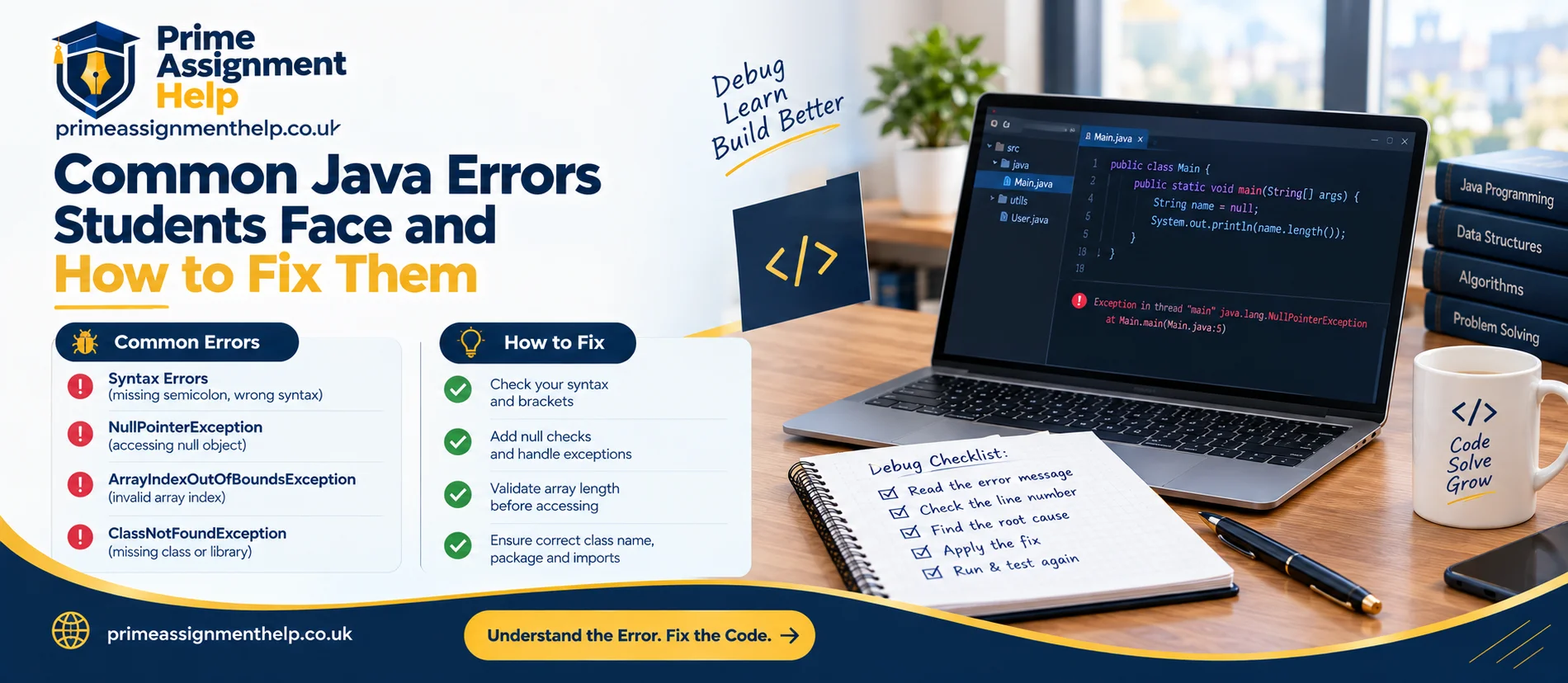
The deadline is tomorrow, your Java program compiles without a single warning, and then it crashes the moment you run it. A block of red text appears, starting with Exception in thread "main" java.lang.NullPointerException, followed by line numbers that look like another language. This is the point where many students go looking for Java assignment help, when what they actually need first is the skill of reading that message. Three exceptions, NullPointerException, ArrayIndexOutOfBoundsException and ClassCastException, show up again and again in student programs, and each one has a clear cause and a reliable way to fix it. This guide explains what each error means, why it happens and how to track it down in minutes
First, learn to read the message
Every Java exception prints a type, a message and a stack trace. The type tells you what went wrong, the message gives details, and the stack trace lists the method calls that led there, with file names and line numbers. Start at the top of the trace and find the first line that points to your own code. That is usually where to begin debugging, not the library lines below it.
1. NullPointerException
What it means: your code tried to use a reference that points to nothing (null) as if it were a real object.
A typical example:
javaString name = null;System.out.println(name.length());
Calling length() on a null reference throws a NullPointerException.
Why it is easier to read now: since JEP 358, Java can print helpful messages that say exactly what was null. According to OpenJDK's records, this became the default in Java 15, so on modern versions you may see a message such as Cannot invoke "String.length()" because "name" is null. Note that if your code was compiled without debug information, the message may show a placeholder like <local1> instead of the variable name. IDEs such as IntelliJ IDEA and Eclipse normally compile with that information, so names usually appear.
Common causes in student code:
- A variable declared but never assigned an object
- An array of objects created with new Student[10], where every element starts as null until you create each object
- A method that returns null when something is not found, such as a failed search
- A field not initialised in the constructor
- A Scanner or file object that failed to open
How to fix it:
- Find the line in the stack trace and identify which reference on that line is null.
- Trace back to where that reference should have been assigned.
- Initialise it properly, or check for null before use.
javaif(name != null){ System.out.println(name.length());}
For return values that might be absent, Optional makes the possibility explicit and forces the caller to handle it. A simple habit also helps: initialise fields in the constructor so an object is never half built.
Mistake to avoid: wrapping everything in try and catch for NullPointerException. This hides the bug instead of fixing it, and markers notice.
2. ArrayIndexOutOfBoundsException
What it means: you asked for an array position that does not exist.
A typical example:
javaint[] scores = newint[5];scores[5] = 10;
An array of length 5 has valid indexes 0 to 4. Index 5 is out of range, and Java reports a message like Index 5 out of bounds for length 5. The message names both the bad index and the array length, which makes the cause easy to spot.
The classic loop mistake:
javafor(int i = 0; i <= scores.length; i++){ System.out.println(scores[i]);}
Using <= instead of < runs the loop one step too far. This off-by-one error is probably the most common reason students see this exception.
How to fix it:
- Use i < array.length in loops.
- Remember that the last valid index is length - 1.
- When using user input as an index, check it first: if (index >= 0 && index < scores.length).
- When the work is simply to visit every element, use an enhanced for loop and avoid indexes entirely:
javafor(int score : scores){ System.out.println(score);}
Strings behave similarly. Calling charAt with a bad position throws StringIndexOutOfBoundsException, and the same off-by-one thinking applies. For lists, ArrayList throws IndexOutOfBoundsException, which is a close relative.
Debugging tip: print the index and the array length just before the failing line, or place a breakpoint there and inspect both values in your IDE. Seeing the numbers usually reveals the problem straight away.
3. ClassCastException
What it means: you tried to treat an object as a type it is not.
A typical example:
javaObject value = "hello";Integer number = (Integer) value;
The object is a String, so casting it to Integer fails at runtime. The compiler allows the cast because Object could in principle hold an integer, so the error appears only when the program runs. The message names both classes involved, for example that java.lang.String cannot be cast to java.lang.Integer.
Where students meet it:
- Inheritance assignments, where a Vehicle variable holds a Car object and the code wrongly casts it to Bike
- Old-style collections without generics, where a list holds mixed types
- Methods that accept Object and cast the argument without checking
- Event handling or GUI code that casts a source object to the wrong component
How to fix it: check the type before casting.
javaif(value instanceof Integer){Integer number = (Integer) value;}
From Java 16 onwards, pattern matching for instanceof makes this shorter:
javaif(value instanceof Integer number){ System.out.println(number + 1);}
A better long-term fix is to avoid casting where you can. Use generics so the compiler enforces types, such as List<String> instead of a raw List, and use polymorphism so you call overridden methods on a parent type rather than casting to a child type. If your assignment is about inheritance, markers often look for good use of polymorphism, so reducing casts can improve your design as well as remove the crash.
A repeatable debugging routine
When any exception appears, work through the same steps:
- Read the type and message. Do not skim past them.
- Find your first line in the trace and open that file and line.
- Reproduce the problem with the smallest input that causes it.
- Inspect values with a breakpoint or a temporary print statement. Confirm what is null, what the index is or what the real type is.
- Fix the cause, not the symptom. Initialise the object, correct the loop bound or restructure the types.
- Write a test so the bug cannot return unnoticed. A short JUnit test with the failing input is excellent evidence of good practice.
Habits that prevent these errors
- Initialise everything. Give fields and variables sensible starting values.
- Validate input before using it as an index or a casting target.
- Prefer collections and generics over raw arrays and casts where the task allows it.
- Test boundaries. Try an empty array, a single element, the first and last positions, and null input.
- Keep methods small. A short method is easier to reason about than one hundred lines of mixed logic.
- Use official documentation. Oracle's Java Tutorials and the Java SE API documentation explain exceptions and class behaviour accurately and are worth citing in reports.
Writing about errors in your report
Many Java assignments ask for a testing or evaluation section. If you encountered and fixed these errors, say so. Describe the failing input, the exception you saw, the cause and the change you made. This shows understanding, and evaluation of your own testing is a feature of higher-scoring work. Keep the explanation in your own words and make sure the code you submit is your own, following your university's academic integrity and AI policies.
Final thoughts
NullPointerException, ArrayIndexOutOfBoundsException and ClassCastException all follow a pattern: a missing object, a position outside the array or a wrong assumption about type. Read the message, trace the line, inspect the values and fix the cause. For students who want extra guidance on debugging, testing and structuring their own Java coursework, Prime Assignment Help offers Java study support for UK students.