
 Sign up with Google
 Sign in with Zoho

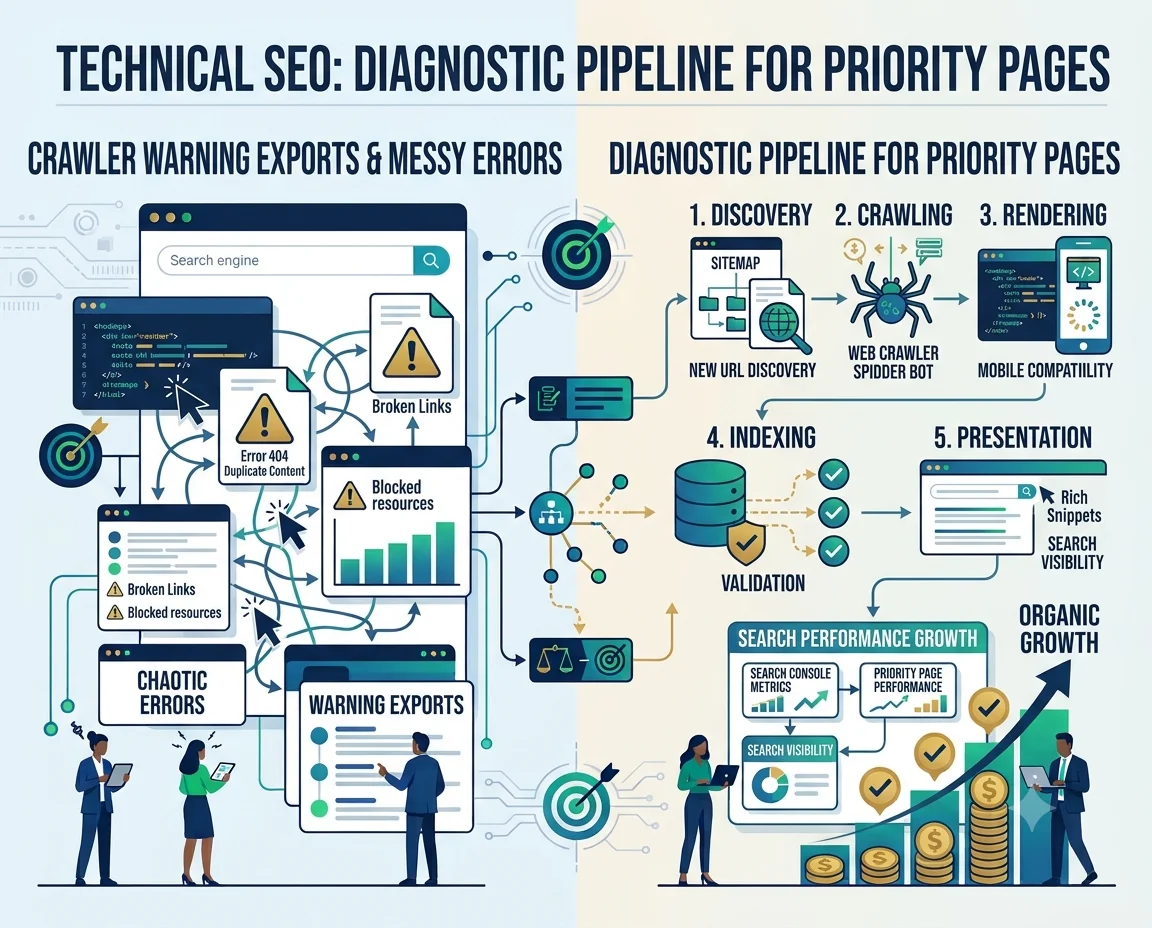
Most technical SEO work starts with a crawler export of several thousand warnings and ends with a developer ticket nobody prioritises. The tool did its job. The team did not, because nobody asked which of those warnings actually stops a valuable page from earning traffic.
A better approach treats the site like a patient. You trace one important page through each stage search engines use, find where it fails, and fix that stage before moving on. The checks are not exotic, but the order matters.
This article explains how to run that diagnosis in a small or mid-sized business, with limited developer time and a manager who needs to know what changed.
Start with the pages that earn money
Do not begin with the whole site. Pick ten to twenty URLs that matter commercially: core service pages, top product categories, the pages your sales team sends to prospects. These are the pages whose problems cost real revenue.
For each one, note whether it gets impressions in Search Console, whether it ranks for its main query, and whether it converts. A page with no impressions has a different problem from a page that ranks on page three. Keeping that distinction clear saves weeks of misdirected effort.
Share this short list with developers too, so everyone knows which URLs come first.
Trace technical SEO stage by stage
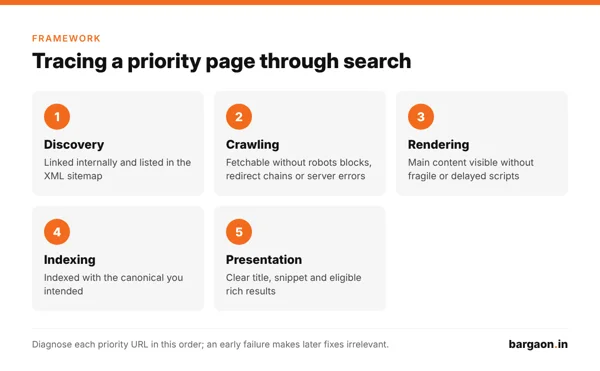
Good technical SEO follows the same sequence search engines do: discovery, crawling, rendering, indexing and finally ranking and presentation. A failure at an early stage makes every later fix pointless, so work through them in order.
Google describes this pipeline in plain language in its SEO Starter Guide, and it is worth having every stakeholder read it once. It removes a lot of myths before the project begins.
- Discovery: is the URL linked internally and listed in the XML sitemap?
- Crawling: can the bot fetch it, or do robots rules, redirects or server errors get in the way?
- Rendering: does the main content appear without depending on scripts that fail or load late?
- Indexing: is it indexed, or excluded as a duplicate, noindexed or canonicalised elsewhere?
- Presentation: does the search result show a useful title, description and rich features?
Use Search Console as your primary evidence
Third-party crawlers simulate a search engine. Search Console shows you what the search engine actually did. When the two disagree, trust Search Console, and use the crawler to explain why.
The URL Inspection tool tells you the last crawl date, the canonical Google selected and whether the page is indexed. The Page Indexing report groups excluded URLs by reason. Together they usually explain crawling and indexing issues faster than any audit deck.
Look for patterns rather than single URLs. If hundreds of filter or tag pages are crawled but not indexed, that is a signal your site is spending crawl attention on low-value pages instead of the ones you picked in step one.
Check rendering and page experience together
Modern sites often build content with JavaScript. If the key text, links or product details only appear after scripts run, search engines may see a thinner page than your users do. Compare the rendered HTML in URL Inspection with what you see in a browser.
Performance belongs in the same conversation. Slow, unstable pages frustrate users and make it harder to justify ranking them. Use the definitions in web.dev's guide to Core Web Vitals so that developers and marketers measure loading, responsiveness and visual stability the same way.
Prioritise fixes by impact and effort
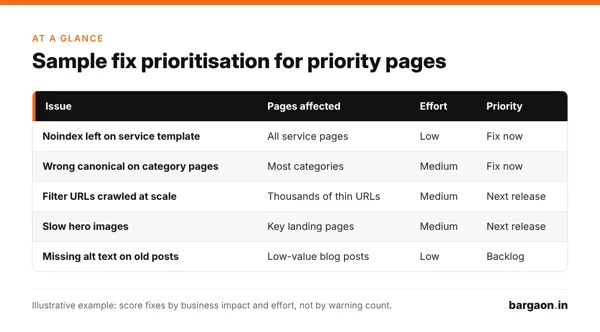
Once you know where each priority page fails, list the fixes and score them. Ask two questions: how many important pages does this affect, and how much developer time does it need? A broken canonical template that touches every category page outranks a hundred missing alt attributes on old blog posts.
Group fixes into small releases rather than one large migration-style project. Small releases are easier to test, easier to roll back and easier to explain to leadership.
- Fix blockers first: noindex tags, robots rules and broken redirects on priority pages
- Then fix signals: canonicals, internal links, sitemaps and duplicate templates
- Then improve presentation: titles, structured data and page speed
Measure the outcome, not the error count
A falling warning count in a crawler is not a business result. Track what happens to your priority pages: indexed status, impressions, average position for the main query and, where possible, leads or sales.
Give each change a date in a simple log. Search data moves slowly and noisily, so a record of what changed and when is the only way to connect cause and effect weeks later. Re-inspect the priority URLs after every release and note what moved.
Where to go from here
Technical work pays off when it is tied to pages that matter and checked in the order search engines process them. Teams that adopt this habit spend less time arguing over audit scores and more time shipping fixes that show up in search results.
If you want the full diagnostic framework, including how each stage connects to content and analytics, the Bargaon guide on technical SEO walks through it in detail and is a useful reference to share with your developers.