Sign up with Google
 Sign in with Zoho

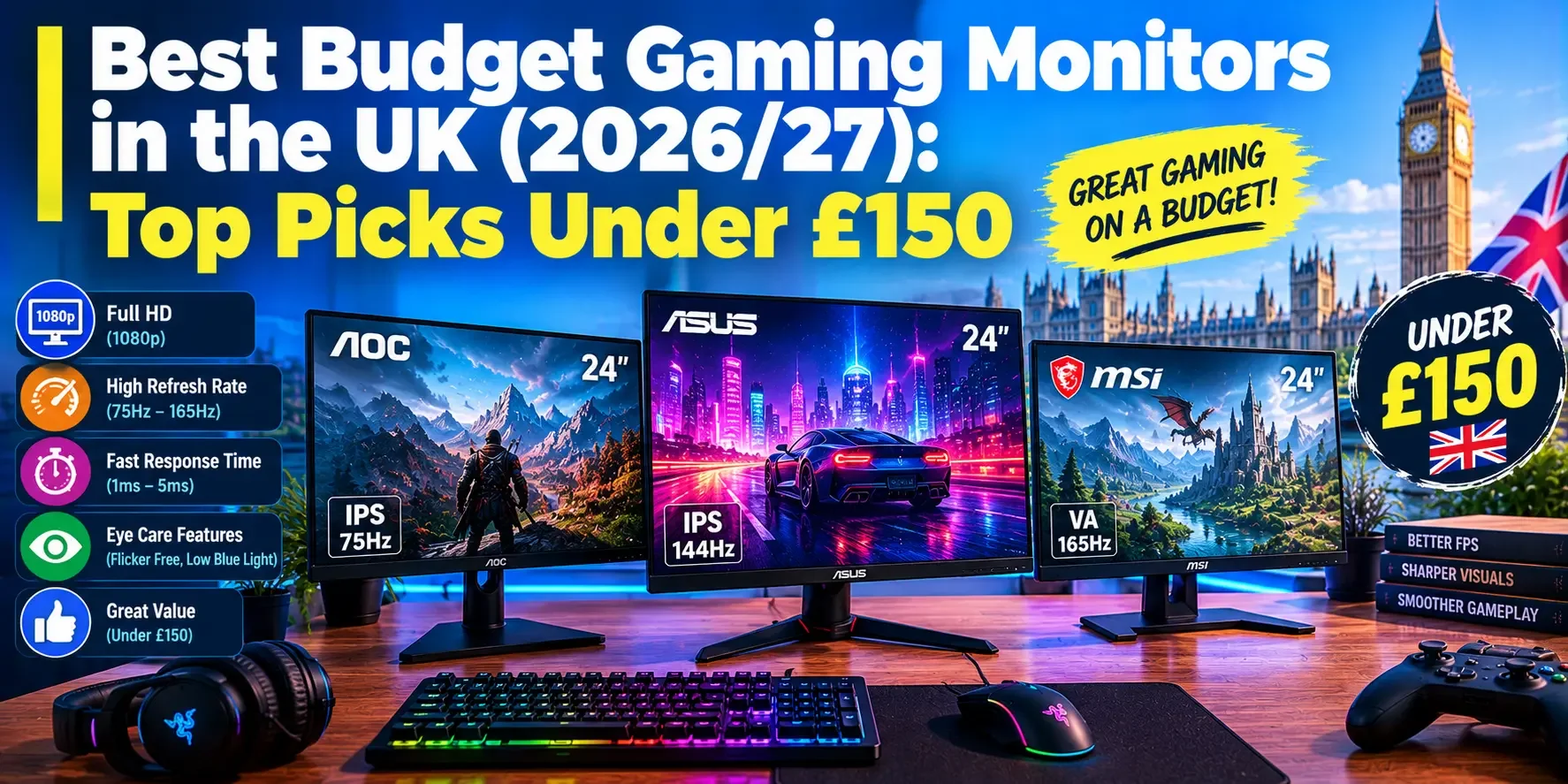
Buying a great gaming monitor no longer requires spending hundreds of pounds. In 2026, UK gamers can find affordable displays with high refresh rates, sharp resolutions, responsive panels, and features that make gaming more enjoyable. Whether you play competitive shooters, racing games, football simulations, or story-driven adventures, the right display can improve your experience without exceeding your budget.
The challenge is deciding which features genuinely matter. Some inexpensive monitors offer impressive refresh rates but have limited stand adjustments, while others deliver sharper images with less demanding performance requirements. You also need to consider colour accuracy, motion clarity, connectivity, warranty coverage, and real-world usability.
This guide explores the Best Budget Gaming Monitors in the UK for 2026, focusing on models that cost less than £150 at listed UK prices. From affordable Full HD screens to high-refresh-rate 1440p displays, these recommendations help you choose a monitor that suits your computer, gaming preferences, and available space.
Prices are approximate and based on UK listings reviewed in October 2026. Retailer offers, delivery costs, availability, and specifications can change, so confirm the details before purchasing.
Best Budget Gaming Monitors in the UK at a Glance
The AOC Q27G42XE is an excellent starting point for buyers seeking a 27-inch 1440p display without spending their entire budget. Its Fast IPS panel and 180Hz refresh rate offer a strong combination of sharp visuals and smooth gaming, with UK pricing starting around £109 on the manufacturer's listing.
The KOORUI G2721P is another compelling option, typically listed around £120. It offers a 27-inch QHD display and a high advertised refresh rate, making it attractive to gamers who want extra detail and responsive gameplay at a competitive price.
For buyers who prioritise features and ergonomics, the MSI MAG 274QRFW E20 is worth considering at approximately £139 to £149. It combines a 27-inch 1440p Rapid IPS panel with a 200Hz refresh rate, HDR support, and a more adjustable stand than many entry-level models.
The ASUS TUF Gaming VG249Q5R is a strong choice for competitive players who prefer Full HD gaming. At around £79, its 23.8-inch Fast IPS screen and 200Hz refresh rate offer impressive speed for the money.
Finally, the ASUS VY249HGR, available for approximately £69, is a practical option for beginners and casual gamers. Its 23.8-inch Full HD IPS display supports refresh rates of up to 120Hz, providing a worthwhile upgrade from a conventional 60Hz monitor.
These five monitors suit different needs, but each offers a useful starting point for shoppers looking for gaming monitors under £150.
1. AOC Q27G42XE: Best Budget 1440p Gaming Monitor
The AOC Q27G42XE deserves serious consideration from gamers who want sharper visuals without paying premium prices. Its 27-inch screen, 2560 x 1440 resolution, Fast IPS technology, and 180Hz refresh rate make it a balanced choice for both competitive and casual gaming.
With UK prices starting around £109 on the manufacturer's listing, it offers an attractive way to move beyond traditional 1080p gaming.
What Makes It a Good Choice?
A 1440p gaming monitor under £150 offers more screen detail than a comparable Full HD display. This can improve the appearance of distant objects, textures, small interface elements, and text, particularly when viewed on a 27-inch screen.
The 180Hz refresh rate is another advantage. Fast-moving scenes can appear smoother than on a 60Hz or 75Hz monitor, provided your computer generates enough frames per second. The Fast IPS panel also offers wide viewing angles and generally consistent colours.
AOC lists Adaptive-Sync support, HDR10 compatibility, and a 1ms GtG response-time specification. These features make the display suitable for players who want responsiveness alongside image quality.
What Are the Compromises?
The stand offers basic tilt adjustment rather than the full range of movement available on more expensive models. You may need a compatible monitor arm to achieve your ideal viewing position.
HDR10 support should also be viewed as a compatibility feature rather than a guarantee of impressive HDR picture quality. Entry-level IPS panels generally cannot deliver the deep blacks and bright highlights associated with premium HDR displays.
Best for: Gamers who want a 27-inch 1440p gaming monitor, smooth gameplay, and strong value for money.
2. KOORUI G2721P: Best Value for High-Refresh-Rate 1440p Gaming
The KOORUI G2721P is an appealing alternative for shoppers who want a large screen and a high refresh rate at an affordable price. UK listings have placed it around £119.99, putting it within reach of gamers working with a strict £150 budget.
Its 27-inch QHD IPS display offers a combination of resolution and speed that was once much more expensive.
Why Consider This Monitor?
The main attraction is its balance of screen detail and responsiveness. The KOORUI gaming monitor is marketed as a high-refresh-rate QHD display, although advertised maximum refresh rates can differ between product listings and operating modes. Check the precise specification for the version you are buying.
The 1440p resolution is useful for open-world games, role-playing adventures, strategy titles, and everyday desktop work. It creates a sharper image than 1080p at the same screen size while giving you more room for windows and applications.
A fast refresh rate can also benefit competitive games such as Valorant, Fortnite, and Counter-Strike 2 when your graphics card can deliver sufficiently high frame rates.
What Should You Know Before Buying?
Budget monitor discussions often highlight practical details that are easy to overlook in a specification sheet. Some owners of affordable high-refresh-rate displays report that the default colour settings need adjustment, while a basic stand can wobble when typing or moving the desk.
These experiences are not universal, but they are useful reminders to check image settings and physical stability after setup. Read the retailer's return policy and inspect the screen for distracting defects during the return period.
Check the required connection as well. DisplayPort is often the most straightforward way to achieve a monitor's highest supported refresh rate on a PC.
Best for: Buyers who want a high refresh rate gaming monitor, sharper 1440p visuals, and an affordable 27-inch screen.
3. MSI MAG 274QRFW E20: Best Feature-Rich Gaming Monitor Under £150
The MSI MAG 274QRFW E20 is worth considering if you want more than a basic display. UK retailer listings have placed this 27-inch QHD monitor around £139 to £149, making it a competitive option for shoppers who want strong specifications and better ergonomics.
It features a Rapid IPS panel, a 2560 x 1440 resolution, a 200Hz refresh rate, and advertised response times as low as 0.5ms under the manufacturer's specified conditions.
Why It Stands Out
The MSI MAG gaming monitor combines high-refresh-rate gaming with a practical range of features. Its 200Hz refresh rate is suitable for competitive gaming, while the QHD resolution provides additional detail for single-player titles and general computer use.
Unlike many cheaper displays, this model includes height adjustment, tilt, swivel, and pivot capabilities. Being able to position the screen comfortably can make a noticeable difference during long gaming sessions.
It also supports VESA DisplayHDR 400 and adaptive refresh-rate technology. The HDR certification gives you a defined compatibility level, although the monitor should not be expected to produce OLED-like blacks or the contrast of a full-array mini-LED display.
Is It Worth Spending More?
Compared with a sub-£80 Full HD monitor, the MSI costs more, but the extra money buys additional resolution, a faster refresh rate, and better stand adjustments.
Its Rapid IPS panel is particularly attractive if you play different types of games. You can enjoy responsive movement in competitive titles while retaining the sharper presentation of a QHD display.
Before purchasing, confirm the exact model suffix and connection specifications. HDMI and DisplayPort can support different maximum refresh rates, and not every display mode is available through every input.
Best for: Buyers seeking a 1440p 200Hz gaming monitor, ergonomic adjustments, and a feature-rich display below £150.
4. ASUS TUF Gaming VG249Q5R: Best 1080p Gaming Monitor for Competitive Players
Not every gamer needs 1440p resolution. If your priority is fast-paced gameplay rather than maximum image detail, the ASUS TUF Gaming VG249Q5R is an excellent budget candidate.
The monitor costs approximately £79 on the ASUS UK listing and features a 23.8-inch Full HD Fast IPS panel with a maximum refresh rate of 200Hz.
Fast and Responsive Gameplay
A 1080p gaming monitor is often ideal for budget gaming PCs because rendering fewer pixels places less pressure on the graphics card. This makes it easier to achieve high frame rates without turning down every graphics setting.
The VG249Q5R's 200Hz refresh rate can make rapid camera movements and fast action appear smooth. ASUS also lists FreeSync Premium support, which helps compatible graphics cards and displays coordinate refresh rates to reduce screen tearing.
Its compact 23.8-inch format is practical for smaller desks, and Full HD resolution provides reasonable sharpness at normal desktop viewing distances.
Where Does It Fall Short?
The monitor offers less fine detail than a 1440p alternative, particularly when comparing displays of equal size. Its stand also provides fewer ergonomic options than some more expensive gaming monitors.
A 200Hz specification does not automatically guarantee the best motion clarity. Pixel response behaviour and the selected overdrive mode also influence how moving objects appear.
Nevertheless, the ASUS TUF is a convincing option for players who care more about responsive performance than extra pixels.
Best for: Esports players, competitive shooters, affordable gaming PCs, and anyone seeking a 200Hz gaming monitor under £100.
5. ASUS VY249HGR: Best Cheap Gaming Monitor for Beginners
The ASUS VY249HGR provides an accessible entry point for first-time gamers, students, and anyone replacing an older office monitor. Its listed UK price of approximately £69 makes it one of the most affordable options in this guide.
It features a 23.8-inch Full HD IPS panel, a maximum refresh rate of 120Hz when the supported overclocking mode is enabled, and Adaptive-Sync technology.
An Affordable Upgrade
Moving from 60Hz to 120Hz can make ordinary desktop movement and compatible games appear noticeably smoother. Even if your PC cannot reach 120 frames per second in every title, the display can still provide a worthwhile upgrade when the game runs at a suitable frame rate.
The IPS panel provides wide viewing angles and useful everyday picture quality. Its Full HD resolution is also relatively easy for entry-level gaming hardware to handle.
The VY249HGR includes HDMI and VGA connections, although its available inputs and maximum refresh rates should be checked against your particular computer.
Who Should Buy It?
This monitor makes sense if you mostly play casual games, indie titles, simulation games, or older PC games. It can also work well as a secondary display for browsing, streaming, studying, and everyday productivity.
However, serious competitive players may prefer a 180Hz or 200Hz model if their computer can take advantage of the higher refresh rate.
Best for: Beginners, students, casual gamers, and people searching for a cheap gaming monitor in the UK.
How to Choose the Best Budget Gaming Monitor
Comparing monitor prices is only the first step. To get the best value, you should match the screen to your graphics card, favourite games, desk size, and preferred viewing experience.
1080p or 1440p: Which Resolution Is Better?
Full HD, or 1080p, has a resolution of 1920 x 1080 pixels. Quad HD, also called 1440p, has a resolution of 2560 x 1440 pixels.
The extra pixels in a 1440p gaming monitor make images sharper, especially on a 27-inch display. This is helpful for games with detailed environments and for people who use the monitor for work as well as entertainment.
A 1080p gaming monitor is usually easier to drive at high frame rates with affordable graphics cards. It is often the better choice if you play competitive games and want smooth performance without expensive hardware.
Choose 1440p when you prioritise image detail and your PC can handle the additional workload.
Refresh Rate and Response Time
Refresh rate measures how frequently a monitor updates the image. A 120Hz display can refresh up to 120 times each second, while a 180Hz or 200Hz display can update more frequently.
Higher refresh rates can make fast motion appear smoother, but your PC must generate enough frames to benefit fully.
Response time describes how quickly pixels change between colours. Manufacturers sometimes advertise extremely low response times, but results depend on testing conditions and display settings. Look for independent testing when possible instead of relying exclusively on the smallest number printed on the box.
IPS vs VA Panels
An IPS gaming monitor generally offers wide viewing angles and consistent colours. These characteristics make IPS a popular choice for competitive games, colourful single-player titles, and everyday computer work.
VA panels often deliver stronger native contrast, which can make dark scenes look deeper. However, some VA models show more visible smearing during dark transitions.
The best choice depends on the specific panel rather than the technology name alone. A well-performing VA monitor can be better than a poorly tuned IPS model, so consider real-world reviews whenever possible.
Adaptive-Sync, Ghosting, and Screen Tearing
Adaptive-Sync allows a compatible monitor to adjust its refresh rate to match the graphics card's output within a supported range. This can reduce screen tearing and make gameplay smoother when frame rates fluctuate.
Ghosting occurs when moving objects leave visible trails because pixels cannot transition quickly enough. Aggressive response-time settings can sometimes introduce distracting overshoot, appearing as bright or dark outlines around moving objects.
For competitive gaming, look for a display that balances low input lag, good response performance, and adaptive refresh-rate support.
Connectivity and Ergonomics
DisplayPort is commonly used to achieve high refresh rates on gaming PCs, while HDMI is useful for consoles and other devices. Check the maximum resolution and refresh rate supported by the particular input before purchasing.
Ergonomics are equally important. A monitor with height adjustment, swivel, and tilt options can be easier to position correctly than one that only tilts. If your chosen display has a basic stand, confirm that it supports the mounting solution you intend to use.
Finally, check the warranty, replacement policy, and return window. Owner discussions about budget monitors often mention panel uniformity, colour calibration, stand stability, and unexpected differences between advertised and available operating modes. Testing the display early gives you time to identify problems while return options remain available.
Which Budget Gaming Monitor Is Best for Your Setup?
The best choice depends on your priorities.
For the best affordable 1440p experience, consider the AOC Q27G42XE. It combines a 27-inch QHD display with a 180Hz refresh rate at an attractive price.
For high-refresh-rate QHD gaming, consider the KOORUI G2721P. It offers impressive specifications for the money, although you should check the exact advertised refresh rate and evaluate the stand and colour settings after setup.
For features and ergonomics, the MSI MAG 274QRFW E20 is a strong choice. Its 200Hz QHD panel and adjustable stand make it appealing for gaming and everyday productivity.
For competitive 1080p gaming, the ASUS TUF Gaming VG249Q5R offers a 200Hz Fast IPS display at an affordable price.
For first-time buyers, the ASUS VY249HGR provides a practical and inexpensive way to upgrade from a traditional 60Hz monitor.
Are Budget Gaming Monitors Worth Buying in 2026?
Absolutely. The market for affordable gaming monitors now offers a wide range of features at prices that once purchased only basic displays. Shoppers can find high-refresh-rate Full HD screens, detailed QHD panels, and monitors with improved ergonomic adjustments without exceeding £150.
The key is to spend money on features that make a genuine difference to your experience. A competitive player might benefit more from a fast 1080p monitor than a high-resolution screen their graphics card cannot drive properly. Meanwhile, someone who enjoys open-world games may appreciate QHD resolution more than an extremely high refresh rate.
Do not overlook practical considerations such as colour settings, pixel defects, stand stability, connection requirements, and warranty support. A monitor's headline specifications matter, but everyday comfort and reliability also contribute to its long-term value.
Before ordering, compare current gaming monitor deals in the UK, check the exact model, and confirm its specifications with the retailer. A small price difference may provide better resolution, additional stand adjustments, or a more capable panel.
Final Verdict
The Best Budget Gaming Monitors in the UK in 2026 offer excellent value for different types of gamers. The AOC Q27G42XE is a strong entry into affordable 1440p gaming, the KOORUI G2721P offers an appealing high-refresh-rate alternative, and the MSI MAG 274QRFW E20 provides a feature-rich option close to the top of the budget.
For competitive players who prefer Full HD, the ASUS TUF Gaming VG249Q5R offers a compelling combination of speed and affordability. Beginners and casual users can save even more with the ASUS VY249HGR.
There is no single monitor that is perfect for everyone. Consider your graphics card, favourite games, available desk space, and preferred resolution before making your decision.
With careful comparison, you can find a gaming monitor under £150 that delivers smooth gameplay, sharp visuals, and dependable everyday performance without overspending.