Sign up with Google
 Sign in with Zoho

Introduction
Duplicate email messages can quickly turn a well-organized Outlook data file into a frustrating mess. If your PST file has thousands of duplicated messages, it’s difficult to find the emails you need, the file size increases unnecessarily, and it takes longer to manage your mailbox than it should. The problem gets worse if you do not have Microsoft Outlook installed or your Outlook profile is corrupted and you cannot open the PST file.
Many people believe that deleting duplicate emails in a PST file requires Outlook, but this is not always the case. Some options let you find and remove duplicate emails without using Outlook.
This guide will help you find out why duplicate emails appear in large PST files, if they can be removed without Outlook and the safest ways to clean up your mailbox while keeping your important data.
Why Users Need to Remove Duplicate Emails
Duplicate emails can cause several issues, including cluttering up your inbox.
1. Reduce Large PST File Size
Duplicate messages consume unnecessary storage space and cause PST files to grow large.
2. Improve Mailbox Performance
The bigger the PST file with duplicate emails, the slower it will be to process, archive, search and back up.
3. Organize Business Email Archives
Many organizations have email records stored for years. Keeping archives tidy and manageable is made easier by cleaning up duplicates.
4. Prepare Mailboxes for Migration
Cleaning duplicate emails before migrating to Microsoft 365, Exchange or another email platform reduces migration time and storage requirements.
5. Simplify Email Searches
When you have multiple copies of the same message it is difficult and takes a lot of time.
Method 1: Restore an Earlier Backup
Best for: Those who had a backup made before the duplicate emails appeared.
If the duplicate emails were created recently, restoring a previous backup may solve the problem.
Steps
- Locate your old PST backup.
- Make sure it was created before the duplicate emails started.
- As a safety net, back up the current PST file.
- Open or use the backup PST rather than the copied one.
- Check the contents of the mailbox before replacing the original file.
Pros
- Restores a clean mailbox.
- No manual cleanup needed.
- Maintains original email organization.
Cons
- Only works if you have a current backup.
- May have to combine recent emails separately.
Method 2: Export Important Emails Before Cleanup
Best for: Those looking for extra protection before converting a large PST file.
If you are concerned about losing duplicate emails, it is a good idea to backup important folders first.
Steps
- Make a backup copy of the PST file.
- Save important mailbox folders separately.
- Check the backup.
- Go ahead and delete duplicates.
Pros
- Lowers the risk of accidental data loss.
- Creates a recovery path.
- Recommended before any maintenance on the mailbox.
Cons
- Does not remove duplicates on its own.
- Needs additional storage space.
Method 3: Open the PST Using Another Email Application
Best for: Users with a compatible email client to read .pst files.
Some third-party email applications will allow you import PST files and manually review duplicate emails.
Steps
- Set up a compatible mail client.
- Import PST file.
- Organize your emails by subject, sender, or date received.
- Review duplicate messages.
- Omit duplicate copies.
- Save the cleaned mailbox.
Pros
- Does not need Microsoft Outlook.
- Well suited for smaller mailboxes.
Cons
- Some compatibility with PST.
- Large PST files may not be efficiently handled.
- Cleaning up manually takes so much time.
Method 4: Split Large PST Files Before Cleanup
Best for: Very large PST files that are several gigabytes or larger.
Big mailboxes are more difficult to process and to review. If you break the PST into smaller chunks, it might make finding duplicates easier.
Steps
- Backup the original PST.
- Split the mailbox file into smaller files by year, folder or size.
- Review each section in isolation.
- Eliminate duplicate email addresses.
- Before and after the cleanup check the mailbox.
Pros
- Easier to handle big archives.
- Decreases processing time.
- Better mailbox management.
Cons
- Requires more effort.
- No automatic duplicate email detection.
Use a Professional PST Duplicate Remover for Large PST Files
Outlook data files often contain hundreds of thousands of emails spread across many folders. Without Outlook, it is almost impossible to review each message manually.
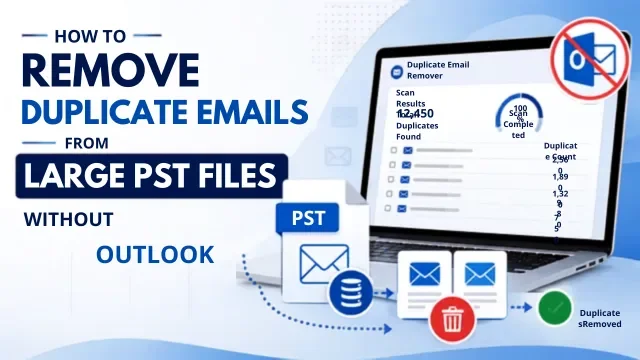
For such situations, you can use a specially designed software called GainTools PST Duplicate Remover. It directly scans PST files without Microsoft Outlook. It compares multiple email properties like subject, sender, recipient, received date, attachments, internet headers and message size. This way, only exact duplicates are removed and unique emails are left untouched.
Most of the advanced utilities also support both ANSI and Unicode PST files, process multiple PST files at the same time, maintain the original folder hierarchy and deliver accurate results even with very large mailboxes.
This is the quickest and safest way to remove duplicate emails for organizations managing archived email data or for users who don’t have Outlook installed anymore.
Main Features & Benefits
- Delete duplicate emails without MS Outlook.
- Supports large PST files of Outlook.
- Supports ANSI and Unicode PST format.
- Keeps original folder hierarchy intact.
- Supports selective scan of folders.
- Supports multiple PST files simultaneously.
Last Thoughts
Large PST files consume space, hinder mailbox administration and make it difficult to find important emails because of duplicate emails. When the PST file is not opening or Outlook is not available, then the problem is even more difficult.
The good news is you can still remove duplicate emails without Outlook. Sometimes it helps to back up, organize copies of mailboxes, view PST files in compatible applications and split large archives. But for very large PST files, a dedicated PST duplicate remover is the most efficient, accurate and reliable solution.
Frequently Asked Questions
1. Can I remove duplicate emails from a PST file without installing Outlook?
Yes, PST duplicate remover software can scan and remove PST files directly without the need for Microsoft Outlook.
2. Why do duplicate emails appear in large PST files?
Duplicate emails are often the result of multiple PST imports, sync issues, mailbox backups, and account configuration issues or accidental copying of mailbox data.
3. Is it safe to remove duplicate emails from a PST file?
Yes. Only repeated emails are deleted, original messages are left untouched if you make a backup first and use a reliable duplicate removal method.
4. Will removing duplicate emails reduce PST file size?
Yes. Removing duplicate messages reduces redundant data, which may help reduce the overall size of the PST file after compaction.
5. What is the easiest way to remove duplicate emails from a large PST file?
However, for big mailboxes, the fastest, safest and most efficient solution is usually a professional PST duplicate remover without Outlook, which automatically detects and removes duplicate messages while preserving the mailbox integrity.