Sign up with Google
 Sign in with Zoho

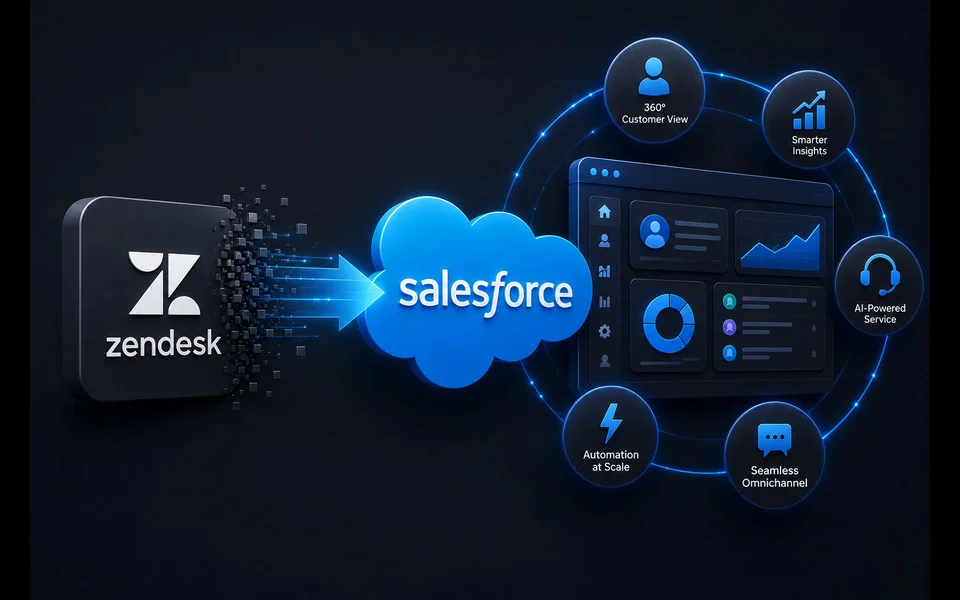
Most support platforms record what already happened. A customer wrote in, an agent replied, the case closed. That model served a decade of help desks well, and Zendesk built a strong product around it. The pressure now is different: leaders want service conversations that predict need, surface the next best action, and feed revenue rather than just resolve complaints. That shift is why so many teams start planning a Zendesk to Salesforce migration in the first place.
The mistake is treating the project as an export. Pull the tickets, load them into a new object, point the agents at a new URL, and call it done. A move handled that way inherits every workflow assumption the old system carried and captures almost none of the upside. The thesis here is direct: a Zendesk to Salesforce migration is a service-process redesign that happens to move data, not a data move that happens to change screens. Get the redesign right and the platform pays for itself; skip it and you have bought a more expensive help desk.
Why the Zendesk to Salesforce Migration Case Is Engagement, Not Ticketing
The financial argument for the move rarely rests on the help desk itself. It rests on what a unified service platform lets the business do next. Salesforce projects that AI will resolve half of service cases by 2027, up from roughly 30 percent in 2025, and that companies deploying service AI expect to cut resolution times and service costs by about 20 percent. Those gains do not come from the ticket form. They come from customer data, order history, and product context sitting in one place where automation and agents can reach it.
That is the real dividing line between ticketing and engagement. A ticketing tool answers the question in front of it. An engagement platform reads the account, the last three interactions, and the open opportunity, then routes or resolves accordingly. Service Cloud sits on the same data model as Sales and Marketing, so a support conversation can see the pipeline and a renewal risk can trigger a proactive outreach. The business case is the value of that connective tissue, measured against the cost of leaving support data on its own island.
The data prerequisite is strict. Salesforce found that companies unifying their service channel data are 1.4 times more likely to report a very successful AI rollout, and that 88 percent of service leaders are prioritizing integration to break down silos. Migration is the moment you either build that unified foundation or replicate the silo in a new place. Framing the project around engagement outcomes, not ticket parity, is what keeps the redesign honest.
The Redesign Mindset: Why a Lift-and-Shift Underdelivers
A lift-and-shift feels safe because it minimizes visible change. Agents see familiar fields, managers see familiar reports, and the go-live risk looks small. The cost is invisible and shows up later. Every macro, trigger, and routing rule built for the old data model gets rebuilt as-is, so the team spends Salesforce license money to run Zendesk-shaped processes. The tools that justified the investment, from omni-channel routing to AI case classification, often cannot engage because the underlying objects were copied rather than designed.
The numbers on this are sobering. McKinsey's 2025 research found that only 21 percent of organizations had fundamentally redesigned any workflows around AI, while the high performers were nearly three times as likely to do that redesign. Copying a process into new software is not redesign. It is the most common way a promising platform investment quietly stalls.
Redesign does not mean discarding what worked. Zendesk teams often have sharp macros, well-tuned SLAs, and triage habits worth preserving. The task is to re-express those intentions in Salesforce's model rather than transplant the mechanics. Ask what each rule was trying to achieve, then build the Service Cloud version that achieves it with the new data at hand. That distinction, intent over mechanics, is the whole game.
Audit and Discovery: Know What You Actually Have
Every credible migration starts with an inventory, and most teams underestimate how much they are running. Before you migrate from Zendesk to Salesforce, catalog the working parts: ticket fields and custom fields, macros, triggers and automations, business rules, SLA policies, groups, brands, and every integration wired into the account. Note which are active, which are stale, and which nobody remembers building.
Discovery is also where you separate signal from clutter. A support instance that has run for years accumulates dead automations, duplicate fields, and macros no one has fired in months. Migrating that debt clones it. Score each element on whether it still serves a purpose and whether Salesforce has a native way to do the same job better. Two questions structure the audit well:
- What does this element do today, and does the business still need that outcome?
- Does Service Cloud handle it natively, require configuration, or need a custom build?
The output is not a spreadsheet of fields. It is a decision log that says, for every artifact, whether it migrates, gets redesigned, or gets retired. That log becomes the backbone of the entire project.
Data Mapping and Cleansing: Where Migrations Quietly Fail
This is the stage that decides the outcome, and it is the least glamorous. A Zendesk to Salesforce data migration means translating one data model into a very different one. Zendesk organizes around tickets, users, and organizations. Salesforce organizes around cases, contacts, accounts, and a wider relational structure. Requesters map to contacts, organizations map to accounts, and tickets map to cases, but the fit is rarely one to one, and the gaps are where projects go wrong.
The risk is well documented. Gartner research, cited widely across the field, puts the share of data migration projects that fail or overrun budget at 83 percent, with cost overruns commonly near 30 percent. The failures cluster around data quality: duplicate contacts, orphaned tickets with no valid requester, custom fields with inconsistent values, and attachments that never come across cleanly.
Cleansing belongs before the load, not after. Deduplicate contacts and accounts, standardize picklist values, resolve orphaned records, and decide on a real retention policy rather than dragging a decade of closed tickets into a system priced on storage. Map custom fields deliberately, and where a field carried meaning only inside an old macro, decide whether it survives at all. A clean, well-mapped subset beats a complete but corrupted copy every time.
Re-Architect Workflows When You Migrate Zendesk to Salesforce
With clean data mapped, the design work begins in earnest. Teams that decide to migrate Zendesk to Salesforce turn intent into structure at this stage. Rebuild routing on Omni-Channel so cases flow by skill, capacity, and priority rather than a copied round-robin. Recreate SLAs as Salesforce Entitlements and Milestones. Replace macros with Quick Actions, Flows, and Einstein case classification where the volume justifies it.
Routing deserves particular care because it is where engagement either happens or does not. In a ticketing model, a case lands in a queue and waits. In an engagement model, the case arrives already tagged with the account tier, the open opportunity, and the customer's recent history, so it routes to the person who can resolve it and spot the next move. That is a design choice made here, not a feature that switches on by itself.
Adoption also lives or dies in this stage. A layout that mirrors how agents actually work, with the right fields visible and the noise hidden, does more for adoption than any training session. Design the console for the daily reality of the support team, then validate it with the agents who will live in it before anything ships.
Integration: Connecting the Platform to the Rest of the Business
A service platform earns its keep through what it connects to. Catalog the integrations the old instance relied on, telephony, chat, e-commerce, billing, and internal systems, then decide the Salesforce approach for each. Some become native features, some move to AppExchange packages, and some need MuleSoft or custom API work.
Integration is also the engagement payoff made concrete. When Service Cloud connects to the order system and the billing platform, an agent stops asking customers to repeat information the company already holds. McKinsey's operations research points the same direction: two-thirds of service leaders surveyed are investing in agentic AI, and that automation only works when it is wired into CRM, knowledge bases, and telephony rather than bolted onto a standalone help desk. Integration is what turns a case record into a full customer picture.
Phased Cutover and Testing: Proving It Before You Trust It
A big-bang switch on a Friday night is the riskiest way to go live. A phased cutover lowers the stakes. Move one team, one region, or one channel first, run it in parallel with the old system, and expand once the numbers hold. This is why the earlier data and workflow decisions matter: a phased approach only works when each slice is genuinely production-ready.
Testing has to be systematic, not a spot check. Validate the migrated data against source records for completeness and accuracy, confirm counts, and reconcile relationships so no case ends up detached from its contact. Test every rebuilt workflow with real scenarios, and run user acceptance testing with the agents who will use the system daily. A short list keeps the effort disciplined:
- Reconcile record counts and field values between the old system and Salesforce.
- Verify that routing, SLAs, and automations fire correctly under realistic load.
- Confirm every integration passes data both directions without loss.
- Have frontline agents sign off before the phase expands.
Training, Adoption, and the ROI That Follows
A technically perfect migration still fails if agents route around it. Adoption is a design outcome, earned through interfaces built for real work, training tied to daily tasks, and early involvement so the team helps shape the tool. Measure adoption after go-live, then close gaps quickly while habits are still forming.
The return on investment case is where the redesign proves itself. Track resolution time, first-contact resolution, cost per case, customer satisfaction, and, increasingly, the revenue that service conversations influence. Salesforce's data suggests service AI can cut resolution times and costs by around 20 percent, and those savings are only reachable when the data and workflows were designed for it. A lift-and-shift caps the return at whatever the old process delivered; a redesign is what lets the business measure improvement it did not have before. That gap, between parity and improvement, is the entire business case for doing the migration properly.
The pattern across every stage is the same. Value comes from the decisions, not the data transfer. A team that audits honestly, cleanses ruthlessly, re-architects with intent, and adopts deliberately gets an engagement platform. A team that exports and imports gets a costlier version of what it already had.
Redesigning service processes while moving live customer data is demanding work, and it rewards a methodical partner over a rushed timeline. Achieva approaches a Zendesk to Salesforce migration as exactly that redesign, aligning data mapping, workflow architecture, and phased cutover so the platform delivers on its promise. Handled as a process redesign rather than a file transfer, the migrate Zendesk to Salesforce decision stops being a cost and starts compounding, because every future service improvement now runs on data that was built to support it. The right question is not how fast the tickets move, but what your service organization becomes once the move is done.