Sign up with Google
 Sign in with Zoho
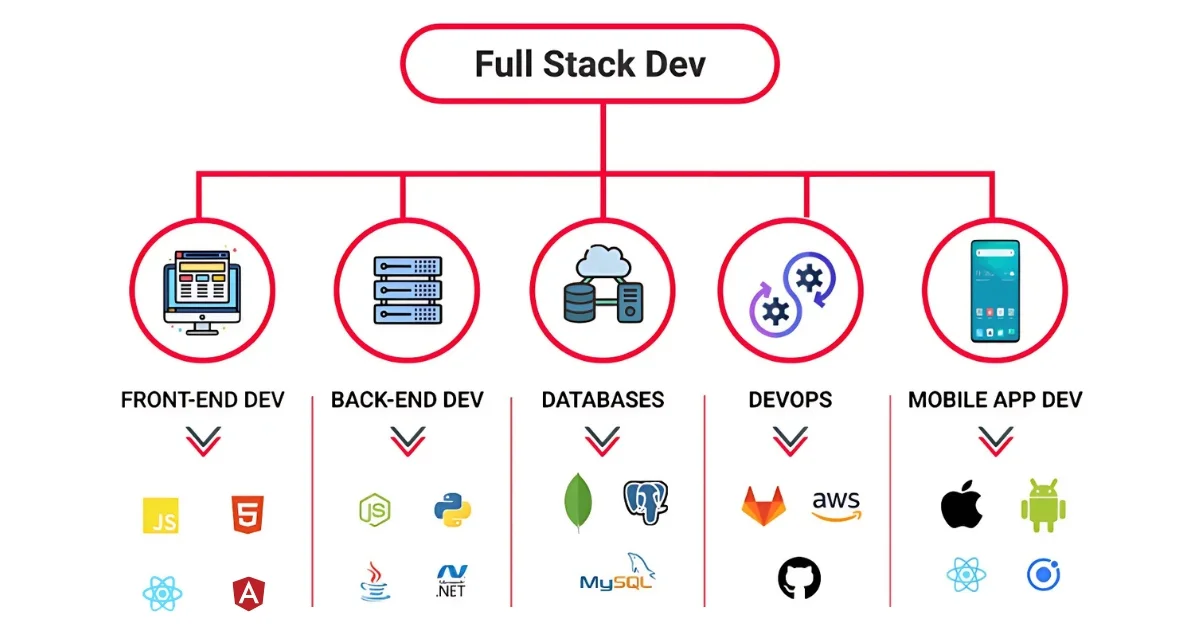
Building a full-stack project is one of the best ways to improve practical development skills. It helps developers understand how frontend, backend, and databases work together in a real-world application. Whether you are a beginner or preparing for interviews, creating a full-stack project can strengthen your portfolio and boost confidence.
What is a Full Stack Project?
A full-stack project includes both frontend and backend development.
• Frontend: The user interface users interact with.
• Backend: The server-side logic and APIs.
• Database: Stores application data permanently.
For example, in a student management system:
• React handles the user interface.
• Spring Boot manages APIs and business logic.
• MySQL stores student records.
Step 1: Choose Your Tech Stack
Popular Full Stack Combination:
Database - MySQL
API Testing - Postman
Step 2: Decide on the Project Idea
Beginner-Friendly Full Stack Projects:
• Student Management System
• Employee Management Portal
• Online Course Platform
• Library Management System
• Expense Tracker
• Task Management Application
Step 3: Design the Project Structure
Frontend (React)
↓
REST API (Spring Boot)
↓
Database (MySQL)
Step 4: Set up the Backend
The backend handles business logic and database operations.
Basic Steps:
1. Create a project from Spring Initializr.
2. Configure database connection.
3. Create Entity classes.
4. Create Repository interfaces.
5. Build the service layer.
6. Create REST Controllers.
Example API:
@RestController
@RequestMapping("/s
tudents") public
class
StudentController {
@GetMapping public
List<Student>
getAllStudents() {
return
studentService.getAllStude
nts(); }
}
Step 5: Configure Database
Example Database:
CREATE DATABASE student_management;
Database Configuration:
spring.datasource.url=jdbc:mysql://loc alhost:3306/student_management
spring.datasource.username=root spring.datasource.password=root
Step 6: Build the Frontend
Setup React Project:
npx create-react-app frontend
Example React API Call:
useEffect(() => {
axios.get("http://localhost:8080/students")
.then(response => setStudents(response.data)); }, []);
Step 7: Connect Frontend with Backend
Example CORS Configuration:
@CrossOrigin(origins =
"http://localhost:3000")
The next stage can involve frameworks and libraries that are commonly used in modern development. The exact technologies change over time, so students should focus not only on learning the name of a particular framework but also on understanding the principles behind component-based development, state management, routing, API communication, and application structure.
Back-end development introduces another side of the process. Instead of focusing on what the user sees, learners begin understanding how applications process requests, manage information, communicate with databases, and handle authentication. This can help students understand what happens behind the interface they have created.
website: IT EDUCATION CENTRE
Address: Fergusson College Rd, Opp. IDBI Bank, Gokul Nagar, Sud Nagar, Shivajinagar, Pune, Maharashtra 411005
Contact: 020 4855 3007
Email: [email protected]