Sign up with Google
 Sign in with Zoho
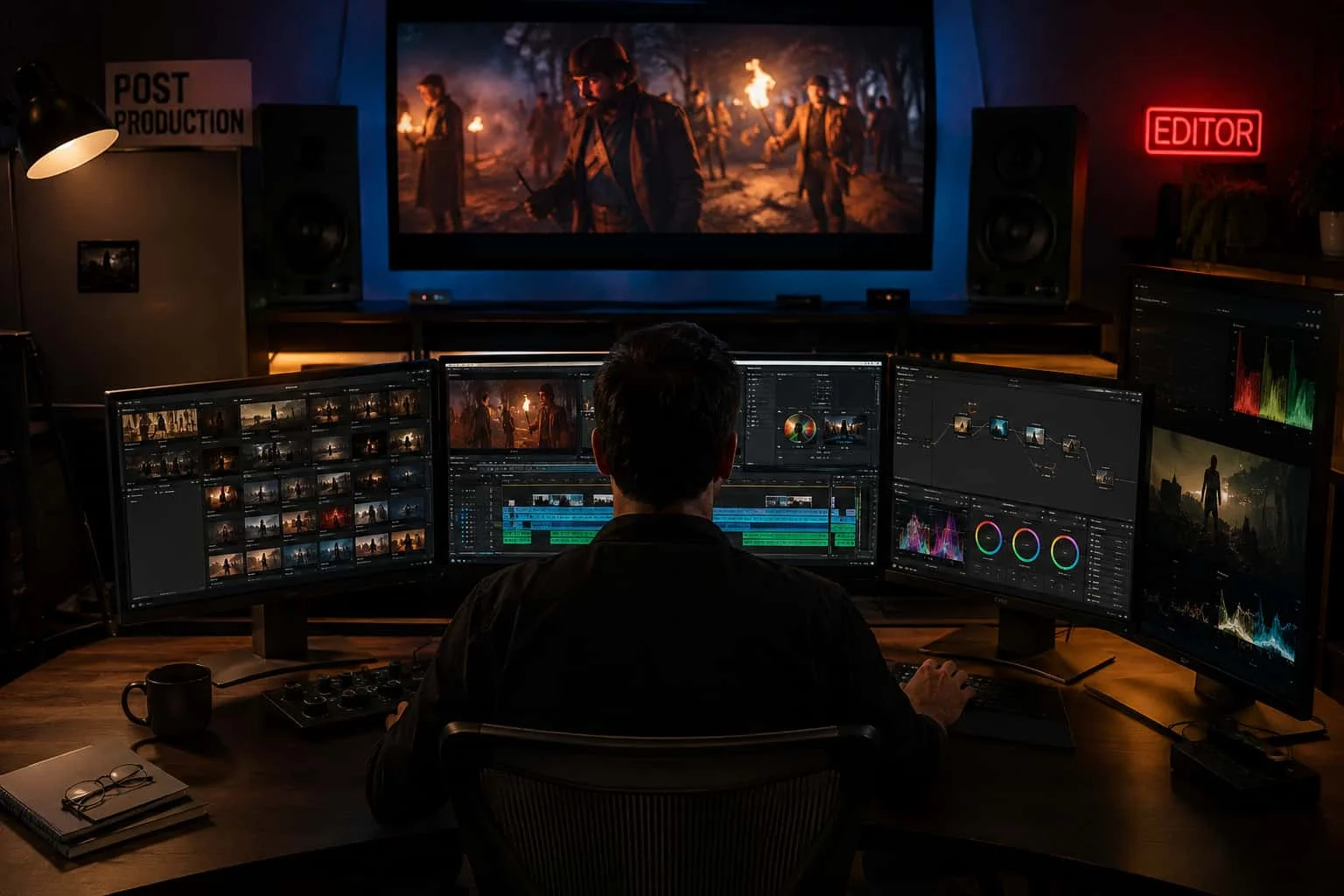
A shoot can give you hundreds of clips, multiple audio tracks and hours of material. None of that is the finished video. Video post-production is the process that turns those raw assets into a coherent, polished and deliverable piece of content.
That process involves much more than cutting clips together. A professional post-production workflow can include media organization, editing, client review, picture lock, VFX and motion graphics, color correction, color grading, sound design, mixing, captions, quality control and final delivery. The exact order varies by project, but the handoffs between these stages matter.
For a brand film, commercial, corporate video or product campaign, a weak workflow can mean repeated revisions, missing assets and unnecessary rework. A well-planned one gives every creative discipline a clear point at which to do its job.
What Is a Video Post-Production Workflow?
A video post-production workflow is the structured process used to take captured footage and supporting assets through editing and finishing until the approved video is ready for its intended audience or platform.
It starts after filming or recording, but preparation begins immediately: footage has to be transferred, backed up, checked and organized before an editor can work efficiently. From there, the project moves through editorial and finishing stages before final files are exported and checked.
Think of the workflow as a chain rather than a collection of isolated tasks.
The editor establishes the story. The VFX and motion graphics team builds or alters visual elements. The colorist creates consistency and the intended visual character. Sound specialists clean, design and mix the audio. Finally, the project is checked and packaged for delivery.
One late change can affect several of these departments, which is why post-production workflow management is as much about timing and communication as it is about software.
Step 1: Ingest, Backup and Organize the Footage
The first stage is not glamorous, but it is foundational.
Camera footage, audio recordings, graphics, project files and other assets need to reach the post-production team safely. The media is then checked and organized so the editor can find the material without searching through disconnected drives and folders.
A professional workflow may include:
- Media transfer and verification
- Backup and data management
- Folder and file naming conventions
- Audio and video synchronization
- Metadata and shot organization
- Proxy creation when appropriate
- Selecting usable takes and footage
Frame.io's workflow guidance places preparation between capture and editing, including syncing, backups and checks before editorial begins. MASV similarly identifies data management and organization as an early stage of professional post-production.
This stage becomes particularly important when a project involves multiple cameras, large RAW files, separate production audio or remote teams.
Good organization does not make the video look better by itself. It makes the rest of the workflow easier to control.
Step 2: Build the Assembly and Rough Cut
Once the media is organized, the editor starts shaping the material.
The first objective is not visual perfection. It is structure.
The editor reviews footage, selects useful takes and begins assembling the story according to the script, brief or creative direction. This can involve removing unnecessary material, establishing pacing, arranging interviews, selecting B-roll and finding the strongest sequence of shots.
The result is generally a rough cut or early editorial version.
At this point, the most important questions are:
- Does the story make sense?
- Is the pacing working?
- Are the important messages clear?
- Does the video hold together from beginning to end?
- Are there sections that need to be shortened, replaced or rebuilt?
Current post-production guidance describes editing as an iterative process that moves from assembly and rough cuts toward a refined edit.
This is also where feedback is most useful. Changing the structure of a video after visual effects, detailed sound work and color grading have already been completed can create unnecessary downstream work.
Step 3: Refine the Edit and Reach Picture Lock
The rough cut becomes a fine cut.
Timing is tightened. Transitions are refined. Shots are replaced where necessary. Dialogue is trimmed. The sequence is brought closer to its final form.
Eventually, the team reaches picture lock or an agreed near-final edit.
Picture lock is an important milestone because many downstream tasks depend on the timing of the edit. VFX, motion graphics, color and sound teams need a stable sequence to work against. Vimeo's current workflow guidance specifically notes that downstream work is built frame-accurately to the locked edit and that late changes can force re-tracking or re-timing.
That does not mean every project follows a perfectly linear process. VFX, graphics and sound work can overlap with editorial. But the closer the edit is to final, the less likely major changes are to create duplicated work.
Step 4: Add VFX and Motion Graphics
Now the shots that need visual enhancement or graphic treatment can receive focused attention.
VFX in post-production can range from subtle cleanup to complex compositing. Depending on the project, this may include:
- Object removal
- Green-screen compositing
- Screen replacement
- Rotoscoping
- Tracking
- Digital environments
- CGI integration
- Beauty cleanup
- Motion graphics
- Titles and lower thirds
Motion graphics can also carry information that would be difficult to communicate through live footage alone. Animated diagrams, product callouts, titles and brand elements can all become part of the visual language.
The important point is that VFX is not automatically synonymous with spectacle. Sometimes the strongest visual effect is the one the audience never notices.
Current workflow guidance from Frame.io and Vimeo treats VFX, compositing and motion graphics as distinct parts of post-production, while emphasizing the importance of stable editorial timing for downstream work.
For MovingStone Digital, this is where post-production can connect directly with our broader CGI/VFX and motion graphics capabilities.
Step 5: Color Correction and Color Grading
A video can have excellent cinematography and still feel inconsistent if individual shots do not match.
Color correction focuses on technical and visual consistency. Exposure, white balance, contrast and color relationships can be adjusted so that shots sit together naturally.
Color grading goes further into the creative treatment of the image. The grade can help establish a particular visual character or maintain a consistent look across scenes.
The two terms are often used interchangeably in casual conversation, but they describe related yet different parts of the finishing process.
For example, an outdoor interview may need correction so the subject's skin tone and exposure match surrounding shots. After that correction, the project might receive a creative grade that gives the overall film a warmer or cooler visual character.
Current post-production guidance identifies color correction and grading as dedicated finishing stages after the editorial direction has stabilized.
Step 6: Sound Design, Audio Editing and Mixing
Viewers notice bad sound quickly.
Dialogue may need cleaning. Background noise may need reduction. Music has to sit appropriately beneath speech. Sound effects can add physical detail and help establish transitions or environments.
Audio post-production can include:
- Dialogue editing
- Noise cleanup
- Sound effects
- Foley
- Music editing
- Sound design
- Audio mixing
- Final mastering
Sound is not simply something added after the picture is finished. It is part of the storytelling.
A door closing, room tone, footsteps or carefully timed sound effect can change how a shot feels without changing a single frame.
Frame.io describes sound as a dedicated post-production stage involving effects, polishing recorded audio and mixing the final soundtrack.
Step 7: Captions, Graphics and Versioning
A finished video may need more than one version.
A brand campaign might require a full-length master, a shorter social edit, vertical versions, subtitled versions or different language versions. The exact deliverables depend on where and how the content will be used.
Captions, titles, logos and other graphics also need to be checked carefully at this stage.
This is why the final delivery specification should be understood before the last export rather than treated as an afterthought. Current workflow guidance emphasizes packaging media for the intended medium, including web, broadcast, mobile and other delivery environments.
Step 8: Quality Control and Final Delivery
The final export is not automatically the final deliverable.
Before delivery, the video should be reviewed for obvious technical and creative problems. Depending on the project, this can include checking:
- Picture and audio synchronization
- Missing frames or visual glitches
- Spelling and graphic errors
- Caption timing
- Audio problems
- Color inconsistencies
- Aspect ratio
- File format
- Version accuracy
- Naming and delivery requirements
Once the approved versions pass the required checks, the project can be packaged and delivered.
The goal is simple: the client should receive the correct video, in the correct version, in the correct format, ready for its intended use.
Why the Order of Post-Production Matters
Post-production is not simply a checklist where every task can be completed in any order.
Suppose an editor changes a major scene after the VFX team has already completed tracking and compositing. Those shots may have to be rebuilt.
Or imagine a colorist grades a sequence that is later shortened significantly. Some of that work may no longer be relevant.
That is why professional video post-production workflows use review points and approvals. The further a project moves into finishing, the more expensive major structural changes can become in terms of time and effort.
Current workflow guides from Vimeo, Descript and Frame.io all emphasize this dependency between the edit and downstream work.
How MovingStone Digital Approaches Post-Production
At MovingStone Digital, post-production sits at the intersection of editing, visual craft and technical execution.
Our work can combine video editing with CGI/VFX, compositing, motion graphics and visual storytelling, depending on what the project actually requires. The point is not to add effects simply because they are available. Every visual decision should serve the story, product, brand or communication objective.
For a commercial, that might mean combining live-action footage with product visualization and motion graphics. For a branded film, it could involve editorial, VFX compositing, color and sound working together to create a controlled visual experience.
The workflow is built around the project rather than a rigid checklist.
That matters because a simple corporate video and a VFX-heavy commercial do not have the same post-production requirements.
Ready to Turn Raw Footage Into a Finished Video?
A strong post-production workflow keeps the creative decisions moving in the right order—from the first edit to the final frame, sound mix and delivery.
Learn the video post-production workflow from raw footage to final delivery, including editing, VFX, color, sound and finishing. Contact MovingStone Digital to discuss your video post-production, editing, CGI/VFX or motion graphics requirements and plan the workflow around your project.
Frequently Asked Questions
How long does video post-production take?
There is no single timeline that applies to every project. Duration depends on the amount of footage, video length, number of revisions, VFX and motion graphics requirements, audio work, color treatment and number of final deliverables.
Is video editing the same as post-production?
No. Video editing is one major part of post-production. A broader post-production workflow can also include VFX, motion graphics, color correction and grading, sound design, mixing, captions, quality control and final delivery.
When should VFX and color grading begin?
The timing varies by project, but major downstream work generally benefits from a stable edit. Once the picture is locked or sufficiently stable, VFX, color and sound teams can work with less risk of having to redo completed work.
Can post-production teams work with clients in the US or UK?
Yes. Post-production can be coordinated remotely through digital file transfer, review and collaboration workflows. The important factors are clear feedback, organized media, agreed approval stages and defined delivery requirements.
What files are needed to start post-production?
The requirements depend on the project. Typically, a post-production team needs the camera footage or source media, production audio where applicable, project references, creative brief or script, brand assets and any specific delivery requirements.
Can one project have multiple final video versions?
Yes. A single production can result in multiple approved deliverables, such as different durations, aspect ratios, captions or platform-specific versions. The required versions should ideally be defined early so the post-production workflow can accommodate them.



 🌎🔒#gdupco.webp)