Sign up with Google
 Sign in with Zoho

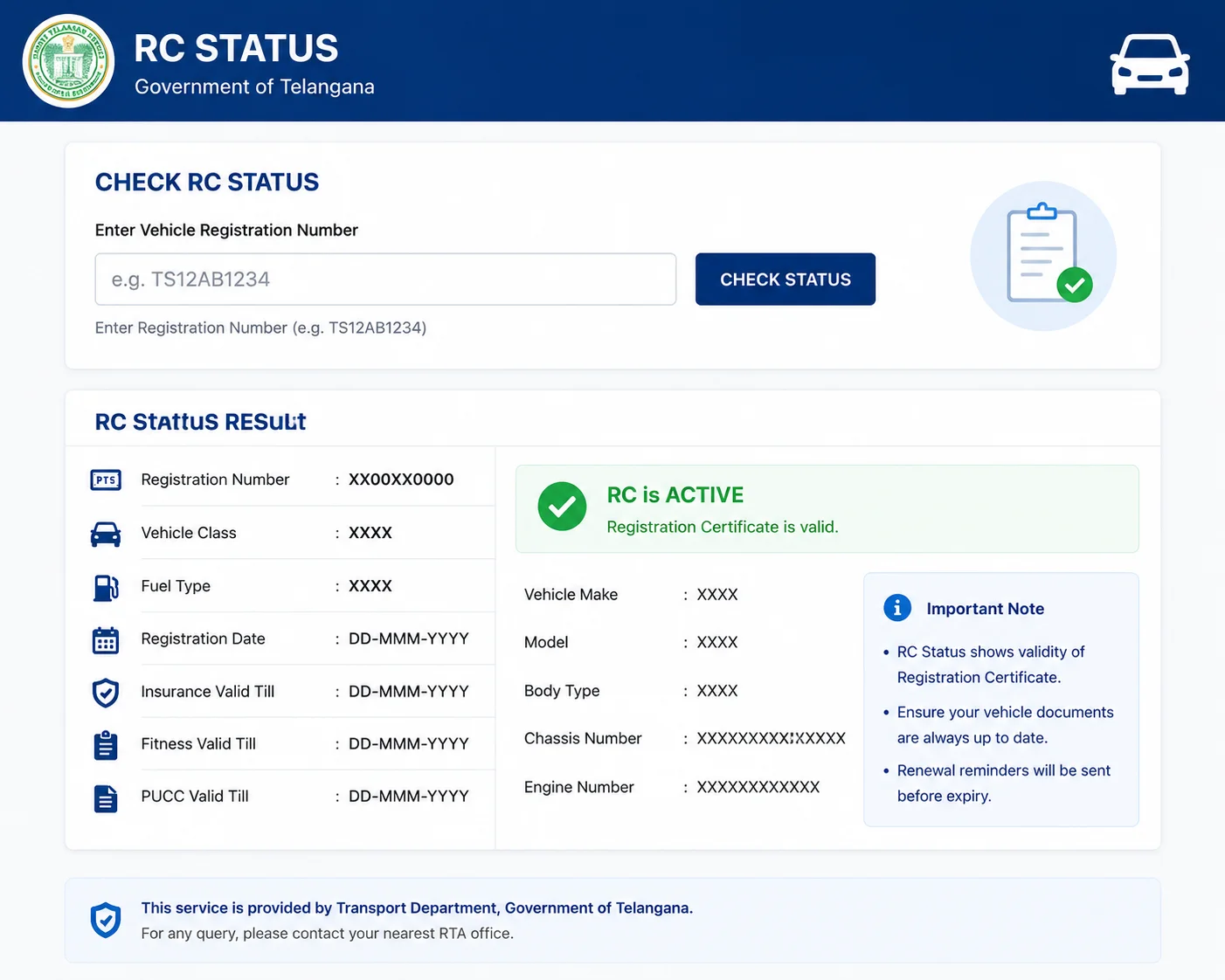
For vehicle owners in Telangana, checking the Registration Certificate status is a task that once required an RTO visit but can now be completed in seconds from a smartphone or computer. Whether you are a first-time vehicle owner wanting to verify your registration is complete, a buyer checking a used vehicle before purchase, or a seller confirming your RC is in order, the online RC status check is an invaluable tool.
Understanding RC Status for Telangana Vehicles
Telangana vehicles carry the TS registration prefix. All Telangana vehicles are registered in the national Vahan 4.0 database, maintained by NIC under the Ministry of Road Transport and Highways. This means that RC status checks for Telangana vehicles can be performed through the national Parivahan portal, which draws data directly from the Vahan database in near real-time.
The RC status includes the vehicle's registration validity, owner details, insurance status, PUC status, and any hypothecation entries. For commercial vehicles, fitness certificate validity is also displayed.
Step-by-Step: Checking RC Status Online for Telangana
Visit parivahan.gov.in on your browser or open the mParivahan app on your smartphone. On the Parivahan portal, navigate to Informational Services and select Know Your Vehicle Details. In the mParivahan app, use the Vehicle Verification feature.
Enter your vehicle's full registration number in the format TS XX AB XXXX (for example, TS 09 EZ 1234). Complete the CAPTCHA if prompted on the web portal. The system will display the current rc check status, owner details (partially masked), and all linked compliance parameters including insurance validity, PUC validity, and tax status.
What Each Status Indicator Means
If the RC Status shows as Active or Registration Valid, your vehicle is currently registered and legally compliant from a registration standpoint (insurance, PUC, and other requirements may have separate validity dates). If it shows RC Expired or Registration Expired, your vehicle's registration period has lapsed and renewal is required.
Hypothecation Entered indicates an active loan against the vehicle — important for buyers to note. NOC Issued means an NOC has been issued for the vehicle (typically for inter-state transfer), which affects the vehicle's status in the current state. Blacklisted vehicles cannot be transferred or renewed until the issue causing the blacklisting is resolved.
RC Status for Buying Used Vehicles in Telangana
Telangana's used vehicle market is active, particularly in Hyderabad. Before finalising any used vehicle purchase, run an RC status check as a fundamental due diligence step. Verify that the seller is listed as the registered owner, that there is no outstanding hypothecation, that insurance is current, and that there are no encumbrances or flags on the vehicle.
The Telangana transport department and Hyderabad traffic police maintain integrated records, so pending challans issued in Telangana are typically visible when you look up the vehicle on the Parivahan portal.
What If RC Status Shows Issues
If the RC status check reveals issues — expired registration, pending hypothecation, or other flags — address them before proceeding with any transaction. For the seller in a used vehicle transaction, clearing any hypothecation (by obtaining a NOC from the lender), resolving pending challans, and ensuring the RC is active are prerequisites for a clean transfer.
For your own vehicle, an expired RC status means you need to initiate the renewal process through the Parivahan portal or at your nearest Telangana RTO.
Conclusion
Checking RC status for Telangana vehicles is a simple, free, and instantly informative process through the Parivahan portal or mParivahan app. Make it part of your routine vehicle management practice — it takes under a minute and can surface important issues before they become problems.