Sign up with Google
 Sign in with Zoho

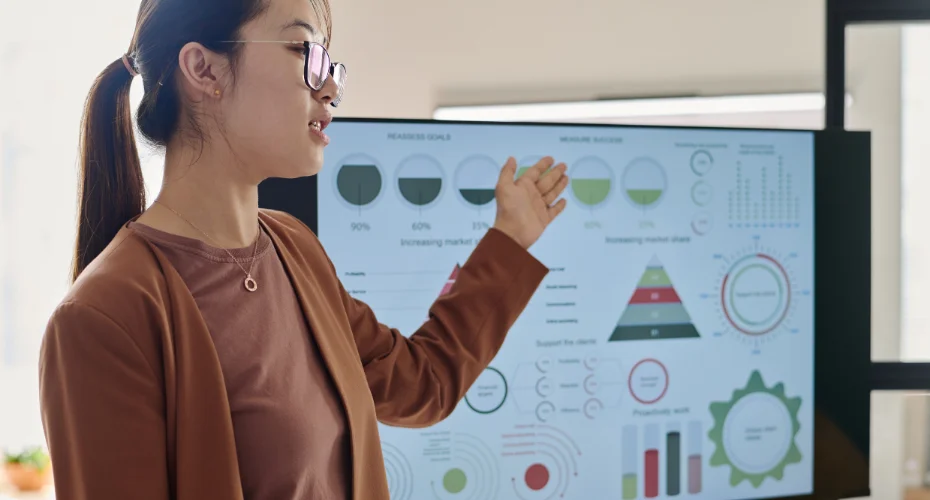
Walk into any forward-thinking school or office today, and you'll likely notice something missing: the old whiteboard covered in marker stains, or the clunky projector screen with a bulb that's always about to die. In their place is something sleeker, smarter, and far more capable, a large touchscreen display that teachers and professionals use to write, present, video call, and collaborate, all from one single device.
This is the Interactive Flat Panel Display, and it's quickly become one of the most talked-about upgrades for classrooms, training centers, and corporate offices across India. But what exactly makes these panels so popular, and are they really worth the investment? In this article, we'll walk through what interactive flat panels are, how they work, and why so many schools and businesses are making the switch.
What Is an Interactive Flat Panel?
At its core, an Interactive Flat Panel Display is a large touchscreen monitor, usually somewhere between 55 and 98 inches, that combines the functions of a whiteboard, a projector screen, a computer, and a collaboration tool into a single unit. Instead of writing on a physical whiteboard with markers or connecting a laptop to a separate projector, users can write directly on the screen with a stylus or their finger, open documents, browse the internet, run presentations, and even join video calls, all on the same display.
You might also hear these panels referred to as an Interactive Smart Board, an Interactive Digital Board, or simply an Interactive Touch Screen. While the branding can vary slightly between manufacturers, the underlying idea is the same: a smart, touch-enabled display that replaces multiple older devices with one modern, integrated solution.
Why Traditional Whiteboards and Projectors Are Falling Behind
For decades, whiteboards and projectors were the standard in classrooms and meeting rooms. But anyone who has used them regularly knows their limitations all too well.
Whiteboards require constant restocking of markers and erasers, and once you wipe the board clean, your notes are gone unless someone took a photo. Projectors, meanwhile, depend on dim lighting to be visible, need regular bulb replacements, and often involve a frustrating tangle of HDMI cables just to get a laptop connected properly.
An Interactive Flat Panel Display solves nearly all of these problems at once. The screen is bright and clear even in well-lit rooms, notes can be saved digitally and shared instantly, and there's no bulb to replace or cable chaos to manage. It's simply a more modern, more reliable way to teach and present.
Key Features That Make Interactive Panels So Useful
1. True Touch Interaction
Unlike a projector screen, which is just a passive surface, an Interactive Touch Screen responds directly to touch. Teachers can drag, zoom, and annotate content in real time. Multiple users can often write on the screen simultaneously, which is especially useful for group work in classrooms or brainstorming sessions in the office.
2. Built-In Computing With OPS
Many modern panels come with OPS for Interactive Panel technology, which stands for Open Pluggable Specification. This allows a small computer module to be inserted directly into a slot at the back of the panel, giving the display full computing power without needing an external PC. This means fewer cables, a cleaner setup, and the ability to upgrade the computing hardware later without replacing the entire panel. If you're comparing options for an Interactive Flat Panel India wide, checking whether OPS support is included is a smart step, since it directly affects both performance and long-term flexibility.
3. Wireless Screen Sharing
Most interactive panels today support wireless casting from laptops, tablets, and smartphones. This means a presenter doesn't need to plug in a single cable, they can simply share their screen directly from their own device, saving time and avoiding compatibility headaches.
4. Built-In Software for Collaboration
An Interactive Smart Board typically comes preloaded with software for annotation, whiteboarding, and sometimes even lesson planning or meeting management. Teachers can pull up interactive lesson content, while office teams can use built-in tools for brainstorming, sketching out ideas, or reviewing documents together.
5. High-Resolution Displays
Most panels come with 4K resolution, which means sharp, clear visuals whether you're showing a detailed spreadsheet, a high-resolution photo, or a video during a lesson or presentation. This clarity matters, especially in larger rooms where people are viewing the screen from a distance.
Why Schools Are Switching to Interactive Panels
Education has changed a lot over the past decade, and classrooms are expected to keep up. Today's students are used to interacting with screens in their daily lives, and traditional teaching tools can feel outdated by comparison.
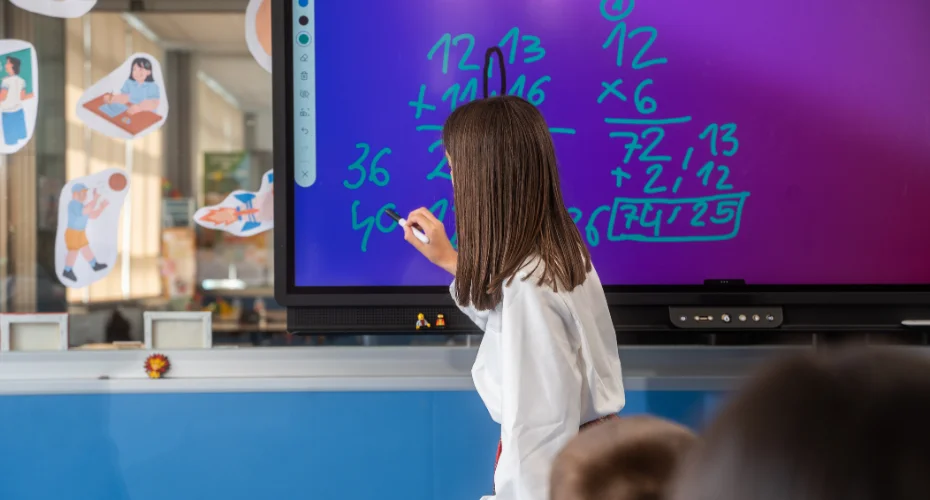
An Interactive Digital Board gives teachers the ability to bring lessons to life in ways a plain whiteboard simply can't. Diagrams can be animated, videos can be played instantly, and students can come up to the board and interact directly with the content, whether that means solving a math problem, labeling a map, or annotating a diagram.
There's also a practical side to this shift. Lesson content saved on an interactive panel can be reused across classes and years, reducing prep time for teachers. Notes taken during a lesson can be saved and shared with students afterward, which is especially helpful for revision. And because everything happens digitally, there's less reliance on printed handouts and physical materials.
For schools looking to modernize without overhauling their entire infrastructure, investing in an Interactive Flat Panel Display is often one of the most impactful upgrades they can make, both for teaching quality and for the overall learning experience.
Why Businesses Are Making the Switch Too
It's not just schools embracing this technology. Offices, training centers, and corporate boardrooms across India are increasingly adopting interactive panels for a range of reasons.
Better meetings. Instead of a static presentation on a projector screen, teams can annotate directly on slides, pull up live documents, and make real-time edits that everyone in the room can see clearly.
Smoother video conferencing. With built-in cameras, microphones, and OPS-powered computing, many panels double as a complete video conferencing setup, letting remote team members join meetings seamlessly.
A more professional look. A sleek Interactive Touch Screen mounted in a boardroom or reception area gives a more polished, modern impression compared to a projector and pull-down screen.
Simplified training sessions. Corporate trainers can use the same interactive tools that make classroom teaching more engaging, applying them to onboarding sessions, workshops, and internal training programs.
OPS Modules: A Closer Look
Since OPS technology plays such a big role in how well an interactive panel performs, it's worth understanding a bit more about it.
An OPS module is essentially a compact, self-contained computer that slides into a dedicated slot on the back of the panel. Once inserted, it powers on with the display and gives users a full Windows (or in some cases Android) computing experience, directly on the touchscreen.
The benefit of this setup is that it eliminates the need for a separate CPU tower, extra cables, and a mismatched external computer. Everything is contained within the panel itself. And when it's time to upgrade, you don't need to replace the whole panel, you can simply swap out the OPS module for something more powerful.
For businesses and schools thinking long-term, OPS for Interactive Panel setups tend to offer better value over the years, since the expensive part of the system, the actual display, stays in use for much longer while only the computing module needs occasional upgrading.
What to Look for When Buying an Interactive Panel in India
If you're considering purchasing an Interactive Flat Panel India wide, here are a few important factors to keep in mind before making a decision.
Screen size and resolution. Larger rooms need larger screens for visibility, and 4K resolution is generally recommended for the clearest picture quality.
OPS slot availability. As discussed earlier, having an OPS slot gives you more flexibility for future upgrades and a cleaner overall setup.
Touch technology. Look for panels that support multiple simultaneous touch points, which allows several users to interact with the screen at once, useful in both classrooms and collaborative meetings.
Built-in software. Check what annotation, whiteboarding, and collaboration tools come pre-installed, since this affects how easy the panel is to use right out of the box.
Connectivity options. Make sure the panel supports wireless screen sharing along with standard HDMI and USB ports for flexibility.
After-sales support. Since these panels are a long-term investment, working with a supplier who offers reliable installation, maintenance, and support is essential.
This is where working with an experienced provider makes a real difference. Logic AV offers a range of interactive display solutions tailored to the needs of Indian schools, training institutes, and corporate offices, helping customers choose the right screen size, OPS configuration, and software setup for their specific space and budget, along with dependable installation and after-sales service.
Common Questions Buyers Have Before Purchasing
Many first-time buyers wonder whether an interactive panel is really necessary compared to a projector and screen. The honest answer is that it depends on your use case, but for most modern classrooms and offices, the benefits, better visibility, no bulb replacements, digital note-saving, and built-in computing, tend to outweigh the higher upfront cost.
Others wonder whether these panels are difficult to use. In practice, most Interactive Smart Board systems are designed with simplicity in mind. Teachers and employees generally pick up the basics within a single session, especially since the touch interface feels intuitive to anyone who has used a smartphone or tablet.
There's also the question of maintenance. Compared to projectors, which require regular bulb replacements and periodic cleaning of internal components, interactive panels are relatively low-maintenance. As long as the touchscreen is kept clean and the OPS module (if included) is occasionally updated, these panels tend to run reliably for years.
Real-World Applications
In Classrooms: Teachers use interactive panels for everything from interactive quizzes to multimedia lessons, letting students engage directly with content instead of just watching passively.
In Corporate Training Rooms: Trainers run onboarding sessions and workshops using annotation tools and shared documents, making sessions more engaging than a static slideshow.
In Boardrooms: Executives use interactive panels for presentations, video conferencing, and real-time collaborative editing during strategy meetings.
In Coaching Centers: Instructors rely on the clarity and interactivity of these panels to teach complex subjects, from mathematics to language learning, with visual aids that are easy for students to follow.
The shift from traditional whiteboards and projectors to interactive panels isn't just a passing trend, it reflects a genuine change in how classrooms and offices are expected to function today. An Interactive Flat Panel Display offers a cleaner, smarter, and more engaging way to teach, present, and collaborate, whether you're working with a small team in a boardroom or teaching a full classroom of students.
With features like OPS for Interactive Panel support, wireless sharing, and built-in collaboration software, these panels have moved far beyond being a simple screen upgrade. They've become a central hub for how modern institutions communicate and share ideas.
If you're exploring options for an Interactive Flat Panel India wide, taking the time to compare screen quality, OPS support, and after-sales service will help you make a confident choice. And for schools and businesses looking for expert guidance, Logic AV is a trusted name offering tailored interactive display solutions to match your specific needs.
Frequently Asked Questions (FAQs)
1. What is the difference between an Interactive Flat Panel Display and a regular touchscreen TV?
While both may look similar, an Interactive Flat Panel Display is built specifically for collaboration and teaching, with features like multi-touch support, annotation software, and often a built-in OPS slot for computing power. Regular touchscreen TVs typically lack these specialized education and business-focused tools.
2. Is an Interactive Smart Board suitable for small classrooms or offices?
Yes. Interactive panels come in a range of sizes, so smaller rooms can opt for a 55 or 65-inch panel, while larger spaces might choose 75 inches or more. The right size depends on the room dimensions and viewing distance.
3. Do I need a separate computer to use an Interactive Digital Board?
Not necessarily. Many panels come with OPS for Interactive Panel technology, which means a computer module is built directly into the display. This eliminates the need for a separate external PC in most cases.
4. How long do Interactive Touch Screens typically last?
With proper care, most interactive panels last between 5 to 8 years or longer, especially since OPS modules can often be upgraded separately without replacing the entire display.
5. Can multiple people use an interactive panel at the same time?
Yes, many panels support multi-touch technology, allowing several users to write, annotate, or interact with the screen simultaneously, which is especially useful for group activities and collaborative meetings.
6. Where can I buy a reliable Interactive Flat Panel in India?
Logic AV offers a range of interactive display solutions designed for Indian schools, training centers, and businesses, with guidance on choosing the right size, OPS configuration, and software setup, along with professional installation and support.