Sign up with Google
 Sign in with Zoho

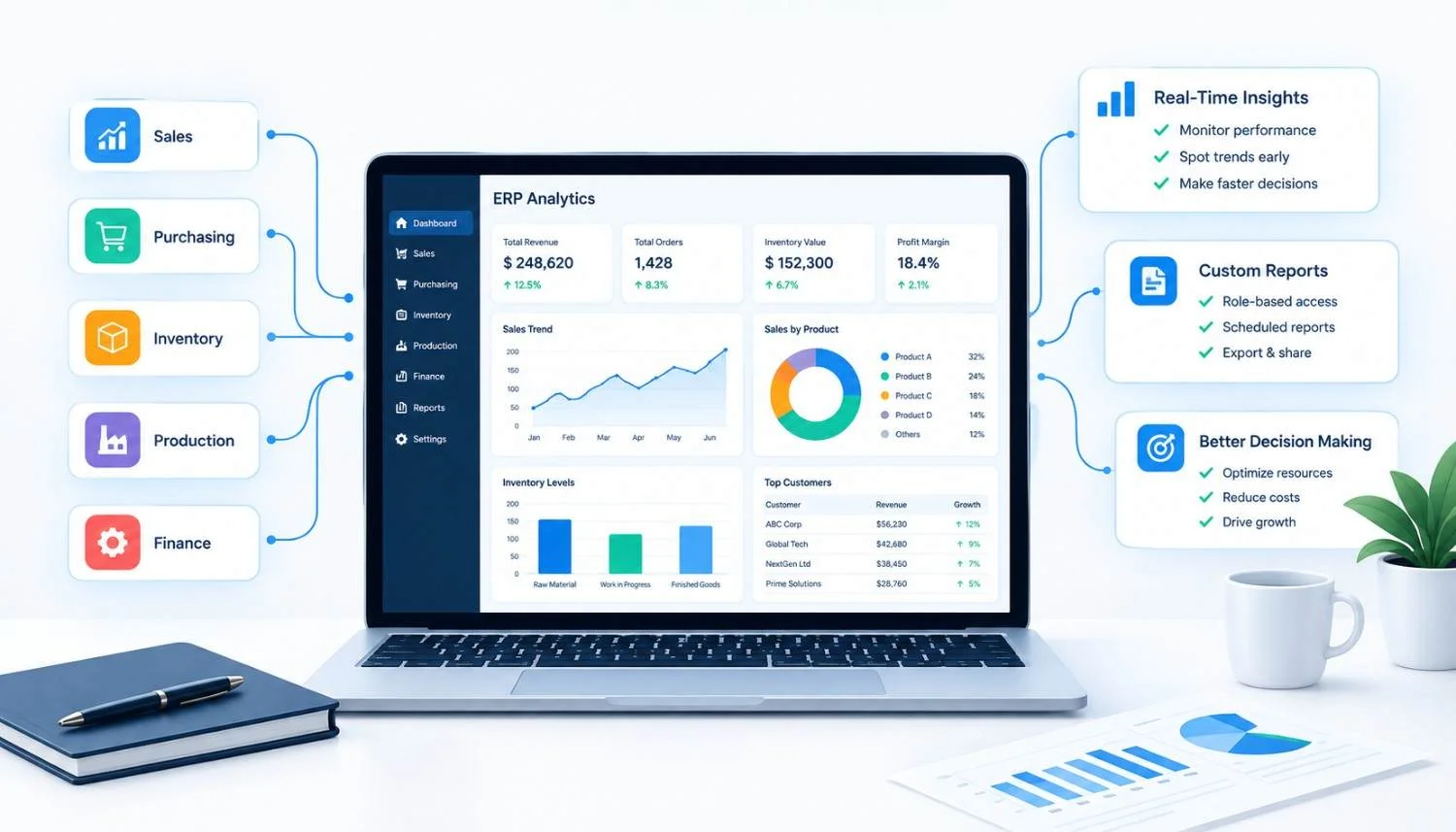
Most companies buy an ERP system to fix a data problem: information scattered across spreadsheets, disconnected tools, and departments that don't talk to each other. What surprises a lot of them, a year or two into using the system, is that the ERP itself becomes a new source of the same problem — a huge amount of data sitting in tables that nobody looks at, because nobody built a way to look at it properly.
That's the gap analytics and reporting are supposed to close. Not as a bonus feature bolted onto an ERP, but as the layer that turns transactional records into decisions. A custom ERP without strong analytics is basically a well-organized filing cabinet. A custom ERP with strong analytics is a system that tells you what's about to go wrong before it does.
The Short Answer
Analytics and reporting improve custom ERP software by converting raw operational data — inventory movements, order histories, production logs, financials — into dashboards, forecasts, and alerts that support faster, more accurate decisions. Instead of pulling numbers manually from different modules, teams get a live, unified view of the business, which shortens the time between "something changed" and "someone acted on it."
The rest of this comes down to specifics: which kinds of reporting actually move the needle, where teams get this wrong, and how to think about building it into a system from the start rather than retrofitting it later.
Why Off-the-Shelf Reporting Usually Falls Short
Most pre-built ERP platforms ship with generic reports: standard financial statements, basic inventory summaries, a handful of sales charts. They're fine for a company whose operations look like everyone else's. They're not fine for a mid-sized manufacturer with a unique production sequence, a distributor with regional pricing rules, or a healthcare provider with compliance-specific reporting obligations.
The mismatch shows up in a few predictable ways:
- Reports exist but don't answer the actual question someone in the business is asking, so people export the data to Excel anyway and rebuild it there.
- Metrics are defined generically (e.g., "revenue") when the business actually needs something narrower, like revenue net of returns by product line and region.
- Dashboards update on a schedule that doesn't match how fast the business moves — daily batch refreshes for a business that needs hourly visibility into stock levels, for instance.
This is where custom-built reporting earns its keep. When analytics are designed around how a specific company actually operates — its terminology, its workflows, its decision points — the reports stop being a translation exercise and start being a direct answer.
What Good ERP Analytics Actually Look Like
Good reporting inside a custom ERP tends to share a few traits regardless of industry:
It's role-specific. A warehouse manager and a CFO shouldn't be looking at the same dashboard. One needs stock-out risk and picking efficiency; the other needs cash flow and margin trends. Custom development allows each role to get a view built around their actual responsibilities instead of a one-size-fits-all report that half-serves everyone.
It's close to real time where it matters. Not everything needs to be live. Monthly financial rollups can wait. Inventory levels during a peak sales period usually can't. Part of designing analytics well is deciding, deliberately, what needs to be current-minute and what can be current-day or current-week.
It surfaces exceptions, not just totals. A report that says "we shipped 4,200 units this week" is less useful than one that flags "12 orders are at risk of missing their delivery window." Exception-based reporting — sometimes built through simple rule-based alerts rather than anything exotic — tends to get used far more than static summary dashboards, because it tells someone exactly where to look.
It connects departments instead of siloing them. One of the real advantages of building analytics into a custom ERP, rather than layering a separate BI tool on top of disconnected systems, is that the underlying data already lives in one schema. A report on production delays can reference the same order data that finance uses for revenue recognition, without a fragile export-and-match process in between.
Core Types of Reporting That Move the Needle
Different functions need different reporting, and it's worth being specific about what each one is actually for.
Operational Dashboards
These track the day-to-day mechanics: order status, production throughput, staffing levels, ticket volumes. Their job is to answer "is today going the way it's supposed to?" A logistics company might track on-time delivery rate by driver or route; a manufacturer might track machine downtime by shift.
Financial Reporting
Beyond standard statements, custom financial reporting in ERP software often focuses on things generic accounting software handles poorly: project-level profitability, cost allocation across departments, or margin analysis broken down by customer segment rather than just by product.
Inventory and Demand Analytics
For any business holding physical stock, this is usually where analytics pay for themselves fastest. Reorder point calculations, dead-stock identification, and seasonal demand patterns all depend on having clean historical data connected to current stock levels — which is exactly what a custom ERP with proper reporting is built to do.
Predictive and Trend Analysis
This is the area that separates a basic reporting layer from a genuinely strategic one. Rather than just showing what happened last quarter, trend-based reporting can project what next quarter is likely to look like based on historical patterns — useful for staffing plans, purchasing decisions, or cash flow forecasting. It's worth being honest here: predictive analytics in ERP is only as reliable as the historical data feeding it, and it works better as a directional guide than a guaranteed forecast.
Compliance and Audit Reporting
For regulated industries — healthcare, finance, manufacturing with safety requirements — reporting isn't optional polish, it's a documented trail. Custom ERP systems can be built to automatically generate the specific audit logs or compliance reports a given regulation requires, rather than forcing someone to assemble them manually before an audit.
A Practical Comparison: Generic vs. Custom Reporting
Neither approach is universally "better" — a small business with straightforward operations may genuinely be well served by standard reports. The calculation changes once a business has unique processes, multiple locations, or decision-makers who are spending real hours each week manually reconciling data that the system should already be presenting to them.
Where This Typically Goes Wrong
A few recurring mistakes show up when companies build or commission ERP reporting:
Building dashboards before defining decisions. It's common to see a project start with "let's build a dashboard for sales" without first asking what decision that dashboard is meant to support. The result is a screen full of charts that look impressive but don't change what anyone does differently on a Tuesday morning.
Treating reporting as a one-time build. Business processes shift — new product lines, new markets, new regulations — and reporting that isn't revisited becomes stale. Some of the most useful ERP dashboards a business will use in year three didn't exist in year one, because the reporting needs hadn't emerged yet.
Over-indexing on real-time data everywhere. Real-time reporting has a real infrastructure cost. Applying it uniformly, even to metrics nobody checks more than once a week, adds complexity without adding value. Being deliberate about refresh rates matters more than defaulting to "as fast as possible" for everything.
Ignoring data quality at the source. No reporting layer fixes bad input data. If sales reps enter inconsistent product categories or warehouse staff skip inventory counts, the sharpest dashboard in the world will just present that inconsistency more clearly and more often.
How to Approach Building Analytics Into a Custom ERP
For a business planning this, a few practical steps tend to produce better outcomes than jumping straight into dashboard design:
- Start with the decisions, not the data. List the five or ten decisions each department head actually makes weekly, then work backward to what data supports each one.
- Audit what data already exists and where. Custom ERP analytics are only as good as the underlying records. This step often reveals gaps — missing timestamps, inconsistent categorization — worth fixing before building reports on top of them.
- Prioritize by impact, not by ease of build. The easiest report to build isn't always the most useful one. Inventory forecasting might take longer to develop than a basic sales chart, but it may save far more in reduced overstock or stockouts.
- Design for the role, not the department. A department-wide report often serves nobody well. Building around individual roles — warehouse supervisor, regional sales manager, controller — tends to produce reporting people actually use daily.
- Plan for iteration. Treat the first version of any dashboard as a draft. Usage patterns after 60–90 days will usually reveal what's missing or unused far more accurately than planning meetings did.
When Is Custom Reporting Worth the Investment?
This is a fair question, and the honest answer is: it depends on how much manual reconciliation work is already happening. If finance, operations, or sales leadership are spending meaningful hours each week pulling data from multiple sources into spreadsheets to get an answer the system should already provide, that's usually a clear signal that custom analytics will pay for themselves. If reporting needs are simple and stable, a standard ERP module may be entirely sufficient, and building custom reporting would be solving a problem that doesn't really exist yet.
Businesses evaluating a custom ERP development company for this kind of work should look for a team that asks about decisions and workflows before proposing dashboards — that ordering tends to separate reporting that gets used from reporting that gets built once and ignored.
Conclusions
Analytics and reporting are what turn a custom ERP from a system of record into a system that actively supports decisions. The value isn't in having more charts — it's in having the right ones, refreshed at the right frequency, built around how specific roles in a specific business actually make decisions. Off-the-shelf reporting can work for straightforward operations, but once a business has unique processes or people spending hours reconciling data manually, custom-built analytics tend to justify their cost quickly, not through flashy dashboards, but through fewer surprises and faster decisions.
Frequently Asked Questions
What's the difference between a report and a dashboard in ERP software?A report is typically a structured, often static, output — a monthly sales summary or a compliance document. A dashboard is an interactive, usually visual, real-time or near-real-time view built for ongoing monitoring rather than a single point-in-time record. Most ERP systems use both, for different purposes.
How much does custom ERP reporting typically cost?This varies widely based on the complexity of the metrics, the number of data sources being integrated, and how real-time the reporting needs to be. A handful of role-based dashboards pulling from existing ERP tables costs meaningfully less than a predictive analytics module integrating external data sources. It's best evaluated project by project with a development partner rather than estimated generically.
Can analytics be added to an existing ERP system, or does it require a full rebuild?In most cases, reporting and analytics can be layered onto an existing custom ERP without a full rebuild, provided the underlying data model is reasonably clean and accessible. The scope of work depends more on data quality and integration complexity than on the age of the system itself.
Is real-time reporting always necessary?No. Real-time visibility matters for metrics tied to immediate operational decisions — stock levels during high-demand periods, production line status — but adds unnecessary cost and complexity for metrics that are reviewed weekly or monthly, like historical financial trends.
What's the biggest risk in ERP reporting projects?Building reports around assumed needs rather than confirmed ones. Reporting projects go sideways most often when nobody validated, with the people who'll actually use the dashboard daily, whether it answers a real question.