
 Sign up with Google
 Sign in with Zoho

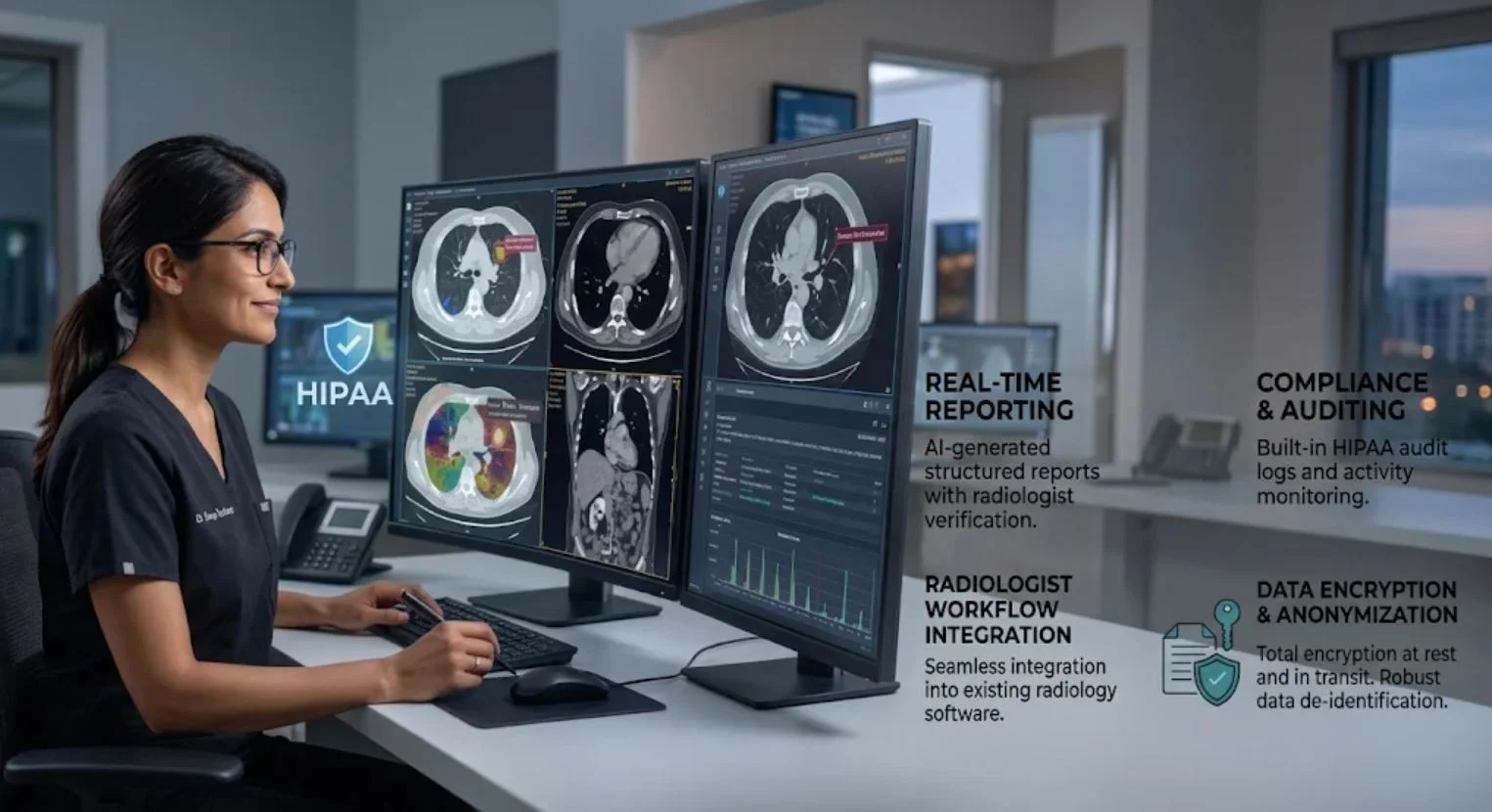
HIPAA-Compliant AI for Radiology Practices
Introduction
Artificial intelligence is helping radiology practices analyze medical images, prioritize urgent cases, streamline reporting, and reduce repetitive administrative work.
But there is a critical consideration: How can radiology teams use AI without exposing sensitive patient information?
Radiology workflows involve more than medical images. They also include patient identifiers, diagnostic reports, imaging metadata, and clinical records. When AI applications access this information, privacy and security must be part of the implementation from the beginning.
Simply choosing an AI tool that advertises HIPAA compliance is not enough. Practices must evaluate how the technology handles protected health information (PHI), how vendors access patient data, and what safeguards protect the entire workflow.
This guide explains how to implement HIPAA-compliant AI for radiology practices, avoid common security mistakes, and evaluate AI vendors with confidence.
HIPAA-Compliant Radiology AI: What You Need to Know
- Protect PHI: Secure patient identifiers, medical images, reports, and related information.
- Evaluate vendors: Determine whether a vendor is a business associate and whether a BAA is required.
- Secure integrations: Control how AI applications connect to PACS, RIS, EHR, and cloud systems.
- Restrict access: Use appropriate authentication and least-privilege permissions.
- Monitor activity: Maintain relevant audit logs and review security risks.
- Validate clinical use: Test AI performance and maintain qualified human oversight.
1. Why Are Radiology Practices Adopting AI?
Radiology departments handle large volumes of imaging studies and clinical information. AI can support these workflows by automating selected tasks and helping professionals manage workloads.
Common applications include:
The benefits depend on the AI application's intended purpose, accuracy, and integration with existing systems.
For example, an AI tool that drafts administrative summaries has different clinical and data-access requirements from a diagnostic imaging application that processes CT or MRI studies.
The key is to assess each AI use case individually rather than treating every AI tool as equally risky.
2. What Does HIPAA Compliance Mean for Radiology AI?
The Health Insurance Portability and Accountability Act (HIPAA) establishes requirements for protecting patients' protected health information.
In radiology, PHI may include:
- Patient names and identification numbers.
- Medical images and DICOM metadata.
- Radiology reports and diagnostic findings.
- Dates of service and appointment details.
- Medical histories and treatment information.
The HIPAA Privacy Rule governs permitted uses and disclosures of PHI. The Security Rule establishes safeguards for electronic protected health information (ePHI).
When an AI vendor creates, receives, maintains, or transmits PHI on behalf of a covered entity or business associate, it may qualify as a business associate. A Business Associate Agreement (BAA) is generally required in that situation.
Important: A BAA does not automatically make an AI deployment HIPAA compliant. The practice must also evaluate the vendor, system configuration, data flows, and applicable security safeguards.
3. Where Can Patient Data Be Exposed in Radiology Workflows?
Understanding how information moves through a radiology department makes it easier to identify security risks.
<escape>Typical AI-supported radiology workflow:</escape>
CT/MRI → PACS/RIS → AI Processing → Radiologist Review → Final Report
<escape>1. DICOM files and metadata</escape>
DICOM files contain medical images and may also include patient identifiers, dates, facility details, and other metadata.
Removing a patient's name from an image does not necessarily remove all identifying information.
2. PACS and RIS integrations
PACS stores and manages medical images, while RIS supports radiology workflows and related information.
An AI application connected to these systems should only receive the access necessary for its approved purpose.
3. Cloud-based AI processing
Some AI applications send data to cloud infrastructure or external APIs for processing.
If a cloud provider handles ePHI on behalf of a covered entity or business associate, applicable HIPAA requirements and a BAA may apply.
HHS explains how cloud services can be used to process ePHI when appropriate agreements and safeguards are in place.
4. 10 HIPAA Risks Radiology Practices Should Avoid
AI can introduce risks that traditional imaging workflows may not adequately address.
Here are ten important areas to review.
1. Using Unapproved Public AI Tools
Staff may paste patient reports or upload medical images into public AI chatbots without understanding where the information goes.
Solution: Establish an approved AI tool policy. Do not enter PHI into services that have not undergone appropriate privacy and security review.
2. Exposing Patient Identifiers in DICOM Metadata
Medical images may contain identifying details even when visible patient information has been removed.
Solution: Review DICOM de-identification procedures. When HIPAA de-identification is required, use the Safe Harbor or Expert Determination method.
3. Assuming a BAA Guarantees Compliance
A signed BAA does not address every security weakness in an AI platform or its implementation.
Solution: Review the actual service, contractual responsibilities, data handling practices, and technical safeguards.
4. Giving AI Applications Excessive System Access
An AI tool may receive broader PACS, RIS, or EHR permissions than its function requires.
Solution: Apply role-based access and least-privilege permissions. Restrict API access to the specific records and actions needed.
5. Overlooking AI Model Training Policies
Some providers may use customer inputs or outputs for model improvement, depending on their policies and contractual terms.
Solution: Confirm in writing whether PHI is used for training, retained, shared, or reused. Review available settings and contractual restrictions.
6. Ignoring Cloud and API Security
Weak authentication, exposed API keys, insecure transfers, and inadequate monitoring can create additional exposure points.
Solution: Use appropriate encryption, strong authentication, secure credential management, and vulnerability monitoring.
7. Failing to Monitor System Activity
Without appropriate logging, practices may struggle to identify unauthorized access or investigate suspicious activity.
Solution: Maintain relevant audit logs and regularly review unusual access patterns.
8. Ignoring Prompt Injection Risks
Malicious instructions hidden in documents or other external content can manipulate poorly designed AI applications.
Solution: Treat external content as untrusted. Enforce access permissions outside the AI model and test applications for data-extraction risks.
9. Overlooking AI Accuracy and Performance Drift
AI performance may vary across scanners, imaging protocols, patient populations, and clinical environments.
Solution: Conduct local acceptance testing, evaluate performance across relevant groups, monitor changes, and maintain radiologist oversight.
10. Having No Incident Response Plan
A practice may have security controls but lack a clear process for responding to ransomware, unauthorized access, or suspected PHI exposure.
Solution: Establish incident response procedures, define vendor notification responsibilities, preserve evidence, and follow applicable breach assessment and notification requirements.
5. Essential HIPAA Requirements for Radiology AI
Radiology practices should evaluate the following HIPAA areas before deploying AI.
Remember: HIPAA implementation specifications marked as addressable are not simply optional. Organizations must assess whether they are reasonable and appropriate, document their decisions, and implement an equivalent alternative when appropriate.
6. How to Implement AI Securely in a Radiology Practice
A structured implementation process helps reduce risks before AI becomes part of everyday imaging operations.
Step 1: Define the AI Use Case
Identify exactly what the application will do.
Will it analyze images, prioritize studies, generate report drafts, or automate administrative work?
Document its intended purpose, limitations, and data requirements.
Step 2: Map Patient Data Flows
Identify where PHI enters, how it is processed, where it is stored, and which vendors or systems can access it.
Include PACS, RIS, EHR, cloud infrastructure, APIs, and relevant subprocessors.
Step 3: Conduct a HIPAA Risk Analysis
Assess threats and vulnerabilities across the complete workflow.
Consider unauthorized access, ransomware, data leakage, insecure integrations, and vendor dependencies.
Document identified risks and implement appropriate risk management measures.
Step 4: Evaluate the AI Vendor
Review the vendor's BAA where applicable, security controls, data retention policies, access management, incident response procedures, and subcontractor arrangements.
Do not rely solely on marketing claims.
Step 5: Configure Security Controls
Use safeguards appropriate to the identified risks, including:
- Encryption in transit and at rest where appropriate.
- Multi-factor authentication.
- Role-based access controls.
- Least-privilege API permissions.
- Secure credential management.
- Audit logging and monitoring.
- Backup and recovery procedures.
Step 6: Test Before Clinical Deployment
Test the application using representative workflows and appropriately authorized data.
Evaluate system integration, security behavior, output quality, and failure handling.
Involve radiologists and technical teams in local acceptance testing for clinical imaging AI.
Step 7: Train Staff
Teach employees which AI tools are approved, what information they may enter, and how to report potential security incidents.
Create written policies for AI use, PHI handling, and vendor access.
Step 8: Monitor and Improve
Review access logs, vendor changes, security incidents, model updates, and clinical performance regularly.
AI compliance and safety require ongoing attention—not a one-time approval.
7. How to Choose a HIPAA-Compliant AI Vendor
Choosing an AI vendor requires more than comparing features and prices.
Radiology practices should ask specific questions about how the platform handles patient information.
Vendor Evaluation Checklist
Simple AI Vendor Scorecard
Use this scorecard as an initial screening tool.
This is an internal evaluation aid, not an official HIPAA certification or compliance assessment. A high score does not replace a formal risk analysis.
Radiology practices exploring secure AI implementation can also review HIPAA-compliant AI solutions.
8. Quick HIPAA AI Security Checklist
Before approving an AI application, make sure your practice has addressed these points:
- The AI application's intended use is documented.
- Patient data flows have been mapped.
- A risk analysis has been completed.
- Appropriate BAAs are in place where required.
- Vendor data retention and model-training policies have been reviewed.
- DICOM metadata and de-identification requirements have been assessed.
- PACS, RIS, and EHR access is appropriately restricted.
- Authentication and access controls are configured.
- Relevant audit logging and monitoring are enabled.
- Staff have received privacy and AI-use training.
- Clinical testing and radiologist oversight are established where appropriate.
- Incident response and recovery procedures are documented.
- Security and AI performance are reviewed regularly.
9. Frequently Asked Questions
Is AI allowed in radiology under HIPAA?
Yes. HIPAA does not generally prohibit AI in radiology. Practices must follow applicable privacy, security, and business associate requirements when PHI is involved.
Does an AI vendor need a BAA?
A vendor generally needs a BAA when it qualifies as a business associate by creating, receiving, maintaining, or transmitting PHI on behalf of a covered entity or another business associate.
Is removing patient names from DICOM files enough?
Not necessarily. DICOM metadata and other information may still identify a patient. HIPAA recognizes the Safe Harbor and Expert Determination methods for de-identification.
Can radiologists use public AI chatbots?
They should not enter PHI into public AI tools unless the service and intended use have been appropriately reviewed and authorized under applicable HIPAA requirements.
Does a BAA guarantee HIPAA compliance?
No. A BAA is an important contractual safeguard when required, but it does not replace risk analysis, technical safeguards, appropriate configuration, workforce training, or ongoing monitoring.
How can radiology practices protect patient data when using AI?
Assess data flows, select appropriate vendors, establish required agreements, restrict access, protect data transfers, maintain audit logs, train staff, and regularly review security risks.
Is FDA clearance the same as HIPAA compliance?
No. FDA clearance or authorization concerns applicable medical device regulatory requirements. HIPAA concerns the privacy and security of PHI. One does not automatically establish the other.
Conclusion
AI can help radiology practices streamline imaging workflows, support reporting, and manage growing clinical workloads. But these benefits should never come at the expense of patient privacy or data security.
Successful implementation requires more than selecting an AI platform. Practices must understand how PHI moves through imaging systems, evaluate vendor responsibilities, conduct risk analyses, establish appropriate safeguards, and monitor clinical performance.
By following a structured approach, radiology teams can adopt HIPAA-compliant AI for radiology practices while protecting patient information and supporting responsible innovation.
The best radiology AI solution is not simply the one that works faster. It is the one that protects patient data, supports clinical judgment, and remains accountable throughout its lifecycle.