Sign up with Google
 Sign in with Zoho

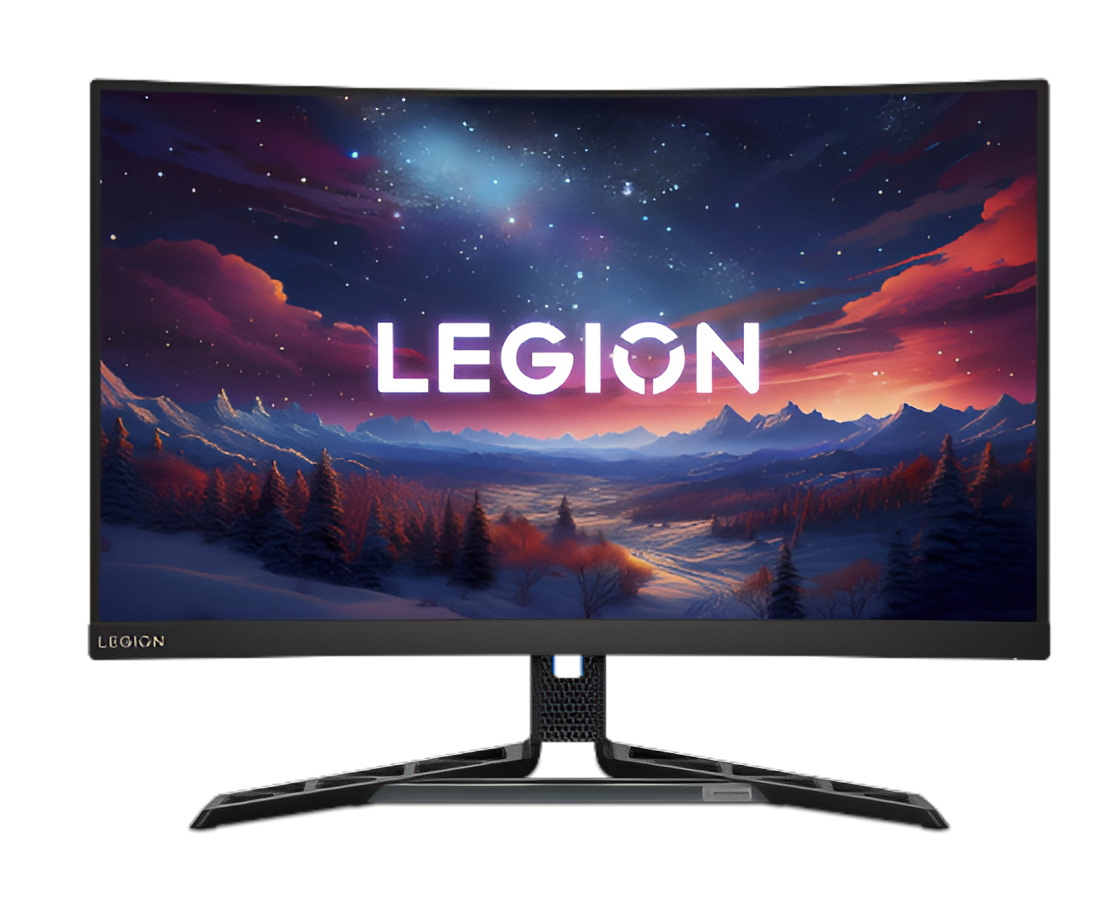
Gaming monitors are the heart of any fast setup. You want your screen to react the moment you click your mouse. Any delay between your hand and the screen can ruin a match. Professional players spend thousands of dollars just to shave off a few milliseconds. This speed is what we call low latency. It makes the game feel smooth and alive. You stop fighting your hardware and start fighting your opponents. Modern tech has come a long way in fixing these lag issues. We now have features that sync your GPU directly with your display.
This article covers the top eight timing improvements for monitors today. These steps will help you achieve that instant feeling in every session. You will learn how refresh rates and response times change your play style. Get ready to upgrade your gaming knowledge right now.
1. Maximizing High Refresh Rate Performance
The refresh rate is the most basic part of a fast monitor. It tells you how many times the screen updates every second. A standard screen might only update sixty times. That is far too slow for competitive play. You need at least 144Hz to see a real difference. The best gaming monitors now go up to 240Hz or even 360Hz, delivering ultra-smooth motion that keeps every frame sharp and perfectly in sync with your actions. Higher numbers mean the images flow into each other better. This reduces the gaps between movements on your screen. You will track moving targets with much better accuracy. It feels like the game is tied to your eyes.
Why Frames Per Second Matter For Speed
Your graphics card must keep up with your monitor's speed. If your card is slow, the high refresh rate goes to waste. You want a high frame rate to match your 240Hz screen. This creates a perfect loop of information.
Low frame rates cause stuttering and visual breaks. Stuttering makes it hard to aim during intense fights. High frames ensure that every refresh has new data to show. This is the first step to an instant gaming feel.
2. Master The Ultra Low Response Time
Response time is different from refresh rate. It measures how fast a pixel changes from one color to another. Most gamers look for a 1ms response time. Some new OLED screens can even hit 0.03ms. Fast pixels stop the annoying trail behind moving objects. This trail is often called ghosting or motion blur. When you turn fast in a game, the image stays sharp. You can see enemies hiding in corners while you run. Sharp images allow your brain to process information faster. This speed gives you a huge advantage in shooters.
3. Enable Variable Refresh Rate Tech
Screen tearing happens when your GPU and monitor do not talk well. A horizontal line appears across your display. This ruins the immersion and slows down your reaction. Variable Refresh Rate or VRR fixes this problem. G-Sync and FreeSync are the two big names here. They force the monitor to wait for the GPU to finish a frame. This removes tearing without adding the lag of old V-Sync. Your gameplay stays clean and consistent. You get the smoothness of a movie with the speed of a game. It is a must-have for any serious setup.
4. Turn On The Overdrive Settings
Most monitors have a hidden setting called Overdrive. This pushes the pixels to change colors even faster. It uses extra voltage to speed up the liquid crystals. You have to be careful with this tool. Too much overdrive can cause a bright glow around objects. This is known as overshoot or inverse ghosting. You should find the middle ground in your monitor menu. The right level of overdrive makes the motion look perfect. It cuts down the remaining blur from the panel. Your screen will feel much snappier once you tune this.
With more than 1.86 billion PC gamers worldwide, having the right monitor can make a noticeable difference in how smoothly and competitively you play.
5. Use Motion Blur Reduction Tools
Many brands include a special strobing mode. This is often called ELMB or DyAc. It turns the backlight off and on very quickly between frames. This trick mimics the way old CRT monitors worked. It removes the natural blur that our eyes perceive on LCDs. The result is a crystal clear image during fast motion. You can read text on a sign while spinning around in a game. Some people find the flickering a bit tiring for their eyes. However, the visual clarity is unmatched for competitive gaming. It makes the world look solid and real.
6. Look For Low-Input-Lag Modes
Input lag is the total time for a signal to travel. It starts at your mouse and ends at the screen. Some monitors have a dedicated Low Input Lag mode. This skips extra image processing to save time. Things like color enhancement or sharpening add small delays. You want the raw signal to reach the panel as fast as possible. Turning these features off might make the colors look plain. But the tradeoff is a screen that feels instant. Speed is always better than pretty colors in a fight. You will feel the difference in your muscle memory.
How To Bypass Internal Scaling Delay
Scaling happens when you play at a lower resolution. The monitor has to stretch the image to fit the screen. This math takes a few extra milliseconds. You should always play at the native resolution of your monitor.
Native resolution ensures the signal goes straight to the pixels. It avoids the internal processor of the display. This keeps your timing tight and your shots on target. Every millisecond counts when you are playing at a high level.
7. Switch To A DisplayPort Connection
The cable you use matters more than you think. HDMI is great for TVs, but DisplayPort is king for PC gaming. It has more bandwidth to handle high speeds. Some monitors only hit their max refresh rate via DisplayPort. It also handles VRR features much better than older HDMI versions. High-quality cables prevent signal drops and flickering. You want a stable connection to ensure your timing stays perfect. A low-quality cable can actually add lag or cause visual glitches. Invest in a good certified cable for the best results. The best gaming monitors reach their full performance potential when paired with a high-bandwidth DisplayPort connection.
8. Optimize Your GPU Driver Settings
The final touch happens inside your computer software. NVIDIA and AMD have low-latency modes in their drivers. NVIDIA calls this Reflex, and AMD calls it Anti-Lag. These tools reduce the buffer between the CPU and GPU. They make sure the frames are ready exactly when the monitor needs them. This syncs your entire system for the lowest possible delay. It is the bridge between your hardware and your software. Once this is set, your monitor will truly feel instant. You are now ready to dominate any game you play.
Conclusion
The best gaming monitors are all about zero lag and smooth gaming. However, Achieving a zero lag feel is all about small wins. You need to stack these timing improvements together. Start with a high refresh rate and add VRR for smoothness. Tune your overdrive and use the right cables. These steps remove the fog between you and the digital world. Your movements will feel natural, and your reactions will be faster. An instant monitor is the best tool for any gamer. Now go out there and enjoy your lag-free experience.