 Sign up with Google
 Sign in with Zoho

A customer fills out a quotation form on a business website at 8 p.m. The sales team has already finished work, so nobody sees the inquiry until the following morning.
By then, the customer may have contacted two competitors.
The business paid to attract that visitor. Its website did enough to generate interest. But the inquiry sat unanswered for hours.
This is one of the problems marketing automation can address.
For small businesses, automation doesn't need to mean complicated software or replacing staff with artificial intelligence. It can begin with something as basic as acknowledging new inquiries, assigning them to the right person, and reminding employees when follow-up is needed.
Those small changes can make a difference when a company receives more inquiries than its team can comfortably manage.
What Is Marketing Automation?
Marketing automation uses software to handle routine tasks based on predefined rules or customer actions.
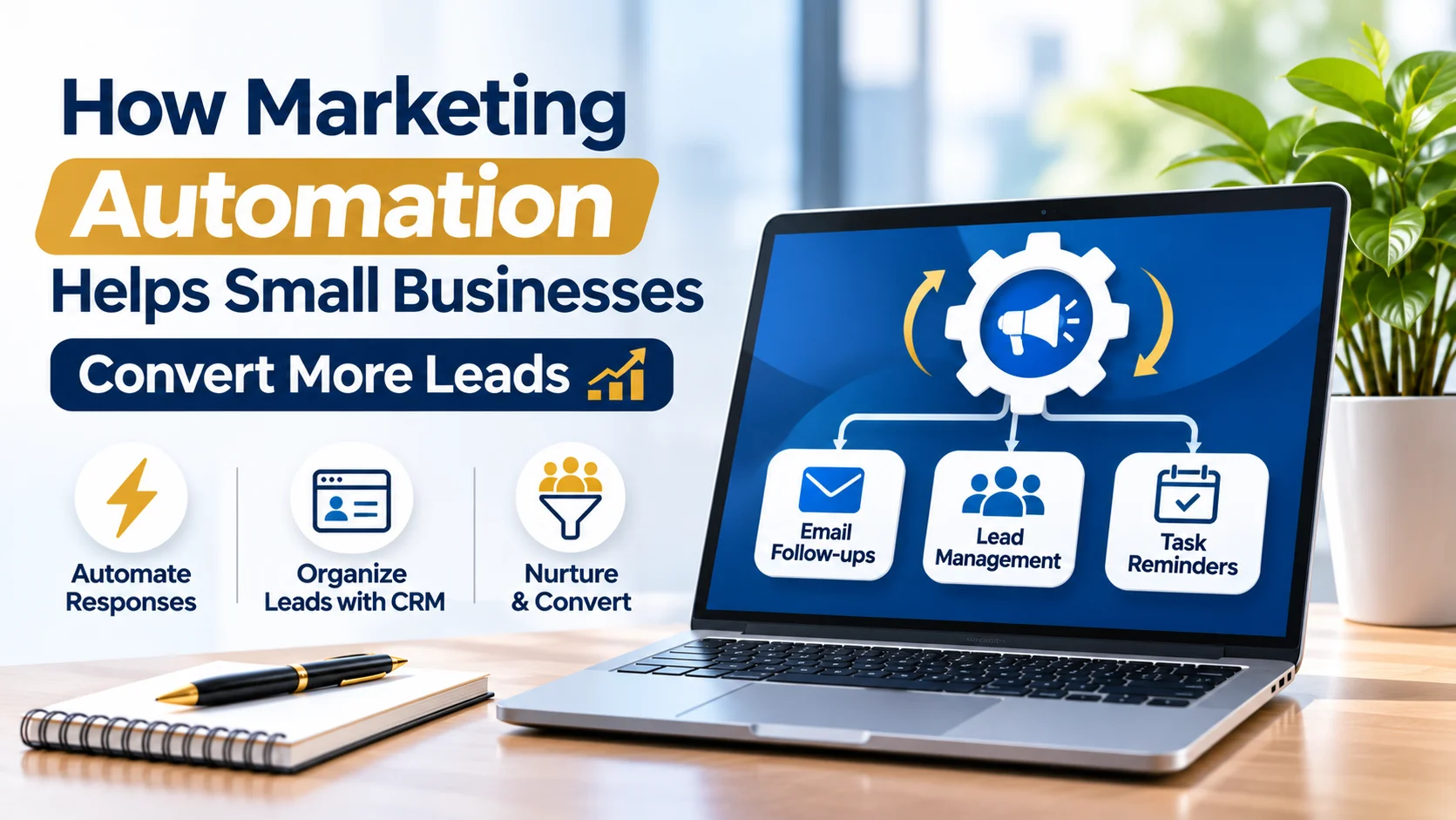
For example, when someone submits a contact form, the business can automatically send a confirmation message and create a record in its customer relationship management (CRM) system.
The correct employee receives a notification, and the system records whether the inquiry has been answered.
Other common tasks include appointment reminders, follow-up emails, customer segmentation, and reporting.
The purpose is to reduce repetitive administrative work while keeping important customer information organized.
Automation shouldn't replace meaningful conversations.
A potential customer asking about a complicated renovation project still needs to speak with someone who understands the work.
Software can arrange the conversation and keep track of what happens afterward.
Why Small Businesses Lose Leads After the First Inquiry
Many small businesses don't have a dedicated employee monitoring inquiries throughout the day.
Messages arrive through website forms, phone calls, social media, email, and advertising campaigns.
Keeping track of everything becomes difficult.
Consider a property maintenance company receiving 50 inquiries in one month.
Some arrive through Google Ads. Others come from the website, Instagram, or direct referrals.
The owner replies to several inquiries immediately but postpones the rest while handling existing projects.
A week later, nobody remembers which prospects received quotations or requested callbacks.
The problem isn't necessarily a lack of customer interest.
The company needs a more organized way to record inquiries and follow up.
A CRM connected to the company's marketing channels can help staff see each prospect's status in one place.
1. Automated Responses Acknowledge New Inquiries
When someone contacts a business, they usually want to know whether the message was received.
A short automated confirmation can answer that question.
For example, a website inquiry could trigger this message:
"Thanks for contacting us about your project. We've received your request and will review the details during business hours."
The message sets an expectation without pretending a staff member has already reviewed the inquiry.
Businesses should avoid promising immediate responses unless someone is available to deliver them.
Automatic confirmations are particularly useful for inquiries received outside working hours.
They can also direct customers to relevant information while they wait.
A software company might include a link to its product documentation. A home services company could explain the next steps for requesting an inspection.
The message should be helpful rather than an excuse to send unnecessary promotional material.
2. CRM Systems Keep Customer Information Organized
Spreadsheets may work when a company handles only a few inquiries each month.
Problems often appear as the number of contacts increases.
Employees may enter the same customer twice, forget important details, or lose track of conversations.
A CRM provides a shared record of customer information and communication history.
Suppose a business receives a request for commercial office furniture.
The initial inquiry includes the company's name, contact information, estimated order size, and delivery location.
A CRM can store those details, record the employee assigned to the inquiry, and show when the next conversation is scheduled.
If another employee takes over, they can review the history without asking the customer to repeat everything.
CRM platforms can also connect marketing campaigns with sales records.
That gives businesses a clearer understanding of which advertising channels generate inquiries and which ones eventually produce paying customers.
The software needs accurate information to be useful. Duplicated contacts, outdated records, and incomplete sales updates can create misleading reports.
3. Lead Scoring Can Identify Promising Prospects
Not every inquiry deserves the same level of attention.
A commercial software company might receive questions from students researching a topic, small businesses comparing prices, and larger organizations requesting product demonstrations.
All three groups may visit the website, but their likelihood of purchasing is different.
Lead scoring assigns values or categories to inquiries based on relevant characteristics and actions.
For example, a company might consider whether a prospect requested pricing, booked a demonstration, or belongs to its target industry.
A lead scoring system can then flag inquiries that may require faster attention.
The criteria need to reflect the company's actual sales experience.
Opening an email doesn't necessarily mean someone is ready to buy. Similarly, a person who doesn't interact with marketing emails may still be a valuable prospect.
Small businesses can begin with basic qualification rules instead of complicated scoring models.
The goal is to identify what matters to the sales team, not to create scores that look impressive in a dashboard.
4. Automated Follow-Ups Reduce Forgotten Conversations
A customer doesn't always make a purchasing decision after the first discussion.
They might need approval from a manager, compare quotations, or wait until a project is scheduled.
Without follow-up reminders, these conversations can disappear into crowded inboxes.
Automation can help employees remember when to reconnect.
Consider a company providing commercial printing services.
A customer requests a quotation for 2,000 brochures but doesn't place an order immediately.
The CRM records the quotation date and creates a reminder for the sales representative to check whether the customer needs more information.
A scheduled follow-up message may also be appropriate if the customer has agreed to receive it.
The message could ask whether the original quotation still meets the customer's requirements.
Good follow-up should relate to the customer's actual inquiry.
Sending the same generic promotional message repeatedly can discourage people who were previously interested.
Automation works better when it supports a conversation rather than overwhelming the recipient.
5. Email Automation Can Support Existing Customers
Marketing automation isn't limited to attracting new customers.
It can also support people who have already made purchases.
An ecommerce store might send order confirmations, shipping updates, and relevant post-purchase information.
A company selling equipment could send maintenance reminders based on product ownership and service schedules.
A business offering recurring services may use appointment reminders or renewal notifications.
These messages should serve a clear customer need.
Marketing emails also need appropriate permission and unsubscribe options where required.
Businesses operating in the United States should review applicable email, text messaging, and privacy requirements before launching automated communications.
Customer information should be collected, stored, and used responsibly.
A larger contact list is not necessarily better if many recipients never agreed to receive marketing messages.
6. Marketing Automation Connects Advertising With Sales
A business might receive leads through Google Ads, Facebook campaigns, and organic search without knowing which channel produces the most valuable customers.
Advertising reports show clicks and conversions, while the sales team records purchases separately.
Connecting those systems can provide a clearer picture.
For example, suppose an equipment rental company receives 100 inquiries.
Its CRM records that 40 came from paid search, 35 from organic search, and 25 from social advertising.
Over time, the company can compare which inquiries became qualified opportunities and completed rentals.
This information may reveal that a campaign generating fewer leads produces more paying customers.
Businesses seeking support with these connections can use marketing automation services such as those offered by Metrolux Global.
The agency works with businesses across the United States on CRM setup, lead scoring, follow-up workflows, email and messaging automation, and reporting.
Connecting marketing and sales records can reduce the need to manually compare information across several platforms.
Attribution still has limitations. Customers may interact with multiple advertisements and pages before making a purchase, so reports shouldn't claim more certainty than the available data supports.
7. Automation Needs Testing and Human Oversight
Automated systems can make mistakes.
A customer might receive the wrong email because they were assigned to an incorrect category.
A broken integration could prevent inquiries from reaching the CRM.
An outdated workflow might continue sending reminders for a service the business no longer offers.
These problems can damage customer relationships.
Before launching an automated workflow, test it with sample inquiries.
Check whether the correct messages are sent, customer information reaches the right place, and employees receive notifications.
Someone should also review workflows regularly.
Customer preferences, company services, and communication rules can change.
Staff need a way to correct records and stop inappropriate messages without waiting for technical assistance.
Automation should make customer communication easier to manage, not create another system nobody understands.
How Much Automation Does a Small Business Actually Need?
A company receiving 10 inquiries each month may not need an expensive CRM with dozens of features.
It could begin with a working contact form, automatic confirmation, shared customer records, and follow-up reminders.
A business handling hundreds of inquiries may need lead routing, contact segmentation, and reporting across several acquisition channels.
The cost depends on software subscriptions, integrations, implementation work, and ongoing maintenance.
Businesses should compare those expenses with the problems they want to solve.
If employees rarely miss inquiries and follow-up is already organized, a large automation project may offer little immediate benefit.
If potential customers regularly wait days for responses, improving that process deserves attention.
The best system is one the team can manage consistently.
A Simple Marketing Automation Setup for the First Month
Businesses can begin by mapping what happens after someone submits an inquiry.
During the first week, identify the channels where leads arrive and document who responds to each type of request.
Next, connect the important inquiry sources to a shared CRM or tracking system.
Set up confirmation messages and staff notifications.
In the third week, create simple follow-up reminders for inquiries that remain unanswered or require additional information.
Test every workflow before using it with customers.
The final week can focus on reviewing missed inquiries, duplicate records, response times, and customer feedback.
These early findings will show whether the system needs additional features.
There is little reason to build complicated automated campaigns before basic inquiry handling works properly.
Better Follow-Up Starts With Better Organization
Small businesses don't always lose customers because their advertising is weak.
Sometimes an interested prospect never receives a response, a quotation is forgotten, or an employee cannot find the details of an earlier conversation.
Marketing automation can reduce these problems by keeping information organized and handling routine communication tasks.
It still depends on accurate records, sensible rules, and people who understand customer needs.
For businesses considering their first automation project, the most useful place to start is the inquiry process they already have.
Find out where messages are being missed, correct those gaps, and add software only where it makes the work easier.