Sign up with Google
 Sign in with Zoho
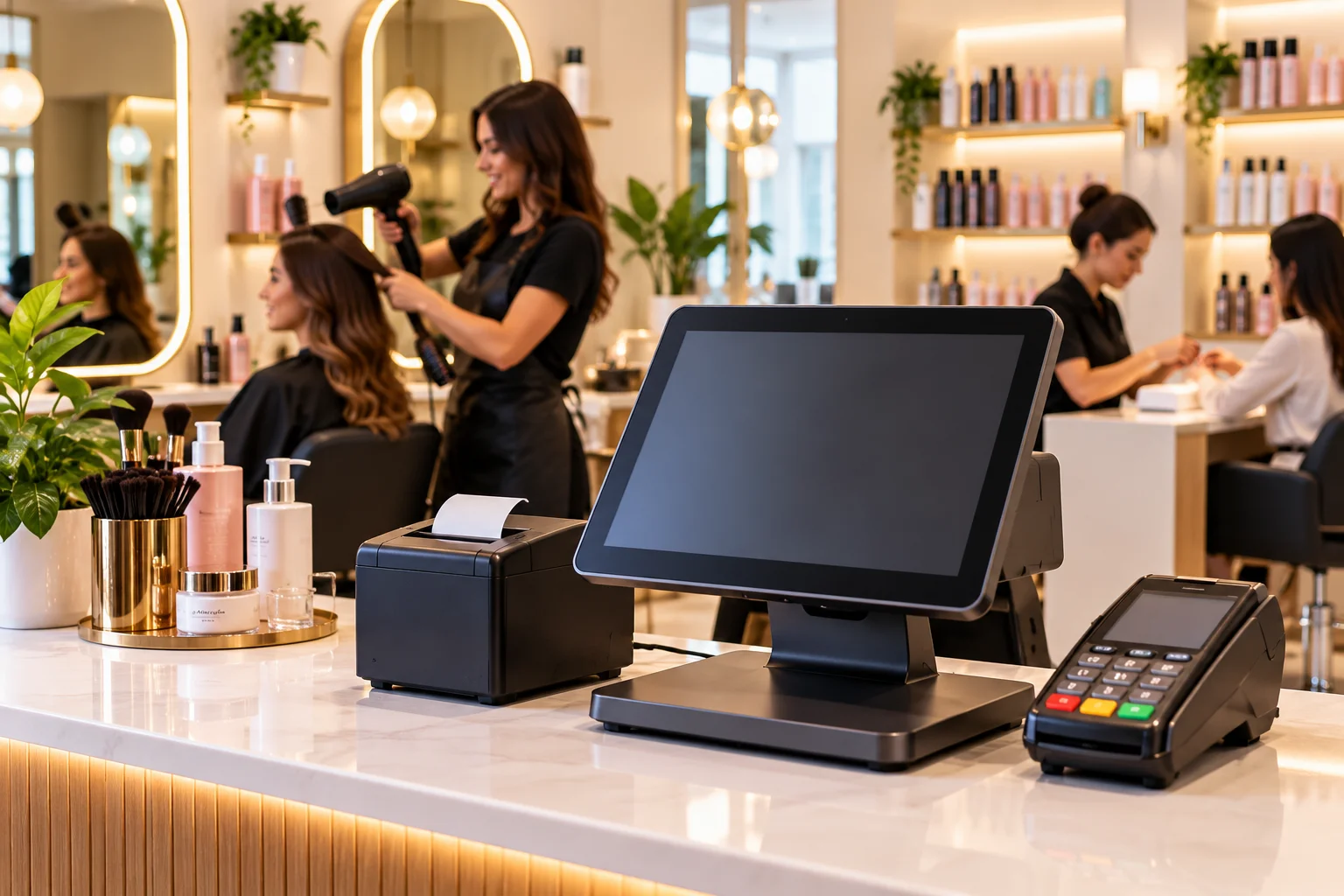
Running a beauty salon means managing more than appointments. Between walk-in clients, service payments, staff schedules, tips, and retail products, the front desk can become a bottleneck during busy hours. A Beauty Salon POS System helps bring these tasks into one workflow, making it easier to track transactions, manage customer records, and keep daily operations organized.
For independent salon owners in the United States, the right beauty salon point of sale software should be practical, easy for staff to learn, and suited to the services offered. Whether you operate a small beauty studio or manage several locations, the goal is to reduce manual administration without making the customer experience feel impersonal.
Why a Beauty Salon POS System Matters
Consider a Saturday afternoon when several clients arrive for facials, hair treatments, manicures, and makeup services. One client wants to purchase shampoo before leaving, another needs to reschedule a future appointment, and a stylist needs an accurate record of tips and completed services.
When bookings, payments, staff records, and retail sales live in separate systems, the receptionist may have to enter the same information more than once. This creates extra work and makes end-of-day reconciliation harder.
A beauty salon POS system can connect supported tasks, from checking out a client to recording a product sale. Instead of relying on memory or handwritten notes, owners can use transaction records and reports to understand what happened during the day.
Essential Features of Beauty Salon Point of Sale Software
Not every salon needs the same setup. Before choosing a system, identify the tasks that take the most time or regularly cause confusion.
Appointment Scheduling and Client Management
A salon's appointment book needs to reflect staff availability, service duration, and changes throughout the day. Look for scheduling tools that let authorized staff book, move, and cancel appointments while keeping the calendar easy to read.
Automated confirmations and reminders can help communicate upcoming appointments, depending on the system and messaging plan. Client profiles can also store visit history and service preferences, allowing staff to prepare for returning customers without searching through paper records.
Quick Billing and Flexible Payments
Checkout should be straightforward, even when several clients finish their appointments close together. A suitable beauty salon point of sale system should let staff select completed services, add Retail Store Pos products, apply authorized discounts, record tips, and process the payment.
Confirm which payment methods are supported, including cash, credit and debit cards, and contactless payments where available. Ask the provider to demonstrate refunds, split payments, gift cards, and receipt options before you commit.
Payment processing costs deserve equal attention. Compare the transaction rates, per-transaction charges, monthly fees, equipment costs, and contract terms. A low advertised rate may not represent the full cost of accepting payments.
Staff Performance and Commission Tracking
Salons often use different compensation arrangements. Some employees earn a commission on services, others receive hourly pay, and independent professionals may rent a chair or treatment room.
The POS should clearly attribute each completed service and retail transaction to the appropriate employee where supported. If commissions are part of your business model, verify whether the system calculates your exact commission rules or simply provides sales reports for manual calculation.
For example, a color treatment and a retail shampoo sale may follow different commission rules. Test how discounts, refunds, tips, and shared services appear in employee reports. A POS can support recordkeeping, but payroll calculations and employment obligations still need to be handled correctly.
Retail Inventory and Product Usage
Beauty salons may sell skincare products, shampoos, conditioners, cosmetics, and styling tools. They may also use professional products during treatments. Tracking retail stock alone will not provide a complete picture if treatment-room usage is never recorded.
Choose a system that can track product sales, stock received from suppliers, and low-stock levels. If you need to track products consumed during services, confirm whether the software supports that workflow. Otherwise, you may need a separate usage log or inventory adjustment process.
For example, when a popular moisturizer sells out faster than expected, sales history and stock counts can help you decide when to reorder. Accurate records depend on staff recording deliveries, returns, damaged goods, and stock movements.
Reporting and Multi-Location Management
Daily reports should help answer practical questions: Which services generated the most sales? How much retail stock moved? What were the day's refunds and discounts? How did payment totals compare with the cash drawer and processor records?
If you operate more than one salon, check whether the platform supports centralized reporting and separate location-level views. Multi-location inventory tools may also help staff check whether another branch has an item before placing a new supplier order. Confirm whether stock transfers and shared inventory are included in your chosen plan.
Choosing the Best POS System for a Beauty Salon
The best POS system for a beauty salon is the one that fits your actual workflow, not necessarily the one with the longest feature list.
Use a live demonstration to test a normal transaction from beginning to end. Book a client, record the service, add a retail product, apply a tip, take payment, and check the resulting report. Then test a cancellation, refund, and inventory adjustment.
Before purchasing, confirm the following:
- Ease of use: Can receptionists and service professionals learn the system without lengthy training?
- Full operating cost: What will you pay for software, hardware, payment processing, integrations, and support?
- Staff permissions: Can you limit access to sensitive reports and management settings?
- Customer data: What information is stored, who can access it, and how is it protected?
- Technical support: How can you get help if the terminal or booking workflow stops working during business hours?
- Growth options: Can the system support additional staff, services, and locations without forcing an unsuitable upgrade?
The Federal Trade Commission's guidance on protecting personal information is also worth reviewing. Client profiles and appointment records can contain personal information, so salons should establish sensible access controls and data-handling practices. A POS system can support those practices, but it does not automatically make a business compliant with every applicable privacy or security requirement.
How Gokul POS Supports Beauty Salon Operations
Gokul POS provides point-of-sale software, hardware, and payment solutions for businesses that need practical tools for daily operations. Its beauty salon POS systems page describes features for appointment scheduling, client profiles, inventory management, sales tracking, and staff reporting.
These tools can help salon owners organize transactions and reduce reliance on separate manual records. The exact capabilities, integrations, hardware compatibility, and pricing should be confirmed with Gokul POS based on your salon's requirements.
Owners can also review Gokul POS resources covering POS system features, POS hardware options, and credit card processing services. Evaluating software, hardware, and payment costs together gives you a clearer view of the complete setup.
No POS system can guarantee higher sales, eliminate every billing mistake, or ensure compliance with every applicable law. Staff training, accurate records, suitable configuration, and the salon's own operating procedures remain important.
Conclusion
A Beauty Salon POS System should make appointments, payments, staff reporting, and inventory easier to manage without adding unnecessary steps. Focus on the workflows your team uses every day, check the complete cost, and test the system with realistic transactions before purchasing. Gokul POS offers salon-focused POS solutions that owners can evaluate against their operational needs, helping them build a more organized approach to everyday salon management.