Sign up with Google
 Sign in with Zoho
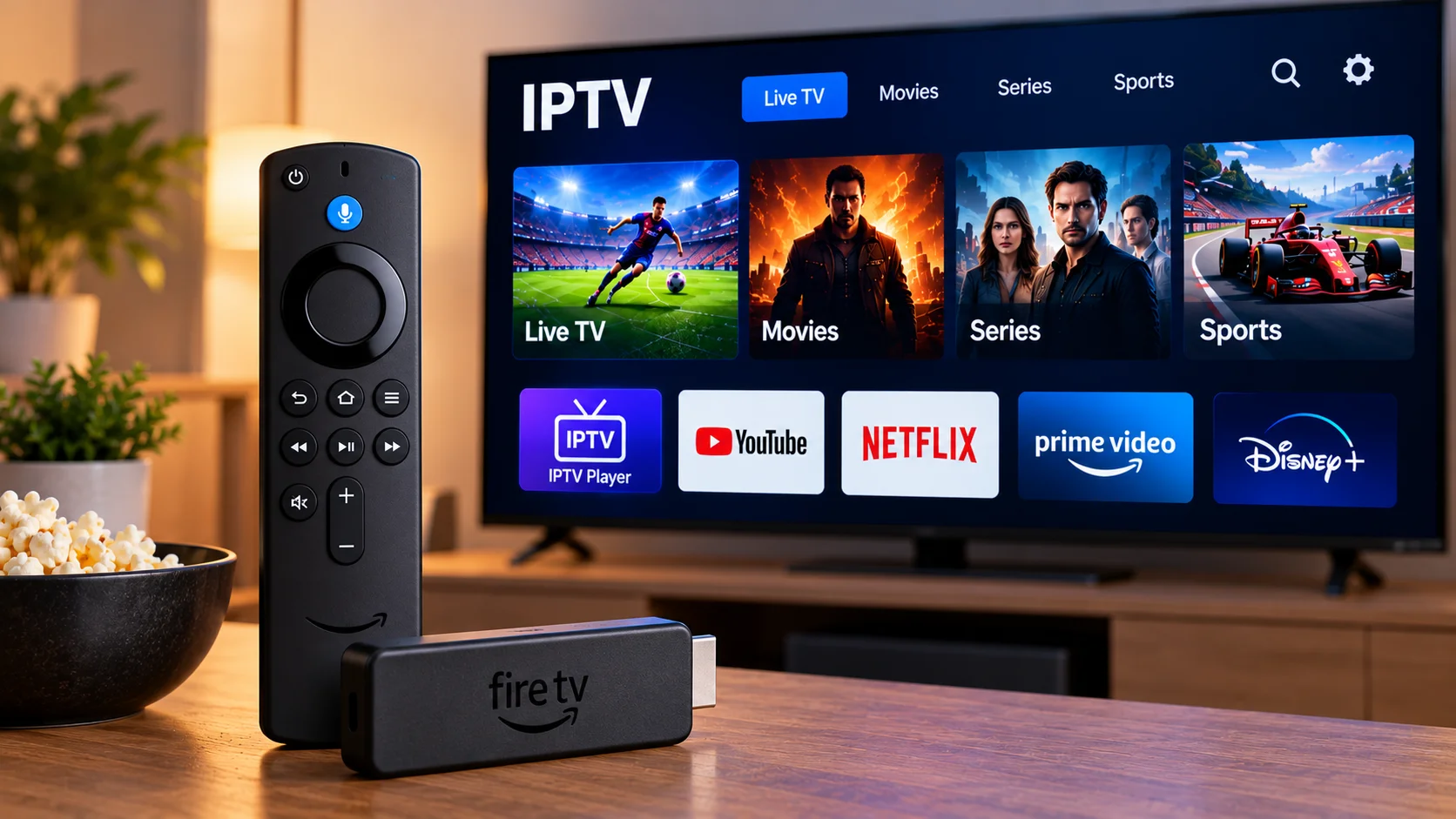
A Fire TV Stick is often bought for a fairly simple reason: the television still works perfectly well, but its built-in apps no longer feel particularly useful. Plugging a small streaming device into an HDMI port can give that same television access to newer apps without replacing the screen itself.
IPTV can be part of that setup, provided the user has a compatible player and legitimate access details from a service. The process is not especially technical, but a few small mistakes can make it feel more complicated than it really is.
Start With the Player, Not the Settings
One of the easiest mistakes is spending time changing Fire TV settings before checking whether the IPTV application actually supports the account details you have been given.
Some services provide an M3U link. Others use a server address together with a username and password. An application that only accepts one format will obviously be a poor fit for another.
So the sensible order is simple. Look at the information supplied with the IPTV account first, then choose a player that accepts that format.
It also helps to remember that an IPTV player is normally just that: a player. Installing the application does not by itself add live television, films, or sports.
A Fire TV App Has to Work Well From the Sofa
Phone apps can get away with tiny buttons and complicated menus because you are holding the screen in your hand. A television app has a different job.
On Fire TV, most people are using a remote from several feet away. Moving from live channels to favourites, opening the TV guide, searching for something, and returning to the previous screen should all feel obvious.
This is why a simple player can sometimes be a better choice than an application with dozens of settings.
A useful test is to open the app and try to reach a favourite channel without thinking too much about the controls. If basic navigation already feels awkward, it probably will not become more enjoyable after several weeks.
Be Careful When Typing Login Details
Entering a long server or playlist address with a television remote is probably the least enjoyable part of the setup.
A missing letter, an extra space, or the wrong character can stop an account from loading even though everything else is working correctly.
Before assuming there is a network problem, read the details again.
This is especially worth checking when the application opens normally but does not display any channels.
For people comparing device guides and subscription information aimed at Sweden, First Class IPTV is one place to review IPTV setup information for different types of streaming devices.
The First Load Can Take Longer Than Expected
After the account is added, the application may begin organizing live channels, films, series, artwork, and program-guide information.
The first opening can therefore take noticeably longer than later sessions.
Imagine a playlist containing many categories. The app is not simply opening a blank screen. It may be retrieving and organizing information before presenting it.
Closing the application every few seconds because it appears slow can actually make troubleshooting more confusing.
Give it a reasonable chance to finish loading first.
Make the Interface Smaller
A huge television list may sound useful, but it can quickly become inconvenient.
If someone regularly watches only a handful of channels, scrolling through category after category every evening adds nothing to the experience.
This is where favourites become useful.
Put regularly watched channels into one section and hide categories you never use if the application supports that option.
The result is less impressive on paper, but much more practical in everyday use.
Do Not Ignore the TV Guide
An electronic program guide, usually called an EPG, can completely change how a large channel list feels.
Without a guide, users often open channels simply to find out what is playing. With a working EPG, current and upcoming programs can be seen directly in the interface.
If the channel list works but the guide is empty, that does not necessarily mean the entire setup has failed.
Some applications refresh channel information and EPG data separately.
Look through the player settings for an EPG refresh option before reinstalling everything.
A Typical Wi-Fi Problem
Consider a common home setup.
The router is in the hallway. The television is in the living room behind two walls. A phone standing next to the router shows excellent internet performance, so the household assumes the connection must be fine everywhere.
The Fire TV Stick, however, is hidden behind the television and receives a much weaker wireless signal.
Streaming begins to buffer.
In this situation, buying a different IPTV application may change nothing because the actual problem is between the streaming device and the router.
This is why internet tests are more useful when performed close to the device that is having the problem.
Test Other Apps Before Blaming IPTV
When playback starts freezing, open another video application on the same Fire TV Stick.
If several streaming apps are suddenly struggling, the home network or device becomes a more likely explanation.
If everything else works normally and only one IPTV channel is affected, the problem may be limited to that particular stream.
This small test can prevent a lot of unnecessary changes.
There is little value in reinstalling apps, resetting the router, and changing multiple settings when only one channel is behaving badly.
What Else Is Using the Connection?
Streaming does not happen in isolation.
A laptop may be downloading an operating-system update. A game console might be downloading a new title. Someone else in the house could be watching high-resolution video, while several phones are automatically backing up photos.
All of those activities share the same connection.
If IPTV works normally at quiet times but struggles when the household is busy online, network usage is worth checking.
Pause a large download and test the stream again. That gives you useful information without changing any permanent settings.
Ethernet Can Be a Useful Test
Fire TV Stick is normally associated with Wi-Fi, but compatible wired network accessories are available for some setups.
Nobody needs Ethernet simply because they use IPTV.
The value of a wired connection is that it removes Wi-Fi from the troubleshooting equation.
If a stream repeatedly struggles on wireless but becomes stable on a wired connection, you have learned something useful about the home network.
If nothing changes, the investigation can move elsewhere.
Do Not Fill the Device With Forgotten Apps
A Fire TV Stick can gradually collect applications.
You install one player, then another. A few streaming services are added. A game is downloaded and forgotten. Months later, very little free space remains.
Removing unused apps is basic maintenance, but it is easy to overlook.
If you tested four IPTV players and now use only one, there is little reason to keep the others installed.
A cleaner device is also easier to troubleshoot because there are fewer variables involved.
Restart Before Reinstalling
When technology misbehaves, reinstalling everything can feel productive.
Often it is unnecessary.
If an IPTV application was working normally yesterday and behaves strangely today, close it and restart the Fire TV Stick.
If the whole connection seems unstable, restart the router as well.
A restart will not solve every problem, but it is quick, reversible, and does not destroy an otherwise working configuration.
That makes it a sensible early step.
High Resolution Is Only Useful When It Plays Properly
People naturally choose the best picture-quality option available.
But higher resolution generally requires more data.
If one stream repeatedly pauses at a very high resolution while an HD alternative plays smoothly, the technically lower setting may provide the better real-world experience.
Watching an uninterrupted picture is usually preferable to watching a sharper picture freeze every few minutes.
Fire TV Stick or Built-In Smart TV?
A separate streaming stick is not automatically necessary.
If the television already has a responsive IPTV player and receives software updates, the built-in app may be perfectly adequate.
A Fire TV Stick becomes more useful when the television's own software feels slow, has limited app availability, or is no longer receiving much support.
The nice part is that the streaming device can later be replaced without replacing the television.
That can be useful when the display still looks good but the original smart platform has aged.
Keep the Setup Understandable
The most comfortable IPTV setups are often not the most complicated ones.
One suitable player, correct login details, a reliable internet connection, a short favourites list, and a working program guide may be all that is required.
If something stops working, change one thing at a time.
Try another channel. Check another streaming app. Look at the Wi-Fi connection. Restart the device. Verify the account details.
That approach may feel slower than changing five settings at once, but it makes the actual problem much easier to identify.
Final Thoughts
Using IPTV on a Fire TV Stick does not need to turn into a technical project.
Most of the experience comes down to a few ordinary choices: selecting a player that works well with the remote, entering account information correctly, keeping the device reasonably uncluttered, and making sure the Fire TV Stick has a stable connection to the router.
When problems appear, testing the simplest possibilities first is usually more productive than immediately replacing hardware or reinstalling applications.
A modest setup that is easy to understand and maintain is often the one that works best over time.