Sign up with Google
 Sign in with Zoho

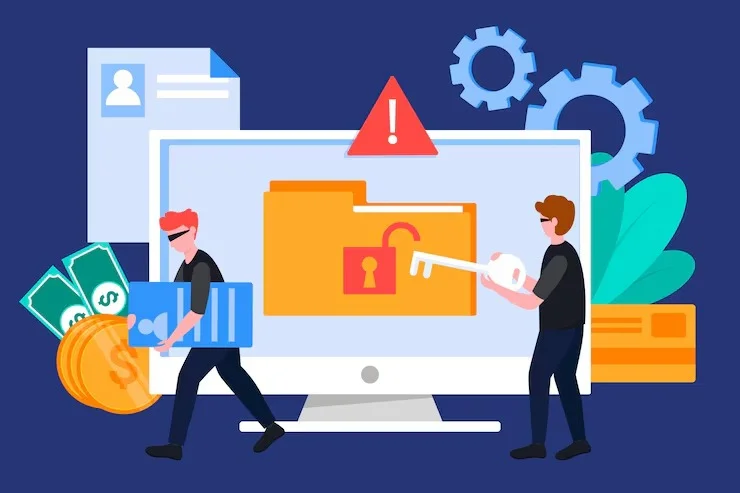
Checkout errors can turn a ready-to-buy customer into a lost sale within seconds. A payment button may stop responding, a discount code may fail, a shipping option may disappear, or an order may not complete after payment. While regular maintenance cannot guarantee that every checkout problem will never occur, it can identify and reduce many technical issues before they affect customers.
If you run an ecommerce website, you should treat checkout maintenance as an ongoing business task rather than something you address only after customers report a problem.
Why Do Checkout Errors Happen?
Checkout problems can come from several parts of your website. Your ecommerce platform, payment gateway, plugins, themes, hosting environment, database, security settings, and third-party integrations can all affect the purchasing process.
For example, a plugin update may conflict with your checkout system. A payment gateway may change its API requirements. An outdated ecommerce extension may stop communicating correctly with your store. Even a minor JavaScript error can prevent customers from selecting a shipping method or submitting an order.
These problems are particularly concerning because customers may not always report them. Instead, they may leave your website and purchase from another business.
Can Regular Maintenance Prevent Checkout Errors?
Yes, regular maintenance can prevent or reduce many checkout errors by identifying technical problems before they become serious. However, prevention depends on what is being monitored and how consistently maintenance is performed.
A structured maintenance routine should include software updates, compatibility checks, security monitoring, backup verification, performance testing, broken-link checks, and checkout testing.
You can use Website Maintenance Packages for E-Commerce Checkout Support to establish an ongoing maintenance process instead of relying on occasional emergency fixes.
The goal is simple: detect problems early, test important website functions regularly, and resolve technical issues before they interrupt customer transactions.
What Should You Test During Checkout Maintenance?
Your checkout process deserves more than a quick visual inspection. You should test the complete customer journey from product selection to order confirmation.
Start by checking whether products can be added to the cart correctly. Then test quantity changes, coupon codes, shipping calculations, tax calculations, customer information fields, payment options, and order confirmation.
You should also test checkout on mobile devices. A checkout that works correctly on a desktop computer may behave differently on a smaller screen because of responsive design problems, browser compatibility issues, or touch-interface errors.
Test different payment methods when possible. If your store accepts credit cards, digital wallets, bank transfers, or other payment options, each method should be checked periodically.
How Do Plugin Updates Affect Checkout?
Plugin and extension updates are important for security, compatibility, and functionality, but updates can sometimes create conflicts.
Suppose your payment gateway plugin is updated while another ecommerce extension still depends on an older version of a related component. The result could be anything from a minor display problem to a checkout failure.
Before applying major updates, you should maintain a recent backup and test important website functions afterward. If your website uses several integrations, compatibility testing becomes even more important.
A controlled maintenance process helps you identify whether an update improves your website or introduces a new problem.
Why Website Performance Matters at Checkout
Checkout pages need to respond quickly because customers are already close to completing a purchase. Slow-loading forms, delayed payment responses, or unresponsive buttons can create uncertainty and encourage customers to abandon the transaction.
Regular maintenance should therefore include performance monitoring. Check large images, unnecessary scripts, database issues, caching configurations, server performance, and third-party resources that may affect page speed.
You should also review your website from different devices and browsers. Your customers may use Chrome, Safari, Edge, Firefox, Android devices, iPhones, tablets, or desktop computers.
A maintenance process that includes performance and compatibility checks gives you a better opportunity to catch problems that a single-device test could miss.
How Can You Identify Checkout Problems Early?
You can use several practical checks to detect problems before customers do.
First, monitor completed and failed transactions. An unusual increase in failed orders can indicate a technical or payment issue.
Second, review website error logs and ecommerce notifications. These can reveal server errors, failed API requests, database problems, or JavaScript conflicts.
Third, perform scheduled test purchases. Use controlled test transactions to confirm that cart, checkout, payment, order processing, confirmation emails, and related functions are working correctly.
Fourth, review customer complaints. If several customers mention similar checkout problems, treat those reports as technical signals rather than isolated incidents.
Professional Website Maintenance Services for Checkout Monitoring and Support can help you maintain these checks consistently and address technical problems before they become costly disruptions.
What Does Preventive Checkout Maintenance Include?
A practical maintenance routine should cover more than updates. You should review:
- Ecommerce plugins and extensions
- Payment gateway connections
- SSL and security settings
- Checkout forms and validation
- Shopping cart functionality
- Coupon and discount systems
- Shipping and tax calculations
- Order confirmation emails
- Mobile checkout behavior
- Browser compatibility
- Website speed and server performance
- Error logs and failed transactions
- Backups and recovery procedures
You should also document important changes. If a checkout problem appears after an update, having a record of recent changes makes troubleshooting much faster.
Can Maintenance Reduce the Cost of Checkout Problems?
Preventive maintenance can reduce the business impact of technical failures because smaller problems are often easier to diagnose and resolve than major failures discovered after customers are affected.
Imagine discovering a payment integration problem during a scheduled test rather than after several customers complain that they cannot complete their orders. Early detection gives you time to investigate, test a solution, and restore normal functionality with less disruption.
Maintenance also helps you avoid letting small technical issues accumulate. A broken integration, outdated plugin, slow database, and security warning may each seem manageable individually. Together, they can create a fragile ecommerce environment.
When Should You Schedule Checkout Testing?
You should test checkout regularly and whenever significant changes are made to your website.
Test after major plugin or platform updates, payment gateway changes, theme modifications, hosting migrations, website redesigns, security updates, and changes to shipping or tax configurations.
You should also test after receiving reports of failed transactions or unusual customer behavior.
There is no universal testing interval for every ecommerce website. A store with frequent transactions and multiple integrations may require more frequent checks than a small site with limited purchasing activity.
Build a Maintenance Routine Before Problems Appear
Checkout errors cannot always be predicted. Third-party services can experience outages, payment providers can change requirements, and unexpected software conflicts can occur.
However, you can reduce avoidable problems by keeping your website updated, testing important functions, monitoring performance, maintaining backups, and reviewing integrations regularly.
For a business that depends on online transactions, maintenance is not simply a technical task. It protects an important part of the customer experience and helps you identify potential failures before they affect revenue.
JDM Web Technologies provides website development and digital marketing solutions for businesses that need reliable online performance. If you want your website maintained proactively, Contact Us to discuss your website’s maintenance requirements.
FAQs
1. Can regular maintenance eliminate all checkout errors?
No. Regular maintenance can reduce many preventable technical problems, but it cannot eliminate failures caused by payment providers, hosting outages, third-party services, or unexpected software conflicts.
2. How often should an ecommerce checkout be tested?
You should test checkout regularly and after significant website changes. Major plugin updates, payment gateway changes, redesigns, migrations, and configuration changes should trigger additional checkout testing.
3. What is the most important checkout maintenance task?
There is no single task that covers every risk. You should combine software updates, compatibility checks, payment testing, performance monitoring, security reviews, backups, and transaction monitoring.
4. Can plugin updates cause checkout problems?
Yes. Plugin updates can sometimes create compatibility conflicts with ecommerce platforms, themes, payment gateways, or other extensions. Testing checkout after important updates can help identify these problems quickly.
5. Does website maintenance help reduce lost sales?
It can. Regular monitoring and testing can identify checkout failures, slow pages, broken integrations, and other technical problems earlier, reducing the time customers may be unable to complete purchases.