Sign up with Google
 Sign in with Zoho

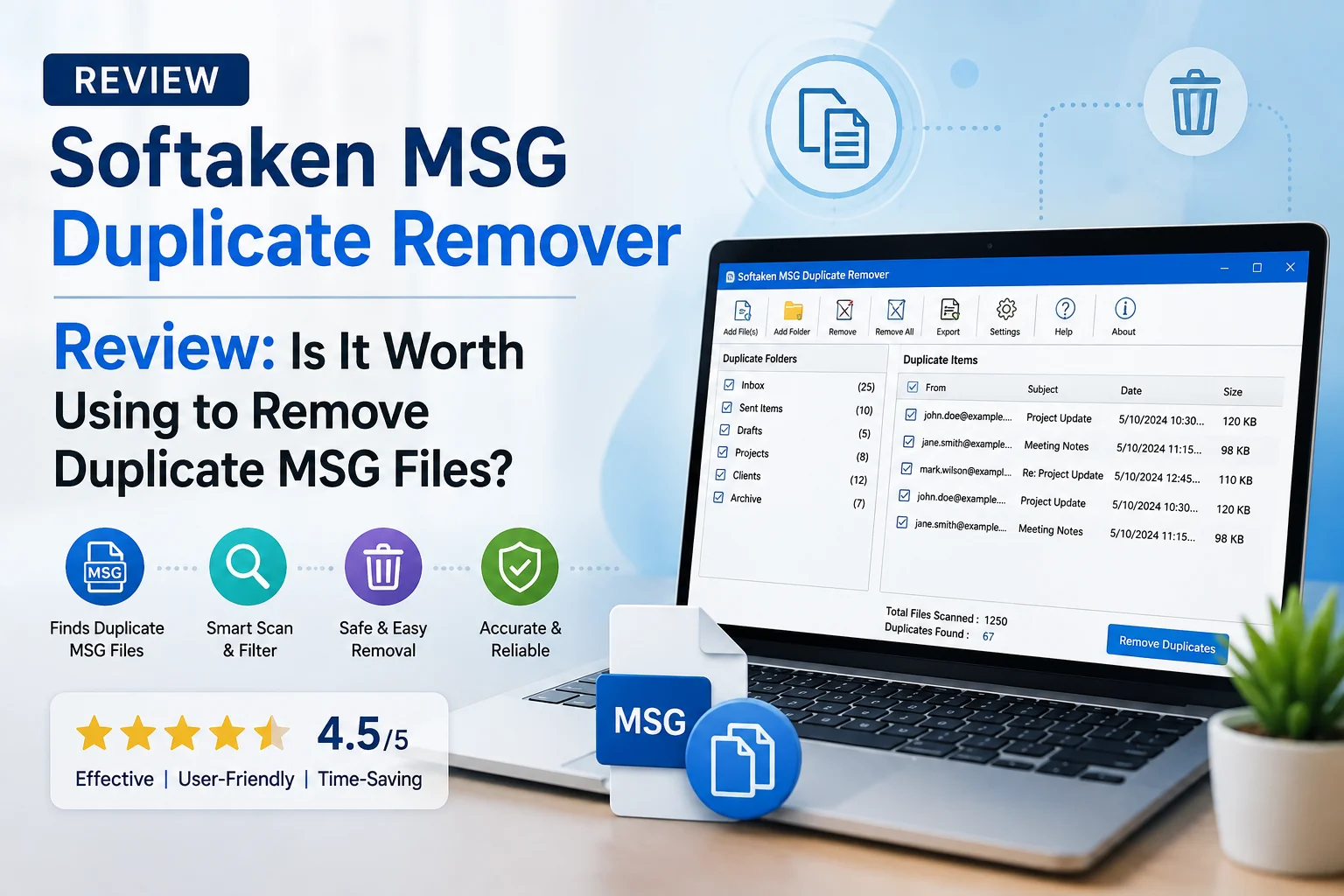
It’s easy to accumulate duplicate MSG files, especially if you export Outlook emails repeatedly, copy them between folders or collect them from different backups. It may not be a big deal if you get a few duplicate messages at first. But when the collection is in the hundreds or thousands of MSG files, finding the original message and getting rid of the needless duplicates can be difficult.
Here is where Softaken MSG Duplicate Remover plays a role. Instead of manually opening MSG files and comparing their contents, the software scans groups of MSG emails and finds duplicate copies.
But is it even worth using?
In this review, I discuss its usability, approach for duplicate detection, bulk processing ability, performance, benefits, limitations, and where it makes the most sense.
Overview
Softaken MSG Duplicate Remover is a Windows utility that can help you find and delete duplicate Outlook MSG files.
The software is particularly handy if MSG files have been created from various email exports, backups, migrations or manual copies. The duplicate removal process uses email information to find messages that are the same email instead of just using the file names.
Useful for this can be:
- Outlook MSG Email Archiver
- Backup folders in e-mail
- Outlook messages exported
- Several instances of one email
- Business email list
- MSG files generated in migration projects
- Big folders with duplicate messages
The basic idea is simple: scan the MSG collection, identify the duplicate emails, and delete the unnecessary copies.
First Impressions and Ease of Use
The software has a relatively simple workflow, which is important for a file-cleaner utility.
You do not have to open each MSG file manually to get the process going. Usually, you add the MSG files or folders you want to scan, and check the duplicate results. Finally, you can delete the undesired copies.
Steps
- Run Softaken MSG Duplicate Remover.
- Add the MSG files or select the folder where they are located.
- Start scanning.
- Have the software locate duplicate emails.
- Review the found duplicates.
- Select the copies you want to delete.
- Begin the removal process.
One of the better features is the simple workflow. The procedure should not require too much technical stuff for users already familiar with Outlook files.
How Well Does It Detect Duplicate MSG Files?
The most important part of this type of software is the detection of duplication.
It’s not just about filename matching. These files could contain the same email, potentially:
Project_Update.msg Project_Update_Copy.msg Project_Update_New.msg
The names of the files are different. But the email itself might be the same one.
So a useful MSG duplicate remover has to look beyond filenames and check relevant email information. This makes the cleanup process more feasible when files have been renamed or copied between different folders.
For important e-mail archives, however, I would still recommend reviewing the detected duplicates before permanent deletion.
Bulk Processing of MSG
Here is where a dedicated tool is way more useful than manual cleanup.
Suppose you have an archive with 2000 MSG files. It would take a lot of time to open each file and see who sent it, what the subject was, what the date was, what the content was, and decide if it was a duplicate.
Softaken MSG Duplicate Remover is designed to remove duplicates from multiple MSG files in batch.
Why It’s Important
When bulk processing can help
- Some folders in Outlook have duplicate messages.
- Multiple backups combined.
- MSG files were exported many times.
- An IT team is cleaning up an old e-mail archive.
- A business has years’ worth of exported emails.
With this, users can work with a larger collection in one workflow, instead of repeating the same process for every file.
Folder-Based MSG Cleanup
Another practical feature is the ability to work with folders of MSG files.
That’s helpful because email archives are perfectly organized. Perhaps you have a project folder, a backup folder, and several folders created during previous migrations.
You can simplify large-scale cleanup by processing a folder instead of selecting files one by one.
It also cuts down on the amount of repetitive file selection you have to do before scanning.
Performance: What Should You Expect?
Performance is dependent on several factors including:
- Number of MSG files
- File size per file
- Attachment Count
- Speeds of storage drives
- Computer hardware.
- Folder structure in general.
Processing a small MSG collection should not be too hard. Of course, bigger archives take longer, because there are more software files and email information to sort through.
A folder containing several thousand small MSG files is a different workload than a folder containing several thousand large emails with attachments, for example.
Bulk processing can remove a lot of manual work. But don't expect every large archive to finish instantly.
Data Safety and Accuracy
Accuracy is more important than speed when deleting email files.
A duplicate removal tool should be able to identify duplicate emails, but not treat similar emails as duplicates. Sometimes two emails will have the same subject but different content (especially if they are in the middle of a conversation).
Therefore, the duplicate detection should be done carefully.
It is wise to do the following before running a large deletion task:
- Make a copy of the original MSG folder.
- Collection scan.
- Check the duplicates found.
- Ensure that the files you’ve selected aren’t actually needed.
- Remove the duplicates only after verification.
This is especially relevant for business, financial, legal or other important email archives.
Pros
When the software is viewed from a practical perspective, several advantages become apparent:
- Easy workflow
- Specifically for MSG duplicates clean up
- Allows batch processing
- Great for big collections of MSGs
- Decreases manual comparison work
- Helps sort exported Outlook e-mail messages
- Ideal for home and business archiving
- Can process folders with multiple MSG files
- Makes repetitive cleaning jobs much easier
Cons
An honest review also needs to consider where the software may not be the best fit.
Windows-Based Software
Softaken MSG Duplicate Remover is a Windows-based utility. If your main computer is macOS or Linux, you’ll need to look for another way.
Large Collections Could Take Time
It is not an instant operation to process thousands of MSG files. The scan time depends on the number and size of files and the computer used.
Who Should Use It?
This MSG duplicate remover is best used by users who are regularly dealing with large MSG collections.
It can be a pragmatic choice for:
- IT admins
- Outlook users with email archives
- Companies that delete old email backups
- Professionals working on email migration projects
- Users combining multiple MSG exports
- Organizations handling years of exported mail
The benefits may be limited if you have a collection of 10 or 20 files. For hundreds or thousands of files this time-saving can be much more important.
Is Softaken MSG Duplicate Remover Worth Using?
The answer depends very much on how big your MSG collection is.
If you don’t deal with MSG files frequently and have a few duplicates, manual cleanup may be enough. There is little point in introducing dedicated software for a very small task.
The situation changes when duplicate MSG files have piled up across large folders or multiple backups. Then manually comparing emails is repetitive and inefficient.
Softaken MSG Duplicate Remover provides a dedicated way to tackle that problem. The main advantages are: batch processing, a simple workflow and specific MSG duplicate detection.
The most worthwhile users will be those dealing with hundreds or thousands of MSG files, particularly if they are from repeated Outlook exports or email backup operations.
Final thoughts:
So, is it worth using Softaken MSG Duplicate Remover?
Small MSG collections? I don't think so. For a small number of files manual checking is perfectly adequate.
For larger collections however, this is not the case. Many Outlook exports, old backups, and email folder copying can create hundreds or thousands of duplicate MSG files. Doing this manually to find those duplicates can take hours and makes it more likely that you will miss files.
Softaken MSG Duplicate Remover offers a practical method where users can perform bulk MSG file processing and work on duplicate cleanup, instead of manual comparison of each and every message.
It is not a substitute for a good backup plan, and users should review important email archives before deleting anything permanently. But if you want to reduce duplicate MSG files effectively, this is a solution to consider.