Sign up with Google
 Sign in with Zoho

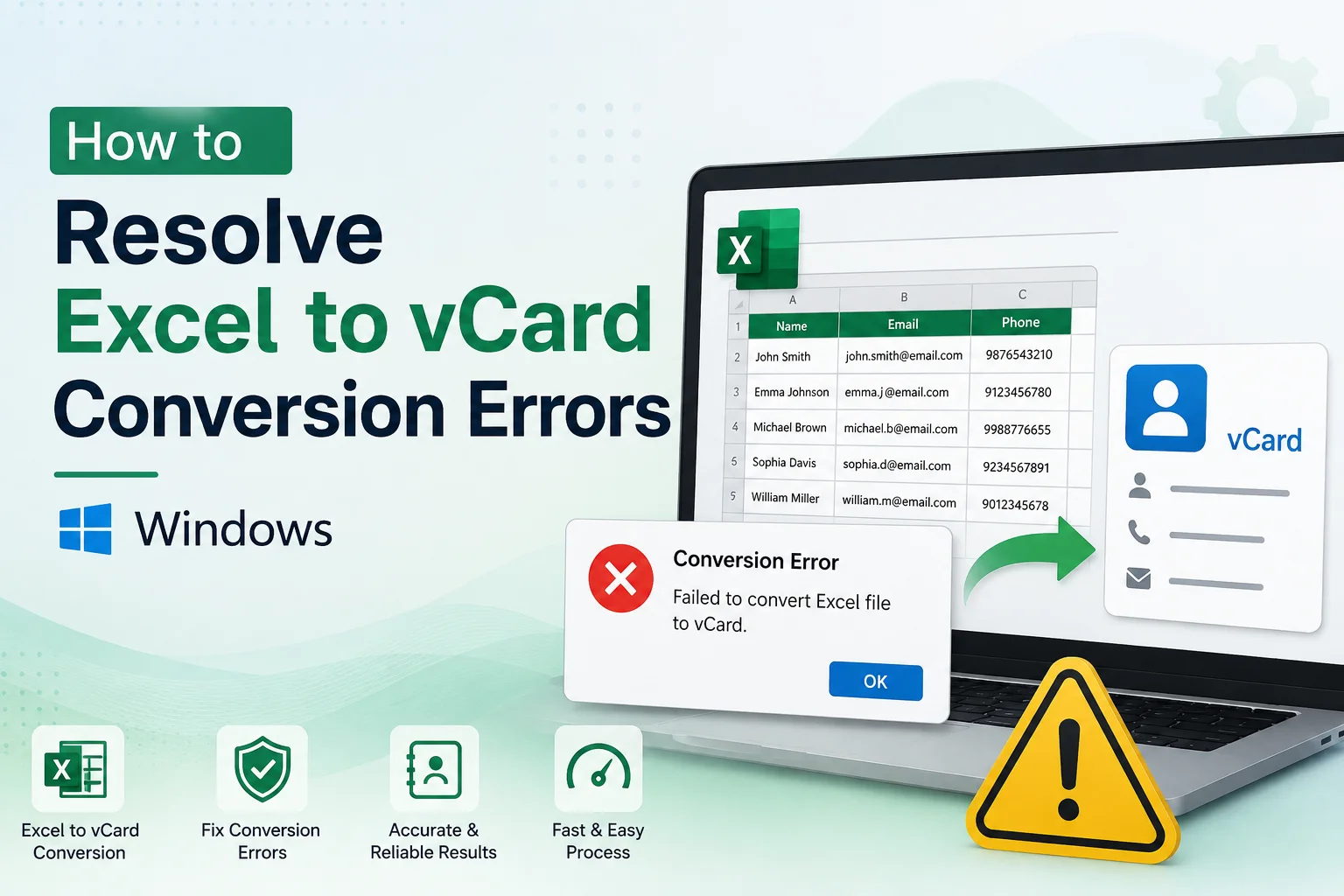
Converting Excel contacts to vCard (VCF) format is one of the easiest ways to transfer contact information to Android phones, iPhones, Microsoft Outlook, Gmail, Apple Contacts and other contact management applications. But it’s not always a rosy bed. Many Windows users face conversion errors, missing contact details, unsupported file format warnings, or VCF files that do not import properly.
These issues can be frustrating, especially when you have hundreds or thousands of contacts to deal with. Luckily, most Excel to vCard conversion errors are easy to fix. This problem is frequently due to improper formatting of the spreadsheet, unsupported data, fields missing from the contact, or a conversion method that is not supported.
In this guide, you will learn why Excel to vCard conversion errors occur in Windows, how to troubleshoot them step-by-step and the best practices to ensure that your contacts are converted accurately without losing any important information.
Why Users Want to Convert Excel Contacts to vCard?
vCard files are one of the most widely used contact formats and are supported by a large number of devices and applications.
1. Importing Contacts to Android Phones
Android can import VCF files directly. Transferring large contact lists is very easy.
2. Transfer Contacts to iPhone
Many iPhone users convert Excel spreadsheets into vCard format before importing contacts to iCloud or Apple Contacts.
3. Import Contacts into Outlook
VCF files are frequently used by companies to import their customer and employee contact lists into Microsoft Outlook.
4. Make a Portable Contact Backup
A vCard file is a universal backup you can restore on different devices and operating systems.
5. Exchange Contact Details
VCF files are well-supported, making them useful for sharing professional or personal contact lists.
Method 1: Check the Excel File Format
Best for: Users getting errors about unsupported file formats.
Some conversion methods are only compatible with certain Excel formats.
Steps
- Open the Excel workbook.
- Make sure the file is saved as XLS or XLSX.
- If necessary, save the workbook to a supported format.
- Delete unnecessary worksheets.
- Save the file with the changes.
- Try the conversion again.
Pros
- Fixes an issue with compatibility.
- Simple to perform.
- Increases conversion reliability.
Cons:
- Does not fix formatting problems.
- Some tools still require CSV files.
Method 2. Save Excel as CSV
Best for: Conversion utilities that take CSV input.
Many conversion tools for Windows work better with CSV files.
Steps
- Open the workbook.
- Choose Save As.
- Select CSV format.
- Save the file.
- Confirm exported data.
- Begin the conversion using the CSV file.
Pros
- Improved compatibility.
- Easy process.
- Widely adopted.
Cons
- Remove Excel Formatting.
- Separate exports are required for multiple worksheets.
Method 3: Organize Contact Fields Correctly
Best for: Lost or incomplete contacts post-conversion
Field mapping is often wrong because columns are not correctly organized.
Steps
- Have clear column headings.
- Ensure that each contact has a name.
- Check phone numbers.
- Validate email addresses.
- Delete empty columns.
- Save the workbook.
- Attempt to convert again.
Pros
- Enhanced field mapping.
- Fewer errors in conversion.
- Generates cleaner VCF files.
Cons
- A manual review is required.
- It takes a long time for big spreadsheets.
Method 4: Remove Invalid Characters
Best for: Users who face sudden conversion failure.
Special symbols, hidden formatting or unsupported characters can break the conversion process.
Steps
- Look for symbols that aren’t normal.
- Strip away superfluous symbols.
- Remove unsupported formatting.
- Imported data check.
- Save the workbook.
- Reconvert.
Pros:
- Fixes formatting problems.
- Increases compatibility.
- Basic troubleshooting approach.
Cons
- Additional review required for large files.
- Manual editing might be necessary.
Method 5: Split Large Contact Lists
Best for: Very large Excel files.
Some conversion methods have limitations and cannot process large spreadsheets with thousands of contacts.
Steps
- Split contacts into smaller spreadsheets.
- Save each file individually.
- Convert one spreadsheet at a time.
- Check the VCF files.
- Import the contacts into your destination app.
Pros
- Simpler troubleshooting.
- More processing speed.
- Reduces issues with conversion.
Cons
- Created multiple VCF files.
- More manual work.
Professional Solution for Excel to vCard Conversion
Manual troubleshooting is fine for a small list of contacts. But organizations typically have thousands of contacts across multiple Excel files. In this case, the process can be simplified and errors during conversion can be avoided by using the Softaken Excel to vCard Converter.
Sophisticated conversion software automatically maps Excel columns to the appropriate vCard fields, minimizing the risk of overlooking names, phone numbers, email addresses, companies, addresses and other contact details. Most tools support both XLS and XLSX formats, batch conversion, contact preview and the option to create individual VCF files or one merged vCard file.
This also has the advantage of supporting different vCard versions, so you can create VCF files that work on Android devices, iPhones, Microsoft Outlook, Gmail, Apple Contacts and many other applications.
Features and Benefits
- Supports XLS and XLSX files.
- Converts Excel contacts to standard vCard.
- Stores names, phone numbers and email addresses.
- Supports a multi-file conversion.
- Generates single or multiple VCF files.
- Preview of contact before conversion.
- Supports multiple versions of vCard.
- Large contact databases handled efficiently.
- Does not change the original Excel file.
Final Thoughts
In Windows, when you try to convert Excel to vCard and it doesn’t work, it’s usually because of formatting problems in the spreadsheet, wrong field mapping, unsupported file formats or compatibility issues. The majority of these issues can be prevented with good preparation and verification.
First check the format of the Excel file, then arrange the fields of contact, remove any invalid characters and test the created VCF file. If you have big contact databases or multiple spreadsheets, then a professional Excel to vCard converter can help ease the process while keeping the entire contact details.
Always double-check to make sure all contacts were converted and imported by your destination app before deleting the original Excel file.