Sign up with Google
 Sign in with Zoho

Introduction
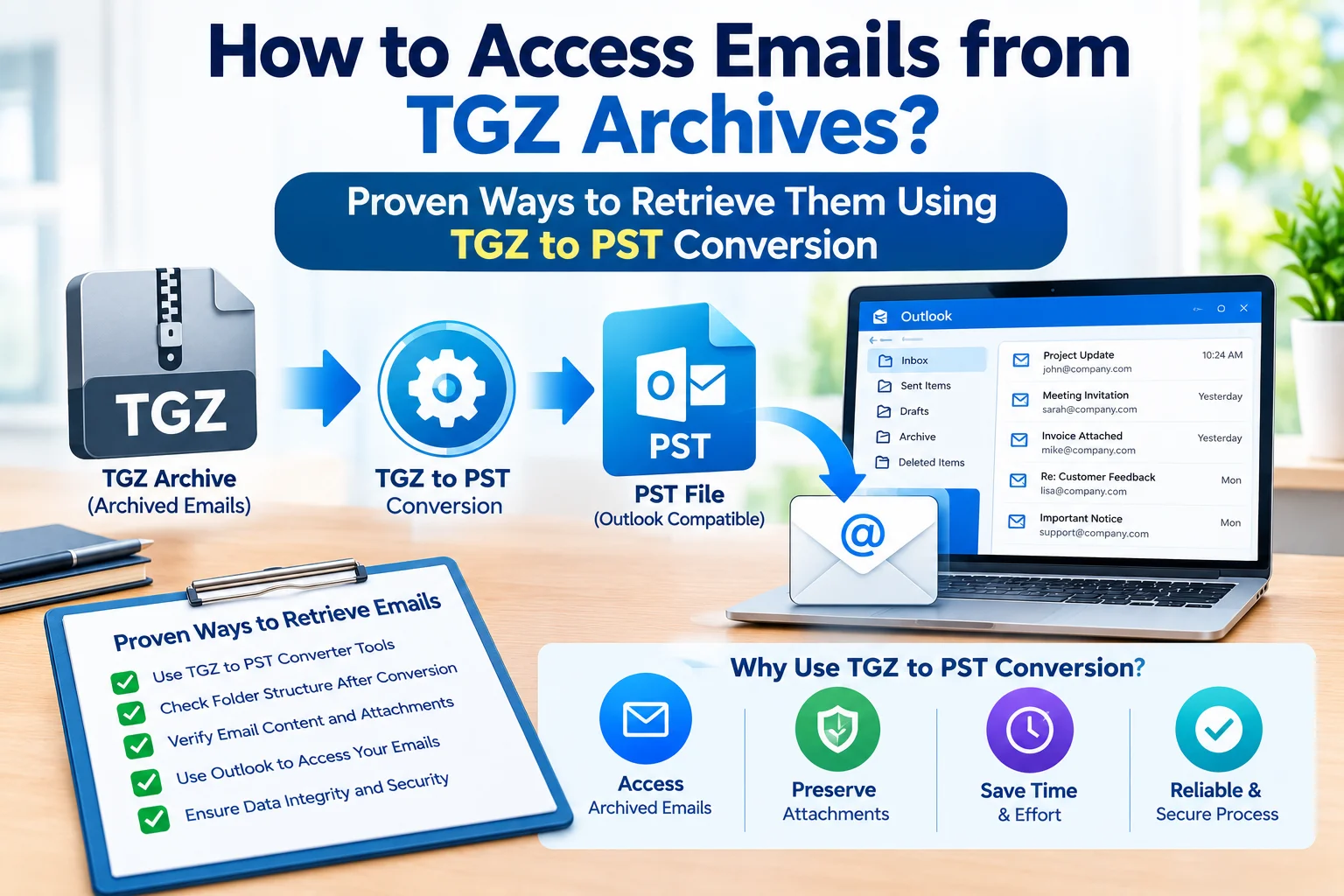
Storing emails inside a TGZ archive can be a problem when you want to access such messages through Microsoft Outlook. PST is a standard data format of Outlook. TGZ is a typical format for Zimbra mailbox exports. This means that archived email data cannot be exported from Zimbra to Outlook as a PST file and users migrating from Zimbra to Outlook cannot access their archived email data.
The best thing is that there are techniques to get emails out of a TGZ archive. For smaller datasets, a manual method might work, but if you have large mailboxes, attachments, folder organization and several files, a dedicated TGZ to PST converter can greatly ease the process.
Why Is It Difficult to Get Emails from TGZ Archives?
A TGZ archive is meant to contain exported mailbox data. Outlook does not directly recognize a TGZ file as an Outlook Data File. Therefore, users who want to convert Zimbra emails to Outlook sometimes need an intermediate method to get data in PST format.
The challenge is even greater when the archive contains thousands of emails, attachments, many files, or important historical communications. Performing each item manually can be quite time-consuming and can make it difficult to preserve the original mailbox organization.
Can You Manually Retrieve TGZ Emails?
Yes, users can try to manually migrate from TGZ to PST by extracting the archive, opening the email files it creates, importing them into Outlook and then exporting the Outlook folder as a PST file.
Manual Method: TGZ to EML to Outlook to PST
Step 1: Extract TGZ Archive
Extract the TGZ file with archive software of your choice. Depending on the archive, you might also need to extract the contents of the resulting TAR.
Step 2: Find the Email Files
After extraction, locate the available email data and identify the email files and their respective folders.
Step 3: Import EML Files into Outlook
In Outlook, you can set up a folder to which you will manually move the extracted EML messages, usually by dragging and dropping them into the proper Outlook folder.
Step 4: Export Outlook Data into PST
Once you have imported the messages you want, utilize the Import and Export facility within Outlook to export the folder you choose and produce an Outlook PST file.
If you only need to migrate a small amount of email data, this method can be helpful.
What Are the Disadvantages of the Manual Method?
The manual method does not use any dedicated conversion software. However, it is inconvenient when the amount of data increases.
- The manual method is a multi-step extraction and import process.
- Large TGZ archives can take a while to handle.
- Thousands of EML files require extensive manual processing.
- Maintaining the original folder structure can be tricky.
- After migration, check attachments and message metadata.
- It can require the correct source environment and Outlook.
- Bulk email migration is not so easy to handle manually.
This means users with very large Zimbra mailbox archives could choose an automated solution.
Professional Solution: Convert TGZ to PST with Expert Software
If you want to move Zimbra email data into Outlook with minimal manual effort, a dedicated converter can offer a more efficient process.
TrustVare TGZ to PST Converter exports Zimbra TGZ mailbox data to the Outlook PST file format. Based on its stated specifications, it can handle TGZ files, preserve the folder and subfolder structure, move attachments and retain email data, including subject, sender, recipient, dates and formatting.
Key Features of Professional TGZ to PST Converter
1. Direct Conversion of TGZ Files into PST Format
Instead of users having to migrate messages one by one, the software offers a specific procedure to convert Zimbra TGZ mailbox data to Outlook PST.
2. Preserves Attachments During Conversion
Associated email attachments can also be transferred along with corresponding messages, helping users to save the entire correspondence.
3. Retains the Folder Structure
It is important to maintain folders and subfolders when working with corporate or personal archives that are organized. The tool claims to keep the mailbox structure intact when converting.
4. Selective Conversion Option
Users don't have to analyze unrelated archives; they can load available TGZ files and pick the needed data for export.
5. Easily Convert Large Archives
The conversion software supports large TGZ files and can convert files without any size restrictions.
Steps to Convert TGZ to PST
The conversion process is simple and easy to follow:
Step 1: Download the converter and start it on your Windows PC.
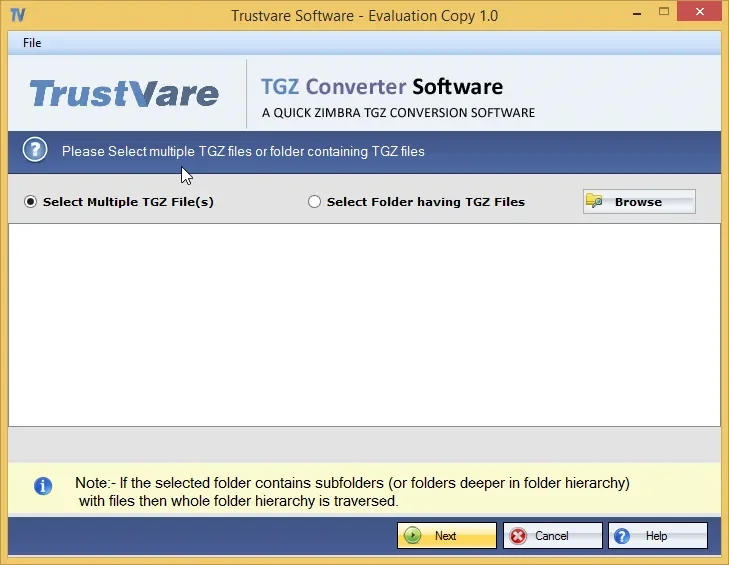
Step 2: Browse to upload the required TGZ files.
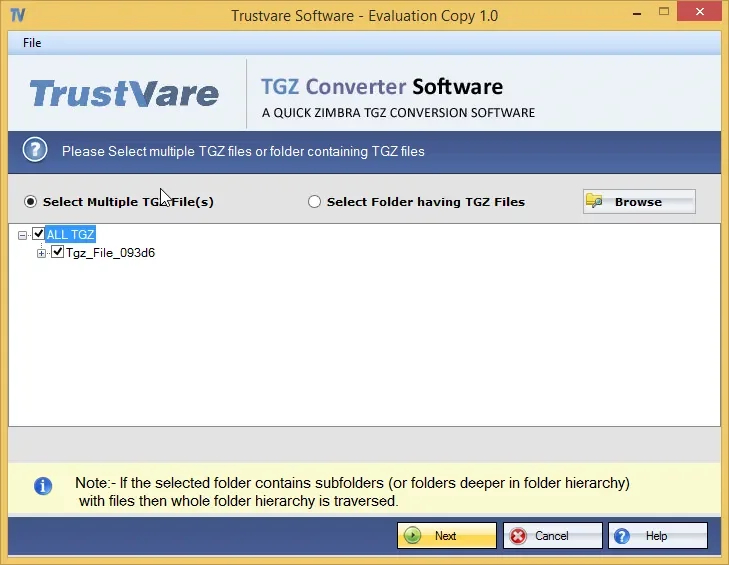
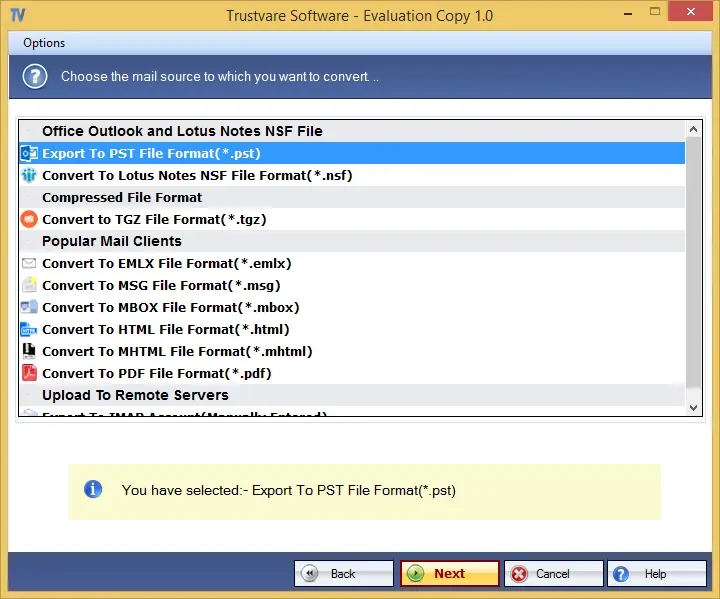
Step 3: Choose PST as the required export format.
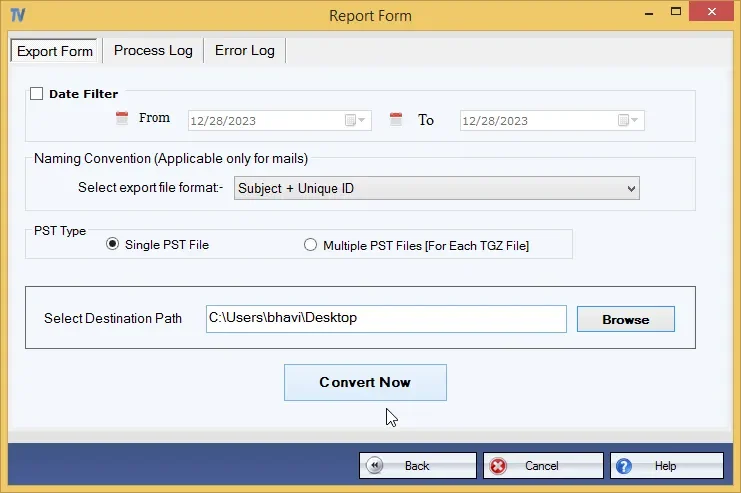
Step 4: Choose the destination path where the converted PST is required to be saved.
Step 5: Click on the Start Conversion option and generate the PST file with the software.
Step 6: Open or import the generated PST in Outlook and check the transferred emails, folders, and attachments.
Why Use a Professional Solution for TGZ to PST Conversion?
If you have a large archive with many files, important attachments, and old emails, then a professional converter can be quite helpful. Instead of manually extracting files and batch importing, users can follow a more centralized conversion approach.
It can also reduce repeated work and facilitate the verification of the resultant Outlook data. However, users should always save a backup of the original TGZ archive before starting any transfer.
How to Check the Converted PST?
Do not remove the source archive immediately after conversion. Open the PST in Outlook and verify:
- Inbox, Sent Items and other custom folders
- Email subjects, dates, senders and recipients
- Attachments
- Hierarchy of folders and subfolders
- Search function
- A sample of old and newly converted messages
This verification step helps confirm that the converted email archive is usable before the original TGZ backup is transferred or deleted.
Conclusion
Accessing emails from a TGZ archive need not be a hard migration procedure. For small archives, the manual method is an option, but it involves several steps, making it less practical for large or organized mailboxes.
If you need to convert archived Zimbra emails to Outlook in a quick way, then using professional conversion software is a better and more secure option. Choosing a suitable professional solution can enable users to save manual effort and concentrate on the most important result – making preserved emails accessible, organized and usable in Outlook.
Frequently Asked Questions
Q1. Does Outlook Support Opening TGZ Files Directly?
Ans. No. TGZ is not an Outlook PST file. Users will typically need to convert or otherwise process the archive before they can use the data in Outlook.
Q2. What Is the Best Method to Convert a Large TGZ Archive?
Ans. When working with large or complex archives, it is often more practical to use an automatic conversion method rather than manually dealing with many separate email files.
Q3. Do I Have to Maintain the Original TGZ File?
Ans. Yes. Keep a backup of the original archive until you have completely verified the converted PST and you are sure that the relevant emails and attachments are available.