 Sign up with Google
 Sign in with Zoho

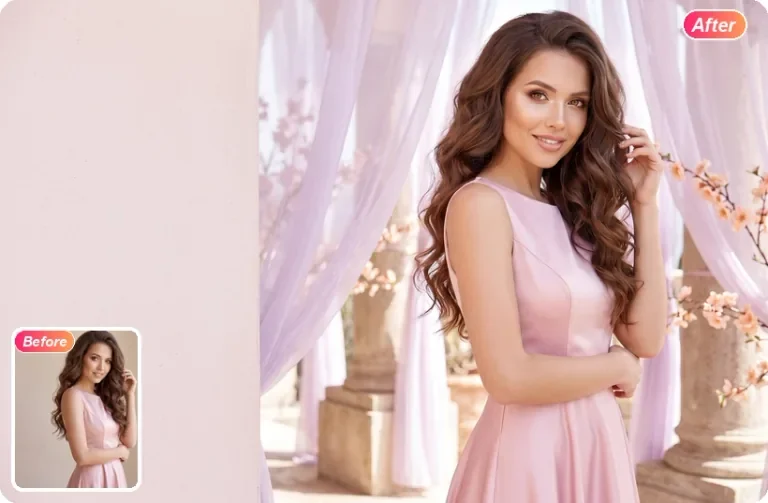
A photograph can be technically sharp and still feel unfinished. A person in the background pulls attention away from a portrait. Packaging sits against a cluttered table. A useful image has the wrong setting for a new project. These are situations where describing a specific change can be a practical starting point for an AI photo edit.
Start with the purpose of the image
Before opening an editor, identify where the finished picture will appear. A product listing may need a simple background that keeps attention on the item. A personal portrait may need one distracting object removed. A social post may need a different composition. The intended use helps you decide what to change and what details must remain intact.
For example, “make this look professional” leaves many decisions open. “Replace the background with a plain beige wall, keep the original face and clothing, and preserve the direction of the light” gives the editor a more concrete target. You can judge the result against those instructions instead of relying only on a general impression.
Use a focused editing workflow
Ediroo is an online AI picture editor that lets users upload a photo and describe an adjustment in text. Its homepage presents tools for removing unwanted objects, replacing backgrounds, and refining visual details. The browser workspace accepts JPG, PNG, and WebP images, with a stated limit of 30 MB per file.
Choose a suitable original, then write one main instruction. If you are removing clutter, identify the object and its location. If you are replacing a setting, describe the new setting and specify which parts of the subject should stay unchanged. When several changes are necessary, reviewing them in stages can make unexpected differences easier to spot.
Write prompts that include boundaries
A clear prompt names the subject, requests an action, and explains what to preserve. For a product image, an example is: “Remove the paper beside the jar and continue the tabletop texture; leave the jar, label, and shadow unchanged.” For a portrait, mention expression, hair, clothing, or skin texture when those details matter.
Reference images can communicate a visual direction when words are insufficient. Ediroo says its multi-photo workspace supports up to three reference images. Use references that match the intended outcome and explain their role, such as background inspiration or composition guidance. Avoid instructions that conflict with the reference or with each other.
Inspect the result before using it
Review the edited photo at the size where it will be displayed. Check edges around hair, the shape of products, the consistency of shadows, and any visible lettering. AI edits can alter details you intended to keep. If that happens, revise the prompt to narrow the requested change rather than assuming a more elaborate instruction will always help.
Ediroo provides free starting credits for new accounts and shows the credit cost of the selected model before submitting an edit. Further use is available through subscriptions or one-time credit packs. Check the current options before generating, then compare the output with the original before downloading.
The useful habit is to treat photo editing as a short cycle: define the purpose, describe a bounded change, review the result, and refine only what still needs attention. A clear brief and a careful final check make the workflow easier to repeat.