 Sign up with Google
 Sign in with Zoho

Trying a new presentation tool for the first time can feel overwhelming. There are new features to learn, workflows to understand, and decisions to make about how to get the best results. Many people give up before discovering what a tool can really do. This guide is designed to help first-time users of Slidyo understand the platform's main capabilities and how to use them effectively. By following a simple progression from creation to sharing to analysis, new users can quickly turn Slidyo into a valuable part of their workflow.
Understanding What Slidyo Is
Before creating anything, it helps to understand what makes Slidyo different. As a PPT maker AI, it builds presentation content from your descriptions, but it also goes further. Slidyo describes itself as an AI workspace for business communication that creates presentations, CVs, portfolios, proposals, and other documents, then presents them to viewers and tracks engagement. Thinking of it as a complete communication workspace rather than a simple slide designer helps new users appreciate its full potential.
Creating Your First Presentation
The easiest way to start is by describing what you need. Explain the purpose of your presentation, the audience, and the key points you want to cover. The AI then builds the content, giving you a structured draft to review. Take time to read through it, adjust wording to match your voice, and add specific details only you know. Treat the draft as a strong starting point rather than a finished product, and refine it until it reflects your message accurately.
Working With Existing Files
If you already have presentations or documents, Slidyo lets you upload a PDF or PowerPoint file. You can choose to rebuild it into a better presentation or present the PDF as it is. Rebuilding is ideal for outdated or disorganized files, while presenting as is suits documents that already look the way you want. Experimenting with both options on a few files helps first-time users understand which approach works best for different situations.
Adding Narration to Your Deck
One of Slidyo's standout features is its AI presenter, which narrates your presentation with natural voice, captions, and visual highlights. This allows viewers to experience a guided walkthrough even when you are not present. First-time users should preview the narrated presentation from start to finish to ensure the flow feels natural. Listening to your content narrated can also reveal sections that need clearer explanations or better transitions.
Preparing for Viewer Questions
Viewers can pause your presentation and ask questions by voice or text, with answers drawn from the slides and any sources you add. To make answers as helpful as possible, consider adding supporting documents such as product details, FAQs, or background research. Think about the questions your audience is most likely to ask and ensure the information is available. This preparation makes your presentation more interactive and more useful to every viewer.
Sharing Your Presentation
When you are ready to share, Slidyo generates a single browser link. Viewers do not need an account or download to open it. Decide whether to add password protection, limit access to company email addresses, or allow PDF downloads based on the sensitivity of your content. For first presentations, it can be helpful to share with a colleague first to see the viewer experience before sending to clients or stakeholders.
Reviewing Engagement Insights
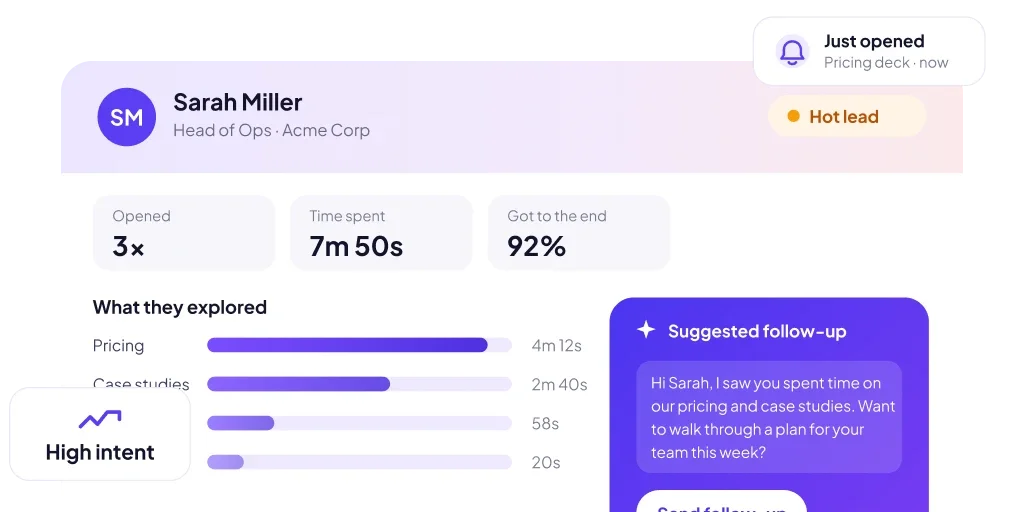
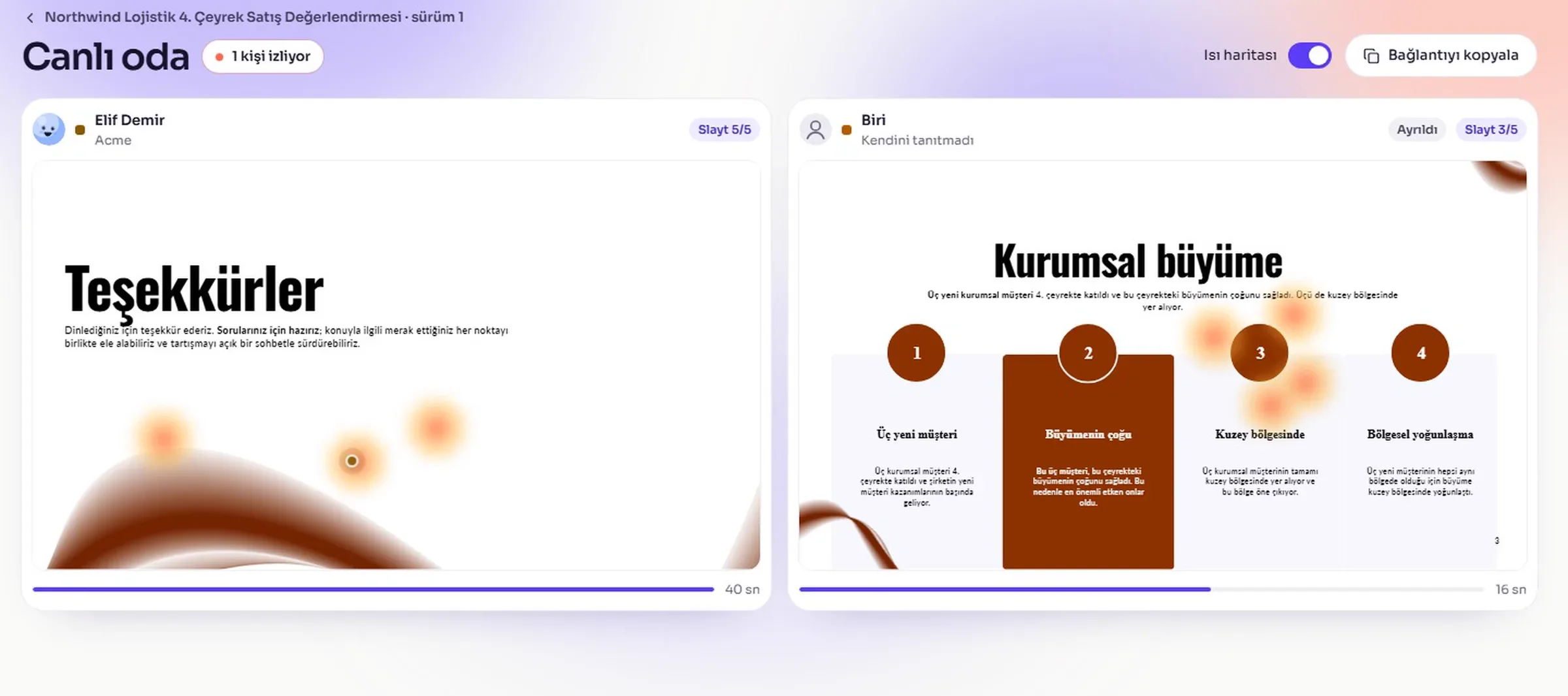
After sharing, check your engagement data. Slidyo shows who opened a link when they share an email, time spent per slide, where viewers stopped, and what questions they asked. Look for patterns, such as slides that hold attention or sections where viewers drop off. Use these insights to improve your presentation and plan follow-ups. Reviewing engagement regularly helps first-time users quickly learn what resonates with their audience.
Growing With Slidyo
Once comfortable with the basics, users can explore team features such as shared presentations, themes, and brand kits, along with a shared AI budget. They can also try creating other document types, including proposals, portfolios, and CVs. Slidyo offers a free start, so new users can explore at their own pace without pressure. With each presentation, users will discover new ways to save time and communicate more effectively, turning a first experiment into a lasting productivity gain.