Sign up with Google
 Sign in with Zoho
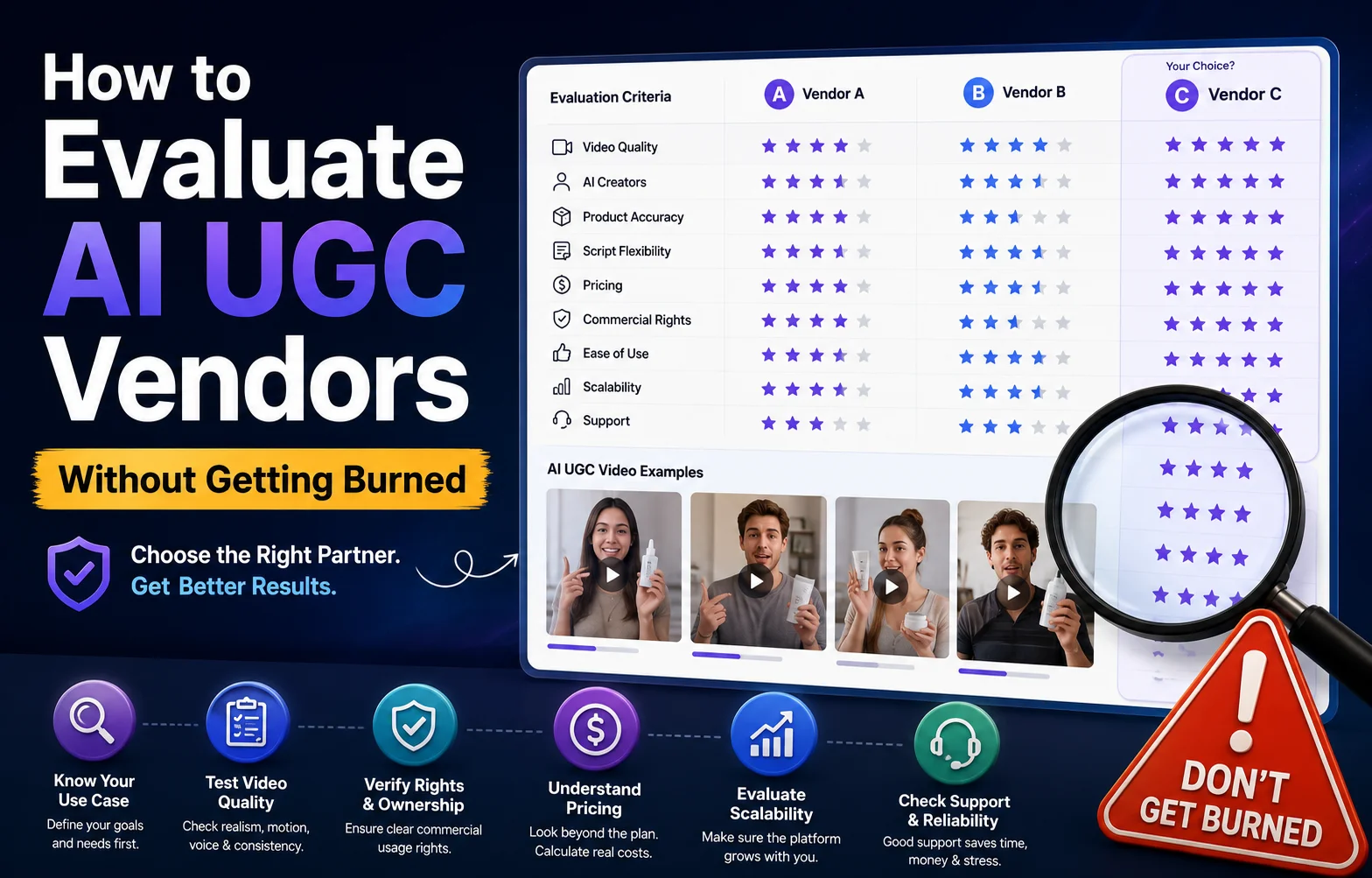
AI UGC has changed how brands approach video advertising.
Instead of coordinating with creators, booking shoots, sending products, waiting for revisions, and paying for every new variation, brands can now use AI UGC platforms to produce advertising-style videos much faster.
But there is another side to this growth.
The AI UGC market is becoming crowded.
Almost every week, another platform promises realistic AI creators, unlimited videos, instant generation, lower production costs, and better-performing ads.
The problem is that not every AI UGC vendor delivers the same value.
A platform can look impressive in a demo but become expensive once you need more videos. Another might produce realistic avatars but offer limited commercial rights. A third may generate attractive videos but struggle with product accuracy or consistency.
That is why choosing an AI UGC vendor should not be based on a homepage, a few sample videos, or the lowest monthly price.
You need a systematic evaluation process.
In this guide, we'll explain exactly what to look for when evaluating AI UGC vendors, including video quality, AI avatars, product accuracy, pricing, commercial rights, scalability, workflow, support, and performance.
What Is an AI UGC Vendor?
An AI UGC vendor is a company or platform that helps brands create UGC-style content using artificial intelligence.
Depending on the platform, this can include:
- AI-generated creators
- AI avatars
- AI voiceovers
- Product-focused videos
- Script generation
- Text-to-video generation
- Image-to-video generation
- Video editing
- Captions
- Multiple languages
- Creative variations
- Social media ad formats
The goal is usually to make UGC-style advertising faster and more scalable.
Traditional UGC requires real creators to record content.
AI UGC uses synthetic or AI-generated presenters, visuals, voices, and workflows to create content without requiring a creator to physically record every variation.
That can be extremely useful for performance marketing.
However, faster production doesn't automatically mean better advertising.
The vendor still needs to provide the quality, flexibility, rights, and economics your business requires.
Why Choosing an AI UGC Vendor Is Difficult
The biggest problem is that AI UGC platforms often look similar at first.
Most websites show:
- Attractive AI presenters
- High-quality video examples
- Simple dashboards
- Large creator libraries
- Fast generation claims
- Pricing plans
- "Unlimited" or high-volume packages
But these surface-level features don't tell you everything.
For example, two platforms may both offer 100 videos per month.
One might give you unlimited revisions and commercial rights.
The other might charge separately for premium avatars, additional exports, translations, or higher-resolution videos.
So instead of asking:
"Which AI UGC vendor looks best?"
Ask:
"Which vendor gives my team the best combination of quality, control, economics, and scalability?"
That is a much better purchasing question.
1. Start With Your Actual Use Case
Before evaluating vendors, define what you need the platform to accomplish.
This sounds obvious, but many companies skip this step.
An ecommerce brand creating five organic TikTok videos per month has very different requirements from a performance marketing team producing 500 ad variations.
Write down your primary use cases.
For example:
Use Case A: Paid Social Ads
You need short-form videos optimized for platforms such as TikTok, Instagram, YouTube, or Meta.
Use Case B: Product Demonstrations
You want AI creators to explain how your product works.
Use Case C: Creative Testing
You need multiple hooks, scripts, presenters, and angles.
Use Case D: Localization
You want the same creative translated into multiple languages.
Use Case E: Organic Content
You need consistent content for social channels without filming every week.
Your use case should determine which vendor features actually matter.
2. Don't Judge AI UGC Quality From the First 10 Seconds
A vendor's demo video is usually its best work.
That's not necessarily representative of what you will get.
Instead, ask for a trial and test your own products.
Look for:
- Facial realism
- Lip synchronization
- Natural expressions
- Hand movement
- Eye movement
- Voice quality
- Product handling
- Background consistency
- Camera framing
- Lighting
- Audio quality
- Overall authenticity
Pay particular attention to small details.
AI UGC doesn't need to look like a Hollywood production.
In fact, overly polished videos can sometimes feel less like UGC.
The goal is usually credible, natural, platform-native content.
Ask yourself:
"Would I believe this person could realistically make this video for social media?"
That is often more useful than asking whether the avatar looks technically perfect.
3. Test Product Accuracy
For ecommerce brands, product accuracy may be more important than avatar quality.
Imagine you sell a skincare product.
The AI creator looks completely realistic, but the bottle:
- Changes shape
- Changes color
- Loses the label
- Has incorrect text
- Changes size
- Moves unnaturally
The video may look impressive but still be unusable.
Test your actual product before committing to a vendor.
Give the platform:
- Product photos
- Packaging images
- Product descriptions
- Brand guidelines
- Lifestyle references
Then generate several videos.
Check whether the product remains recognizable throughout the video.
This is one of the most important tests an ecommerce brand can perform.
4. Evaluate the AI Creator Library
If the vendor provides AI avatars, don't simply count how many avatars are available.
A library of 1,000 avatars isn't automatically better than a library of 100.
Evaluate the quality and diversity.
Look at:
- Age ranges
- Gender diversity
- Different visual styles
- Different presentation styles
- Professional vs casual appearances
- Different accents
- Languages
- UGC-style creators
- Lifestyle creators
- Industry-specific presenters
More importantly, test whether the same creator can produce multiple videos without becoming repetitive.
For performance marketing, creator fatigue can become a real problem.
If every ad uses the same face, voice, background, and delivery style, your creative library may quickly become predictable.
5. Evaluate Voice Quality
A realistic avatar with a robotic voice can immediately destroy the illusion.
Listen carefully to:
- Pronunciation
- Pauses
- Emphasis
- Emotional tone
- Speaking speed
- Natural breathing
- Sentence rhythm
- Brand terminology
Ask whether the platform allows control over voice characteristics.
Some brands need energetic delivery.
Others need calm, trustworthy, professional narration.
The best vendor should give you enough control to match the voice to your audience and product.
6. Test Script Flexibility
AI UGC isn't only about the presenter.
The script determines much of the video's performance.
A good vendor should allow you to create your own scripts rather than forcing every video into a fixed template.
You should be able to test different:
- Hooks
- Problem statements
- Product benefits
- Testimonials
- CTAs
- Story structures
- Objection-handling angles
For example, the same product could have these hooks:
Problem-focused:"Why does my skin still feel dry after moisturizing?"
Curiosity-focused:"I didn't expect this tiny change to make such a difference."
Product-focused:"Here's why I've been using this every morning."
Direct-response:"If you're struggling with dry skin, watch this."
The ability to quickly test these variations can be more valuable than having hundreds of avatar choices.
7. Look at Creative Variation Capabilities
This is one of the biggest reasons to use AI UGC.
You shouldn't only be able to generate one video.
You should be able to generate variations.
Look for workflows that let you change:
- Creator
- Hook
- Script
- Background
- Product angle
- Voice
- CTA
- Video length
- Aspect ratio
- Language
Suppose you create one winning concept.
A strong AI UGC platform should help you turn that concept into dozens of variations.
That's where AI becomes strategically useful.
Instead of:
One idea → One video
you want:
One idea → Many creative variations → Testing → Optimization
8. Understand the Pricing Model
Pricing is where many brands get burned.
A platform may advertise a low monthly subscription, but your actual costs can increase when you scale.
Look beyond the headline price.
Ask:
What counts as one video?
Is a 15-second video one credit?
Does a failed generation consume a credit?
Does regeneration cost extra?
Are premium avatars included?
Some platforms may separate standard and premium creators.
Are revisions included?
You may need several generations before getting a usable result.
Are translations included?
If you create multilingual ads, this can become important.
Is commercial usage included?
Never assume.
Are exports limited?
Some plans may restrict resolution, downloads, or formats.
Calculate your true cost per usable video, not just your monthly subscription.
9. Check Commercial Usage Rights
This is one area you should never ignore.
Before publishing AI-generated advertising, understand what rights your vendor provides.
Review the terms covering:
- Commercial use
- Advertising
- Social media
- Paid media
- Generated avatars
- Voice rights
- Music
- Stock assets
- Generated visuals
- Ownership
- Content retention
- Model training
Ask the vendor directly if necessary.
A video being downloadable does not automatically mean you have unrestricted rights to use every element commercially.
For brands spending money on advertising, legal clarity matters.
10. Ask About Avatar and Voice Rights
This deserves separate attention.
If an AI UGC vendor uses a digital representation of a person, understand how that representation is licensed.
Ask:
- Is the avatar licensed for commercial advertising?
- Is the voice commercially cleared?
- Can the avatar be used in paid ads?
- Is there a usage expiration?
- Can the same avatar appear in competing campaigns?
- Can you use generated content after canceling your subscription?
These questions can prevent expensive problems later.
11. Test Scalability Before You Need It
A vendor can work perfectly when you create ten videos.
But what happens when you need 500?
Test the workflow at the scale you expect to reach.
Look at:
- Generation speed
- Queue times
- Bulk generation
- Batch processing
- Project organization
- Team collaboration
- API access
- Asset management
- Export capabilities
Scalability is especially important for performance marketing teams.
If your creative strategy depends on testing dozens of variations every week, the platform needs to support that volume.
12. Look for Workflow Integration
The best AI UGC platform isn't necessarily the one with the most features.
It is the one that fits your existing workflow.
Consider whether your team can easily move from:
Product → Script → Video → Editing → Export → Ad Platform
without unnecessary manual work.
Useful integrations may include:
- Cloud storage
- Marketing platforms
- Social platforms
- Creative management systems
- APIs
- Team collaboration tools
If your team has to constantly download, rename, upload, and organize files manually, productivity gains can disappear quickly.
13. Evaluate Editing Controls
Generation is only half the process.
Editing capabilities can determine whether you can actually turn an AI-generated clip into a finished advertisement.
Look for:
- Trim tools
- Captions
- Text overlays
- Music
- Voiceover
- Scene replacement
- Background editing
- Brand assets
- Transitions
- Aspect-ratio conversion
- CTA customization
Also ask how easy these features are to use.
A platform with 50 editing features isn't useful if your marketing team needs a week to learn the interface.
14. Don't Ignore Customer Support
When you're experimenting, support may not seem important.
When you're producing hundreds of ads, it becomes critical.
Ask:
- Is support available through chat?
- Is email support included?
- Are enterprise support options available?
- How quickly do they respond?
- Is there documentation?
- Are onboarding sessions available?
Also search for customer feedback outside the vendor's own website.
Look for patterns rather than individual complaints.
One negative review isn't necessarily a problem.
But repeated complaints about billing, generation failures, slow support, or disappearing features deserve attention.
15. Ask About Data Privacy
If you upload proprietary product images, marketing assets, customer information, or internal creative materials, understand how the vendor handles your data.
Review:
- Data storage
- Data retention
- Data deletion
- Security
- Access controls
- Model training policies
- Third-party processors
For larger organizations, ask whether the vendor offers appropriate security documentation and contractual protections.
Don't upload sensitive business information to a platform without understanding its policies.
16. Run a Real-World Vendor Test
Instead of comparing vendors through demos, create a standardized test.
Give every vendor the same:
Product image
Script
Reference video
Creative brief
Target audience
CTA
Then compare the outputs.
Score each platform from 1–10 on:
This makes your decision much less emotional.
You aren't choosing the vendor with the coolest homepage.
You're choosing the vendor that performs best against your requirements.
17. Calculate Cost Per Usable Creative
This is perhaps the most important financial metric.
Don't calculate:
Monthly price ÷ videos generated
Calculate:
Total monthly cost ÷ usable videos
For example, suppose a platform costs $500 per month.
You generate 200 videos.
But only 50 are good enough to publish.
Your effective cost is:
$500 ÷ 50 = $10 per usable video
Now compare that with another vendor costing $700 but producing 140 usable videos.
Its effective cost is:
$700 ÷ 140 = $5 per usable video
The more expensive subscription is actually cheaper from a production perspective.
This is why headline pricing can be misleading.
18. Watch Out for These AI UGC Vendor Red Flags
Some warning signs should immediately make you slow down.
Red Flag #1: Only Showing Perfect Demos
Ask for a trial using your own assets.
Red Flag #2: Unclear Commercial Rights
If you can't easily understand what you're allowed to do with generated content, investigate further.
Red Flag #3: Extremely Vague "Unlimited" Claims
Ask what unlimited actually means.
Red Flag #4: Hidden Credit Systems
Understand exactly what consumes credits.
Red Flag #5: No Product Testing
If the vendor doesn't let you test your own product, be cautious.
Red Flag #6: Poor Transparency Around AI Avatars
Understand who owns and licenses the digital identities.
Red Flag #7: No Clear Cancellation Policy
Know what happens to your projects and generated assets when you cancel.
Red Flag #8: Quality Drops at Scale
Test volume before signing a large contract.
19. Don't Choose the Vendor With the Most Features
Feature count is a terrible way to evaluate AI UGC vendors.
Your team doesn't need 100 features.
It needs the right workflow.
For example, if your primary goal is producing paid social ads, prioritize:
- Video quality
- Creative variation
- Product accuracy
- Script flexibility
- Generation speed
- Commercial rights
- Cost per usable video
- Scalability
A platform with fewer features but excellent performance in these areas may be much more valuable than a platform with a massive feature list.
20. Start Small Before Committing Big
One of the safest ways to avoid getting burned is simple:
Don't make a huge commitment before proving the workflow.
Start with a small project.
Create 10–20 videos.
Use real products.
Test different creators.
Run actual advertising experiments if appropriate.
Measure:
- Production time
- Usable output rate
- Cost
- Engagement
- Click-through rate
- Conversion rate
- Creative fatigue
Then decide whether the vendor deserves a larger commitment.
A successful pilot gives you evidence.
A long-term contract based on a sales demo gives you hope.
Evidence is better.
The AI UGC Vendor Evaluation Checklist
Before selecting a vendor, make sure you can answer these questions:
- Can it create the type of videos we actually need?
- Does the output look natural enough for our audience?
- Does it preserve our product accurately?
- Can we create multiple creative variations?
- Can we control scripts and hooks?
- Are commercial rights clearly defined?
- Are avatar and voice rights clear?
- How does pricing work at our expected volume?
- What is the cost per usable video?
- Can the platform scale with our team?
- Does it integrate with our workflow?
- Are editing tools sufficient?
- How good is customer support?
- How does the company handle our data?
- What happens to our content if we cancel?
- Can we test the platform before making a large commitment?
If you can't answer these questions, you're not ready to choose a vendor.
Final Thoughts
The AI UGC market offers an enormous opportunity for brands.
It can reduce production time, increase creative experimentation, and help marketing teams produce more content without coordinating traditional shoots for every variation.
But the technology is evolving quickly, and vendor quality varies considerably.
The safest approach is to evaluate AI UGC vendors like you would evaluate any important marketing technology.
Don't buy based on hype.
Don't choose based solely on price.
Don't assume the best demo represents your results.
Instead, test your own products, calculate your real production economics, review commercial rights, evaluate scalability, and measure the quality of usable creative.
Most importantly, judge the platform based on whether it helps you create better advertising, not simply more videos.
The right AI UGC vendor should make your creative process faster without sacrificing quality, control, or brand consistency.
And when you find a platform that can consistently turn your product assets, scripts, and creative ideas into high-quality variations at a sustainable cost, AI UGC becomes more than a content-generation tool.
It becomes part of your creative growth engine.
Frequently Asked Questions
What should I look for in an AI UGC vendor?
Focus on video quality, avatar and voice realism, product accuracy, script flexibility, creative variations, editing capabilities, pricing, commercial rights, scalability, integrations, support, and data privacy.
How do I compare AI UGC platforms?
Use the same product, script, creative brief, and requirements with each vendor. Score them on quality, cost, usability, rights, scalability, and output consistency rather than relying on demos.
Is the cheapest AI UGC vendor the best option?
Not necessarily. Calculate the cost per usable video instead of comparing subscription prices alone. A more expensive platform may produce significantly more usable content.
What are commercial rights in AI UGC?
Commercial rights determine how you can use generated videos, avatars, voices, music, images, and other assets. Brands should confirm that their intended advertising and social media use is covered.
How important is product consistency?
Product consistency is extremely important for ecommerce advertising. An AI creator may look realistic, but if your product changes shape, color, packaging, or branding during the video, the creative may not be usable.
Should I test an AI UGC vendor before buying?
Yes. A small pilot using your own products and scripts is one of the best ways to evaluate an AI UGC platform before making a larger commitment.
How can I calculate the real cost of AI UGC?
Divide your total platform and production costs by the number of videos that are actually good enough to publish. This gives you a more realistic cost per usable creative.
Can AI UGC replace human creators?
AI UGC can replace or supplement some creator-production workflows, but it does not necessarily replace authentic human customer content. The best approach depends on the brand, audience, campaign objective, and platform.
Is AI UGC good for paid advertising?
Yes. AI UGC can be useful for producing creative variations, testing hooks, demonstrating products, and scaling short-form advertising. Brands should still review platform policies, advertising requirements, and content rights before publishing.
What is the biggest mistake when choosing an AI UGC vendor?
The biggest mistake is choosing based on a polished demo instead of testing the vendor with your own products and measuring the quality, cost, rights, and scalability of the resulting content.