Sign up with Google
 Sign in with Zoho

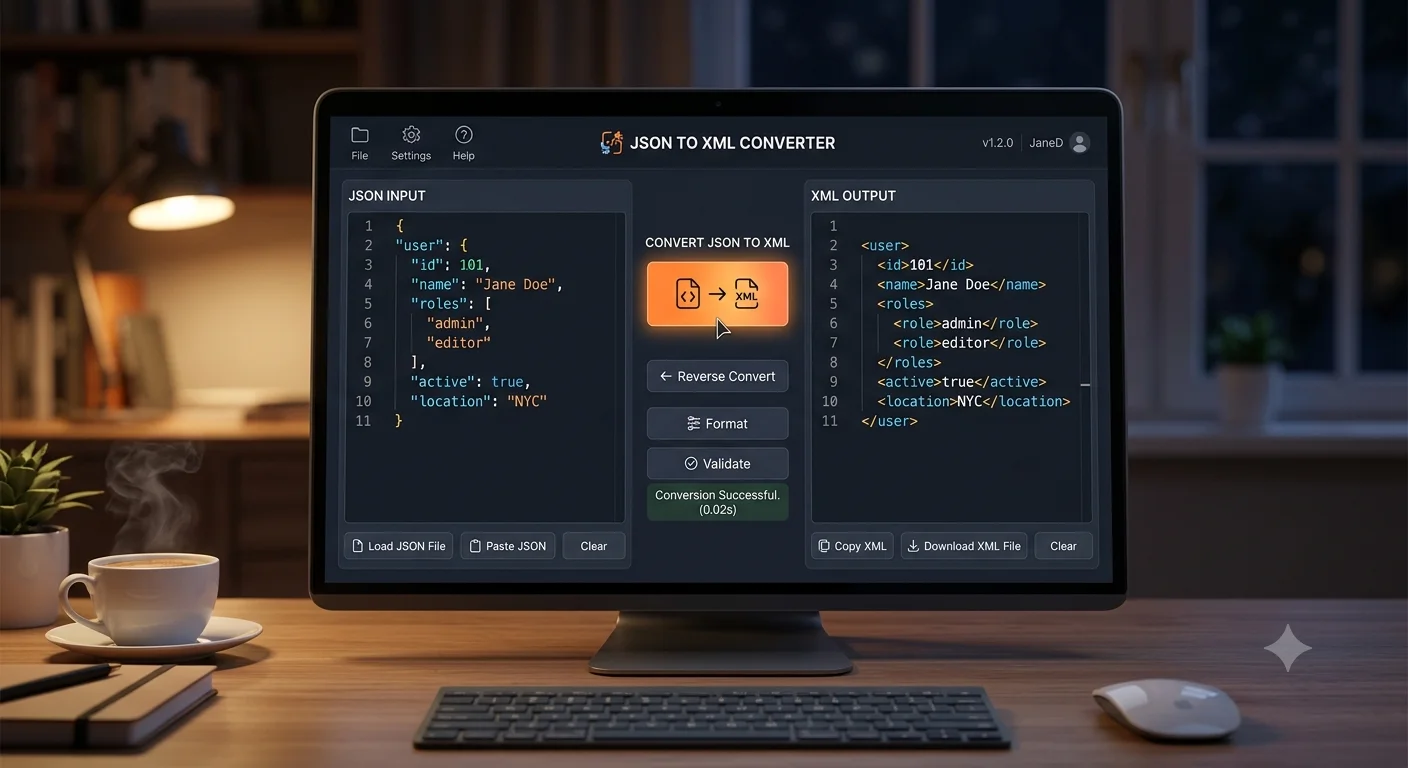
If you work with data in any technical capacity, you have likely encountered both JSON and XML at some point. JSON has become the standard for modern web APIs, while XML still powers countless legacy systems, configuration files, and enterprise software. Knowing how to convert accurately, without breaking the data structure, is a practical skill for developers, students, and anyone working with structured data files.
This guide collects the most common questions people ask about converting JSON to XML, organizes them into clear categories, and answers each one with practical detail you can use right away. By the end, you will know exactly which method fits your project, whether you need a one-time conversion or a repeatable process for ongoing work.
What Is the Difference Between JSON and XML?
JSON, short for JavaScript Object Notation, is a lightweight data format built around key-value pairs, arrays, and nested objects. It is easy to read, quick to parse, and widely used in modern web development and APIs.
XML, short for Extensible Markup Language, structures data using nested tags similar to HTML. It is more verbose than JSON but offers stronger support for attributes, namespaces, and document validation through schemas, which is why many older or enterprise systems still rely on it heavily.
Converting between the two requires mapping JSON's keys and values onto XML's tag based structure. Since JSON has no built-in concept of attributes, and XML supports both elements and attributes, the converter needs clear rules for how to represent things like arrays and nested objects correctly.
Why People Search for This (Grouped by Real Use Cases)
After reviewing the kinds of questions people typically ask about this conversion, they tend to fall into five practical groups.
1. Tool and Method Questions
These cover which website, software, or programming library actually converts JSON to XML accurately, and whether free tools handle complex data well.
2. Structure and Formatting Questions
People want to know how arrays, nested objects, and special characters are handled during conversion, and whether the output follows proper XML formatting.
3. Programming and Automation Questions
This includes how to convert JSON to XML using code, for developers who need this as part of a larger application or workflow.
4. Validation and Compatibility Questions
Many users want to know if the resulting XML is valid, and whether it will work correctly with the systems they plan to use it in.
5. Troubleshooting Questions
This group covers issues like conversion errors, broken structure, or XML output that does not match the original JSON data.
Best Methods to Convert JSON to XML for Free
There is no single best method for everyone. The right choice depends on your technical comfort level, the complexity of your JSON data, and whether you need this as a one-time task or a repeated process.
Method 1: Free Online Converters
Online tools let you paste or upload JSON data and instantly receive formatted XML output in your browser.
Pros:
- No installation required
- Works on any device with a browser
- Usually free for reasonable file sizes
Cons:
- Requires internet connection
- Size limits on free plans
- Not suitable for automated workflows
Method 2: Programming Libraries
Languages like Python, JavaScript, and Java all have libraries built specifically for converting between JSON and XML programmatically.
Pros:
- Fully customizable conversion rules
- Can be automated as part of a larger script or application
- No size restrictions tied to a website
Cons:
- Requires basic coding knowledge
- More setup time than a simple online tool
Method 3: Desktop Software
Some data management and API testing tools include built-in JSON to XML conversion features alongside other utilities.
Pros:
- Works offline once installed
- Often bundled with other useful developer tools
- No upload size restrictions
Cons:
- May require a paid license for full features
- Overkill if you only need occasional conversion
Method 4: Command Line Tools
Tools designed for command line use can convert JSON to XML quickly, especially useful for batch processing many files at once.
Pros:
- Extremely fast for bulk conversions
- Can be integrated into automated pipelines
- Free and open source options available
Cons:
- Not beginner friendly
- Requires installation and basic command line knowledge
Comparison Table: JSON to XML Conversion Methods
How Structure Is Handled During Conversion
One of the trickiest parts of converting JSON to XML is handling structures that do not map directly between the two formats. Arrays, in particular, require a clear convention since XML has no native array concept.
Understanding this table helps explain why two different converters might produce slightly different XML from the same JSON input. There is no single official standard for this mapping, so each tool follows its own reasonable convention.
Step by Step: Converting JSON to XML Using a Free Online Tool
- Open the converter website in your browser.
- Paste your JSON data into the input box, or upload a JSON file.
- Select any formatting options offered, such as custom root element names.
- Click convert.
- Review the generated XML output.
- Copy or download the result.
This process typically takes only a few seconds, even for moderately large JSON files.
Step by Step: Converting JSON to XML Using Python
- Install a JSON to XML library such as dicttoxml using your package manager.
- Load your JSON data into a Python dictionary using the built-in json module.
- Pass the dictionary into the conversion function provided by the library.
- Save the resulting XML string to a file.
This approach works well for developers who need to convert JSON to XML repeatedly as part of a larger script or application.
Validating Your XML Output
After converting, it is worth confirming the XML is well formed, meaning every tag is properly opened and closed, and the structure follows basic XML rules. Many online converters validate automatically during the process, but it is still good practice to check the output, especially for complex nested data, using an XML validator before relying on it in a production system.
Common Problems and Fixes
Tips for Getting the Best Results Every Time
- Always check how a tool handles arrays before relying on it for important data, since conventions vary between converters
- For repeated or automated conversions, a programming library offers far more control than a one-time online tool
- Validate your XML output after conversion, especially for complex or deeply nested JSON structures
- Keep a backup of your original JSON file in case you need to re-convert with different settings
- If working with very large datasets, prefer command line or programming based methods over online tools to avoid size limits
Conclusion
Converting JSON to XML does not need to be complicated, whether you use a free online tool for a quick task, a programming library for automated workflows, or a command line tool for batch processing. Understanding how arrays and nested structures translate between the two formats helps you choose the right method and avoid common conversion errors.
Frequently Asked Questions
1. Is it free to convert JSON to XML? Yes. Many online tools, programming libraries, and command line utilities offer free conversion with no hidden costs for personal or development use.
2. Will converting JSON to XML change my data structure? The core data stays the same, but the representation changes, especially for arrays, which JSON handles natively but XML must represent using repeated elements.
3. Can I convert JSON to XML without coding knowledge? Yes, free online converters handle this without any programming, making them ideal for non-developers who need a quick conversion.
4. Why do different tools produce slightly different XML from the same JSON? There is no single official standard for mapping JSON arrays and structures to XML, so each tool follows its own reasonable convention.
5. Is the XML produced by free converters always valid? Most reputable tools produce valid XML, but it is good practice to run the output through a validator, especially for complex nested data.
6. Can I automate JSON to XML conversion for many files at once? Yes, programming libraries and command line tools are well suited for batch processing many files without manual intervention.
7. How does JSON to XML conversion handle special characters? Reliable converters automatically escape special characters like ampersands and angle brackets using proper XML entities to keep the output valid.
8. What programming languages support JSON to XML conversion? Python, JavaScript, Java, and most major programming languages have libraries or built-in functions specifically for converting JSON to XML.