Sign up with Google
 Sign in with Zoho

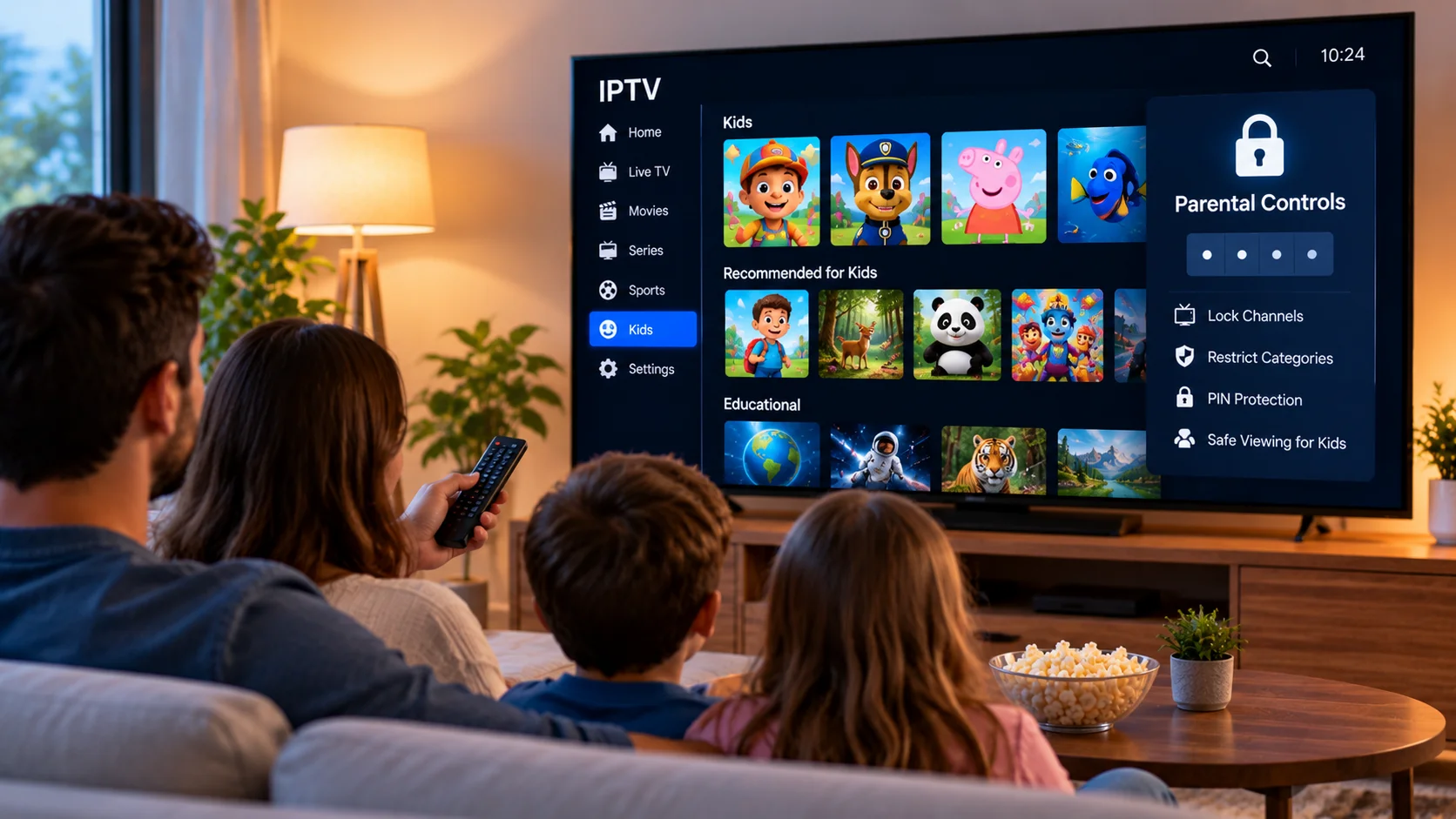
IPTV gives households access to live television, movies, series, sports, and other streaming content through internet-connected devices. With so much entertainment available in one place, families may also want better control over what younger viewers can access.
Parental controls can help parents and guardians create a more organized and age-appropriate IPTV experience. Depending on the application and device, these controls may include PIN protection, restricted categories, locked channels, profile settings, and device-level content restrictions.
Understanding how these features work can make shared IPTV devices easier to manage.
Why Parental Controls Matter for IPTV
A television used by several household members may contain content intended for very different audiences.
Children may use the same Smart TV, tablet, or streaming box that adults use for movies, news, sports, and entertainment.
Without restrictions, younger users may be able to open categories or programs that parents would prefer to keep unavailable.
Parental controls provide an additional layer of organization.
They may allow adults to:
- Lock selected channels
- Restrict particular categories
- Protect settings with a PIN
- Limit access to certain applications
- Create child-friendly viewing areas
- Prevent unauthorized configuration changes
The exact functions depend on the IPTV player and device.
Start With the IPTV Player
Many dedicated IPTV applications include some form of parental-control functionality.
The option is often located within the application settings.
PIN Protection
A PIN is one of the most common security methods.
Parents can create a numerical code that must be entered before restricted content becomes available.
A strong PIN should not be easy for children to guess. Avoid obvious numbers such as birthdays or repeating digits.
Channel Locking
Some applications allow individual channels to be locked.
This can be useful when only a small number of channels need restrictions.
Instead of hiding an entire category, parents can select particular channels and require a PIN before they open.
Category Restrictions
When an IPTV library is organized into categories, the player may allow an entire group to be restricted.
This can be more practical than locking dozens of channels individually.
Use Device-Level Parental Controls Too
IPTV application settings are only one part of family streaming safety.
Smart TVs, Android devices, tablets, phones, and streaming boxes may also include their own parental-control features.
These device-level settings can sometimes restrict:
- Application installation
- Purchases
- Mature content
- Account changes
- App-store access
- Screen time
- Specific applications
Using both device controls and IPTV player restrictions can provide a more organized setup.
Create Separate Viewing Habits for Children
Not every household needs complicated technical restrictions.
Simple organization can also make a difference.
For example, parents can create a favorites list containing only suitable children's channels.
This allows younger viewers to access a smaller collection without searching through the entire IPTV library.
A child-friendly favorites section might include:
- Educational programming
- Children's entertainment
- Family movies
- Nature content
- Age-appropriate documentaries
The available content will depend on the IPTV service.
Keep Adult Categories Separate
Large IPTV libraries may contain many categories that children do not need to browse.
Where the player allows it, unnecessary categories can be hidden or protected.
Reducing visible options also makes the interface easier to use.
Instead of scrolling through dozens of sections, family members can focus on the categories relevant to them.
Do Not Rely Only on Channel Names
A channel or category name does not always provide enough information about what will be shown.
Live television schedules change throughout the day, and a channel that carries family-friendly programming at one time may show different content later.
An Electronic Program Guide can help parents check current and upcoming programs.
When available, an EPG may display:
- Program titles
- Start times
- End times
- Descriptions
- Upcoming schedules
Reviewing the guide can provide better context than relying on a channel name alone.
Parental Controls for Movies and Series
On-demand libraries may contain content across many age groups.
If an IPTV player offers parental restrictions for VOD categories, parents should review those settings separately from live television controls.
Movie and series sections can sometimes be organized into genres or other categories.
If individual content ratings are available, they can provide additional guidance, but parents should not assume every IPTV player displays complete or consistent rating information.
Manual supervision may still be necessary.
Protect IPTV Settings
Parental controls are less useful if anyone can simply open the settings menu and disable them.
Where supported, protect configuration settings with a PIN.
This may prevent younger users from:
- Removing channel restrictions
- Adding new playlists
- Changing account information
- Accessing hidden categories
- Modifying parental settings
Parents should also avoid leaving the PIN written next to the television or saved in an obvious location.
Consider Multiple Profiles
Some streaming applications support separate user profiles.
Profiles can help divide viewing preferences between household members.
For example:
Adult Profile
An adult profile might include the full available library, sports channels, news, and unrestricted settings.
Child Profile
A child profile can focus on selected family programming and a smaller favorites list.
Not every IPTV application supports profiles, so users should check the features of their chosen player.
Check Features Before Choosing a Service
Family households should consider parental-control compatibility before committing to an IPTV setup.
The IPTV provider, player, and viewing device all influence the final experience.
When comparing services, users can review ZYRA IPTV alongside other available IPTV options while considering device compatibility, subscription choices, setup guidance, multi-device requirements, and the parental-control features available through compatible players.
It is useful to evaluate the complete setup rather than expecting the IPTV provider alone to manage every family restriction.
Smart TV Parental Controls
Modern Smart TVs often contain built-in security and family settings.
Depending on the manufacturer, users may be able to:
- Lock applications
- Restrict television inputs
- Require a PIN
- Control app installation
- Limit purchases
These settings operate separately from the IPTV service.
Using Smart TV controls can be particularly useful when children have direct access to the remote.
Android TV and Streaming Boxes
Android-based television devices can provide additional flexibility because users often have access to several IPTV applications.
However, more application choices also mean parents should pay attention to what can be installed.
Device-level controls may help restrict unauthorized app downloads or purchases.
Parents should periodically review installed applications and remove anything that is unnecessary or unfamiliar.
Parental Controls on Phones and Tablets
Children increasingly watch video on mobile devices rather than only on televisions.
Phones and tablets may include built-in features for:
- App restrictions
- Screen-time limits
- Content controls
- Purchase restrictions
- Child accounts
If IPTV is installed on a mobile device used by a child, these controls should be reviewed alongside the IPTV application's own settings.
Screen Time Still Matters
Content restrictions are only one aspect of family streaming.
Parents may also want to consider how long children spend watching television or using other screens.
Device-level screen-time tools can help establish limits, but household routines can be equally useful.
Examples include:
- No streaming during homework
- Device-free meal times
- Limited viewing before bedtime
- Scheduled entertainment periods
The most appropriate approach depends on the family.
Keep Applications Updated
IPTV players and device operating systems should be kept reasonably up to date.
Updates may include:
- Security improvements
- Bug fixes
- Compatibility changes
- Interface improvements
- Parental-control updates
After a major app update, it is worth checking whether existing restrictions remain configured correctly.
Teach Children Basic Streaming Safety
Technical controls work better when combined with simple guidance.
Children should understand that they should not:
- Share account passwords
- Change important settings
- Install unknown applications
- Purchase content without permission
- Enter personal information into unfamiliar websites
Basic digital habits can reduce problems beyond IPTV as well.
Review the Setup Periodically
Family needs change over time.
A configuration suitable for a younger child may become too restrictive later.
Parents can periodically review:
- Favorite channels
- Locked categories
- PIN settings
- Installed applications
- Screen-time rules
- Device permissions
Regular reviews help keep the system appropriate without making it unnecessarily complicated.
Use IPTV Responsibly
IPTV is a technology used to deliver television and video through internet networks.
Parents should also consider the legitimacy of the service they choose and whether the programming is properly authorized for distribution.
Content licensing and regulations can vary between providers and locations.
Choosing reputable services and reviewing local rules remains important for every household.
Final Thoughts
Parental controls can make IPTV easier to manage in a household where adults and children share the same devices.
A practical family setup may combine IPTV player restrictions, PIN-protected channels, favorites, Smart TV settings, mobile-device controls, and clear household viewing rules.
Parents should check what features are supported by their IPTV player and device rather than assuming every application provides the same controls.
With a carefully organized setup, families can make IPTV navigation simpler while maintaining better control over what younger viewers can access.

.webp)



.webp)