Sign up with Google
 Sign in with Zoho

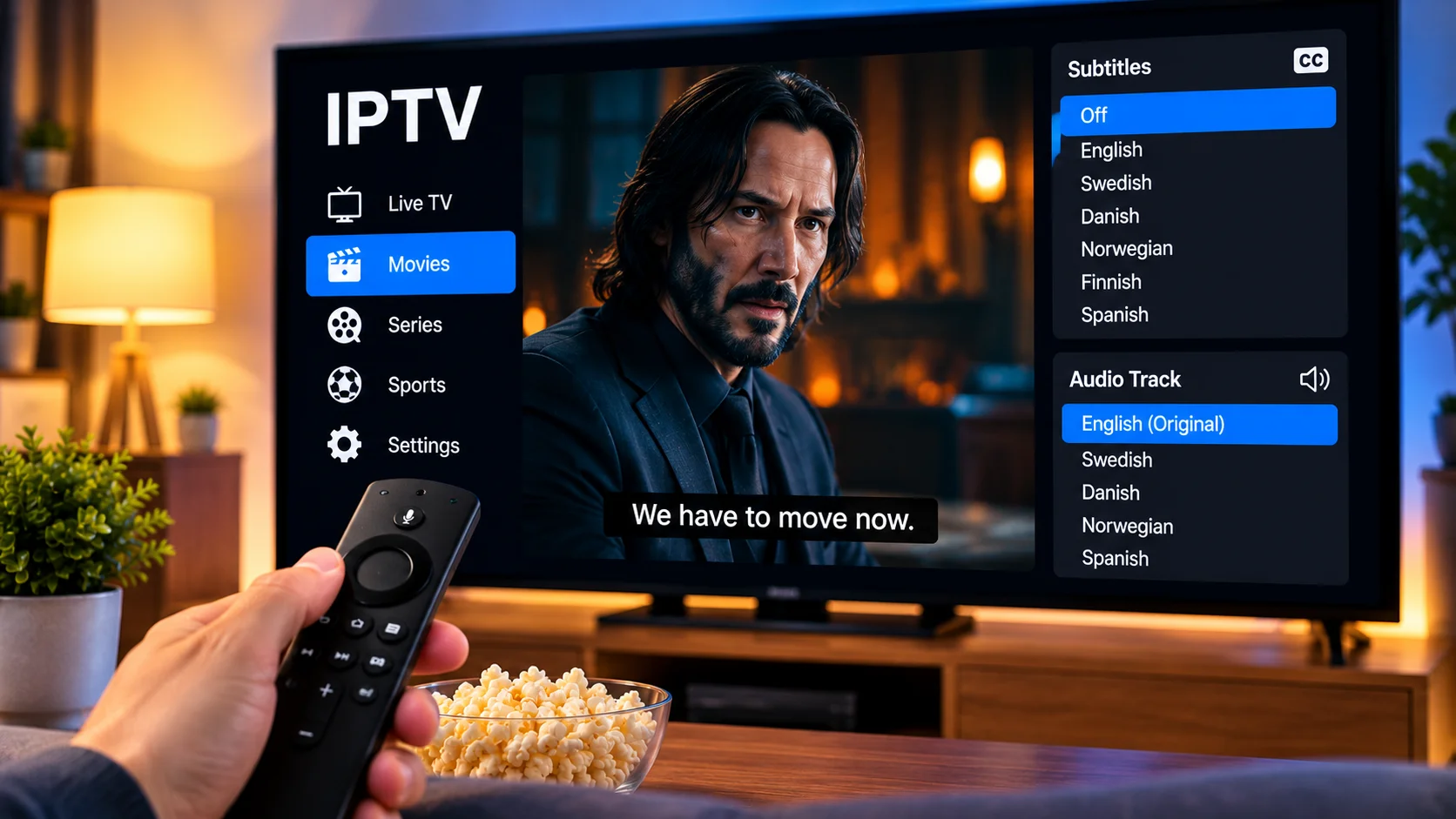
Subtitles and alternative audio tracks can make IPTV much more useful for households that watch content in different languages. They can help viewers follow foreign-language films, understand dialogue more clearly, or switch between available audio options when supported by the stream and player.
However, subtitle and audio features do not work exactly the same way in every IPTV application. Their availability depends on the content source, the IPTV player, the device being used, and how the stream has been configured.
Understanding these differences can help users choose a suitable setup and solve common subtitle or language problems.
How Subtitles Work With IPTV
IPTV subtitles can be delivered in several ways.
Some are included directly with the video stream, while others are provided as separate subtitle tracks that the player can enable or disable.
Depending on the content and application, users may find options for:
- Multiple subtitle languages
- Closed captions
- Forced subtitles
- Embedded subtitles
- External subtitle files
- Adjustable subtitle appearance
Not every stream includes these options, so the available choices can vary from one channel or title to another.
Why Subtitles May Not Appear Automatically
A common issue is that subtitles are available but are not displayed by default.
In many IPTV players, users need to open the playback menu and manually select a subtitle track.
The exact location of this setting depends on the application. It may appear under:
- Subtitles
- Captions
- Language
- Playback settings
- Audio and subtitles
If no subtitle option appears, the stream may not contain a compatible subtitle track.
Embedded vs External Subtitles
There are two common ways subtitles can be provided.
Embedded Subtitles
Embedded subtitles are included as part of the media stream.
A compatible IPTV player can usually detect these tracks automatically and allow the viewer to select the preferred language.
This is often the easiest setup because no additional files are required.
External Subtitle Files
Some players can load subtitle files separately.
Common subtitle file formats include SRT and other text-based formats.
External subtitles may be useful for on-demand content when the original stream does not include the required language. However, the player must support external subtitle loading.
Audio Tracks Can Also Be Switched
Some IPTV streams contain more than one audio track.
For example, a program may include:
- Original-language audio
- Dubbed audio
- Commentary
- Alternative regional language
- Descriptive audio
When multiple tracks are available, the player may allow users to switch between them during playback.
The option is often found in the same menu used for subtitles.
Device Compatibility Matters
Subtitle and audio support can vary between devices.
An IPTV player that handles several subtitle formats on Android TV may behave differently on a Smart TV, Apple TV, Fire TV device, or mobile phone.
Users should therefore consider both the player and the operating system.
A compatible device should ideally support:
- Multiple subtitle tracks
- Different character sets
- Audio track switching
- Full-screen subtitle display
- Remote-friendly playback controls
Testing these features before relying on the application can prevent frustration later.
Smart TV Subtitle Support
Smart TVs can provide a convenient IPTV experience because the application runs directly on the television.
However, built-in television platforms may have more limited media support than some dedicated streaming devices.
If subtitles fail to appear on a Smart TV, users can check:
- Whether the IPTV app supports subtitle selection.
- Whether the stream actually contains subtitles.
- Whether the television software is up to date.
- Whether another compatible player handles the same stream differently.
The problem may come from the application rather than the television itself.
Subtitle Timing Problems
Sometimes subtitles appear but do not match the dialogue.
They may display too early or too late.
Some IPTV players include subtitle synchronization controls that allow users to adjust timing manually.
This can be useful when:
- Audio and subtitles are slightly out of sync
- External subtitle files were created for a different version of the video
- Playback timing changes after seeking through content
Small timing adjustments can often improve readability significantly.
Character Encoding and Nordic Languages
Subtitle support is especially important for viewers watching Scandinavian and international content.
Languages such as Swedish, Danish, Norwegian, and Finnish use characters that may not display correctly in poorly configured subtitle systems.
If letters appear as unusual symbols, the issue may involve character encoding rather than the subtitle content itself.
A modern IPTV player should correctly display common European characters when the subtitle file and encoding are supported.
Change Subtitle Size for Better Readability
Small subtitles can be difficult to read on a large television, while oversized subtitles may cover too much of the screen.
Some IPTV players allow viewers to adjust:
- Font size
- Position
- Background
- Text style
- Outline
- Opacity
These settings can make subtitles easier to read from different seating distances.
The ideal configuration depends on screen size, room layout, and personal preference.
Subtitles Can Help in Noisy Environments
Subtitles are not useful only for foreign-language content.
They can also improve viewing when:
- Other people are talking
- The television volume must remain low
- Dialogue is difficult to hear
- Background music is loud
- The viewer is watching late at night
For this reason, many viewers keep captions enabled even when the program is in their primary language.
Check Audio Language Before Starting
If a stream contains multiple audio tracks, the player may automatically select one based on its default settings.
Users who frequently prefer a specific language should check whether their IPTV application allows a preferred audio language to be saved.
This can reduce the need to change the setting manually every time a new program starts.
Use Favorites for Preferred Content
Viewers who regularly watch content in particular languages can combine subtitle features with favorites.
For example, users can create a smaller list of preferred:
- Nordic channels
- International news channels
- Movie channels
- Children's programming
- Sports channels
This makes it easier to find content while keeping the main IPTV library organized.
Choosing IPTV for Nordic Viewing
Language flexibility can be particularly useful in Nordic households where viewers may watch Swedish, Danish, Norwegian, Finnish, English, and other international programming.
People comparing IPTV options for the region can review VIKING IPTV while considering device compatibility, available content, setup guidance, and the subtitle or audio features supported by their preferred IPTV player.
The player remains an important part of the experience because many subtitle controls are handled at application level.
Keep the IPTV Player Updated
Updates can improve media compatibility and fix problems with subtitle rendering.
Users should keep their:
- IPTV application
- Smart TV software
- Streaming device
- Mobile operating system
up to date when official updates are available.
If subtitle features stop working after an application update, restarting the device and checking playback settings can help.
What to Do When Subtitles Do Not Work
If subtitles are missing, a simple troubleshooting process can help identify the cause.
Check Another Program
Try another channel, movie, or series.
If subtitles work elsewhere, the original stream may simply not include them.
Open the Subtitle Menu
Confirm that the correct subtitle track is selected.
Restart the App
Temporary playback problems can sometimes disappear after reopening the application.
Update the Player
Older versions may have compatibility issues with certain subtitle formats.
Test Another Compatible Device
If the same stream works correctly on another device, the issue may be related to the original player or platform.
Avoid Assuming Every Stream Has Subtitles
Even if an IPTV player supports subtitles, that does not mean every piece of content includes them.
Subtitle availability depends on the source material and the information delivered with the stream.
The same applies to multiple audio tracks.
Users should treat these as content-dependent features rather than guaranteed functions of IPTV itself.
Final Thoughts
Subtitles and alternative audio tracks can make IPTV more flexible for multilingual households and viewers who prefer additional accessibility options.
A good setup depends on several factors working together, including the IPTV source, player capabilities, device compatibility, and playback settings.
Users should choose an application that makes subtitle and audio controls easy to access, keeps software updated, and understands that availability can vary between individual streams.
With the right player and compatible content, subtitle and language options can make everyday IPTV viewing easier, clearer, and more adaptable to different audiences.

.webp)