Sign up with Google
 Sign in with Zoho

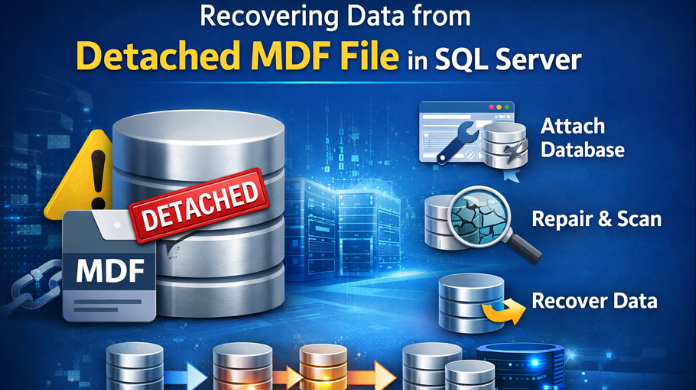
SQL Server databases rely on two primary files: MDF (primary data file) and LDF (transaction log file). These files work together to maintain database integrity and ensure that transactions are recorded correctly.
However, situations sometimes arise where the MDF file becomes detached from the SQL Server instance, leaving administrators unable to access the database through SQL Server Management Studio. When this happens, organizations risk losing critical data unless proper recovery methods are applied.
This article explains what a detached MDF file is, why it occurs, and how to recover data from a detached MDF file safely.
What is an MDF File in SQL Server?
An MDF file (Master Data File) is the primary storage file used by SQL Server to store database objects such as:
- Tables
- Stored procedures
- Indexes
- Views
- Triggers
- Constraints
Every SQL Server database must contain at least one MDF file, which holds the core structure and data of the database.
What Does It Mean When an MDF File Is Detached?
A detached MDF file means that the database file exists on disk but is not currently connected to the SQL Server instance.
When a database is detached:
- SQL Server no longer recognizes it as an active database.
- The MDF file remains stored on the system.
- The database becomes inaccessible until it is attached again.
Database administrators commonly use the attach detach database in SQL Server process when moving databases between servers or performing maintenance. If you want to understand this process in detail, you can refer to how to attach detach SQL database for proper database relocation and management.
Common Reasons for MDF File Detachment
Several scenarios may lead to a detached MDF file:
1. Manual Database Detachment
Database administrators sometimes detach databases intentionally to:
- Move the database to another server
- Perform maintenance
- Transfer database files
This method is commonly used during database migration workflows. In some situations, instead of moving the entire database, administrators prefer to migrate SQL table from one database to another when only specific data needs to be transferred.
2. SQL Server Crash or Improper Shutdown
Unexpected shutdowns can interrupt database operations and leave the MDF file in an inconsistent or detached state.
3. Missing or Corrupted Log File
If the LDF file becomes damaged or deleted, SQL Server may fail to attach the database again.
4. File Permission Issues
Incorrect file permissions can prevent SQL Server from accessing the MDF file.
5. Database Corruption
Hardware failures, disk errors, or malware can damage database files and cause detachment problems.
Challenges When Recovering Data from Detached MDF Files
Recovering data from a detached MDF file can be difficult in certain situations.
Some common challenges include:
- Missing transaction log file
- Corrupted database pages
- SQL Server version compatibility issues
- Errors during database attachment
- Metadata inconsistencies within the database
These issues may prevent SQL Server from recognizing the MDF file correctly.
Methods to Recover Data from Detached MDF Files
There are several methods available to recover data from a detached MDF file depending on the condition of the database.
Method 1: Attach the MDF File in SQL Server
If the MDF file is intact and the transaction log file exists, simply reattaching the database may restore access.
Steps to Attach MDF File
- Open SQL Server Management Studio (SSMS).
- Connect to your SQL Server instance.
- Right-click Databases.
- Select Attach.
- Click Add and choose the MDF file.
- Click OK to complete the process.
Once attached successfully, the database becomes accessible again.
Method 2: Attach MDF Without Log File
Sometimes the LDF file is missing, which prevents a normal database attachment.
SQL Server may attempt to rebuild the transaction log automatically while attaching the MDF file. However, this only works if:
- The database was shut down properly
- The MDF file is not corrupted
If the database was not cleanly shut down, SQL Server may refuse the attachment.
Method 3: Repair the Database Using DBCC CHECKDB
If the database contains corruption, administrators often run DBCC CHECKDB to check the integrity of the database.
This process helps to:
- Detect corruption
- Identify damaged pages
- Attempt repair operations
However, some repair options may remove corrupted data, which can result in partial data loss.
Method 4: Recover Data Using a Professional MDF Recovery Tool
When manual recovery methods fail, using a specialized solution like SysTools SQL Data Recovery Tool can be the most effective option.
Professional tools can:
- Open detached MDF files directly
- Recover tables, indexes, and stored procedures
- Extract records even when the LDF file is missing
- Repair corrupted database structures
- Export recovered data into a new SQL Server database
These tools operate independently of the SQL Server instance, which allows them to retrieve data even when the database cannot be attached normally.
Steps to Recover Data from Detached MDF File Using a Recovery Tool
Here are the quick steps on how this can be done.
- Launching the SQL recovery software.
- Adding the detached MDF file.
- Scanning the database for recoverable objects.
- Previewing recovered tables and records.
- Exporting the data to a new SQL Server database.
This approach helps ensure maximum data recovery while minimizing the risk of data loss.
Best Practices to Prevent MDF File Detachment Issues
To reduce the risk of detachment or database accessibility problems:
- Maintain regular database backups
- Monitor SQL Server health regularly
- Use reliable storage infrastructure
- Verify database file permissions
- Avoid unexpected SQL Server shutdowns
- Run periodic database integrity checks
These preventive measures help maintain database stability and reduce recovery scenarios.
Conclusion
Recovering data from a detached MDF file is possible in many cases. If the database files are healthy, simply reattaching the MDF file can restore access quickly. However, when the database fails to attach due to corruption or missing log files, recovery becomes more complicated.
In such situations, using advanced SQL database recovery solutions can help extract critical data and rebuild the database structure safely. Understanding the causes of MDF detachment and applying the appropriate recovery strategy ensures minimal downtime and improved data protection.