Sign up with Google
 Sign in with Zoho

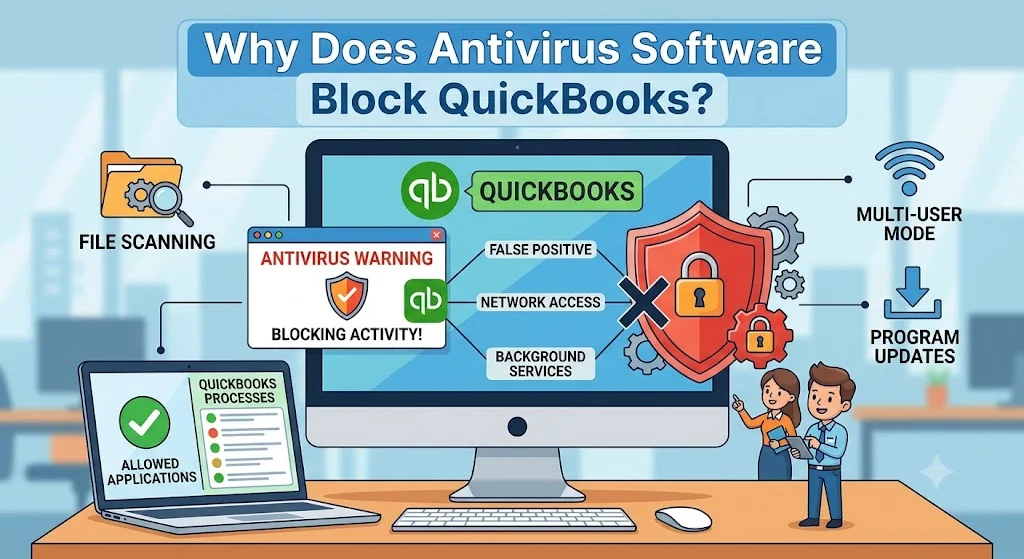
QuickBooks Desktop relies on multiple background processes, company files, database services, and internet connections to perform accounting tasks efficiently. However, some users discover that their antivirus software blocks QuickBooks, causing problems such as slow performance, update failures, company file access issues, and multi-user mode errors.
Although antivirus programs are designed to protect your computer, they can sometimes mistakenly identify legitimate QuickBooks activities as suspicious behavior. Understanding why this happens can help you configure your security software properly and prevent recurring interruptions.
In this guide, we'll explain the common reasons antivirus software blocks QuickBooks and how to resolve these conflicts safely.
How Antivirus Software Works
Antivirus programs continuously monitor files, applications, and network activity to detect potential threats.
They typically scan:
- Program files
- Downloaded updates
- Background services
- Network connections
- Shared files
- Database activity
When antivirus software notices activity that resembles malware behavior, it may automatically restrict or block the process.
Why Does Antivirus Software Block QuickBooks?
Several QuickBooks activities can trigger antivirus alerts.
1. QuickBooks Uses Background Services
QuickBooks runs multiple services in the background to support its features.
Examples include:
- Database Server Manager
- QuickBooks File Monitor
- Payroll Update Services
- Multi-user connectivity services
Because these services operate continuously, some antivirus programs may incorrectly classify them as suspicious.
Possible Symptoms
- QuickBooks opens slowly.
- Company files become inaccessible.
- Multi-user mode stops working.
2. QuickBooks Communicates Over the Network
In multi-user environments, QuickBooks constantly exchanges information between computers and servers.
Antivirus May Flag
- Network traffic
- Shared company file access
- Database communication
- Remote workstation connections
As a result, security software may block the connection to protect the system.
3. Payroll and Program Updates Trigger Security Checks
QuickBooks frequently downloads:
- Program updates
- Payroll tax tables
- Security patches
- Banking updates
Since antivirus software closely monitors downloads, update-related files can occasionally be quarantined or blocked.
Common Result
- Payroll updates fail.
- QuickBooks updates do not install.
- Error messages appear during downloads.
4. Company Files Are Continuously Accessed
QuickBooks company files are updated constantly as users:
- Create invoices
- Record expenses
- Process payroll
- Generate reports
Because the files change frequently, antivirus software may repeatedly scan them, causing delays or blocking access altogether.
Symptoms
- Slow company file performance
- File locking issues
- Unexpected crashes
5. Database Services Resemble Server Activity
QuickBooks Database Server Manager allows multiple users to access the same company file.
From an antivirus perspective, database servers may resemble applications attempting to share data across a network.
This can lead to:
- Blocked database services
- Connection failures
- Multi-user errors
6. Firewall Components Restrict QuickBooks Traffic
Many antivirus products include built-in firewalls.
These firewalls may:
- Block QuickBooks ports
- Restrict internet access
- Prevent workstation communication
Without proper permissions, QuickBooks may lose access to critical services.
7. Heuristic Scanning Creates False Positives
Modern antivirus software uses heuristic analysis to identify unknown threats.
Rather than relying only on virus definitions, it evaluates behavior patterns.
Sometimes QuickBooks Activities Resemble:
- Automatic file modification
- Continuous network communication
- Background service execution
- Database access
As a result, QuickBooks files may be incorrectly flagged despite being safe.
8. Antivirus Quarantines QuickBooks Files
When antivirus software suspects a file may be unsafe, it may move it to quarantine automatically.
If a QuickBooks executable file is quarantined:
- QuickBooks may not start.
- Updates may fail.
- Database services may stop working.
This often occurs after antivirus definition updates.
Signs That Antivirus Is Blocking QuickBooks
You may be dealing with antivirus interference if:
- QuickBooks crashes unexpectedly.
- Company files open slowly.
- Multi-user mode stops functioning.
- Payroll updates fail.
- QuickBooks cannot access the internet.
- Error H202 appears.
- Database Server Manager cannot connect.
- QuickBooks freezes during operations.
These symptoms often indicate security software restrictions.
How to Confirm Antivirus Is Causing the Problem
Before making changes, determine whether the antivirus is actually responsible.
Check Antivirus Logs
Most security programs maintain logs showing:
- Blocked applications
- Quarantined files
- Restricted connections
Reviewing these logs may reveal blocked QuickBooks components.
Test QuickBooks Temporarily
If permitted by your organization's security policies:
- Pause real-time scanning briefly.
- Open QuickBooks.
- Test the affected function.
If the issue disappears, antivirus software is likely involved.
How to Prevent Antivirus From Blocking QuickBooks
Create QuickBooks Antivirus Exclusions
Adding exclusions prevents antivirus software from scanning critical QuickBooks files.
Common Exclusions Include
- QuickBooks installation folders
- Company file locations
- Database Server Manager files
- Payroll update components
This is one of the most effective solutions.
Add QuickBooks Processes to Allowed Applications
Whitelist important QuickBooks executables.
Examples include:
- QBW32.exe
- QBDBMgrN.exe
- QBCFMonitorService.exe
- QBUpdate.exe
Allowing these processes reduces false detections.
Configure Firewall Rules
Ensure QuickBooks communication ports remain open.
Proper firewall configuration supports:
- Multi-user mode
- Payroll updates
- Online services
- Database communication
Keep QuickBooks Updated
New releases often include:
- Security improvements
- Compatibility updates
- Performance enhancements
Updated versions are less likely to conflict with modern antivirus software.
Keep Antivirus Software Updated
Outdated antivirus definitions may increase false-positive detections.
Regular updates improve application recognition and compatibility.
Benefits of Proper Antivirus Configuration
Once QuickBooks is properly configured, users often experience:
- Faster company file access
- Improved multi-user performance
- Successful payroll updates
- Reduced network errors
- Better application stability
- Fewer unexpected crashes
Proper configuration helps maintain both security and productivity.
Real-World Example
A small accounting office noticed that QuickBooks became extremely slow after installing a new antivirus package.
Users experienced:
- Delayed company file access
- Payroll update failures
- Multi-user mode errors
After reviewing antivirus logs, the administrator discovered that QuickBooks database services were being scanned continuously.
Adding QuickBooks program folders and company file locations to the antivirus exclusion list restored normal performance and eliminated connectivity problems.
Frequently Asked Questions
Is QuickBooks safe to allow through antivirus software?
Yes. QuickBooks is a legitimate accounting application. Creating exclusions for verified QuickBooks files is a common troubleshooting practice.
Can antivirus software cause QuickBooks to run slowly?
Yes. Continuous scanning of QuickBooks files can significantly impact performance.
Why does QuickBooks stop working after an antivirus update?
Updated antivirus definitions may incorrectly identify QuickBooks files as suspicious and block them.
Can antivirus software affect multi-user mode?
Yes. Blocking database services or network communication can prevent multi-user access.
What's the best way to prevent antivirus conflicts?
Create QuickBooks antivirus exclusions, allow QuickBooks processes, and keep both QuickBooks and antivirus software updated.
Final Thoughts
Antivirus software blocks QuickBooks most often because it misinterprets legitimate accounting processes, database activity, network communication, or update downloads as potential security risks. While these protections are important, they can sometimes interfere with QuickBooks functionality.
By understanding the causes and properly configuring exclusions, firewall permissions, and trusted applications, businesses can maintain strong security while ensuring QuickBooks operates efficiently and without interruptions.