Sign up with Google
 Sign in with Zoho

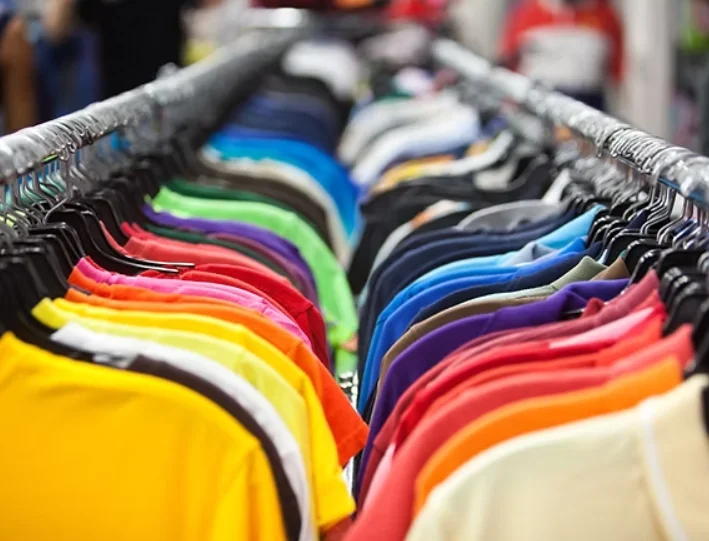
Ordering hundreds of shirts brings one quiet worry: whether the last shirt in the box will match the first. Small shifts in color, placement, or ink coverage are easy to miss on a single garment but painfully obvious when a whole crew lines up for a photo. Consistency is not luck, and it comes from a handful of habits that a good print shop repeats on every job.
Where Consistency Starts
One Approved Mockup
Every consistent order begins with a digital mockup that shows placement, size and colors before any ink is mixed. Once you approve it, that mockup becomes the reference for everyone who touches the job. Most placement mistakes are caught here, since it costs nothing to move a logo an inch on screen.
Clean Artwork Files
Sharp, vector-style files such as AI or PDF give the shop the cleanest possible screens. The design team at Merlin Graphics C&C Design reviews every file and handles small fixes like background removal and centering at no extra charge. Clean art means fewer surprises once the screens are burned.
Controlling Color Across the Run
Pantone-Matched Ink
Ink is mixed to a Pantone reference so the brand color on shirt one matches the brand color on shirt five hundred. Mixing by eye is where drift creeps in, especially when a reorder happens months later.
Same Garments From the Same Batch
Buyers ordering bulk T shirt screen printing for the first time are often surprised that the blank shirt itself can shift the result. Garments from different production lots can vary slightly in shade, so ordering the full quantity in one style and one run keeps the base color even. The shop prints on brands such as Gildan, Bella+Canvas, and Next Level.
Common causes of variation between shirts include:
- Ink that was remixed or thinned between batches
- Garments pulled from different dye lots
- Screens that shift or wear during a long run
- Uneven heat during curing
Keeping the Press Steady
Registration and Setup
Each color in a design is burned onto its own screen, and those screens must line up perfectly on the press. A careful operator checks alignment on a test shirt and adjusts before the production run begins. When registration drifts, colors overlap or leave thin gaps around edges.
Test Prints Before the Run
Before the full quantity begins, a careful operator prints a test shirt and compares it against the approved mockup. Placement, color and edge sharpness all get checked on that single garment, and adjustments are made while the cost of a mistake is one shirt instead of five hundred. Skipping this habit is how a whole batch ends up with the logo sitting an inch too low.
Proper Curing
Every printed shirt is heat-cured so the ink bonds with the fabric, and uneven curing shows up later as cracking or fading. Consistent heat and belt speed matter as much as the ink itself.
Inspection During and After
Every order is inspected for consistency before it leaves the shop, which is where stray misprints get pulled out. Checking as the run progresses is better than sorting through a finished pile.
Inspectors typically look for:
- Placement that sits level and in the same spot on each shirt
- Color that matches the approved mockup
- Clean edges with no smearing or ghosting
- Correct sizes and counts in each box
Capacity and Local Support
The shop says it handles orders ranging from a single shirt to 10,000, and it works with clients from small businesses to large companies. When you vet a custom screen printing company, ask how it handles reorders, since matching an old job months later is the true test of a process. Working with a local Tracy shop also means you can visit, inspect a sample, and talk directly to the people running the press.
Reorders and Long-Term Matching
Consistency matters just as much across months as it does across a single run, because many customers reorder the same shirt for new hires or the next season. Saving your approved artwork, Pantone references, and garment style makes it far easier to reproduce the original result. Small changes in garment lots can still cause slight shade differences, so it helps to order a little extra if you expect to reprint.
Ordering Tips for Big Runs
Planning well is the cheapest way to protect consistency. Standard production takes 7 to 10 business days, and larger orders benefit from extra lead time. A quick phone call before you approve the mockup also helps, since five minutes of conversation often settles questions that email leaves open.
- Finalize artwork and quantities before requesting the mockup
- Approve the mockup carefully, since it sets the standard
- Provide an accurate size breakdown to avoid reprints
- Share your deadline early so rush options can be discussed
Bulk Printing With Merlin Graphics
Merlin Graphics is a family-owned print shop at 24568 S MacArthur Dr in Tracy, CA, with more than 20 years in business. The team offers free mockups, Pantone-matched inks and quality inspection on every order, along with free local pickup. Call (925) 895-4478 or request a quote online to start planning your run.
FAQs
What is the minimum order for screen printing?
The minimum is 12 pieces, so it works for small groups as well as large orders.
How long does a large order take?
Standard production runs 7 to 10 business days, and rush options are available when you share your deadline early.
Can I reorder the same design later?
Yes, and keeping your approved artwork and color references on file makes the reorder match the original run.
Will the shop help fix my artwork?
The in-house designers review each order and handle small edits such as background removal and centering at no extra charge.
What file format should I send?
AI or PDF artwork is preferred, and the team can advise if your file needs adjustments.