Sign up with Google
 Sign in with Zoho

YouTube can work well on a wide range of internet connections, but the speed you need depends heavily on video quality, the number of people watching at the same time, and what else is happening on your home network. Watching a standard-definition video on one device requires far less bandwidth than streaming 4K content across several TVs.
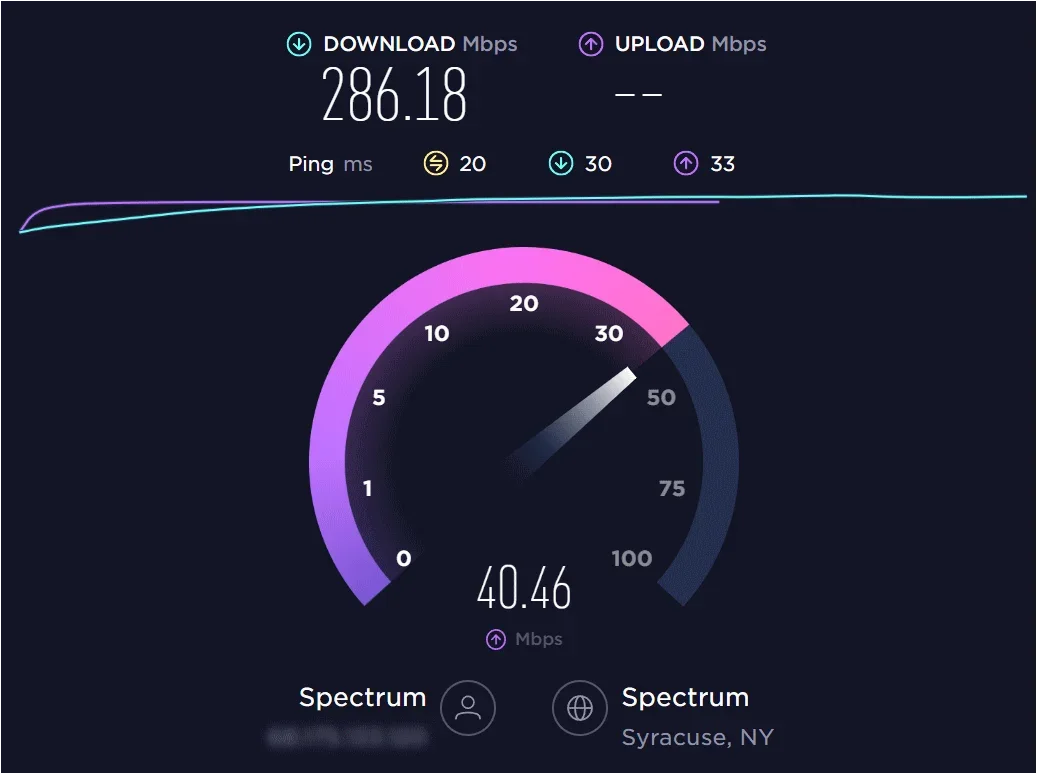
If videos keep buffering, dropping to lower quality, or taking a long time to start, an Internet Speed Test for YouTube can help you determine whether your connection has enough available bandwidth. A speed test is only one part of the diagnosis, but it gives you a useful starting point for understanding whether slow streaming is related to your internet connection or something else.
How Much Speed Does YouTube Actually Need?
YouTube's bandwidth requirements vary according to video resolution and playback conditions. Higher-resolution video requires more data to be delivered consistently.
As a practical guide, you can think about your connection like this:
These figures should be treated as practical targets rather than guarantees. YouTube's actual bandwidth use can vary depending on the video, frame rate, encoding, device, and network conditions.
A household also needs to account for other internet activity. If one person is watching 4K YouTube while someone else is gaming and another device is downloading a large file, the total connection requirement will be considerably higher.
Why Video Quality Changes Your Speed Requirement
The biggest factor affecting YouTube bandwidth is resolution.
A 480p video contains significantly less visual information than a 1080p or 4K video. As resolution and frame rate increase, more data needs to reach your device.
That's why a connection that feels perfectly adequate for casual 720p viewing might struggle when several people begin watching high-resolution videos simultaneously.
YouTube may also automatically adjust playback quality based on available network conditions. If your connection becomes unstable, you may notice the picture become softer even though the video continues playing.
How Many Devices Are Using Your Connection?
Your internet plan isn't dedicated entirely to YouTube. In a typical USA household, several devices may be connected at once:
- Smart TVs streaming video
- Smartphones watching Shorts or long-form videos
- Computers browsing the web
- Game consoles downloading updates
- Security cameras uploading footage
- Cloud services synchronizing files
- Other streaming platforms playing content
If you have 100 Mbps of available bandwidth, that capacity is shared among these activities. This doesn't mean every device continuously uses its maximum possible bandwidth. It means your connection needs enough overall capacity to handle periods when several activities overlap.
Is 25 Mbps Enough for YouTube?
For a single high-quality stream, 25 Mbps can provide substantial capacity under good network conditions. It can also leave some room for ordinary browsing and light activity. However, the answer changes when several people share the connection.
A household with two or three simultaneous high-resolution streams may need considerably more capacity, particularly when other devices are active. That's why choosing an internet plan based solely on one person's YouTube usage can lead to disappointing results later. Think about your household's peak usage rather than the average activity during a quiet afternoon.
How to Test YouTube Internet Speed Properly
If YouTube is buffering, don't immediately assume that your internet plan is too slow. Start by testing your connection when no one else is performing bandwidth-heavy activities. Pause large downloads, cloud backups, game updates, and other streaming services. Then run a speed test from the device you're using for YouTube, if possible.
This distinction matters because the internet speed measured on a desktop connected by Ethernet may be very different from the connection available to a smart TV several rooms away over Wi-Fi.
If you're troubleshooting a streaming issue, test YouTube Internet Speed under both normal and controlled conditions. Compare the results and look for a consistent pattern rather than relying on one unusually low measurement.
Wi-Fi Can Affect YouTube Streaming
Your ISP may provide plenty of bandwidth while your TV, phone, or laptop receives a weaker connection over Wi-Fi.
Distance is one factor. Walls, floors, furniture, interference from nearby networks, and router placement can also affect wireless performance.
For example, suppose your router receives a strong 300 Mbps broadband connection, but your television is located at the opposite end of the house. If the TV's wireless connection is unstable, YouTube may buffer even though the internet plan itself has more than enough capacity.
If practical, compare Wi-Fi performance with a wired Ethernet connection. A significant improvement over Ethernet suggests that your home wireless network deserves closer attention.
What About YouTube Live Streams?
Live video can feel more sensitive to connection problems because you're watching content as it is delivered rather than relying solely on previously buffered material.
A temporary drop in available bandwidth or an unstable connection can interrupt playback or cause the stream to reduce quality.
This is particularly relevant for major U.S. events, live sports coverage, breaking news, concerts, and other popular broadcasts when many people may be online at once.
If YouTube Live frequently struggles while ordinary recorded videos work normally, compare your connection during the problem and during a period when everything is working correctly.
Does Upload Speed Matter for YouTube?
For watching YouTube, download speed is the primary concern because your device is receiving the video. Upload speed becomes important when you're creating and broadcasting content yourself.
If you're a YouTube creator who livestreams, uploads high-resolution videos, or manages large media files, you'll want to evaluate your upload capacity separately. A fast download connection doesn't necessarily mean your upload performance is equally strong.
For ordinary viewers, however, focus primarily on download performance, connection stability, and the quality of your Wi-Fi connection.
What If Your Speed Test Looks Good but YouTube Buffers?
A strong speed-test result doesn't rule out every possible cause of buffering. The issue could be related to your device, browser, app, router, Wi-Fi signal, or a temporary problem somewhere between your network and YouTube. Try a few simple comparisons:
Test another device
If YouTube works smoothly on your phone but buffers on your TV, the problem may be specific to the television or its network connection.
Try Ethernet
If possible, connect the affected device directly to your router. If the problem disappears, Wi-Fi is a likely factor.
Restart your network equipment
Restarting your router can sometimes resolve temporary connectivity issues. Once the network is restored, test again.
Compare different services
If YouTube works normally but another streaming service consistently buffers, the problem may not be your overall internet speed.
When Should You Upgrade Your Internet Plan?
An upgrade makes sense when your connection consistently lacks enough capacity for your household's peak usage.
For example, if multiple people regularly stream high-resolution video while other household members work remotely, game, attend video meetings, or download large files, a faster plan may provide useful additional capacity.
But don't upgrade based on a single poor speed test. First determine whether the problem occurs on Ethernet, across multiple devices, and at different times of day.
If your wired connection consistently performs well but YouTube struggles only over Wi-Fi, improving your home network may be a better solution than purchasing a faster broadband package.
Use a Trusted Internet Speed Test Website
A trusted Internet speed test website can help you establish a reliable baseline for your connection. Test My Internet makes it easy to measure your current performance and compare results over time.
For the most useful information, test when your network is quiet and then repeat the measurement while your household is using the connection normally. Pay attention to download speed and consistency rather than focusing exclusively on the highest number you can achieve.
The goal is to understand whether your connection has enough capacity for the quality of YouTube video you actually watch.
Final Thoughts
YouTube doesn't require an enormous internet connection for everyday viewing. A modest broadband connection can handle standard and HD video, while higher-resolution playback and multiple simultaneous streams require additional capacity.
The key is to consider your actual household usage. One person watching 1080p YouTube is very different from a family streaming several 4K videos while computers, phones, game consoles, and smart-home devices are active.
If you're experiencing buffering, test your connection, compare wired and Wi-Fi performance, reduce competing network traffic, and repeat the test at different times. Once you understand where the bottleneck is, you can decide whether you need a faster internet plan or simply a better-performing home network.