Sign up with Google
 Sign in with Zoho

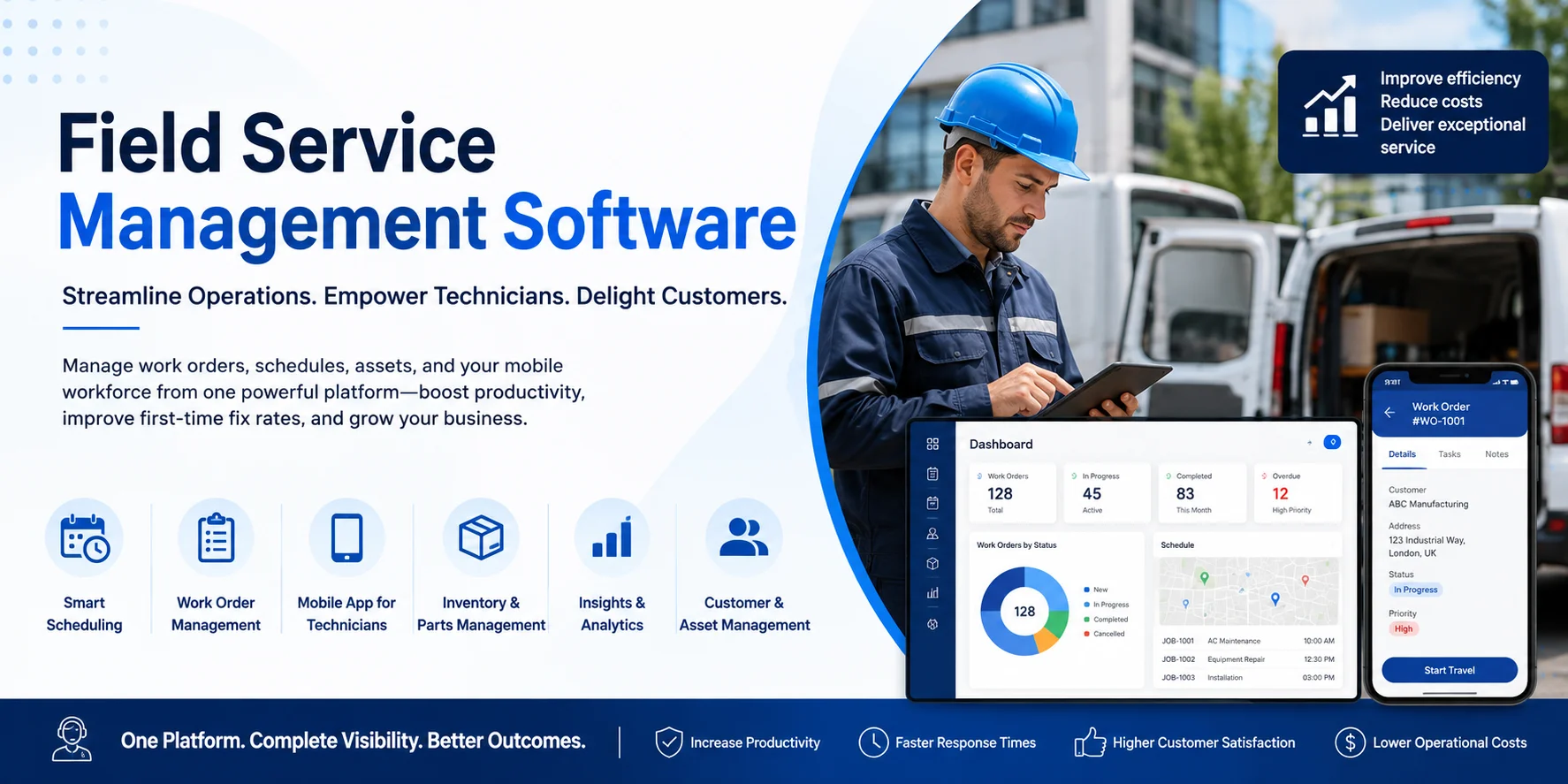
Managing a field service operation becomes increasingly difficult as the number of customers, technicians, assets, appointments, and service requests grows. Manual scheduling, spreadsheets, disconnected applications, and phone-based communication can quickly create delays and make it difficult for service teams to maintain visibility across operations.
This is where field service management software can help.
Field service management software brings scheduling, work orders, technician management, customer information, assets, inventory, and reporting into a more connected environment. However, choosing the right solution requires more than comparing feature lists.
Businesses need to consider their current processes, future growth, integration requirements, mobile workforce, reporting needs, and overall technology strategy.
This guide explains what to evaluate when choosing field service management software and how to identify a solution that fits your organisation.
What Is Field Service Management Software?
Field service management software, often called FSM software, helps businesses manage employees and resources that perform services outside the company's main office.
These services may include:
- Equipment installation
- Preventive maintenance
- Repairs
- Inspections
- Asset servicing
- On-site customer support
- Emergency service calls
Instead of managing these activities through spreadsheets, emails, phone calls, and separate applications, businesses can use a field service management system to coordinate the complete service process.
For example, when a customer reports an equipment problem, the software can help create a work order, assign an appropriate technician, schedule the visit, provide service information to the technician, record completed work, and update the customer.
Why Businesses Need Field Service Management Software
As field service businesses grow, operational complexity increases.
A small team may initially manage appointments manually. However, this approach becomes increasingly difficult when technicians are handling multiple jobs across different locations.
Common problems include missed appointments, inefficient routes, incomplete customer information, poor communication between office and field teams, and limited visibility into technician productivity.
Field service management software can help organisations create a more structured service process.
It can provide dispatchers with visibility into technicians, schedules, service requirements, customer information, and available resources.
Technicians can also access relevant information through mobile devices while working at customer locations.
Key Features to Look for in Field Service Management Software
Not every field service platform provides the same capabilities. Businesses should identify the features that directly support their service model before selecting a solution.
1. Work Order Management
Work orders are at the centre of most field service operations.
Your field service management software should allow teams to create, assign, track, and complete work orders efficiently.
A good system should provide technicians with information such as:
- Customer details
- Service location
- Equipment information
- Required tasks
- Previous service history
- Parts requirements
- Job priority
Centralised work orders reduce dependency on paperwork and make it easier for office and field teams to work with the same information.
2. Scheduling and Dispatch
Scheduling is one of the most important capabilities of any field service management system.
Dispatchers should be able to see technician availability and assign jobs based on factors such as location, skills, priority, availability, and service requirements.
Advanced solutions may also provide automated or intelligent scheduling capabilities.
This can help reduce unnecessary travel and improve technician utilisation while enabling businesses to respond faster to urgent service requests.
3. Mobile Access for Technicians
Field technicians should not need to contact the office every time they need customer or job information.
A mobile field service application can allow technicians to access work orders, customer details, service history, instructions, asset information, and other relevant data.
Technicians may also be able to update job status, record notes, capture photographs, complete checklists, collect signatures, and enter parts or materials used during the visit.
When selecting software, check whether the mobile application supports the processes technicians actually perform in the field.
4. Customer and Asset Management
For organisations servicing equipment, understanding the complete history of an asset can be extremely valuable.
Field service software should help businesses maintain information about customer assets, equipment locations, warranties, maintenance schedules, previous repairs, and service history.
When technicians understand what equipment they are servicing and what happened during previous visits, they can arrive better prepared.
5. Inventory and Parts Management
Technicians frequently require spare parts to complete service jobs.
Poor inventory visibility can result in technicians arriving without the required components, leading to repeat visits and longer resolution times.
Look for field service management software that can connect service operations with inventory information.
Depending on your business model, you may need visibility across warehouses, technician vans, service locations, and replacement parts.
6. Reporting and Analytics
Field service managers need more than operational data. They need information that can help improve performance.
Your system should provide reporting across areas such as:
- Work order volume
- Technician utilisation
- Service completion
- Response times
- Repeat visits
- Resource availability
- Customer service performance
- Maintenance activities
Reporting can help management identify operational bottlenecks and areas where processes need to improve.
Consider Integration with Your Existing Systems
Field service management rarely operates independently.
Your FSM platform may need to exchange information with CRM, ERP, finance, inventory, customer service, or reporting applications.
For example, your field service system may receive customer information from CRM while sending parts consumption or billing information to an ERP platform.
Before choosing a solution, identify which systems need to communicate with your field service platform.
Integration should therefore be considered during software selection rather than after implementation.
Evaluate Scalability
The field service software that works for 10 technicians may not necessarily support a workforce of 200 technicians.
Consider how your service operation could develop over the next several years.
You may need to support:
- Additional technicians
- New service territories
- Multiple warehouses
- More complex scheduling
- Additional service contracts
- Larger asset databases
- International operations
Choosing scalable field service management software can reduce the likelihood of replacing the system again as the organisation expands.
Consider Microsoft Dynamics 365 Field Service
Businesses operating within the Microsoft ecosystem may consider Microsoft Dynamics 365 Field Service.
Dynamics 365 Field Service helps organisations manage work orders, technicians, customer assets, scheduling, dispatch, inventory-related service processes, and mobile field operations.
It can also work alongside other Microsoft technologies including Dynamics 365 applications, Microsoft Dataverse, Power Platform, Power BI, and Microsoft 365.
For organisations already using Microsoft business applications, this connected ecosystem can be an important consideration when evaluating field service management software.
However, the right solution should always depend on business requirements rather than the software brand alone.
Questions to Ask Before Selecting Field Service Management Software
Before making a decision, involve operations managers, service managers, IT teams, dispatchers, technicians, and other stakeholders who will interact with the platform.
Ask questions such as:
These questions help move the evaluation away from generic feature comparisons and towards actual operational requirements.
Don't Choose Software Based on Features Alone
A long list of features does not automatically make a field service platform suitable for your business.
Start by documenting your existing service process.
Identify where delays occur, where employees rely on manual work, what information technicians frequently lack, and which processes need greater visibility.
Then map those requirements against potential systems.
Businesses should also consider implementation complexity, integration, user adoption, training, data migration, and long-term support.
The objective should not simply be to purchase new software. It should be to improve the complete field service process.
How Dynamics Square UK Can Help
Selecting field service management software is only the first stage. Configuration, implementation, integration, data preparation, testing, training, and ongoing optimisation can determine whether the project delivers the expected results.
Dynamics Square UK can help businesses evaluate and implement Microsoft Dynamics 365 Field Service based on their service processes and existing Microsoft environment.
As a trusted Dynamics 365 partner, Dynamics Square UK can support organisations with Dynamics 365 Field Service consulting, implementation, integration, customisation, migration, and ongoing optimisation.
Contact Dynamics Square UK to discuss your field service requirements and determine whether Dynamics 365 Field Service is suitable for your organisation.
FAQs About Field Service Management Software
What is field service management software?
Field service management software helps businesses manage work orders, technicians, scheduling, dispatch, customer assets, service activities, mobile workers, and related field operations through a centralised system.
What businesses use field service management software?
FSM software can be used by businesses providing installation, maintenance, repairs, inspections, equipment servicing, utilities, facilities management, engineering services, and other on-site services.
What should I look for in field service management software?
Important areas include work order management, scheduling, dispatch, mobile capabilities, customer asset management, inventory integration, reporting, automation, scalability, security, and integration with existing systems.
Is Dynamics 365 Field Service an FSM system?
Yes. Microsoft Dynamics 365 Field Service is a field service management solution designed to support work orders, resource scheduling, technicians, customer assets, mobile field operations, and connected service processes.
Can field service management software integrate with ERP and CRM?
Many field service platforms can integrate with ERP and CRM applications. The exact integration options depend on the software being used and the systems within your existing technology environment.
How do I choose the right field service management software?
Start by documenting your service processes, operational challenges, users, integrations, mobile requirements, reporting needs, and expected growth. You can then compare potential platforms against these requirements rather than choosing software purely based on feature lists.
Final Thoughts
The right field service management software should help your organisation connect people, processes, assets, and information across the complete service lifecycle.
Prioritise software that supports your actual field operations, integrates with important business systems, gives technicians the information they need, and can scale as service demand increases.
For organisations using the Microsoft ecosystem, Dynamics 365 Field Service can be worth evaluating as part of a broader connected business technology strategy.
A structured requirements assessment before implementation can help ensure that the platform you select solves today's operational challenges while supporting tomorrow's growth.